1. Product Overview
The ACEBEAM K1 is a compact Everyday Carry (EDC) flashlight featuring three distinct light sources: a powerful white LED, a 365nm UV light, and a green beam. Designed for versatility and durability, it offers multiple brightness levels and is compatible with both its included rechargeable battery and standard AA batteries.

Image 1: ACEBEAM K1 flashlight highlighting its triple light sources.
Key Features:
- Triple Light Sources: 1000 high lumens CREE XP-LR 6500K white LED (223m throw), 365nm UV light (1000mW output), and a green beam (≤5mW, Class 3R).
- Dual Switches: Rotary magnetic switch for mode selection (white, green, UV) and a tail switch for quick on/off and brightness adjustments.
- Rechargeable Battery: Includes a 14500 USB-C rechargeable battery. Also compatible with standard AA batteries.
- Durable Construction: Made from AL6061-T6 aircraft-grade aluminum alloy, 1.5-meter impact-resistant, and IP68 waterproof/dustproof rating.
- Compact Design: Weighs 2.73oz and measures 4.33 inches, making it suitable for everyday carry.
2. Package Contents
Verify that all items are present in the package:
- ACEBEAM K1 Flashlight (with 14500 Battery) x 1
- Lanyard x 1
- O-rings x 2
- USB Cable x 1
- User Manual x 1

Image 2: Contents of the ACEBEAM K1 product package.
3. Setup
Battery Installation & Charging:
- Initial Use: Before first use, unscrew the tail cap and remove the insulating film from the battery.
- Charging: The included 14500 battery has a built-in USB-C port. Connect the provided USB cable to the battery and a power source. The indicator light on the battery will show red while charging and turn green when fully charged.
- Alternative Battery: The K1 is compatible with any standard AA battery type if the rechargeable battery is unavailable or depleted.

Image 3: Battery charging and compatibility with AA batteries.
4. Operating Instructions
Power On/Off:
- Fully press the tail switch to turn the flashlight on or off.
Switching Light Sources:
The K1 features a rotary magnetic switch to select between the three light sources:
- Rotate the switch to the first position for the White LED.
- Rotate the switch to the second position for the Green Beam.
- Rotate the switch to the third position for the UV Light.

Image 4: Rotary magnetic switch for selecting light sources.
Changing Brightness Levels:
Once a light source is selected, use the tail switch to cycle through brightness levels:
- White Light Mode: In white light mode, turn the flashlight off and then on again within 4 seconds to cycle between Low, Medium, and High brightness settings.
- UV Light Mode: In UV light mode, turn the flashlight off and then on again within 4 seconds to cycle between High and Low brightness settings.
- Strobe Function: While in White Light Mode (Mode 1), rotate the magnetic switch to Mode 2 (Green Beam) and back to Mode 1 within 0.3 seconds to activate the white light strobe function.

Image 5: Tail switch operation for brightness control.
White LED Operation:
The 1000 lumens CREE XP-LR 6500K white LED provides powerful illumination for various tasks.
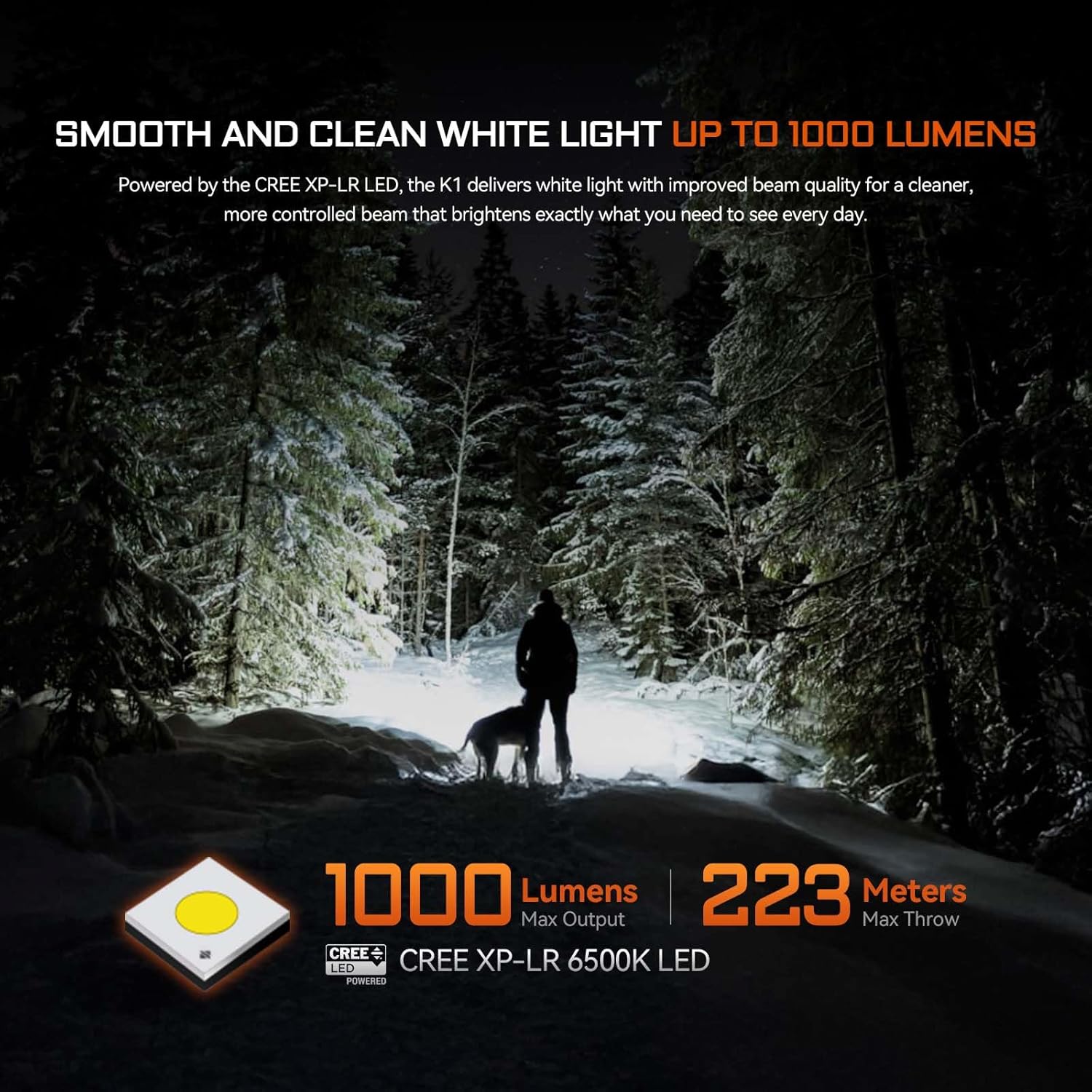
Image 6: White LED illuminating a dark, snowy environment.
Green Beam Operation:
The green beam is useful for precise pointing, presentations, equipment maintenance, or outdoor guidance.
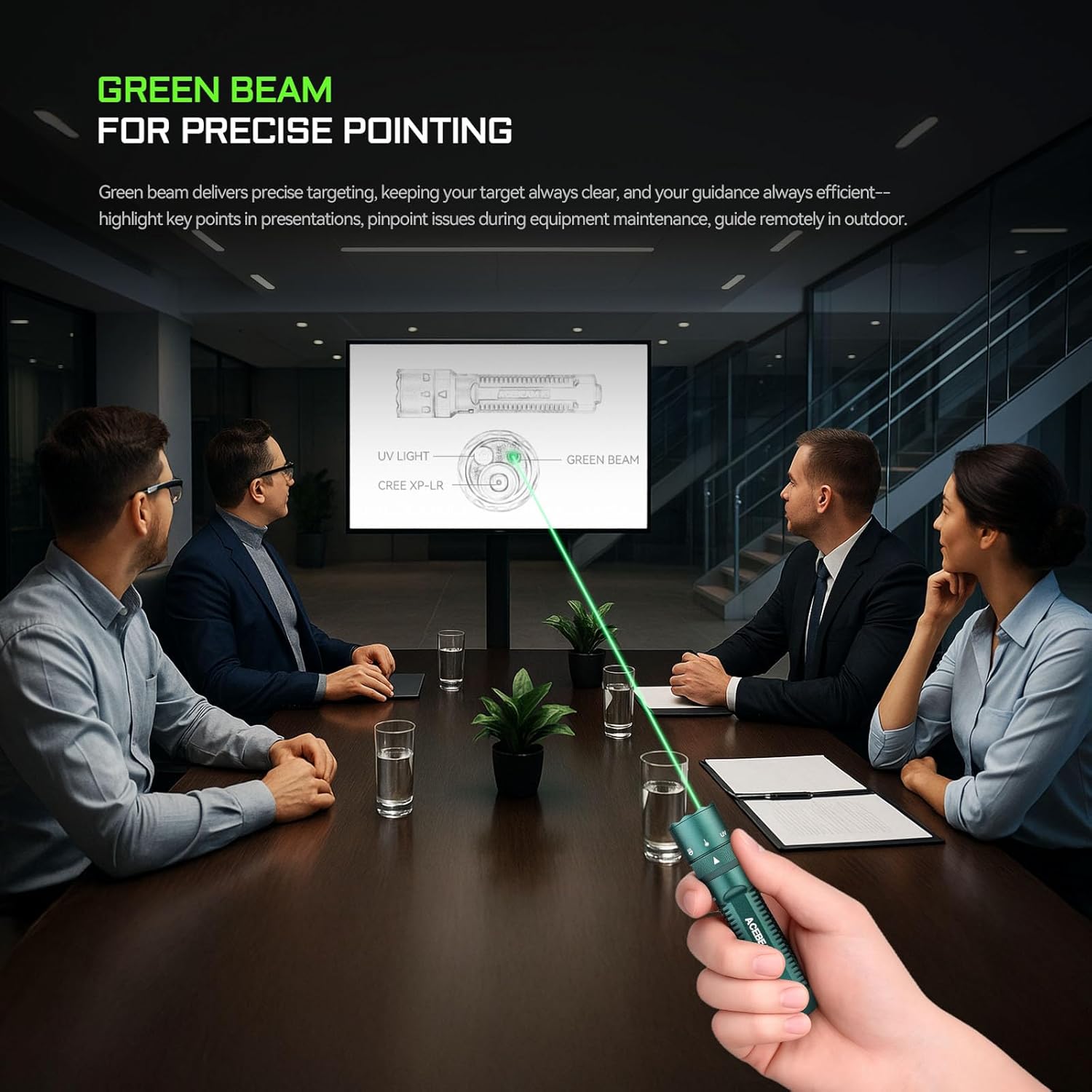
Image 7: Green beam used for precise pointing.
UV Light Operation:
The 365nm UV light with 1000mW output helps reveal hidden details, authenticate items, and inspect for cleanliness.

Image 8: UV light revealing invisible details.
5. Maintenance
- Cleaning: Clean the flashlight body and lens with a soft, damp cloth. Avoid abrasive materials.
- O-rings: Periodically check and lubricate the O-rings to maintain the IP68 waterproof rating. Replace O-rings if damaged.
- Battery Care: Store the battery in a cool, dry area with low temperature for long-term storage.
- Impact Resistance: The flashlight is 1.5-meter impact-resistant. Avoid dropping it from excessive heights.
- Water Resistance: The flashlight has an IP68 rating, meaning it is dustproof and submersible up to 2 meters for 30 minutes. Ensure the tail cap is securely tightened before exposure to water.

Image 9: Durability features including IP68 water resistance and impact resistance.
6. Troubleshooting
- Flashlight not turning on: Ensure the battery is correctly inserted and fully charged. Remove the insulating film if it's the first use.
- Dim or flickering light: Check battery charge level. If using an AA battery, ensure it is fresh. Clean battery contacts if dirty.
- Overheating: The K1 may reduce output to prevent overheating during prolonged high-mode use. This is normal. Allow it to cool down.
- Laser/UV not working: Ensure the rotary switch is correctly aligned with the desired mode. Check battery level.
7. Specifications
| Feature | Detail |
|---|---|
| White Brightness | 1000 Lumens (CREE XP-LR 6500K LED) |
| Max Throw | 223 meters |
| UV Light Output | 1000mW at 365nm wavelength |
| Green Beam Output | ≤5mW, Class 3R |
| Power Source | Rechargeable Lithium-Ion (14500, 1000mAh) or 1x AA battery |
| Material | AL6061-T6 Aircraft-grade Aluminum |
| Water Resistance | IP68 (2 meters submersible for 30 minutes) |
| Impact Resistance | 1.5 meters |
| Product Dimensions | 0.63"D x 1"W x 4.33"H |
| Item Weight | 4.2 ounces |
Notice: The above-mentioned parameters have been measured in accordance with the international flashlight testing standard ANSI/PLATO FL1 and are approximate and may vary from flashlights, batteries, and environments.
8. Warranty and Support
Warranty Information:
- 15-Day Replacement: ACEBEAM will replace any quality defective lights within 15 days of purchase.
- 60-Month Warranty: We offer warranty within 60 months of purchase if problems develop with normal use for LED models.
- 12-Month Warranty: Batteries, battery packs, chargers, remote switches, and other accessories are covered for 12 months.
- Limited Lifetime Warranty: We charge for replacement parts beyond the warranty period.
Please keep your warranty card and contact the authorized distributors for after-sale maintenance. Customer information is required to fill out if repair is needed.
Customer Support:
For any questions or support, please contact ACEBEAM customer service via their official website or authorized channels.


