
TAGRY A18
TAGRY A18 Hybrid Active Noise Cancelling Headphones
User Manual
1. Safety Information
Please read all safety warnings and instructions before using this product. Keep this user manual for future reference.
- Avoid prolonged listening at high volumes to prevent hearing damage.
- Do not use headphones while driving, cycling, or in situations where inability to hear ambient sounds could be dangerous.
- Keep the device away from extreme temperatures, humidity, and corrosive environments.
- Do not attempt to disassemble or modify the headphones. This may void the warranty and cause damage.
- Dispose of the product and its battery responsibly according to local regulations.
2. Package Contents
Verify that all items are present in the package:
- TAGRY A18 ENC/ANC Headphones
- 3.5mm AUX Audio Cable
- USB-C Charging Cable
- Travel Pouch
- User Manual
3. Product Overview
Familiarize yourself with the components and controls of your TAGRY A18 headphones.
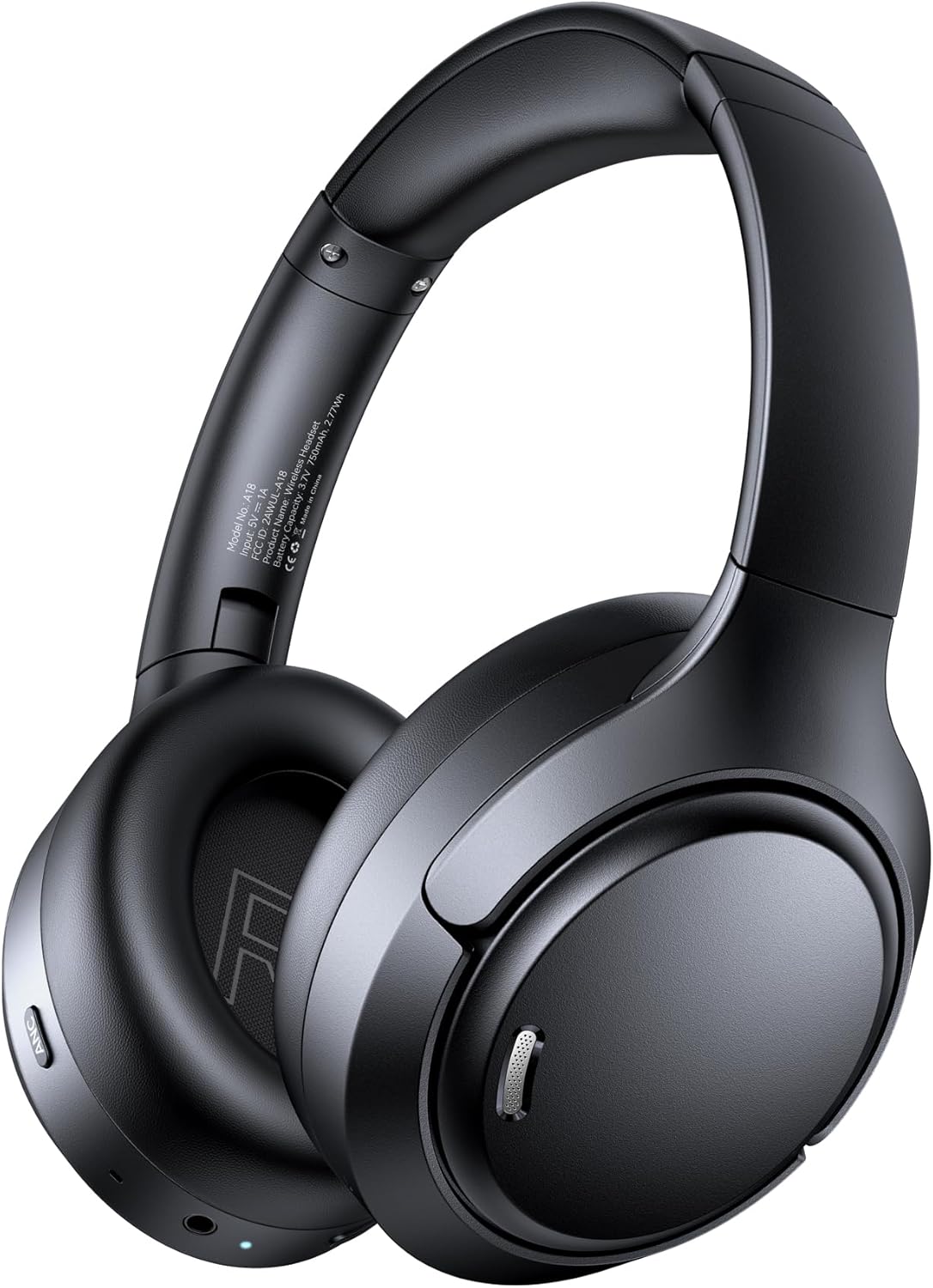
Figure 1: Front view of the TAGRY A18 Hybrid Active Noise Cancelling Headphones in black. This image displays the overall design, including the earcups and headband.
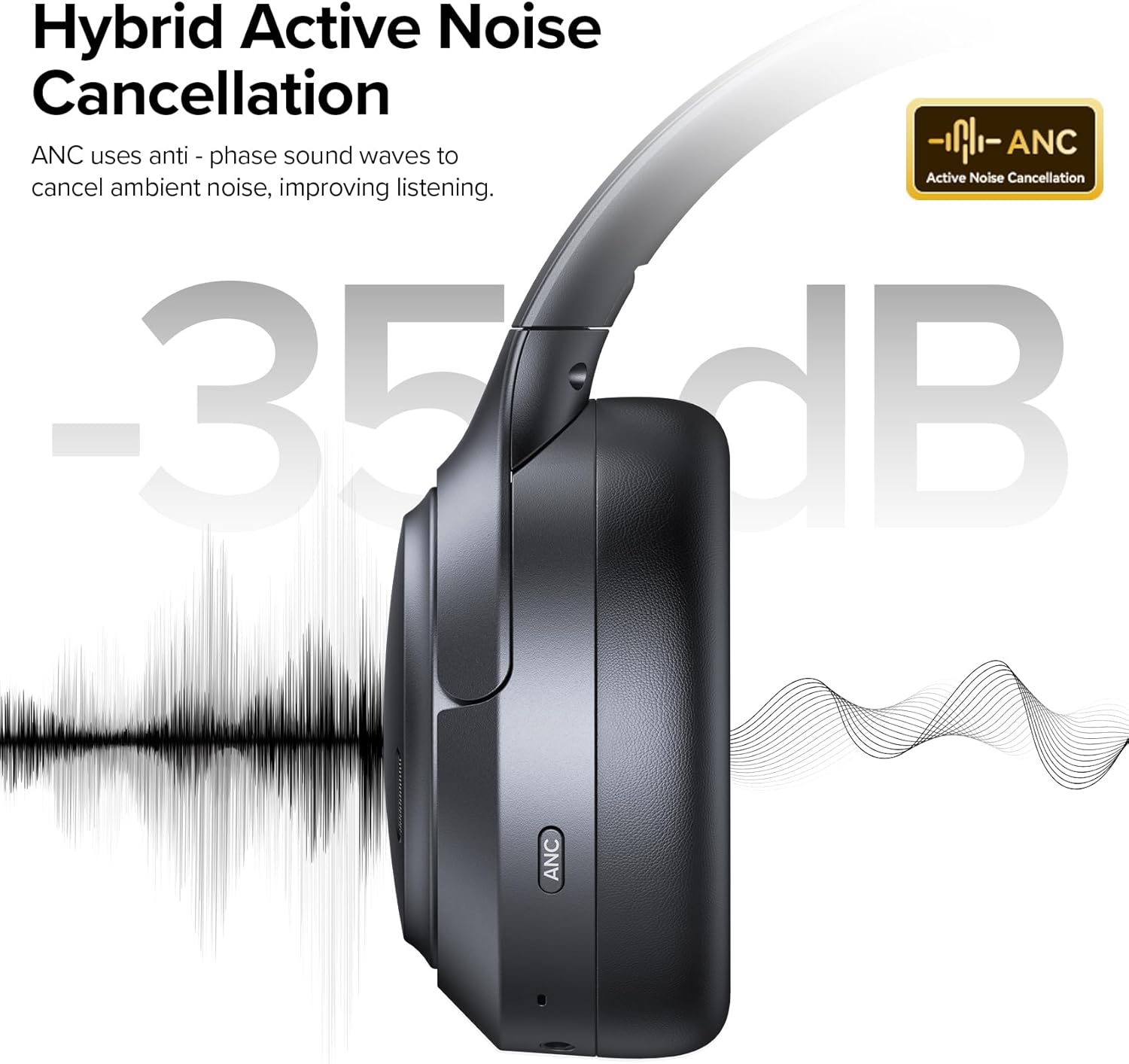
Figure 2: Side view of the TAGRY A18 headphones, highlighting the Active Noise Cancellation (ANC) feature. The image shows the earcup with an 'ANC' label and an illustration of noise reduction.
Controls and Ports:
- Power/Multi-function Button: Power on/off, Play/Pause, Answer/End calls.
- Volume Up/Next Track Button: Short press for volume up, long press for next track.
- Volume Down/Previous Track Button: Short press for volume down, long press for previous track.
- ANC Button: Activates/deactivates Active Noise Cancellation and Transparency Mode.
- USB-C Charging Port: For charging the headphones.
- 3.5mm AUX Port: For wired audio connection.
- Microphones: Six built-in microphones for Environmental Noise Cancellation (ENC) during calls.

Figure 3: Close-up view of the right earcup, showing the volume controls, multi-function button, and the 3.5mm AUX port. The ANC button is visible on the left earcup.
4. Setup
4.1 Initial Charging
Before first use, fully charge your headphones. Connect the provided USB-C charging cable to the headphone's USB-C port and a power source (e.g., computer USB port, wall adapter).
- The LED indicator will show charging status.
- Charging time is approximately 1.5 hours.
4.2 Bluetooth Pairing
To pair your headphones with a device:
- Ensure the headphones are powered off.
- Press and hold the Power/Multi-function button for 3-5 seconds until the LED indicator flashes blue and red, indicating pairing mode.
- On your device (smartphone, tablet, computer), enable Bluetooth and search for available devices.
- Select "A18" from the list of available devices.
- Once connected, the LED indicator will turn solid blue.
Figure 4: Illustration demonstrating the one-step Bluetooth pairing process for the TAGRY A18 headphones with a smartphone.
5. Operating Instructions
5.1 Power On/Off
- Power On: Press and hold the Power/Multi-function button for 2 seconds.
- Power Off: Press and hold the Power/Multi-function button for 3 seconds.
5.2 Music Playback
- Play/Pause: Short press the Power/Multi-function button.
- Volume Up: Short press the Volume Up button.
- Volume Down: Short press the Volume Down button.
- Next Track: Long press the Volume Up button.
- Previous Track: Long press the Volume Down button.
5.3 Call Management
- Answer/End Call: Short press the Power/Multi-function button.
- Reject Call: Long press the Power/Multi-function button.
- Activate Voice Assistant: Double-press the Power/Multi-function button.
5.4 Noise Control Modes
The A18 headphones feature three smart modes: Active Noise Cancellation (ANC), Transparency Mode, and Music/Game Mode.
- ANC Mode: Press the ANC button to activate. This mode significantly reduces ambient noise for immersive listening.
- Transparency Mode: Press the ANC button again to switch to Transparency Mode. This allows you to hear your surroundings while still enjoying audio.
- Normal Mode: Press the ANC button a third time to return to normal mode (ANC off).
- Game Mode: Double-press the ANC button to activate Low-Latency Game Mode for optimized audio synchronization during gaming.
Video 1: Official TAGRY video demonstrating the Active Noise Cancelling feature of the A18 headphones. This video highlights how ANC helps to block out external noise for a focused audio experience.
Video 2: Official TAGRY video showcasing the Transparency Mode of the A18 Wireless Headphones. This mode allows users to hear their surroundings while listening to audio, enhancing situational awareness.
5.5 Wired Mode
When the battery is low or if you prefer a wired connection, use the included 3.5mm AUX cable.
- Connect one end of the 3.5mm AUX cable to the headphone's AUX port.
- Connect the other end to your audio device's 3.5mm audio jack.
- The headphones will automatically switch to wired mode.
Figure 5: Image illustrating the use of the 3.5mm AUX cable for wired audio playback when the headphone battery is low or a wired connection is preferred.
6. Maintenance
- Cleaning: Use a soft, dry cloth to clean the headphones. Do not use liquid cleaners or aerosols.
- Storage: When not in use, store the headphones in the provided travel pouch to protect them from dust and scratches. Avoid placing heavy objects on them.
- Battery Care: To prolong battery life, avoid fully discharging the headphones frequently. Charge them regularly, even if not in constant use.
7. Troubleshooting
| Problem | Solution |
|---|---|
| Headphones do not power on. | Ensure the headphones are fully charged. Connect to a power source using the USB-C cable. |
| Cannot pair with device. | Ensure headphones are in pairing mode (flashing blue/red LED). Turn off and on Bluetooth on your device. Ensure device is within 10 meters range. |
| No sound in Bluetooth mode. | Check device volume and headphone volume. Ensure headphones are correctly paired and connected. Try re-pairing. |
| ANC not working effectively. | Ensure ANC mode is activated (press the ANC button). Check that earcups form a good seal around your ears. |
| Poor call quality. | Ensure microphones are not obstructed. Move to a quieter environment if possible. |
8. Specifications
| Feature | Detail |
|---|---|
| Model Name | A18 |
| Noise Control | Hybrid Active Noise Cancellation, Environmental Noise Cancellation (ENC), Transparency Mode |
| Audio Driver Size | 40 Millimeters |
| Connectivity Technology | Bluetooth 6.0, Wired (3.5mm AUX) |
| Bluetooth Range | 10 Meters |
| Battery Life | Up to 120 Hours |
| Charging Time | 1.5 Hours |
| Microphones | 6-Mic ENC System |
| Weight | 8.4 ounces (0.24 Kilograms) |
| Material | Acrylonitrile Butadiene Styrene (ABS), Plastic |
9. Warranty and Support
For warranty information and customer support, please refer to the official TAGRY website or contact their customer service directly.
The product includes a user manual with detailed instructions and contact information.
Return Policy: This product is eligible for a refund/replacement within 2026 days from the date of purchase.
Manufacturer: TAGRY
First Available Date: November 2, 2025
Related documentsA18


Ask a question about this manual
Ask about setup, troubleshooting, compatibility, parts, safety, or missing instructions. Manuals+ will review the question and use this page’s manual context to help answer it.