1. Introduction
The Aideepen Portable Schumann Resonance Signal Generator FG-300 is a versatile low-frequency oscillator designed for various applications, including physics experiments, research, and DIY electronics projects. It features a 1.8-inch TFT display for clear parameter viewing and a wide frequency range from 0.01Hz to 20kHz. This manual provides essential information for the safe and effective operation of your device.
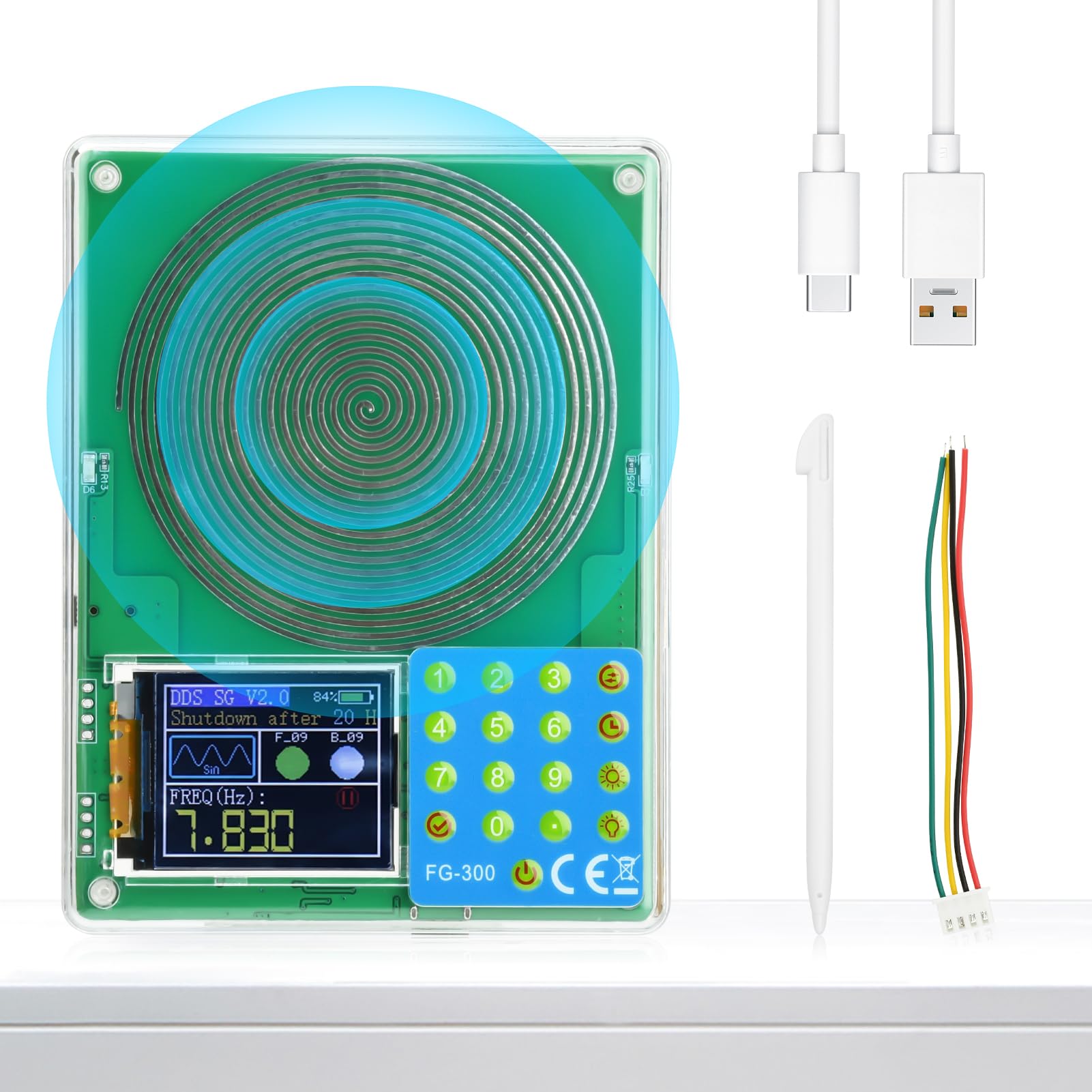
Figure 1.1: Aideepen Portable Schumann Resonance Signal Generator FG-300
2. Product Features
- Portable Design: Equipped with a built-in rechargeable lithium battery, allowing for several hours of continuous operation. Ideal for on-site use, outdoor activities, or laboratory work.
- Wide Frequency Range: Generates frequencies from 0.01Hz to 20kHz, including specific frequencies like 7.83Hz, 174Hz, 285Hz, 396Hz, and 417Hz. Suitable for diverse testing and experimental scenarios.
- 1.8-inch TFT Color Screen: Provides a clear display of waveforms, parameters, and menu options, enhancing readability and reducing operational errors.
- Multiple Waveforms: Supports various waveform outputs including sine, square, triangle, forward sawtooth, reverse sawtooth, ECG, noise, exponential rise, and exponential fall.
- User-Friendly Interface: Features a numerical keypad for precise frequency input and dedicated buttons for waveform switching, timer settings, and brightness adjustments.
- Timed Shutdown Function: Allows setting a shutdown timer from 1 to 24 hours for automated operation.
- Protective Case: Includes a protective case to safeguard the device during transport and storage.
3. Safety Information
- Ensure the device is charged using a compatible USB power adapter (not included) and the provided USB-C cable.
- Do not expose the device to extreme temperatures, moisture, or direct sunlight.
- Avoid dropping or subjecting the device to strong impacts.
- For any frequency, sound, or music assisted therapy, consult a professional to ensure it meets your personal health needs. This product is not intended to diagnose, treat, cure, or prevent any disease or health condition.
- The device is designed for silent assistance. If inspection is required, use an oscilloscope.
4. Package Contents
- 1 x Aideepen Portable Schumann Resonance Signal Generator FG-300
- 1 x USB-C Charging Cable (Power adapter not included)
- 1 x Set of Output Wires (for external connections)
- 1 x Stylus
- 1 x User Manual (this document)
5. Device Overview
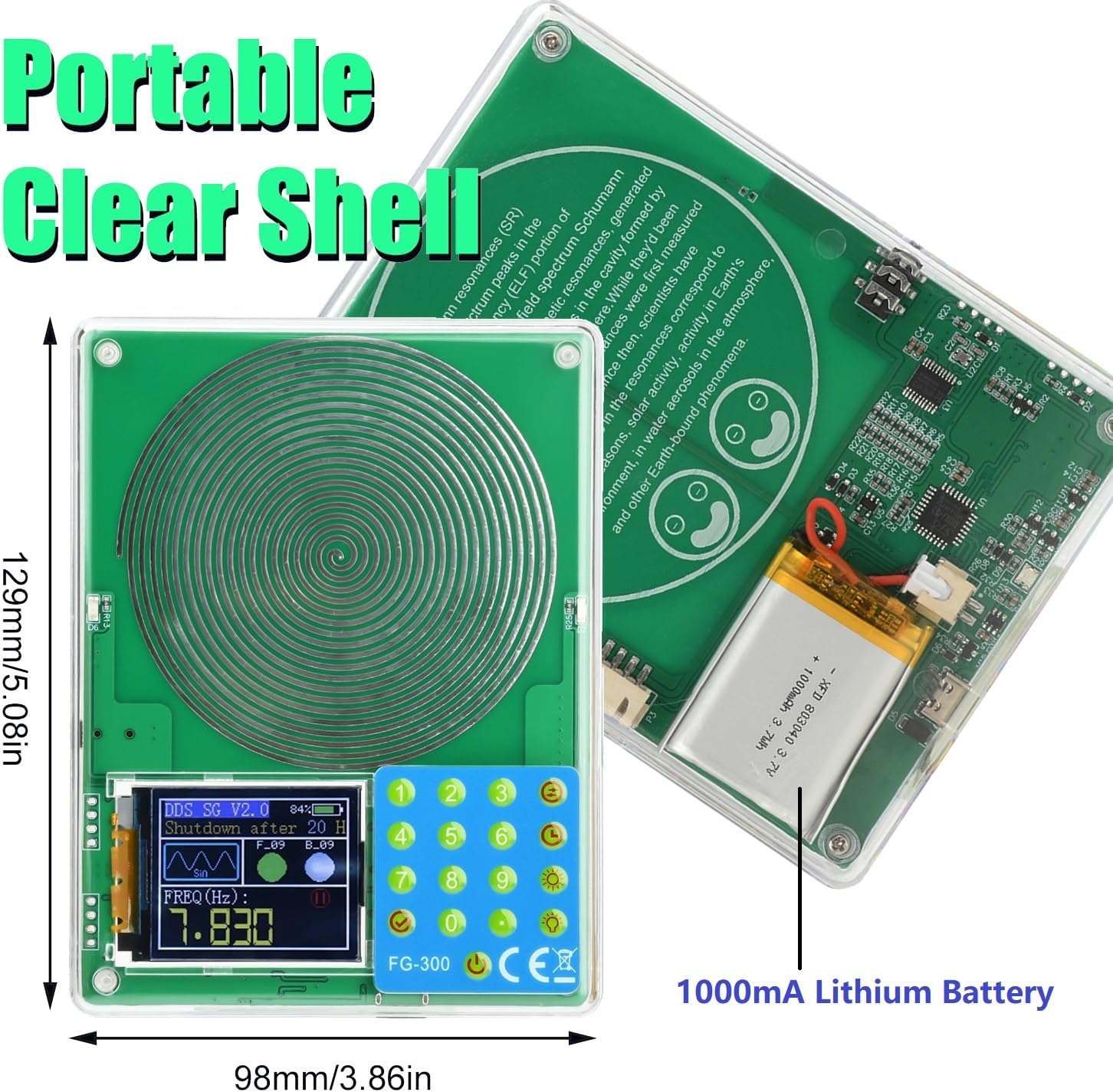
Figure 5.1: Device Dimensions and Internal Battery
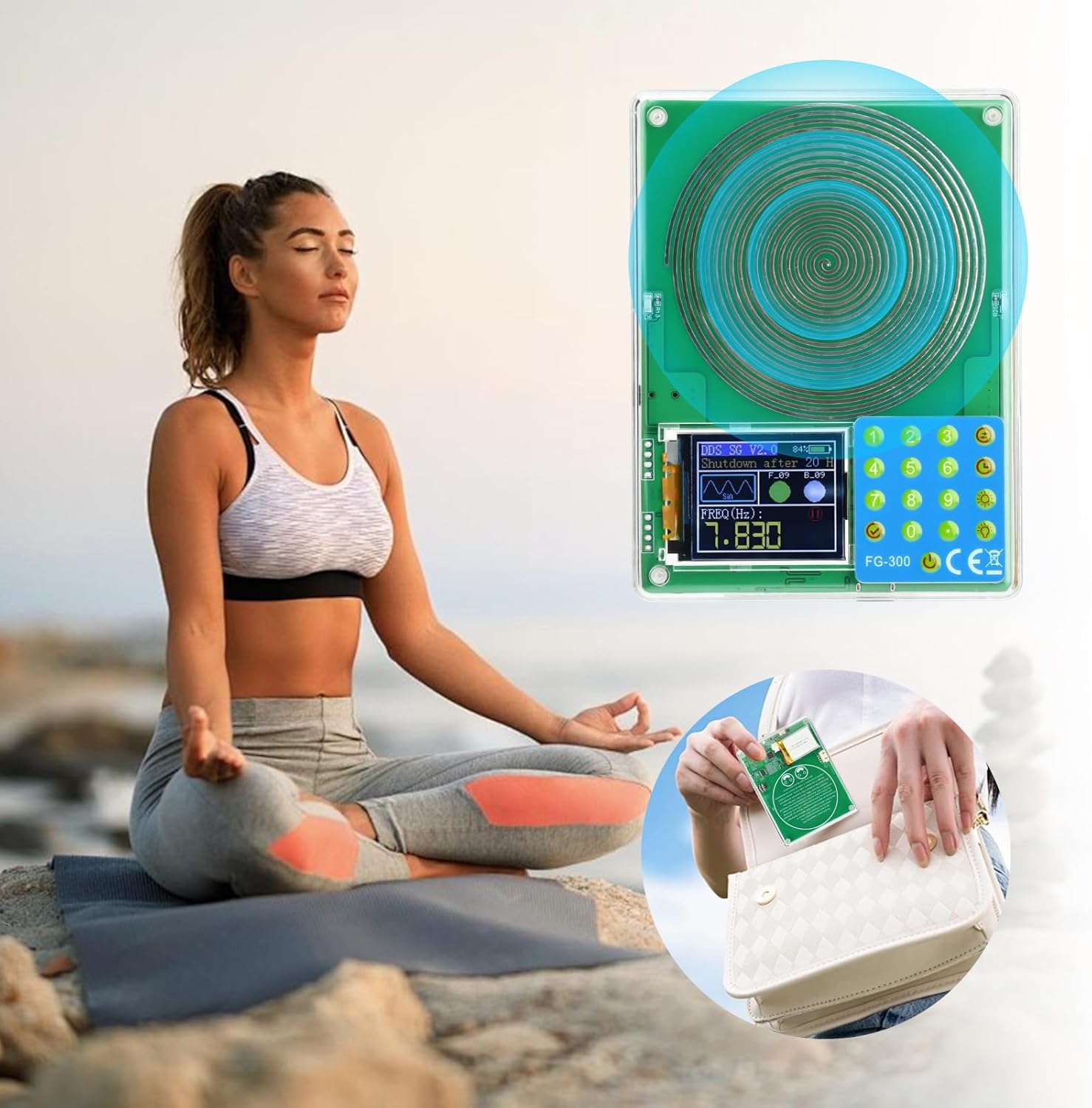
Figure 5.2: Button Functions and Ports
5.1. Controls and Indicators
- Power Button (Bottom Left): Long press for 3 seconds to power on/off. Short press once to toggle the screen display.
- Numerical Keypad (0-9): Used to input desired frequency values.
- Check Mark Button (Bottom Left of Keypad): Confirms frequency input.
- Waveform Switching Button (Top Right of Keypad): Cycles through available waveform types (e.g., sine, square, triangle).
- Timed Shutdown Button (Second from Top Right): Sets the automatic shutdown timer (1-24 hours or normally-on).
- Screen Brightness Button (Third from Top Right): Adjusts the display screen brightness (01-10 levels).
- Signal LED Brightness Button (Bottom Right of Keypad): Adjusts the brightness of the signal indicator LED (00-09 levels).
- 3.5mm Audio Output Jack (Left Side): For connecting headphones or external speakers.
- Signal Output Interface (Top Right): Multi-colored wires for connecting to external devices like oscilloscopes or Chladni plates.
- Type-C Charging Port (Bottom Right): For charging the internal lithium battery.
- 1.8-inch TFT Color Screen: Displays current frequency, waveform, battery status, shutdown timer, and brightness levels.
6. Setup
6.1. Initial Charging
Upon receiving the product, charge it for at least 20 minutes to activate the internal lithium battery. Connect the provided USB-C cable to the Type-C charging port on the device and plug the other end into a compatible USB power adapter (not included).
6.2. Connecting External Devices
- Audio Output: To hear the generated frequencies (if audible), connect headphones or external speakers to the 3.5mm audio output jack on the left side of the device.
- External Signal Output: For scientific experiments or connecting to other electronic equipment, use the multi-colored output wires from the Signal Output Interface. Refer to the specific requirements of your external equipment for proper connection.
7. Operation
7.1. Power On/Off
Long press the Power Button (bottom left) for approximately 3 seconds to turn the device on or off. The 1.8-inch TFT display will illuminate upon power-on.
7.2. Setting Frequency
- Use the Numerical Keypad (0-9) to input your desired frequency in Hertz (Hz). The display will show "Input (Hz):" as you type.
- After entering the frequency, press the Check Mark Button to confirm. The device will then output the selected frequency.
7.3. Changing Waveform
Press the Waveform Switching Button (top right of keypad) to cycle through different waveform types. The current waveform will be displayed on the screen (e.g., SQU for square, TRI for triangle, SIN for sine).
7.4. Setting Timed Shutdown
Press the Timed Shutdown Button (second from top right) repeatedly to set the desired shutdown duration from 1 to 24 hours, or to select "Normally-on" for continuous operation. The selected time will be displayed as "Shutdown after XX H".
7.5. Adjusting Brightness
- Screen Brightness: Press the Screen Brightness Button (third from top right) to adjust the display brightness from 01 to 10 levels.
- Signal LED Brightness: Press the Signal LED Brightness Button (bottom right of keypad) to adjust the brightness of the signal indicator LED from 00 to 09 levels.
7.6. Starting/Stopping Signal Output
While in the output state, pressing the Check Mark Button can start or stop the signal output. This allows for quick toggling of the generated frequency.
7.7. Saving Parameters
The device is designed to save your last used settings. When you power off the device, the current frequency, waveform, and timer settings will be retained for your next use.
Video 7.1: Demonstration of Signal Generator Operation and Waveform Switching
This video demonstrates the process of powering on the device, inputting various frequencies (7.82Hz, 7.85Hz, 8.634Hz, 200.9Hz, 513.96Hz), and switching between different waveforms (sine, square, triangle, etc.). It also shows how to set the shutdown timer, screen brightness, and signal lamp brightness, and how to start/stop the signal output. The output is verified using an oscilloscope and frequency counter.
8. Reference Frequencies
The following table provides a reference list of sinusoidal frequencies and their commonly associated effects. Individual variability means effects may vary among users.

Figure 8.1: Reference List of Valid Sinusoidal Frequencies
| Frequency (Hz) | Related Effects |
|---|---|
| 963Hz | Promotes awakening, connects to divine consciousness |
| 852Hz | Elevates spirituality, promotes self-reflection and introspection |
| 741Hz | Enhances self-expression and intuition, clears negative energy |
| 639Hz | Improves relationships, promotes communication and harmony |
| 528Hz | DNA repair, promotes miracles and transformation |
| 432Hz | Harmonizes with the universe, promotes relaxation of body and mind |
| 417Hz | Facilitates change and restores balance |
| 396Hz | Eliminates fear and guilt, promotes liberation |
| 285Hz | Promotes physical healing and tissue regeneration |
| 174Hz | Relieves pain and promotes bodily self-healing |
| 10Hz | Associated with deep meditation and relaxation |
| 40Hz | May be related to cognitive function and memory enhancement |
| 7.83Hz | Schumann Resonance, aids sleep, calms mind, enhances yoga and meditation effects |
Usage Notes: The effects of these frequencies vary among individuals, and different people may have different experiences. Always use responsibly.
9. Maintenance
- Cleaning: Use a soft, dry cloth to clean the device. Avoid using abrasive cleaners or solvents.
- Battery Care: To prolong battery life, avoid fully discharging the device frequently. Charge the device regularly, even if not in use for extended periods.
- Storage: Store the device in a cool, dry place away from direct sunlight and extreme temperatures. Use the included protective case for added safety.
10. Troubleshooting
- Device Not Turning On: Ensure the battery is charged. Connect the device to a power source and charge for at least 20 minutes. If the issue persists, contact customer support.
- No Signal Output/Sound:
- Verify that a frequency has been entered and confirmed.
- Check if the signal output is enabled (refer to Section 7.6).
- Ensure external audio devices (headphones/speakers) are properly connected and functional.
- If using external output wires, ensure they are correctly connected to your equipment.
- Display Screen is Dim: Adjust the screen brightness using the dedicated brightness button (refer to Section 7.5).
- Incorrect Frequency Output: Verify the entered frequency on the display. If using an oscilloscope, ensure it is calibrated correctly.
11. Specifications
| Feature | Specification |
|---|---|
| Model Number | Schumann Resonance (FG-300) |
| Frequency Range | 0.01Hz - 20kHz |
| Display | 1.8-inch TFT Color Screen |
| Battery Type | 1 Lithium Polymer battery (included) |
| Package Dimensions | 5.71 x 5.59 x 1.26 inches |
| Item Weight | 7.05 ounces |
| Manufacturer | Aideepen |
12. Warranty & Support
Each product purchased from Aideepen comes with 24 months of service. In the event of any quality issues with your item, you are eligible for a new replacement. Aideepen is committed to providing swift resolution and comprehensive after-sales guidance.
For customer assistance, please contact Aideepen's 24/7 customer support. Refer to your purchase documentation for contact details.


