
1. Product Overview
The HONOR Choice Earbuds Clip are open-ear wireless headphones designed for comfort and extended listening. Featuring Bluetooth 5.3 connectivity, AI call noise cancellation, and a durable titanium alloy arch bridge design, these earbuds provide a balanced audio experience with up to 36 hours of battery life with the charging case.
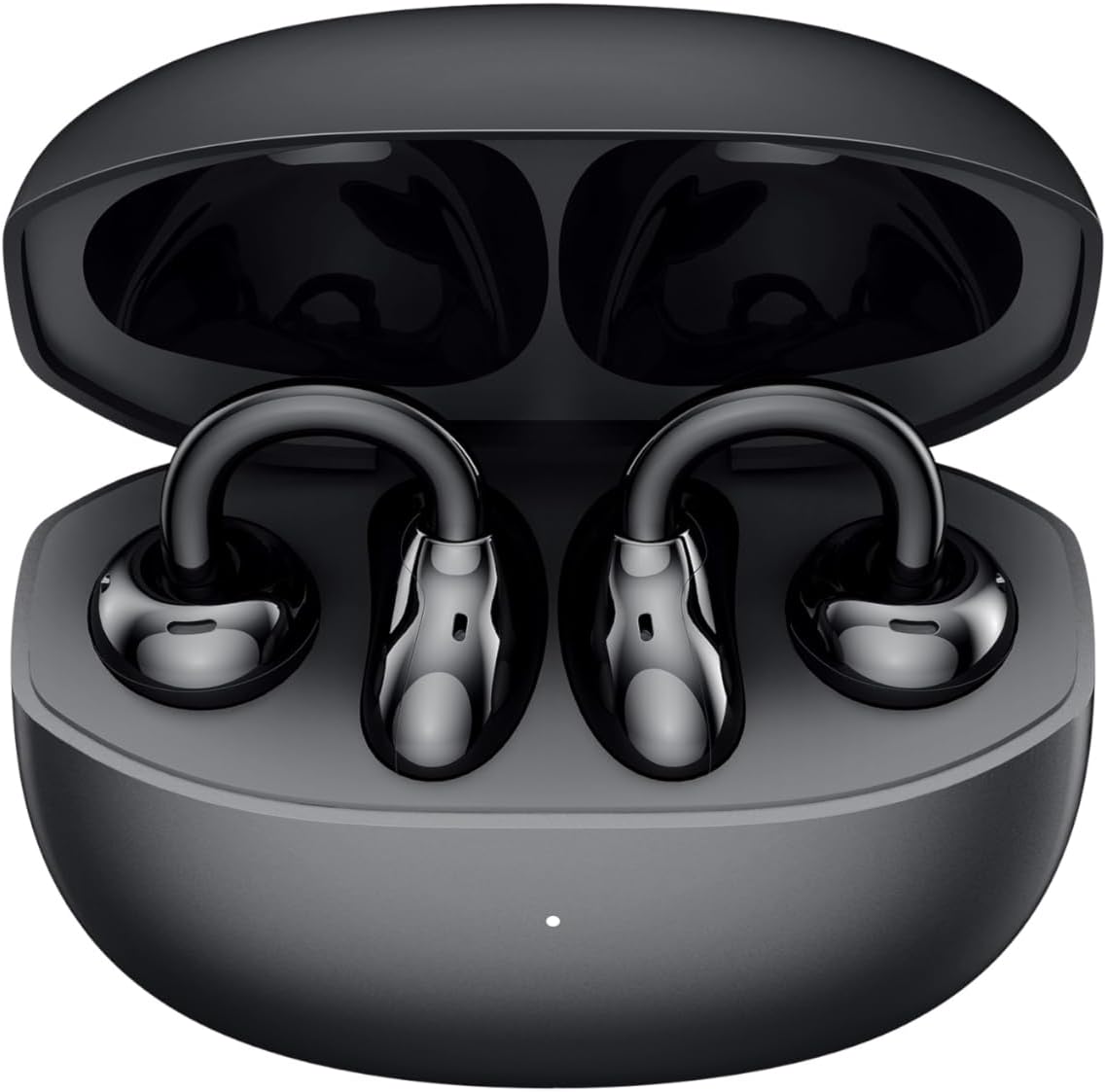
Figure 1.1: HONOR Choice Earbuds Clip and Charging Case (Front View)
2. What's in the Box
Verify that all items are present in your package:
- HONOR Choice Earbuds Clip (Left and Right)
- Wireless Charging Case
- USB-C Charging Cable
- User Manual (this document)
3. Setup
3.1 Charging the Earbuds and Case
Before first use, fully charge the earbuds and the charging case. Place the earbuds into the charging case. Connect the charging case to a power source using a USB-C cable. The indicator light on the case will show charging status.
- Earbud Battery Life: Up to 7 hours on a single charge.
- Total Battery Life (with case): Up to 36 hours.

Figure 3.1: Extended Battery Life Indication
3.2 Pairing with a Device
- Ensure the earbuds are in the charging case and the case lid is open.
- On your device (smartphone, tablet, laptop), enable Bluetooth.
- Search for available Bluetooth devices.
- Select "HONOR Choice Earbuds Clip" from the list.
- Once connected, a confirmation sound will play, and the earbuds will be ready for use.
The earbuds support Bluetooth 5.3 for stable and efficient connection.
3.3 Wearing the Earbuds
The earbuds feature an open-ear clip design for comfortable and stable wear. Gently clip each earbud onto your ear, ensuring the sound outlet is positioned towards your ear canal for optimal audio delivery.

Figure 3.2: Open Clip Design for Comfortable Fit
4. Operating Instructions
4.1 Power On/Off
- Power On: Open the charging case, or take the earbuds out of the case. They will automatically power on and attempt to connect to the last paired device.
- Power Off: Place the earbuds back into the charging case and close the lid. They will automatically disconnect and power off.
4.2 Music Playback
The earbuds feature touch controls for managing music playback:
- Play/Pause: Single tap on either earbud.
- Next Track: Double tap on the right earbud.
- Previous Track: Double tap on the left earbud.
- Volume Up: Triple tap on the right earbud.
- Volume Down: Triple tap on the left earbud.
Note: Specific touch control functions may be customizable via the HONOR AI Life app (if available for this model).
4.3 Call Management
The integrated microphone and AI call noise cancellation ensure clear communication during calls.
- Answer/End Call: Single tap on either earbud.
- Reject Call: Press and hold either earbud for 2 seconds.
4.4 Dual Device Connection
The earbuds support simultaneous connection to two devices. This allows for seamless switching between audio sources, for example, from a laptop to a phone when a call comes in.
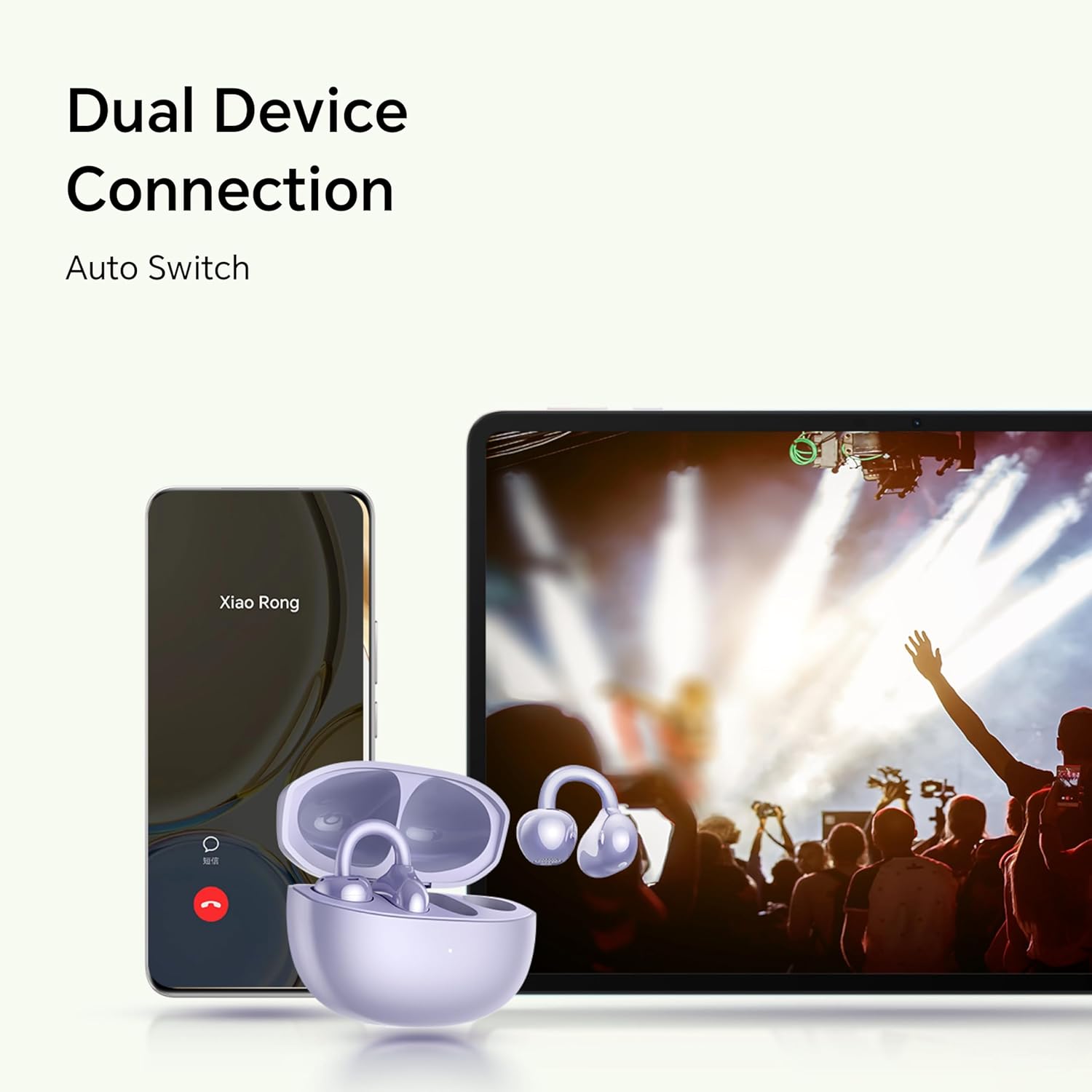
Figure 4.1: Dual Device Connection Capability
5. Maintenance
5.1 Cleaning
Regularly clean your earbuds and charging case to maintain optimal performance and hygiene.
- Use a soft, dry, lint-free cloth to wipe the earbuds and charging case.
- Do not use abrasive cleaners, alcohol, or chemical solvents.
- Ensure charging contacts on both earbuds and case are clean and dry.
5.2 Storage
When not in use, store the earbuds in their charging case to protect them from dust and damage.
5.3 Water Resistance
The earbuds are rated IP54 for dust and splash resistance. This means they are protected from limited dust ingress and water splashes from any direction. They are not designed for submersion in water or for use during swimming or showering.
- Avoid exposing the earbuds to high-pressure water or prolonged submersion.
- If the earbuds get wet, wipe them dry thoroughly before placing them back in the charging case or charging.
6. Troubleshooting
| Problem | Possible Solution |
|---|---|
| Earbuds do not power on. | Ensure the charging case and earbuds are sufficiently charged. Place earbuds in the case, close, then open the lid. |
| Cannot pair with device. |
|
| No sound or low volume. |
|
| Call quality issues (e.g., background noise). | While AI call noise cancellation is present, extreme background noise may still affect clarity. Try moving to a quieter environment. Ensure microphones are not obstructed. |
| Earbuds disconnect frequently. |
|
7. Specifications
| Feature | Detail |
|---|---|
| Model Name | HONOR CHOICE Earbuds Clip (5504ADMS) |
| Connectivity Technology | Wireless (Bluetooth 5.3) |
| Ear Placement | Open Ear |
| Audio Driver Type | Dynamic Driver |
| Audio Driver Size | 10.8 mm |
| Impedance | 5 Ohms |
| Battery Life (Earbuds) | Up to 7 hours |
| Total Battery Life (with Case) | Up to 36 hours |
| Control Type | Touch Control |
| Special Features | AI Call Noise Cancellation, Dual Device Connection, Titanium Alloy Arch Bridge |
| Water Resistance Level | IP54 (Dust and Splash Resistant) |
| Material | Titanium Alloy (arch bridge), PC (cover) |
| Item Weight (Earbuds) | Approx. 5.1g per earbud |
| Charging Case Weight | 47 Grams |
| Product Dimensions | 2.36 x 2.36 x 1.18 inches (Case) |
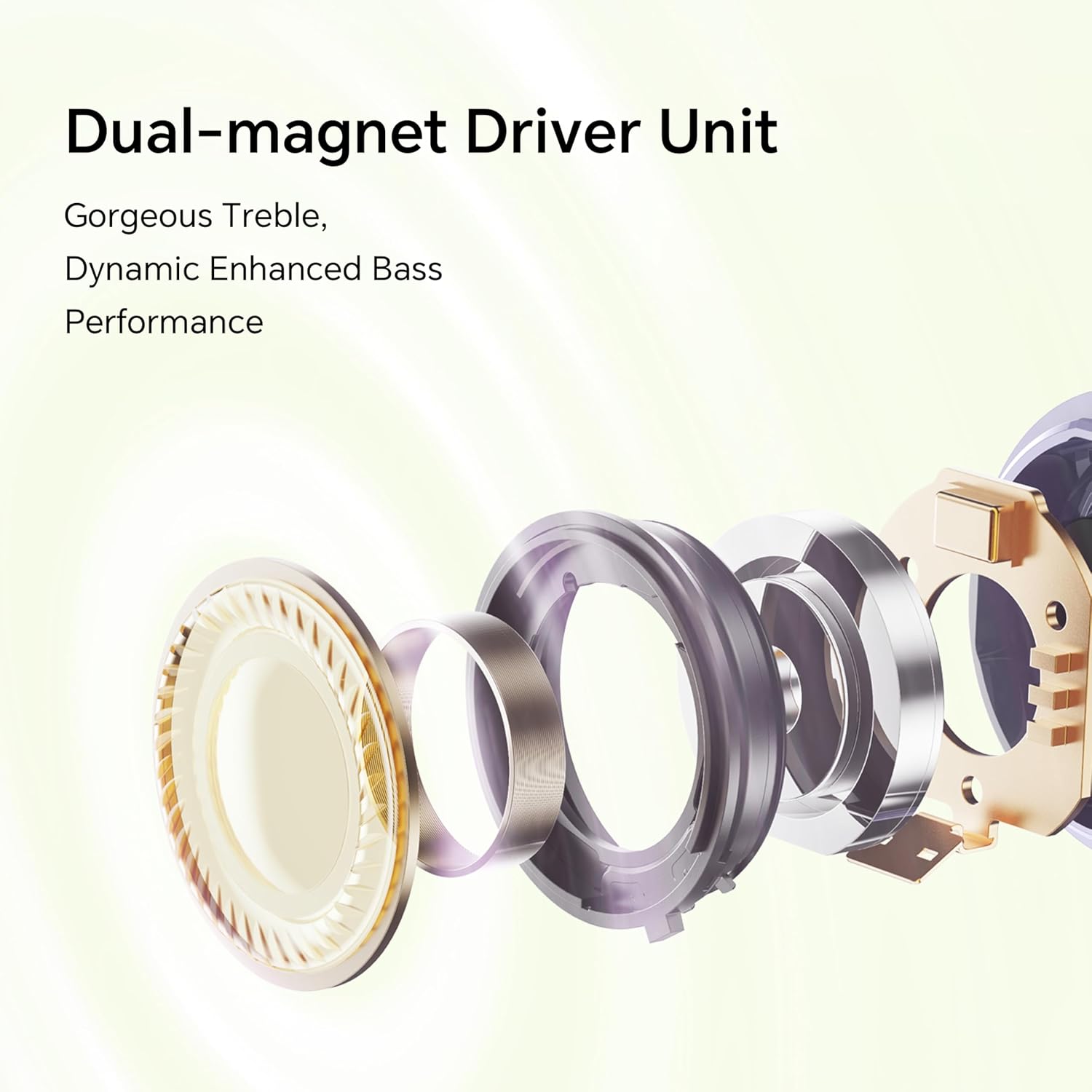
Figure 7.1: Dual-Magnet Driver Unit Components
8. Warranty and Support
For warranty information and customer support, please refer to the official HONOR website or contact your local HONOR service center. Keep your proof of purchase for warranty claims.
- Official HONOR Website: www.hihonor.com
- Customer Service: Refer to the contact information provided on the official website for your region.


