
1. Introduction
The Nitecore UT27 MCT Pro is a high-performance, lightweight headlamp designed for outdoor activities such as trail running, hiking, and camping. It features an 800-lumen output, dual power options, three color temperature modes, and a red light function for versatile illumination in various conditions.
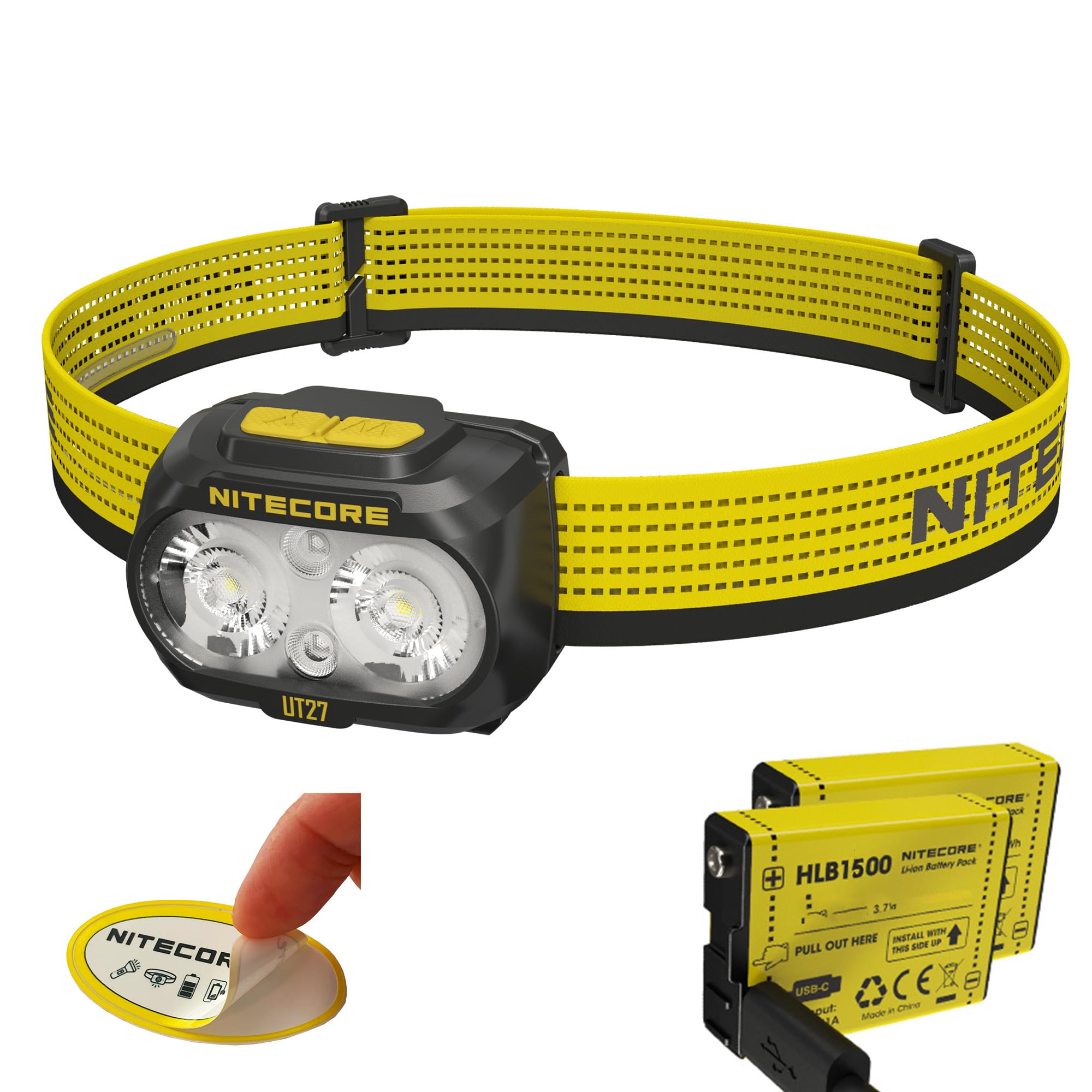
Figure 1: Nitecore UT27 MCT Pro Headlamp.
2. Key Features
- Bright Output: Up to 800 lumens with a 183-yard beam distance.
- Multiple Color Temperatures: Features 3000K (warm light), 4500K (neutral white), and 6500K (cool white) for diverse environments.
- Red Light Mode: Includes steady and flashing red light for night vision preservation and signaling.
- Dual Power Options: Compatible with the included USB-C rechargeable HLB1500 battery pack and 3x AAA batteries.
- Lightweight Design: Weighs only 2.61 oz (with headband and battery) for comfortable wear.
- Durable Construction: IP66 waterproof rating and 1-meter impact resistance.
- Breathable Headband: Sweat-diverting and reflective for enhanced comfort and safety.
- User-Friendly Interface: Dual button operation for easy mode switching and power control.
3. What's in the Box
- Nitecore UT27 MCT Pro Headlamp
- 2x Nitecore HLB1500 USB-C Rechargeable Battery Packs (Pro Edition)
- USB-C to USB-C Charging Cable
- Headband
- Diffusing Stuff Sack
- Nitecore Sticker
4. Setup
4.1 Battery Installation
The UT27 MCT Pro offers dual power options: the included HLB1500 rechargeable battery pack or 3x AAA batteries.
- Open the 180-degree wide-opening battery compartment on the back of the headlamp.
- For HLB1500 Battery Pack: Insert the HLB1500 battery pack according to the polarity indicators.
- For AAA Batteries: Insert 3x AAA batteries, ensuring correct polarity.
- Close the battery compartment securely until it clicks into place.

Figure 2: Dual Power Options (HLB1500 and AAA batteries).
4.2 Headband Adjustment
Adjust the breathable headband to fit comfortably and securely around your head. The silicone strip on the headband helps channel sweat away and keeps the headlamp in place.

Figure 3: Headlamp worn by a user, demonstrating its lightweight and comfortable design.
5. Operating Instructions
The UT27 MCT Pro features a dual-button interface for intuitive control.

Figure 4: W and Y Buttons on the headlamp.
5.1 Power On/Off
- To Turn On: Press and hold either the 'W' (White) or 'Y' (Warm) button for 1 second.
- To Turn Off: Press and hold either button for 1 second while the light is on.
5.2 White Light Modes (W Button)
The 'W' button controls the neutral white and cool white light modes.
- With the light off, press and hold the 'W' button for 1 second to turn on the neutral white light.
- Single press the 'W' button to cycle through brightness levels: Low (100lm) → Mid (280lm) → High (500lm).
- Double press and hold the 'W' button to switch between neutral white and cool white light.
- Double press either button rapidly to activate Turbo (800lm) mode.
5.3 Warm Light Modes (Y Button)
The 'Y' button controls the warm light mode.
- With the light off, press and hold the 'Y' button for 1 second to turn on the warm light.
- Single press the 'Y' button to cycle through brightness levels: Low (100lm) → Mid (280lm) → High (500lm).
- Double press either button rapidly to activate Turbo (800lm) mode.

Figure 5: Different Color Temperature Modes.
5.4 Red Light Mode
The red light mode is ideal for preserving night vision or for signaling.
- With the light off, double press either button to activate the red constant-on mode (10lm).
- Single press the button again to switch to red flashing mode.
- To turn off, press and hold either button for 1 second.

Figure 6: Red Light Mode.
5.5 Lockout Mode
Lockout mode prevents accidental activation during transport or storage.
- To Lock: With the light off, press and hold both 'W' and 'Y' buttons simultaneously for 3 seconds. The headlamp will blink three times to indicate it is locked.
- To Unlock: Press and hold both 'W' and 'Y' buttons simultaneously for 2 seconds. The headlamp will unlock and turn on.
6. Charging
The HLB1500 battery pack can be charged via its built-in USB-C port.
- Locate the USB-C charging port on the HLB1500 battery pack.
- Connect the provided USB-C charging cable to the battery pack and a power source (e.g., USB adapter, computer).
- The power indicator lights on the battery pack will show the charging status.
- Charging is complete when all indicator lights are solid.
7. Maintenance
- Cleaning: Wipe the headlamp with a soft, damp cloth. Avoid abrasive cleaners or solvents.
- Storage: Store the headlamp in a cool, dry place. If storing for extended periods, remove AAA batteries to prevent leakage. For HLB1500 packs, charge them every 3 months to maintain battery health.
- Waterproofing: Ensure the battery compartment is properly sealed to maintain the IP66 waterproof rating.
8. Accessories
8.1 Diffusing Stuff Sack
The included diffusing stuff sack can transform your headlamp into a soft, even lantern for ambient lighting in a tent or camp.

Figure 7: Headlamp used with Diffusing Stuff Sack as a lantern.
8.2 Multipurpose Clip
An attachable clip allows you to secure the headlamp to a hat brim, backpack strap, or other gear, offering flexible lighting options beyond wearing it on your head.

Figure 8: Multipurpose Clip for versatile attachment.
9. Specifications
The following tables detail the performance specifications of the Nitecore UT27 MCT Pro headlamp when using either the HLB1500 Li-ion Battery Pack or 3x AAA batteries.
9.1 Using the HLB1500 Li-ion Battery Pack
| FL1 Standard | Turbo | High | Mid | Low | Auxiliary Red Light (Constant-On) | Auxiliary Red Light (Flashing) |
|---|---|---|---|---|---|---|
| Output (Lumens) | 800 | 500 | 280 | 100 | 10 | 10 |
| Runtime | 2h 30min | 3h 30min | 6h 30min | 14h 30min | 21h | 42h |
| Beam Distance | 168m | 140m | 104m | 68m | 7m | 7m |
| Peak Beam Intensity | 7,134cd | 4,958cd | 2,694cd | 994cd | 12cd | 12cd |
| Impact Resistance | 1m | |||||
| Waterproof | IP66 | |||||
Note: The stated data is measured by using the NITECORE HLB1500 Rechargeable Li-ion Battery Pack (1,500mAh) in accordance with the international flashlight testing standards ANSI/PLATO FL 1-2019, at an ambient temperature of 26°C (79°F) from the NITECORE Lab. The data may vary in real-world use due to different battery usage or environmental conditions. This product is equipped with a thermal protection function, which automatically regulates the output of the product according to the working condition to maintain the optimal performance.
9.2 Using 3x AAA Batteries
| FL1 Standard | Turbo | High | Mid | Low | Auxiliary Red Light (Constant-On) | Auxiliary Red Light (Flashing) |
|---|---|---|---|---|---|---|
| Output (Lumens) | 800 | 500 | 280 | 100 | 10 | 10 |
| Runtime | 2h | 2h 30min | 3h | 8h 30min | 15h | 30h |
| Beam Distance | 168m | 140m | 104m | 68m | 7m | 7m |
| Peak Beam Intensity | 7,134cd | 4,958cd | 2,694cd | 994cd | 12cd | 12cd |
| Impact Resistance | 1m | |||||
| Waterproof | IP66 | |||||
Note: The stated data is measured by using 3x AAA alkaline batteries, in accordance with the international flashlight testing standards ANSI/PLATO FL 1-2019, at an ambient temperature of 26°C (79°F) from the NITECORE Lab. The data may vary in real-world use due to different battery usage or environmental conditions. This product is equipped with a thermal protection function, which automatically regulates the output of the product according to the working condition to maintain the optimal performance.
10. Troubleshooting
- Headlamp not turning on: Ensure batteries are correctly installed and charged. Check if the headlamp is in lockout mode.
- Dim light or short runtime: Recharge the HLB1500 battery pack or replace AAA batteries. Clean battery contacts if necessary.
- Inconsistent mode switching: Ensure buttons are pressed firmly and correctly according to the operating instructions.
11. Product Overview Video
Video 1: Detailed overview of the Nitecore UT27 MCT Pro Headlamp, including its 3 color temperature beams and features, provided by Lumen Tactical.


