
Introduction
Thank you for choosing the Ehaho 26 Inch 6 Speaker UTV Sound Bar, Model EH2002. This robust audio system is engineered to deliver powerful, clear sound in challenging outdoor environments. Featuring Bluetooth 6.0 connectivity, dynamic RGB lighting with strobe effects, and an IP66 waterproof rating, it is designed for UTVs, ATVs, golf carts, and marine applications. This manual provides essential information for proper setup, operation, and maintenance to ensure optimal performance and longevity of your sound bar.

Image: The Ehaho 26 Inch UTV Sound Bar installed in a utility terrain vehicle, highlighting its integrated RGB lighting and robust design for outdoor use.
What's in the Box
Please ensure all items are present before proceeding with installation:
- UTV Sound Bar
- Remote Control
- Quick Start Guide
- Power Cable (13ft)
- Installation Accessories (Brackets, Mounting Kit, Zipper Ties, 3.5 mm Aux cable (6.5ft), Cable Storage Stand)
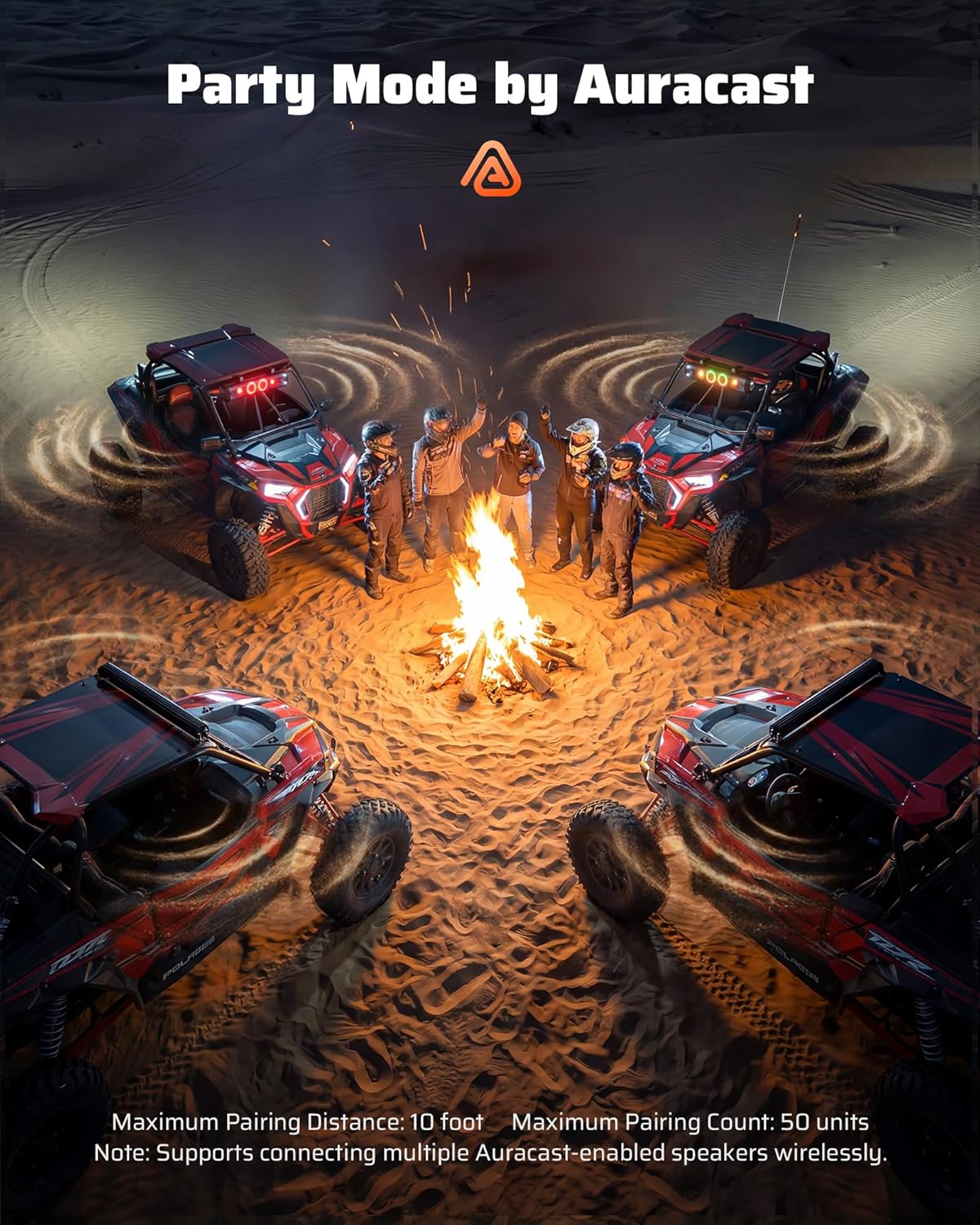
Image: A detailed view of all components included in the Ehaho UTV Sound Bar package, laid out on a surface.
Setup & Installation
The Ehaho UTV Sound Bar is designed for quick and easy installation, typically within 20 minutes. It includes heavy-duty clamps for secure mounting on 1" to 2" roll cages without drilling.
Mounting
- Select a suitable location on your vehicle's roll cage (1" to 2" diameter).
- Attach the provided heavy-duty clamps to the sound bar and secure it to the roll cage using the included screws and tools. Ensure the sound bar is firmly in place to withstand vibrations.

Image: An illustration demonstrating the simple installation process of the sound bar onto a vehicle's roll cage, highlighting the adjustable clamps.
Wiring
- Connect the red wire from the power cable to the positive (+) terminal of your vehicle's 12V DC battery.
- Connect the black wire from the power cable to the negative (-) terminal of your vehicle's 12V DC battery.
- Use the included wire harness organizer for improved cable management and a tidy installation.
- Important Power Note: The sound bar operates on 12V DC (8-18V range). For vehicles with higher voltage (e.g., electric golf carts), a voltage converter is required to prevent damage.
Video: Official Ehaho UTV Speakers Quick Installation guide, demonstrating the steps for mounting and wiring the sound bar.
Operating Instructions
The Ehaho UTV Sound Bar offers multiple control methods and features for an enhanced audio experience.
Power On/Off
- To power on, press and hold the power button on the sound bar's control panel or the remote control.
- To power off, press and hold the power button again.
Bluetooth Connectivity
- Ensure the sound bar is powered on.
- Activate Bluetooth on your mobile device.
- Search for "EH2002" in your device's Bluetooth settings and select to pair. A confirmation tone will sound upon successful connection.
Control Methods
You can control your sound bar using the integrated panel controls or the included wireless RF remote control.
- Panel Controls: Located on the side of the sound bar, these buttons allow for direct control of power, volume, track selection, and lighting modes.
- Wireless RF Remote Control: Provides convenient control from anywhere in or around the vehicle without needing a direct line of sight. Use it to skip tracks, adjust volume, or change lighting modes.

Image: A user operating the sound bar with the wireless remote control, demonstrating ease of access while on an off-road vehicle.
EQ Modes
The sound bar features three intelligent EQ modes to optimize audio for different environments:
- Voice Mode: Enhances vocal clarity, ideal for overcoming wind noise or engine sounds.
- Bass Mode: Boosts low frequencies for a deeper, punchier bass experience.
- Normal Mode: Provides a balanced audio profile for general listening.

Image: A visual representation of the sound bar's smart EQ algorithm, designed to optimize audio for outdoor conditions.
Dynamic RGB Lighting & Strobe Lights
Customize your ride's atmosphere with various lighting options:
- Choose from 6 dynamic RGB modes: Music Sync, Solid, Fading, Jump, Breathing, or Off.
- Activate the 4 exclusive strobe lights for increased visibility and party atmosphere.
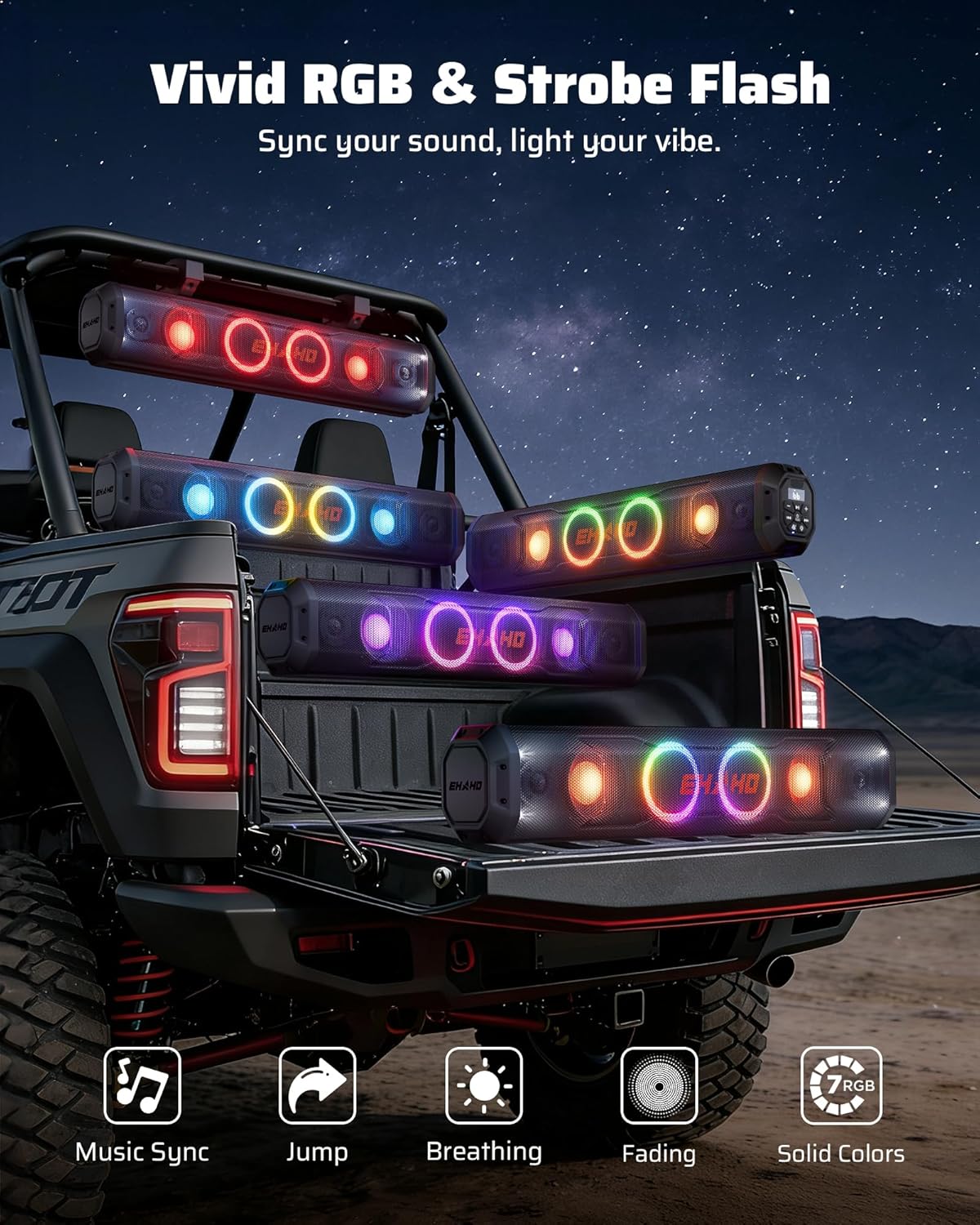
Image: Multiple Ehaho sound bars displaying various dynamic RGB and strobe light effects, enhancing the visual appeal of a UTV.
Party Mode Connection (Auracast)
Experience multi-speaker audio with Bluetooth 6.0 Auracast technology. This feature allows you to wirelessly sync 3 to 50+ Ehaho EH200 series speakers (Models EH2001, EH2002, EH2003) with zero latency, creating a unified, high-octane sound system for large gatherings or convoys.
- Ensure all units are powered on and in Bluetooth Pairing mode.
- On the main unit (Unit A), short-press the 'Auracast' button to enter Auracast pairing status.
- When Unit A enters Auracast searching mode, set additional units (Units B & C) to Bluetooth Pairing mode and short-press their 'Auracast' buttons to enter receive mode.
- The indicator LED for Units B & C (RX) will turn solid White when Auracast is connected.
Video: Official Ehaho guide on How to Use Party Mode, demonstrating the Auracast multi-speaker pairing process.
Maintenance
The Ehaho UTV Sound Bar is built for durability in harsh conditions. Follow these guidelines for maintenance:
- Cleaning: Due to its IP66 waterproof rating, the sound bar can be cleaned with water. Avoid high-pressure washing directly on speaker grilles.
- Durability: The high-strength aluminum alloy housing and shockproof engineering ensure resistance against mud, water, dust, and vibrations.
- Saltwater Resistance: A saltwater-resistant coating makes it suitable for marine applications.

Image: A UTV being hosed down, illustrating the IP66 waterproof and dustproof features of the Ehaho sound bar.
Troubleshooting
If you encounter any issues, please refer to the Quick Start Guide included in your package for detailed troubleshooting steps. Common issues often relate to power connections or Bluetooth pairing. Ensure all connections are secure and within the specified voltage range (8-18V DC).
Specifications
| Feature | Detail |
|---|---|
| Brand | Ehaho |
| Model Number | EH2002 |
| Speaker Maximum Output Power | 500 Watts |
| Frequency Response | 20 KHz |
| Connectivity Technology | Auxiliary, Bluetooth 6.0 (Auracast) |
| Audio Output Mode | Surround |
| Mounting Type | Speaker (Roll Cage Clamps 1"-2") |
| Enclosure Material | Metal (High-strength Aluminum Alloy) |
| Additional Features | Bass Boost, Dustproof, Dynamic RGB Lighting & Exclusive Strobe Light, Multi Room Audio, Shockproof, Stereo Pairing, Waterproof |
| Subwoofer Diameter | 4 Inches (x2) |
| Tweeter Diameter | 1.5 Inches (x2) |
| Water Resistance Level | IP66 Waterproof |
| Bluetooth Range | 33 Feet |
| Input Voltage | 12 Volts (DC) (8-18V range) |
| Number of Audio Channels | 2.2 |
| Signal-to-Noise Ratio | 120 dB |
| Item Dimensions D x W x H | 33"D x 7.28"W x 8.86"H |
| Item Weight | 9.9 Pounds |
Warranty & Support
The Ehaho UTV Sound Bar comes with an 18 Month Warranty. For any support needs, please refer to the contact information provided in your Quick Start Guide or visit the official Ehaho website.


