
Introduction
The HOTPEAK NV02 4K Night Vision Binoculars are designed for enhanced visibility in low-light and complete darkness conditions. Featuring 4K video recording, 48MP high-resolution imaging, 10X digital zoom, and a 7-level adjustable infrared (IR) illuminator, these binoculars allow for clear observation up to 1300 feet. Equipped with a long-lasting 5000mAh rechargeable battery and including a 32GB memory card, the NV02 is suitable for various outdoor activities such as wildlife observation, camping, and security surveillance.
What's in the Box
Upon unboxing your HOTPEAK NV02 Night Vision Binoculars, please ensure all the following items are present:
- 1 × Night Vision Goggles
- 1 × 32GB TF Card
- 1 × Type-C Data Cable
- 1 × Neck Strap
- 1 × User Manual

Product Overview
Familiarize yourself with the main components and controls of your NV02 Night Vision Binoculars.
Controls and Display

- MENU Button: Accesses the device settings and options.
- MODE Button: Switches between photo, video, and playback modes.
- Power Button: Turns the device on or off.
- Zoom In / IR Up Button: Increases digital zoom or increases IR illumination level.
- Zoom Out / IR Down Button: Decreases digital zoom or decreases IR illumination level.
- Photo/Video Capture Button: Takes a photo or starts/stops video recording.
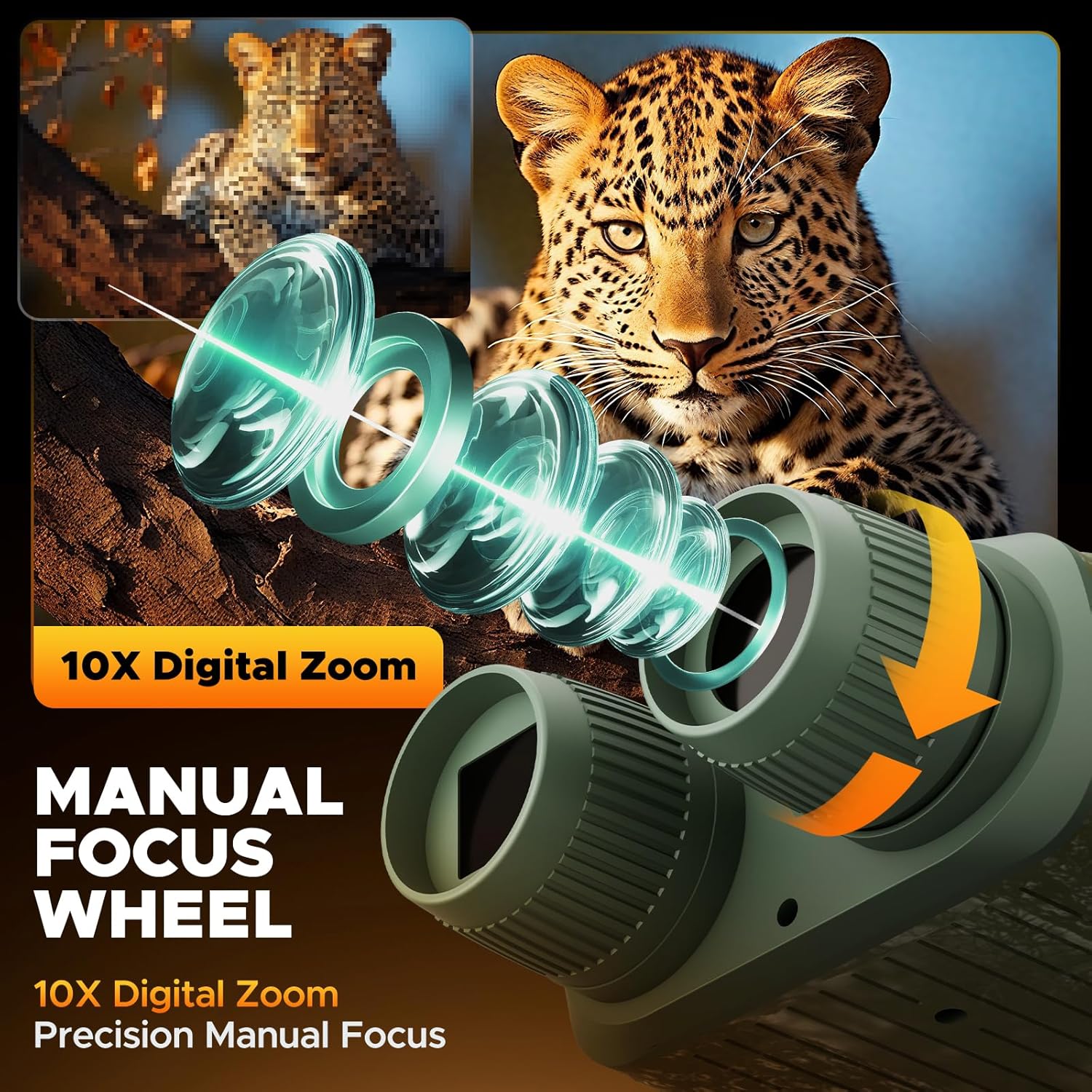
- Manual Focus Wheel: Adjusts the focus for clear viewing of objects at different distances. Rotate to sharpen the image.
- Viewing Screen: Integrated display for real-time viewing and playback of captured media.

- Type-C Port: Used for charging the internal 5000mAh battery and for transferring data to a computer or mobile device.
- TF Card Slot: Insert the included 32GB TF card here for storing photos and videos.
Setup
Follow these steps to prepare your NV02 Night Vision Binoculars for use.
1. Battery Charging
The device comes with a built-in 5000mAh rechargeable battery. Before first use, fully charge the binoculars using the provided Type-C data cable and a compatible USB power adapter (not included). The charging indicator will show the charging status.
2. Memory Card Installation
Locate the TF card slot on the side of the binoculars. Gently insert the included 32GB TF card into the slot until it clicks into place. Ensure the card is inserted in the correct orientation.
3. Neck Strap Attachment
Attach the provided neck strap to the designated loops on the binoculars for secure and convenient carrying.
4. Power On
Press and hold the Power Button until the screen illuminates to turn on the device.
Operating Instructions
Learn how to effectively use your NV02 Night Vision Binoculars for various observation and recording tasks.
1. Day and Night Mode Switching
The NV02 automatically adjusts between day (color) and night (black and white infrared) modes. In low light or darkness, the infrared illuminator will activate to provide clear vision. You can manually adjust IR levels for optimal clarity.

2. Focus Adjustment
For a clear image, rotate the Manual Focus Wheel located on the front lens. Adjust until the image on the viewing screen appears sharp and in focus for your desired viewing distance.
3. Digital Zoom
Use the Zoom In / IR Up and Zoom Out / IR Down buttons to adjust the digital zoom up to 10X. This allows you to magnify distant objects for closer inspection.

4. IR Illumination Adjustment
In night mode, press the Zoom In / IR Up or Zoom Out / IR Down buttons to cycle through 7 levels of infrared illumination. Adjust the IR level to achieve optimal brightness and clarity without overexposure.

5. Photo and Video Capture
Press the MODE Button to switch between photo and video modes. In the desired mode, press the Photo/Video Capture Button to take a 48MP photo or start/stop 4K video recording.

6. Playback and File Transfer
In playback mode (selected via the MODE Button), you can review your captured photos and videos directly on the device's screen. To transfer files, connect the binoculars to a computer or compatible mobile device using the Type-C data cable. The device will appear as a removable storage drive.

7. Anti-Shake Feature
The NV02 includes an anti-shake feature to help stabilize footage, particularly useful when recording videos while moving or in unsteady conditions. This setting can typically be found and enabled within the device's menu.

8. Official Product Video
Watch this official video from HOTPEAK STORE for a detailed overview of the NV02 Night Vision Goggles, including its 4K resolution, 48MP camera, and 5000mAh battery.
Maintenance
Proper care and maintenance will extend the lifespan of your NV02 Night Vision Binoculars.
- Cleaning Lenses: Use a soft, lint-free cloth specifically designed for optical lenses to clean the objective and eyepiece lenses. Avoid abrasive materials or harsh chemicals.
- Cleaning Body: Wipe the device body with a soft, damp cloth. Do not immerse the device in water.
- Storage: Store the binoculars in a cool, dry place away from direct sunlight and extreme temperatures. Remove the TF card if storing for extended periods.
- Battery Care: For long-term storage, ensure the battery is charged to approximately 50-70% to maintain battery health. Recharge periodically if not in use.
Troubleshooting
If you encounter issues with your NV02 Night Vision Binoculars, refer to the following common solutions:
| Problem | Possible Cause | Solution |
|---|---|---|
| Device does not power on | Low battery; Power button not pressed correctly | Charge the battery; Press and hold the Power button for 3-5 seconds |
| Image is blurry | Out of focus; Dirty lens | Adjust the manual focus wheel; Clean the lenses with an optical cleaning cloth |
| Poor night vision clarity | IR illuminator level too low/high; Obstruction | Adjust the IR illumination level (1-7); Ensure no obstructions block the IR light or lens |
| Cannot record photos/videos | No TF card inserted; TF card full; TF card error | Insert TF card; Delete old files or replace card; Format TF card (via menu) |
| Device freezes or malfunctions | Software glitch | Press and hold the Power button to force restart; If issue persists, perform a factory reset via the menu. |
Specifications
| Feature | Detail |
|---|---|
| Model | NV02 |
| Video Resolution | 4K UHD |
| Image Resolution | 48 MP |
| Digital Zoom | 10X |
| IR Illumination | 7 Levels Adjustable |
| Viewing Range (Night) | Up to 1300 ft (400m) |
| Battery Capacity | 5000mAh Rechargeable Lithium-ion |
| Battery Life (Day) | Up to 16 hours |
| Battery Life (Night) | Up to 10 hours |
| Memory Card | 32GB TF Card (Included) |
| Charging Port | Type-C |
| Item Weight | 15.8 ounces |
| Dimensions | 7.24 x 5.67 x 2.91 inches |
Warranty and Support
HOTPEAK is committed to customer satisfaction. Your NV02 Night Vision Binoculars come with the following:
- 1-Year Warranty: Covers manufacturing defects.
- 30-Day Hassle-Free Returns: For your peace of mind.
- Lifetime Technical Support: Assistance with any product-related inquiries or issues.
For support, please refer to the contact information provided in your product packaging or visit the official HOTPEAK website.
