
1. Introduction
The MANAYO PM6BT is a versatile Bluetooth 5.2 phono preamplifier designed to integrate turntables into modern audio systems. It functions as both a Bluetooth transmitter and receiver, an MM phonostage, and includes bass/treble equalization and a headphone output. This manual provides instructions for proper setup, operation, and maintenance of your PM6BT unit.
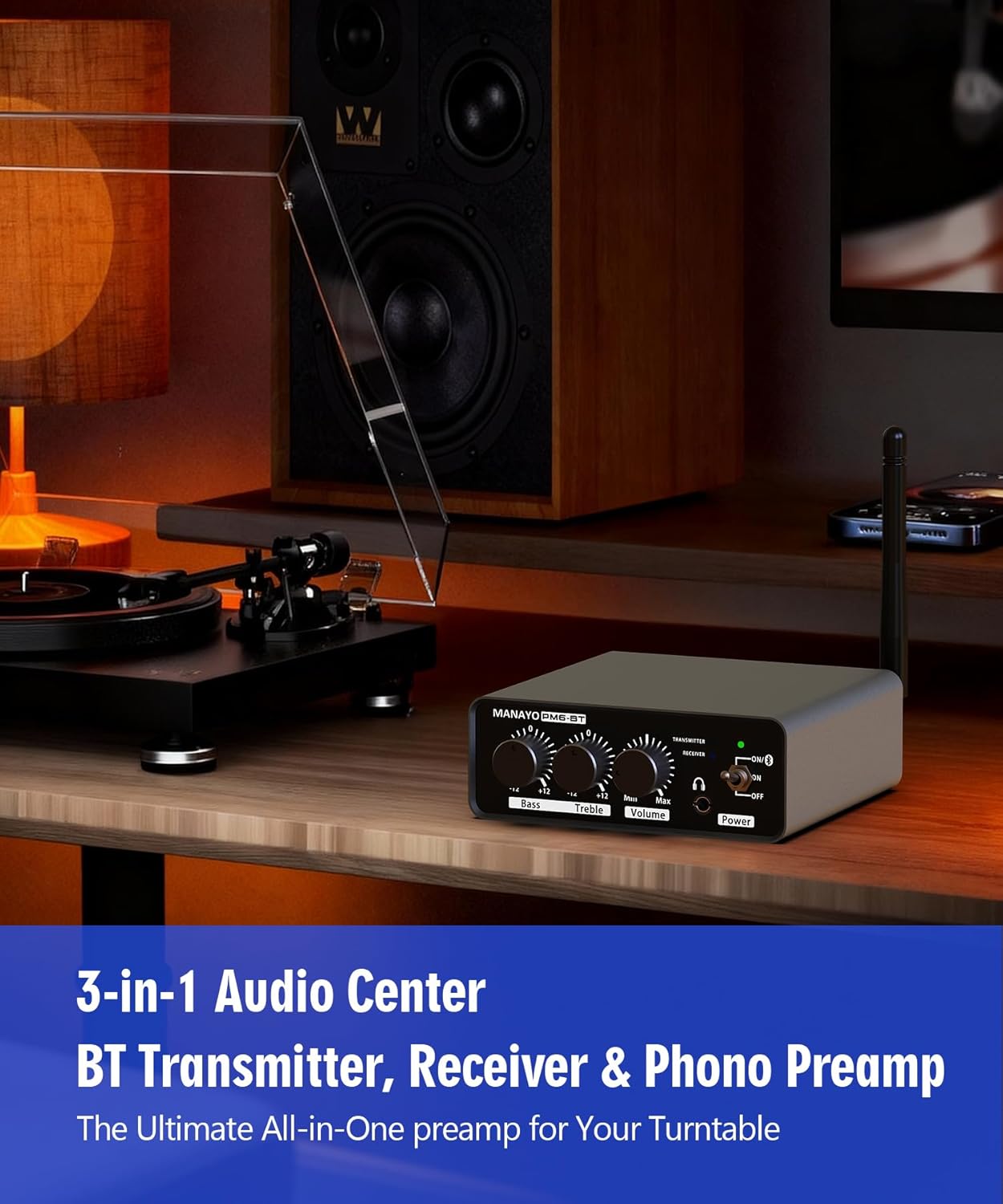
Image: The MANAYO PM6BT unit positioned between a turntable and speakers, illustrating its function as a central audio hub.
2. Package Contents
- MANAYO PM6BT Bluetooth Phono Preamplifier
- 12V/1A DC Power Adapter
- External Bluetooth Antenna
- User Manual (this document)
3. Product Features
- Bluetooth 5.2 Connectivity: Supports aptX/aptX HD codecs for high-resolution wireless audio.
- Dual Bluetooth Modes: Functions as both a Bluetooth Transmitter (TX) for streaming turntable audio to wireless devices and a Bluetooth Receiver (RX) for connecting wireless turntables to wired speakers.
- Integrated MM Phonostage: Provides RIAA equalization and amplification for Moving Magnet (MM) cartridges.
- PHONO/LINE Input Selector: Ensures compatibility with various turntable types.
- Adjustable EQ: Independent Bass and Treble controls for sound customization.
- Headphone Output: Dedicated 3.5mm jack for private listening.
- Robust Construction: Aluminum alloy chassis with gold-plated RCA connectors and an external antenna for signal integrity.
4. Setup Instructions
4.1 Connecting the Power Adapter
Connect the included 12V/1A DC power adapter to the "DC 12V" input on the rear of the PM6BT unit, then plug the adapter into a wall outlet. The unit will power on.
4.2 Attaching the Bluetooth Antenna
Screw the external Bluetooth antenna onto the "ANT" connector on the rear panel of the PM6BT. Ensure it is securely fastened for optimal wireless performance.
4.3 Grounding Connection (for Turntables)
If your turntable has a ground wire, connect it to the ground terminal on the rear of the PM6BT. This helps eliminate hum and noise. Ensure the connection is secure. Note: The ground stud may be large; if your turntable's ground fork is too small, ensure the wire tip is securely trapped under the screw cap.
4.4 Audio Connections
The PM6BT offers various connection methods depending on your setup. Refer to the diagrams below for common configurations.

Image: Visual guide for connecting the PM6BT in Transmitter, Receiver, and wired modes.
4.4.1 Turntable to PM6BT (Wired Output)
- Connect your turntable's RCA outputs to the "INPUT" RCA jacks on the PM6BT.
- Connect the "OUTPUT" RCA jacks on the PM6BT to your amplifier or powered speakers.
- Set the PHONO/LINE switch on the PM6BT according to your turntable's output type (see Section 5.2).
4.4.2 Turntable to PM6BT (Bluetooth Transmitter Mode)
- Connect your turntable's RCA outputs to the "INPUT" RCA jacks on the PM6BT.
- Set the Bluetooth switch on the rear panel to "TRANSMITTER" (TX).
- Pair the PM6BT with your Bluetooth speakers or headphones (see Section 4.5).
- Set the PHONO/LINE switch on the PM6BT according to your turntable's output type (see Section 5.2).
4.4.3 Bluetooth Turntable to PM6BT (Bluetooth Receiver Mode)
- Set the Bluetooth switch on the rear panel to "RECEIVER" (RX).
- Pair your Bluetooth turntable with the PM6BT (see Section 4.5).
- Connect the "OUTPUT" RCA jacks on the PM6BT to your amplifier or powered speakers.
4.5 Bluetooth Pairing
The PM6BT features automatic "blind" pairing. For the first-time connection:
- Ensure both the PM6BT and your target Bluetooth device (speaker, headphones, or turntable) are in pairing mode.
- Place the devices close together (within 1 meter / 3 feet).
- Keep them away from other wireless devices that might cause interference.
- Wait patiently. Initial pairing may take 30-60 seconds or longer.
- A solid green light on the PM6BT indicates a successful connection.

Image: The Bluetooth TX/RX switch on the rear panel of the PM6BT, indicating its dual functionality.
5. Operating Instructions
5.1 Power On/Off
Press the "Power" button on the front panel to turn the unit on or off. The power indicator light will illuminate when the unit is on.
5.2 PHONO/LINE Input Selection
Use the PHONO/LINE switch on the rear panel to select the appropriate input mode:
- PHONO Mode: Select this mode for turntables with Moving Magnet (MM) cartridges that require RIAA equalization and amplification. This mode provides a gain of +36dB.
- LINE Mode: Select this mode for turntables with a built-in preamplifier or other line-level audio sources. This mode provides a gain of +4dB.

Image: The PHONO/LINE switch on the rear of the PM6BT, crucial for matching input signal levels.
5.3 Adjusting Sound Controls
The front panel features controls for customizing your audio output:
- Bass Knob: Adjusts the low-frequency response. Turn clockwise to increase bass, counter-clockwise to decrease.
- Treble Knob: Adjusts the high-frequency response. Turn clockwise to increase treble, counter-clockwise to decrease.
- Volume Knob: Controls the overall output volume for both RCA outputs and the headphone jack.

Image: Front panel controls for Bass, Treble, and Volume, allowing for precise sound customization.
5.4 Headphone Output
Connect 3.5mm headphones to the headphone jack on the front panel for private listening. The volume knob controls the headphone output level. Note: Connecting headphones does not disconnect the RCA line output.
6. Maintenance
- Cleaning: Use a soft, dry cloth to clean the exterior of the unit. Avoid abrasive cleaners or solvents.
- Environment: Keep the unit in a dry environment, away from direct sunlight, heat sources, and excessive dust.
- Ventilation: Ensure adequate ventilation around the unit to prevent overheating.
- Cable Connections: Periodically check all cable connections to ensure they are secure and free from damage.
7. Troubleshooting
| Problem | Possible Cause | Solution |
|---|---|---|
| No sound output. |
|
|
| Humming or buzzing noise. |
|
|
| Bluetooth pairing issues. |
|
|
| Poor Bluetooth audio quality. |
|
|
8. Specifications

Image: Internal view of the PM6BT circuit board, emphasizing the Qualcomm Bluetooth chip for high-fidelity audio.
| Feature | Detail |
|---|---|
| Bluetooth Version | 5.2 with aptX/aptX HD support |
| Gain (PHONO) | +36dB |
| Gain (LINE) | +4dB |
| Signal-to-Noise Ratio (SNR) PHONO | ≥78dB |
| Signal-to-Noise Ratio (SNR) LINE | ≥102dB |
| Signal-to-Noise Ratio (SNR) BT | ≥101dB |
| Total Harmonic Distortion (THD) | ≤0.01% |
| Frequency Response | 20Hz - 20kHz (±1dB) |
| Power Input | DC 12V/1A |
| Dimensions (L x W x H) | 20.57 cm x 12.19 cm x 3.81 cm (8.1" x 4.8" x 1.5") |
| Weight | 603 g |
9. Warranty and Support
Information regarding product warranty and customer support was not available in the provided product data. Please refer to the product packaging or the manufacturer's official website for details on warranty coverage and how to contact customer support.
