1. Introduction
Thank you for purchasing the IKT Portable Bluetooth Speaker S19-1. This manual provides essential information for setting up, operating, and maintaining your speaker. Please read it thoroughly before use to ensure optimal performance and longevity of the device.

Image 1.1: IKT Portable Bluetooth Speaker S19-1. This image displays the speaker from the front, showcasing its black grille, integrated RGB lighting around the edges, and a black wrist strap attached to one side.
2. Package Contents
Ensure all items are present in the package:
- 1 x IKT Portable Bluetooth Speaker S19-1
- 1 x User Manual (this document)
- 1 x Type-C Charging Cable
- 1 x AUX Cable
- 1 x Lanyard
3. Product Overview
Familiarize yourself with the speaker's components and controls.

Image 3.1: Key Functions Diagram. This image illustrates the various buttons and ports on the IKT S19-1 speaker, detailing their functions such as power, volume, track control, mode switching, and call management.
Control Buttons:
- Power Button: Press and hold for 2 seconds to power on/off. Press and hold for 10 seconds to reset.
- Mode Button: Press once to switch between Bluetooth, TF Card, and AUX modes. Press and hold for 2 seconds to activate TWS pairing.
- Volume Down / Previous Track: Press once for volume down. Press and hold for 2 seconds for previous track.
- Volume Up / Next Track: Press once for volume up. Press and hold for 2 seconds for next track.
- Play/Pause / Call Management: Press once to play/pause music. Press once to answer/end calls. Press and hold for 2 seconds to reject calls.
- Light Button: Press once to cycle through RGB lighting modes. Press and hold for 3 seconds to turn lights on/off.
Ports:
- Type-C Charging Port: For charging the speaker.
- TF Card Slot: For playing music directly from a TF (MicroSD) card.
- AUX Input: For wired audio connection using the included AUX cable.
4. Setup
4.1 Charging the Speaker
Before first use, fully charge the speaker. Connect the provided Type-C charging cable to the speaker's charging port and the other end to a USB power adapter (not included) or a computer's USB port. The charging indicator light will show the charging status.
4.2 Power On/Off
- To Power On: Press and hold the Power button for 2 seconds. You will hear an audible prompt.
- To Power Off: Press and hold the Power button for 2 seconds. You will hear an audible prompt.
4.3 Bluetooth Pairing
- Power on the speaker. It will automatically enter Bluetooth pairing mode, indicated by a flashing LED light.
- On your device (smartphone, tablet, computer), enable Bluetooth and search for available devices.
- Select "IKT S19-1" from the list of devices.
- Once paired, the speaker will emit an audible confirmation, and the LED light will remain solid.
The speaker will automatically reconnect to the last paired device when powered on, if the device's Bluetooth is active and within range.
4.4 TWS (True Wireless Stereo) Pairing
To achieve a 60W stereo sound experience, you can pair two IKT S19-1 speakers together.
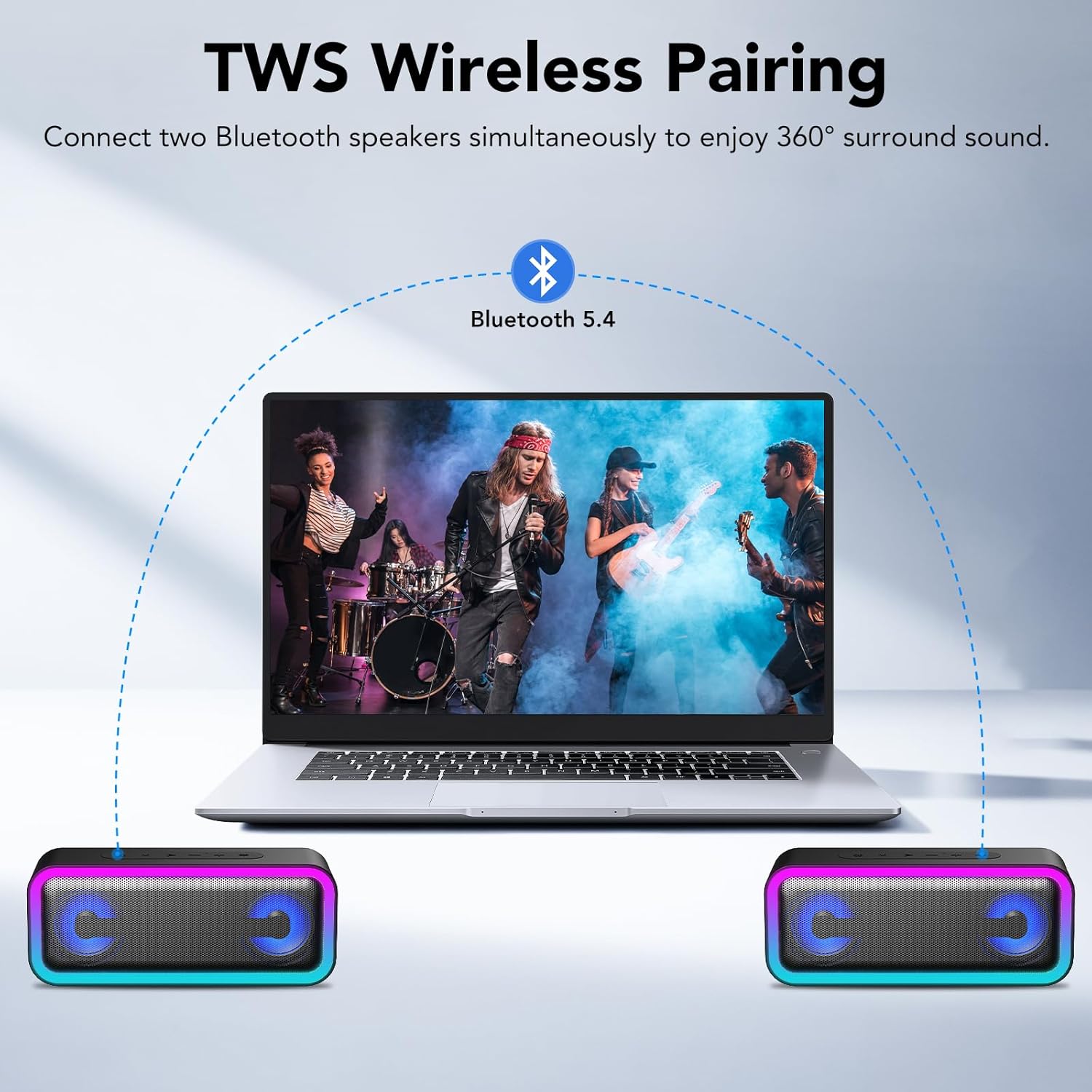
Image 4.1: TWS Wireless Pairing. This image illustrates how two IKT S19-1 speakers can be wirelessly connected to a single source device, such as a laptop, to create a true wireless stereo sound system.
- Ensure both IKT S19-1 speakers are powered on and not connected to any other Bluetooth device.
- On one of the speakers (this will be the primary speaker), press and hold the Mode button for 2 seconds. The speaker will enter TWS pairing mode.
- The two speakers will automatically search for and connect to each other. Once connected, you will hear an audible confirmation.
- Now, connect your device (smartphone, tablet, etc.) to the primary speaker via Bluetooth as described in Section 4.3.
- Audio will now play in stereo through both speakers.
4.5 Other Connectivity Options
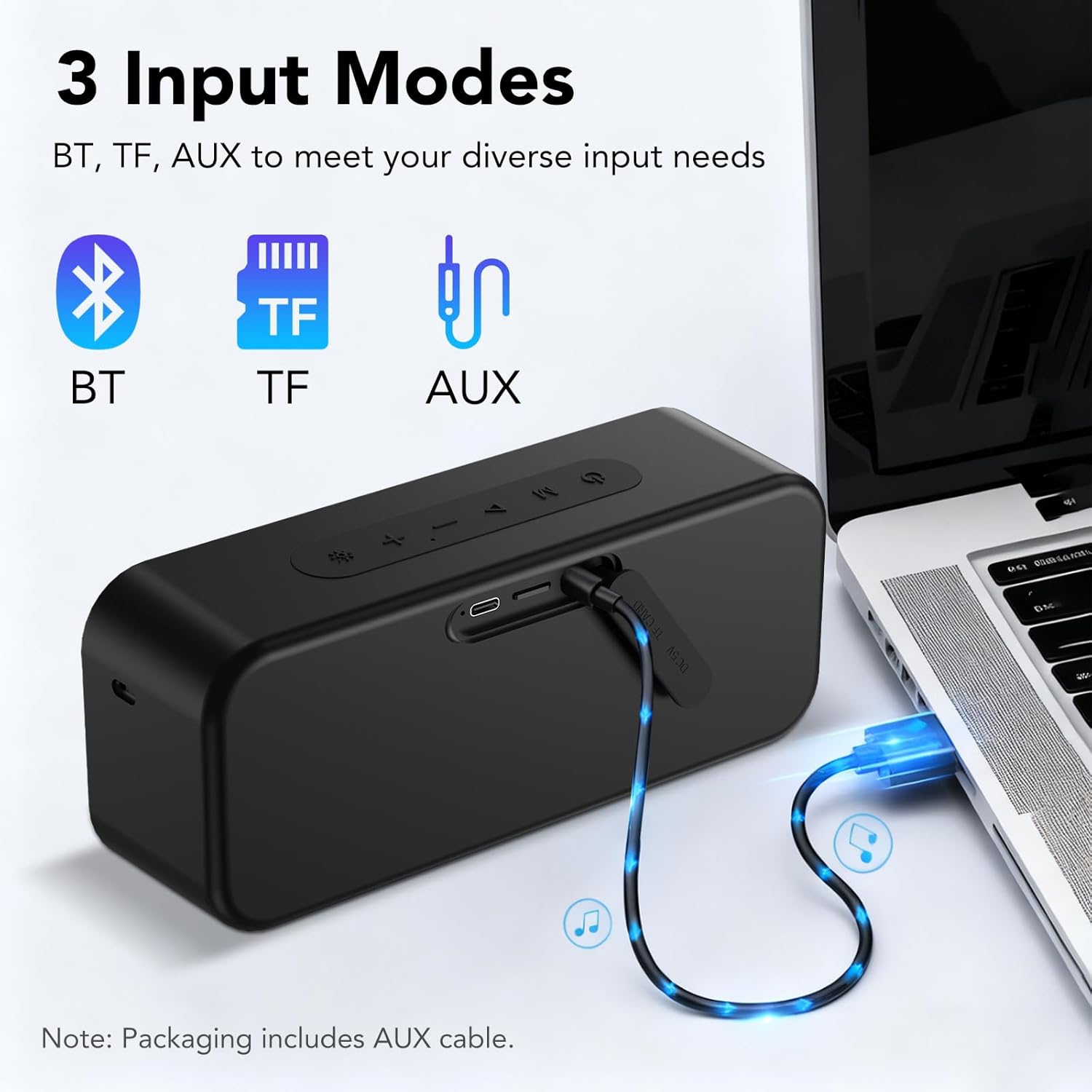
Image 4.2: Three Input Modes. This image displays the speaker's versatility with Bluetooth, TF card, and AUX input options, showing an AUX cable connected to a laptop.
- TF Card Playback: Insert a TF (MicroSD) card with audio files into the TF card slot. The speaker will automatically switch to TF card mode and begin playback.
- AUX Input: Connect one end of the provided AUX cable to the speaker's AUX port and the other end to the audio output of your device. The speaker will automatically switch to AUX mode.
5. Operating Instructions
5.1 Music Playback
- Play/Pause: Press the Play/Pause button once.
- Volume Up/Down: Press the Volume Up (+) or Volume Down (-) buttons once.
- Next Track: Press and hold the Volume Up (+) button for 2 seconds.
- Previous Track: Press and hold the Volume Down (-) button for 2 seconds.
5.2 Call Management
The speaker features a built-in microphone for hands-free calling when connected via Bluetooth.
- Answer Call: Press the Play/Pause button once.
- End Call: Press the Play/Pause button once during a call.
- Reject Call: Press and hold the Play/Pause button for 2 seconds.
5.3 RGB Lighting Modes
The speaker features 7 dynamic RGB lighting modes.

Image 5.1: 7 RGB Lighting Modes. This image showcases the IKT S19-1 speaker with its dynamic RGB lighting effects, illustrating different color options and patterns.
- Change Mode: Press the Light button once to cycle through the available RGB lighting effects.
- Turn Lights On/Off: Press and hold the Light button for 3 seconds.
6. Maintenance
Proper maintenance ensures the longevity and performance of your speaker.
- Cleaning: Use a soft, dry cloth to clean the speaker's surface. Do not use abrasive cleaners or solvents.
- Water Resistance (IPX7): The speaker is IPX7 waterproof, meaning it can be submerged in up to 1 meter of water for 30 minutes. Ensure all port covers are securely closed before exposure to water. After exposure to water, dry the speaker thoroughly before charging.
- Storage: Store the speaker in a cool, dry place away from direct sunlight and extreme temperatures.
- Battery Care: To preserve battery life, charge the speaker regularly, even if not in use for extended periods. Avoid fully discharging the battery frequently.
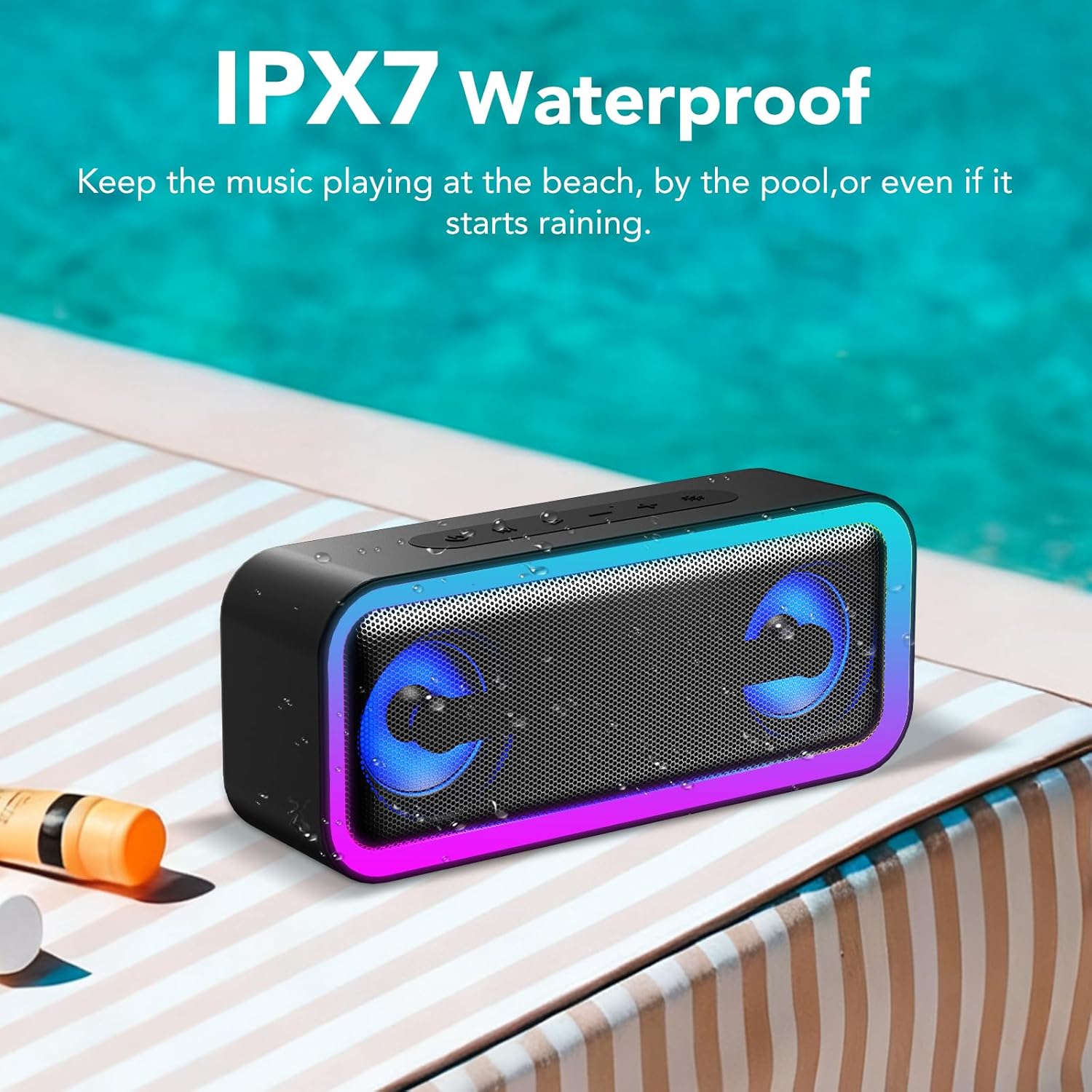
Image 6.1: IPX7 Waterproof. This image shows the IKT S19-1 speaker placed near a swimming pool, with water splashing, highlighting its IPX7 waterproof capability.
7. Troubleshooting
If you encounter issues with your speaker, refer to the following common problems and solutions:
| Problem | Possible Cause | Solution |
|---|---|---|
| Speaker does not power on. | Low battery. | Charge the speaker using the provided Type-C cable. |
| Cannot pair via Bluetooth. | Speaker is not in pairing mode or already connected to another device. Device's Bluetooth is off. | Ensure speaker is in pairing mode (flashing LED). Disconnect from other devices. Enable Bluetooth on your device. Move speaker closer to device. |
| No sound or low volume. | Volume too low on speaker or connected device. Incorrect input mode. | Increase volume on both speaker and connected device. Press the Mode button to select the correct input mode (Bluetooth, TF, AUX). |
| TWS pairing fails. | Speakers are too far apart or already paired to other devices. | Ensure both speakers are powered on and not connected to other devices. Place them close to each other and retry TWS pairing (Section 4.4). |
| Lights are not working. | Lights are turned off. | Press the Light button to cycle modes, or press and hold for 3 seconds to turn them on. |
8. Specifications
| Feature | Detail |
|---|---|
| Model Name | S19-1 |
| Output Power | 30W |
| Speaker Size | 52mm |
| Bluetooth Version | 5.4 |
| Bluetooth Range | Up to 20 meters (66 feet) |
| Battery Capacity | Built-in 4000mAh Lithium Battery |
| Playtime | Up to 30 hours (at 40% volume with lights off) |
| Waterproof Rating | IPX7 |
| Input Modes | Bluetooth, TF Card, AUX |
| RGB Lighting Modes | 7 Dynamic Modes |
| Signal-to-Noise Ratio | ≥85dB |
| Frequency Response | 20 KHz |
| Product Dimensions | 2.2"D x 7.91"W x 3.27"H (5.6 cm D x 20.1 cm W x 8.3 cm H) |
| Item Weight | 1.79 pounds (635g) |
| Material | Acrylonitrile Butadiene Styrene (ABS) |

Image 8.1: Audio Specifications. This image highlights the speaker's 30W stereo sound output and 52mm speaker size, indicating its audio capabilities.

Image 8.2: Battery Life. This image visually represents the speaker's 30-hour playtime, emphasizing its long-lasting battery.

Image 8.3: Portability and Dimensions. This image illustrates the compact size and portability of the IKT S19-1 speaker, showing its dimensions and how it can be easily carried or attached to a backpack or bicycle.
9. Safety Information
- Do not expose the speaker to extreme temperatures or direct sunlight for prolonged periods.
- Avoid dropping or subjecting the speaker to strong impacts.
- Keep the speaker away from children and pets.
- Do not attempt to disassemble, repair, or modify the speaker yourself. Contact qualified service personnel if needed.
- Use only the provided charging cable or a certified equivalent.
- Dispose of the speaker and its battery responsibly according to local regulations.
10. Warranty and Support
For warranty information and customer support, please refer to the product packaging or visit the official IKT website. Keep your purchase receipt for warranty claims.


