
1. Product Overview
The House of Marley Positive Vibration Rebel Wireless ANC Headphones are designed to provide an immersive audio experience with adaptive noise cancelling technology. Crafted from sustainable materials, these over-ear headphones offer extended playtime and comfortable wear.

Image 1.1: House of Marley Positive Vibration Rebel Wireless ANC Headphones, Cream.
Key Features:
- Adaptive Noise Cancelling: Intelligently blocks distractions for an immersive listening experience.
- Rich Balanced Sound: Precision-tuned 40mm drivers deliver full-spectrum audio.
- Extended Battery Life: Up to 130 hours of playtime (75 hours with ANC activated).
- Sustainable Materials: Constructed with FSC certified wood and recycled aluminum.
- Portable Comfort: Soft memory foam cushions, adjustable headband, foldable design, and IPX5 water resistance.
- Bluetooth 5.4: Ensures smooth and stable wireless connectivity.
2. Setup
2.1 What's in the Box
- Positive Vibration Rebel Wireless ANC Headphones
- USB-C Charging Cable
- 3.5mm AUX Audio Cable
- Quick Start Guide (refer to this manual for detailed instructions)
2.2 Charging the Headphones
- Locate the USB-C charging port on the headphones.
- Connect the provided USB-C cable to the headphones and the other end to a USB power source (e.g., wall adapter, computer USB port).
- The LED indicator on the headphones will show charging status. Refer to the LED indicator section for details.
- A full charge provides up to 130 hours of playtime (75 hours with ANC). A quick 15-minute charge can provide approximately 4 hours of playtime.
2.3 Bluetooth Pairing
- Ensure the headphones are powered off.
- Press and hold the Power button until the LED indicator flashes blue and red, indicating pairing mode.
- On your device (smartphone, laptop, tablet), enable Bluetooth and search for available devices.
- Select "Positive Vibration Rebel" from the list of devices.
- Once connected, the LED indicator will turn solid blue.
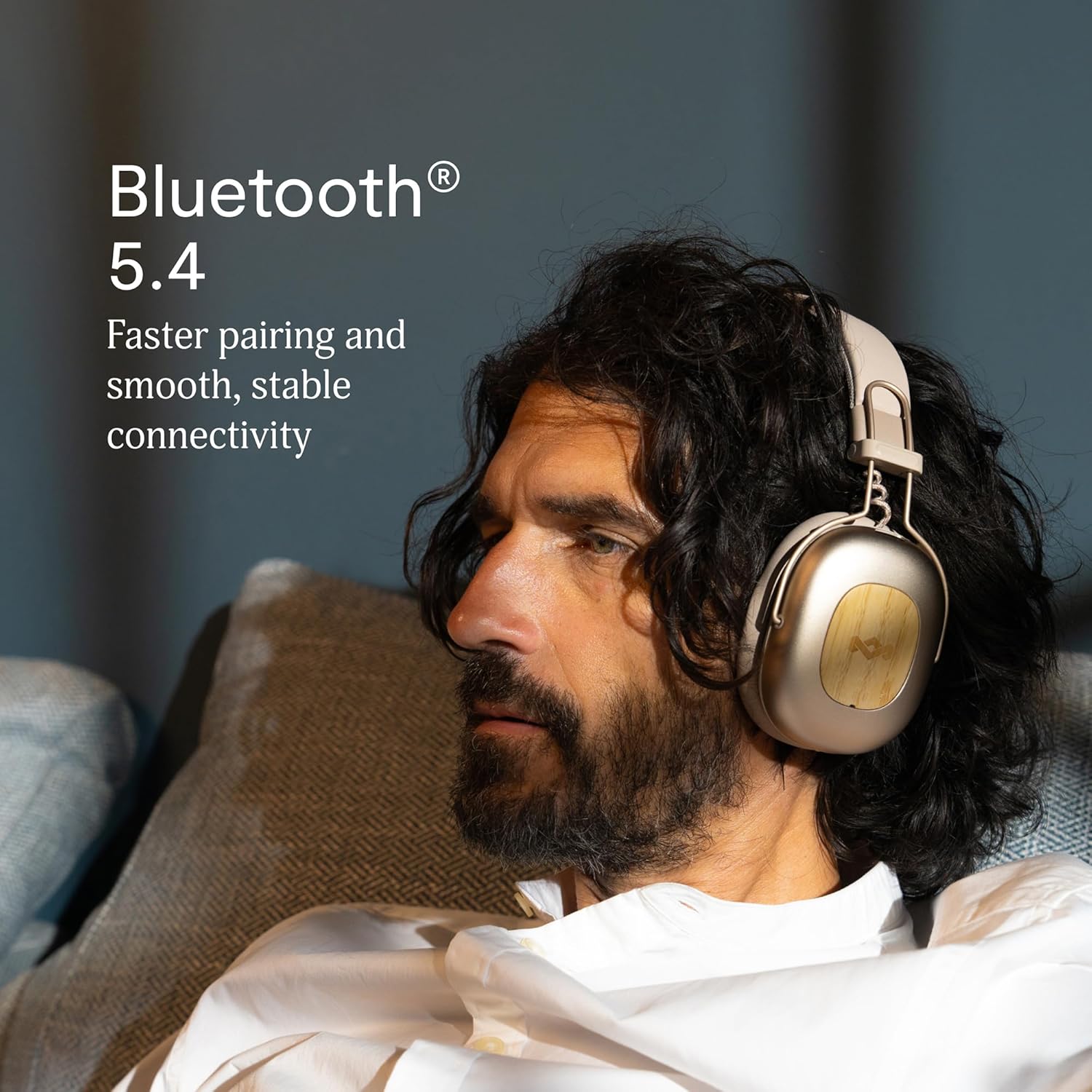
Image 2.1: Bluetooth 5.4 connectivity for stable pairing.
2.4 Adjusting Fit
The headphones feature an adjustable headband and soft memory foam ear cushions for comfortable wear. Adjust the headband to ensure the earcups sit comfortably over your ears, creating a good seal for optimal sound and noise cancelling performance.

Image 2.2: Ergonomic design for all-day comfort.
3. Operating Instructions
3.1 Power On/Off
- Power On: Press and hold the Power button for 2-3 seconds until the LED indicator lights up.
- Power Off: Press and hold the Power button for 3-4 seconds until the LED indicator turns off.
3.2 Music Playback
- Play/Pause: Press the Multi-function button once.
- Next Track: Press and hold the Volume Up button for 2 seconds.
- Previous Track: Press and hold the Volume Down button for 2 seconds.
- Volume Up: Press the Volume Up button briefly.
- Volume Down: Press the Volume Down button briefly.
3.3 Call Management
- Answer/End Call: Press the Multi-function button once.
- Reject Call: Press and hold the Multi-function button for 2 seconds.
3.4 Adaptive Noise Cancelling (ANC)
The headphones feature Adaptive Noise Cancelling to reduce ambient noise. There are typically multiple modes:
- ANC On: Blocks out most external noise.
- Ambient Mode (Transparency): Allows you to hear your surroundings while listening to audio.
- ANC Off: Standard listening without noise cancelling.
Press the ANC button (usually located on one of the earcups) to cycle through the available ANC modes.

Image 3.1: Adaptive Noise Cancelling for distraction-free listening.
3.5 Wired Connection
For a wired connection, use the provided 3.5mm AUX audio cable. Plug one end into the headphone's 3.5mm port and the other end into your audio device. Note that some features like ANC may still function, but power is drawn from the headphone's battery.
4. Maintenance
4.1 Cleaning
- Gently wipe the headphones with a soft, dry, lint-free cloth.
- Do not use harsh chemicals, cleaning solvents, or strong detergents.
- Avoid getting moisture into any openings.
4.2 Storage
When not in use, store the headphones in a cool, dry place, away from extreme temperatures and direct sunlight. The foldable design allows for compact storage.
4.3 Battery Care
- Avoid fully discharging the battery frequently.
- Charge the headphones regularly, even if not used for extended periods, to maintain battery health.
- Do not attempt to replace the battery yourself. Contact customer support if battery issues arise.
4.4 Water Resistance (IPX5)
The headphones are rated IPX5 water resistant, meaning they can withstand a sustained, low-pressure water jet spray. This makes them suitable for light rain or sweaty workouts. However, they are not designed for submersion in water. Do not expose them to heavy rain or immerse them in any liquid.
5. Troubleshooting
5.1 No Power
- Ensure the headphones are charged. Connect them to a power source using the USB-C cable.
- Press and hold the Power button for the specified duration to turn them on.
5.2 Cannot Pair with Device
- Ensure the headphones are in pairing mode (LED flashing blue and red).
- Make sure Bluetooth is enabled on your device and it is within range (typically 10 meters).
- Forget the device from your device's Bluetooth settings and attempt to pair again.
- Restart both the headphones and your device.
5.3 No Sound or Low Volume
- Check the volume levels on both the headphones and your connected device.
- Ensure the headphones are properly connected via Bluetooth or the 3.5mm AUX cable.
- If using a wired connection, ensure the cable is fully inserted into both ports.
- Try playing audio from a different source or application.
5.4 Adaptive Noise Cancelling Not Working Effectively
- Ensure ANC is activated by pressing the ANC button.
- Check that the earcups form a good seal around your ears. Adjust the fit if necessary.
- ANC is most effective against low-frequency, constant noise. It may not completely eliminate sudden or high-frequency sounds.
6. Specifications
| Feature | Detail |
|---|---|
| Model Name | Positive Vibration Rebel |
| Item Model Number | EM-JH152 |
| Connectivity Technology | Wireless (Bluetooth) |
| Bluetooth Version | 5.4 |
| Audio Driver Type | Dynamic Driver (40mm) |
| Noise Control Features | Adaptive Noise Cancelling |
| Battery Life | Up to 130 Hours (75 Hours with ANC) |
| Charging Time | 15 minutes for 4 hours playtime (quick charge) |
| Water Resistance Level | IPX5 |
| Material | Aluminum, Wood (FSC certified), REWIND™ Fabric |
| Ear Placement | Over Ear |
| Compatible Devices | Smartphones, Laptops, Tablets, Smart Speakers |
| Product Dimensions | 8.13 x 3.75 x 8.36 inches |
| Item Weight | 1.14 pounds |
| UPC | 846885011874 |
7. Warranty and Support
7.1 Warranty Information
House of Marley products typically come with a limited warranty. For specific details regarding the warranty period and terms for your Positive Vibration Rebel Wireless ANC Headphones, please refer to the warranty card included with your product or visit the official House of Marley website. Keep your proof of purchase for warranty claims.
7.2 Customer Support
If you encounter any issues not covered in this manual or require further assistance, please contact House of Marley customer support. You can usually find contact information (phone, email, or support portal) on the official House of Marley website:


