
1. Introduction
Thank you for choosing the mingwear G25 Smartwatch. This manual provides essential information for setting up, operating, and maintaining your new smartwatch. Designed for compatibility with both Android and iPhone devices, the G25 offers a 1.39-inch round screen, over 100 sport modes, and comprehensive fitness tracking capabilities.
2. What's in the Box
Please check the contents of your package. If any items are missing or damaged, contact customer support.
- mingwear G25 Smartwatch (with Liquid Soft Silicone Strap)
- Charging Cable
- User Manual
3. Setup
3.1 Charging the Smartwatch
Before first use, fully charge your smartwatch. Connect the charging cable to the charging port on the back of the watch and plug the USB end into a standard USB power adapter (not included) or a computer's USB port. The watch will display a charging indicator.
3.2 Powering On/Off
- To Power On: Press and hold the side button for a few seconds until the screen lights up.
- To Power Off: Press and hold the side button, then select the 'Power Off' option on the screen.
3.3 App Download and Pairing
To unlock the full features of your smartwatch, download the companion app on your smartphone. Search for the app name (refer to the packaging or quick start guide for the specific app name) in the Apple App Store (for iPhone) or Google Play Store (for Android).
- Enable Bluetooth on your smartphone.
- Open the companion app and follow the on-screen instructions to create an account or log in.
- Select 'Add Device' or 'Pair Device' within the app.
- The app will search for your smartwatch. Select 'G25' from the list of available devices.
- Confirm the pairing request on both your smartphone and the smartwatch.
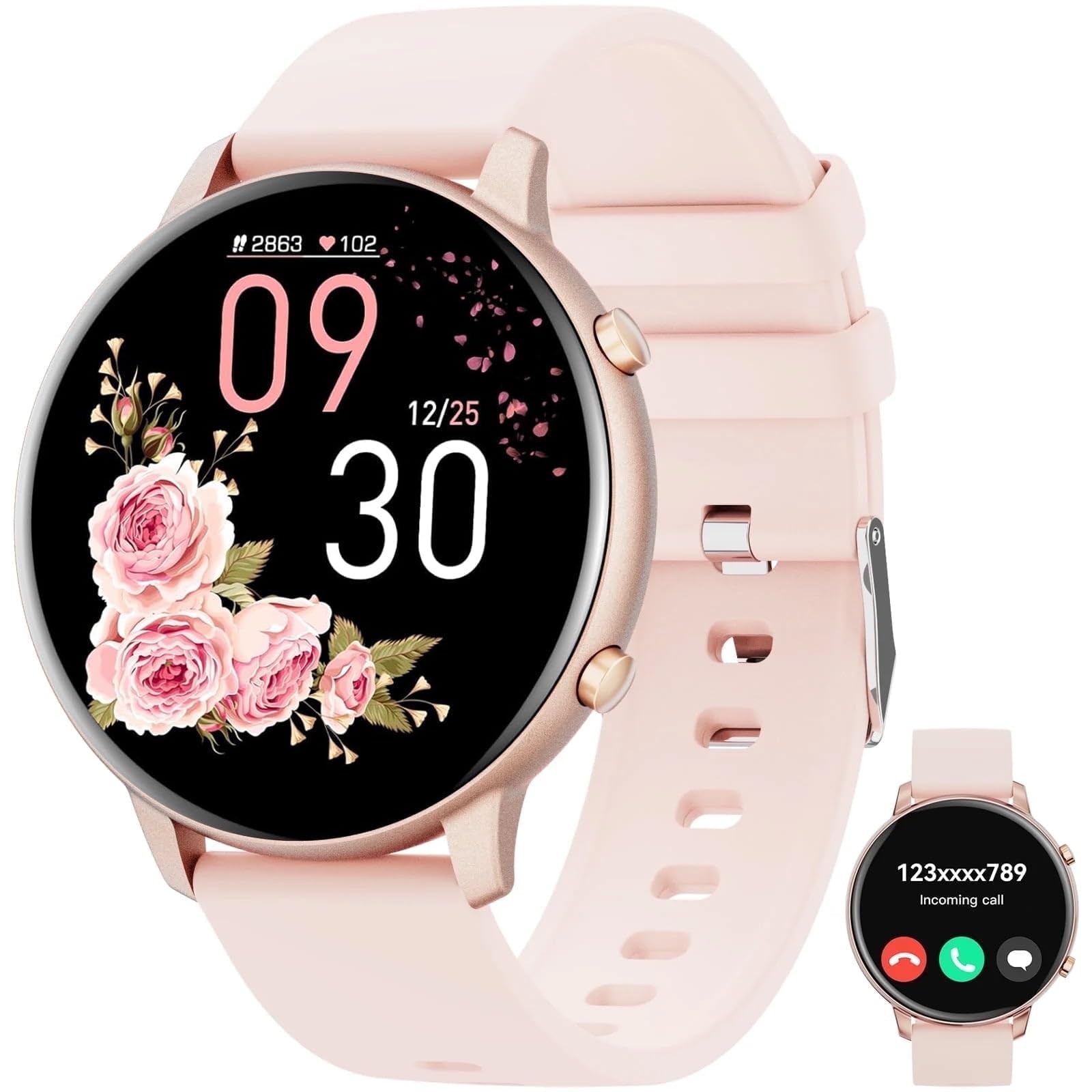
This image displays the mingwear G25 Smartwatch in pink, featuring its 1.39-inch round screen and liquid soft silicone strap. The watch face shows a digital time display.
4. Operating Instructions
4.1 Basic Navigation
- Touch Screen: Swipe left, right, up, or down to navigate through menus and features. Tap to select an item.
- Side Button: Press once to return to the previous screen or watch face. Press and hold for power options or to access a shortcut menu (customizable in the app).
4.2 Key Features
- Activity Tracking: The smartwatch automatically tracks steps, distance, calories burned, and active minutes. View detailed data in the companion app.
- Heart Rate Monitoring: Access the heart rate function on the watch to measure your current heart rate. Continuous monitoring can be enabled via the app.
- Sleep Monitoring: Wear the watch to bed to track your sleep patterns, including deep sleep, light sleep, and wake times.
- Notifications: Receive call, message, and app notifications directly on your wrist after enabling them in the companion app.
- Music Control: Control music playback on your smartphone from your smartwatch.
- Weather: View current weather conditions and forecasts (requires app synchronization).
5. 100+ Sport Modes
The mingwear G25 Smartwatch supports over 100 different sport modes to accurately track your workouts. To start a sport mode:
- Swipe on the watch face to find the 'Workout' or 'Sport' icon and tap it.
- Browse through the list of available sports (e.g., running, cycling, swimming, yoga, basketball).
- Tap on your desired sport to begin tracking. The watch will display real-time data such as duration, heart rate, and calories burned.
- To end a workout, swipe right or press the side button and select 'End' or 'Pause'.
Detailed workout summaries and historical data can be viewed in the companion app.
6. Maintenance
6.1 Cleaning
Regularly clean your smartwatch and strap to prevent skin irritation and maintain optimal performance.
- Wipe the screen and watch body with a soft, damp, lint-free cloth.
- For the silicone strap, use mild soap and water, then rinse thoroughly and dry completely before wearing.
- Do not use harsh chemicals, abrasive cleaners, or solvents.
6.2 Water Resistance
The mingwear G25 Smartwatch is designed to be waterproof. It is suitable for daily use, such as hand washing, rain, and shallow water activities. However, it is not recommended for hot showers, saunas, or diving, as steam and high-pressure water jets can compromise the seal. Avoid prolonged submersion.
6.3 Battery Care
The smartwatch features a large battery for extended use. To prolong battery life:
- Avoid extreme temperatures.
- Charge the watch regularly, but avoid leaving it fully discharged for long periods.
- Adjust screen brightness and disable unnecessary notifications or features if battery life is a concern.
7. Troubleshooting
If you encounter issues with your smartwatch, try the following steps:
- Watch not powering on: Ensure the watch is fully charged. Connect it to the charger for at least 30 minutes.
- Cannot pair with smartphone:
- Ensure Bluetooth is enabled on your phone and the watch.
- Make sure the watch is within Bluetooth range of your phone.
- Restart both your phone and the smartwatch.
- Clear the app's cache or reinstall the app.
- Inaccurate data: Ensure the watch is worn snugly on your wrist, about one finger's width above your wrist bone. Clean the sensors on the back of the watch.
- Notifications not appearing: Check notification settings in both your phone's system settings and the companion app. Ensure the app has necessary permissions.
If problems persist, consult the FAQ section within the companion app or contact customer support.
8. Specifications
| Brand | mingwear |
| Model Name | G25 |
| ASIN | B0FRF6DWNZ |
| UPC | 607603387547 |
| Operating System | Wear OS 1.5 |
| Special Feature | Activity Tracker |
| GPS | No GPS |
| Compatible Devices | Smartphone (Android and iPhone) |
| Included Components | Smartwatch |
9. Warranty and Support
Your mingwear G25 Smartwatch comes with a standard manufacturer's warranty. Please refer to the warranty card included in your package or the companion app for specific terms and conditions. For technical support, troubleshooting assistance, or warranty claims, please contact mingwear customer service through the contact information provided on the product packaging or the official mingwear website.