
Introduction
This manual provides essential information for the assembly, operation, and maintenance of your VASAGLE Custos Collection Nightstand. Please read these instructions carefully before assembly and use to ensure safe and correct operation of the product.
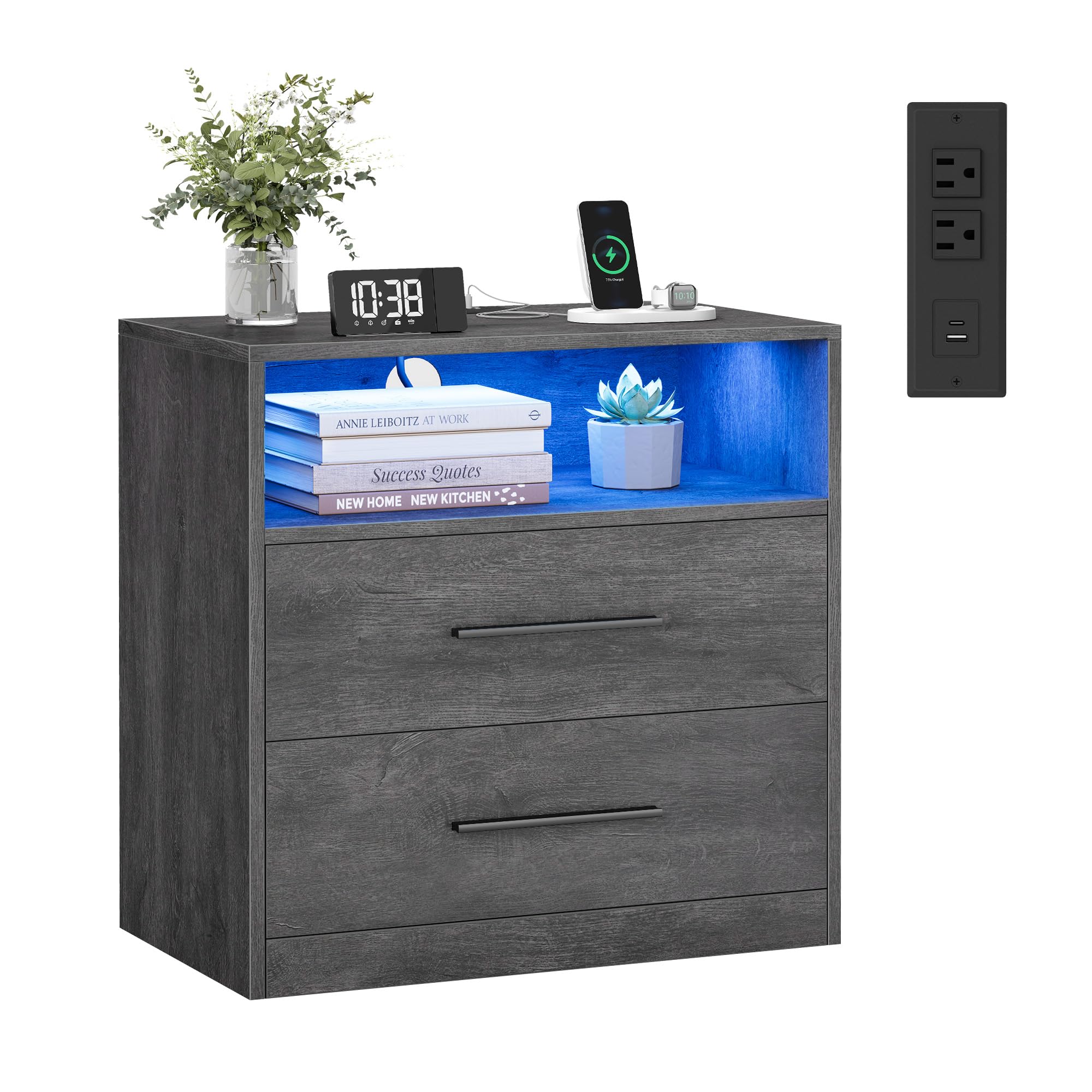
Image: The VASAGLE Custos Collection Nightstand in Misty Gray, showcasing its modern design with an open shelf and two drawers.
Safety Information
- Weight Capacity: Do not exceed the maximum static load of 99 lb (45 kg) for the top surface and 22 lb (10 kg) for each drawer. Overloading may cause instability and damage.
- Assembly: Ensure all parts are correctly assembled and fasteners are tightened securely before use. Periodically check and re-tighten fasteners as needed.
- Placement: Place the nightstand on a level surface to prevent tipping. Avoid placing in areas with high humidity or direct sunlight to prevent material degradation.
- Electrical Safety: The built-in charging station is designed for standard household use. Do not overload the outlets. Disconnect power during cleaning or if any electrical component is damaged. Keep liquids away from electrical components.
- Children: Keep small parts and packaging materials away from children during assembly. This product is not a toy.
Package Contents
Verify that all components listed below are present before beginning assembly:
- 1 x Nightstand (unassembled components)
- 1 x Assembly Kit (includes hardware and tools)
- 1 x Instructions Manual (this document)
- 1 x Power Adapter for Charging Station and LED Lights
Assembly Instructions
Detailed step-by-step assembly instructions are provided in the included Assembly Kit. Please follow the diagrams and written steps carefully. It is recommended to assemble the nightstand on a soft, clean surface to prevent scratches.
- Unpack all components and verify against the parts list.
- Identify each part and hardware piece.
- Follow the numbered steps in the separate assembly guide.
- Ensure all screws and connectors are securely fastened. Do not overtighten.
- Once assembled, connect the charging station and LED light power cables as instructed.

Image: Technical diagram illustrating the overall dimensions of the nightstand (23.6" W x 13.8" D x 24.1" H) and the internal dimensions of the drawers, along with maximum static load capacity.

Image: A visual comparison highlighting the larger size of this nightstand model compared to a smaller alternative, emphasizing its spacious storage.
Operating Instructions
1. Charging Station
The nightstand features a built-in charging station for convenient power access.
- AC Outlets: 2 standard AC outlets (230V/13A) are located on the top surface for powering lamps, laptops, or other devices.
- USB-A Ports: 2 USB-A ports (5V/2A) are available for charging smartphones, tablets, and other USB-powered devices. One port is on the top surface, and another is located at the rear for discreet cable management.
- USB-C Port: 1 USB-C port (5V/2A) is provided for charging compatible USB-C devices.
To use, simply plug the nightstand's main power cord into a wall outlet. Then, connect your devices to the appropriate ports.

Image: A detailed view of the integrated charging station on the nightstand's top surface, showing two AC outlets, a USB-A port, and a USB-C port, with a phone charging wirelessly nearby.
2. LED Lights
The integrated LED lights offer customizable ambient lighting for your space.
- Control: The LED lights can be controlled via a button on the nightstand or through a dedicated mobile application.
- Color Options: Choose from over 29 colors to match your mood or decor.
- Brightness: Adjust the brightness to your preference.
- Dynamic Modes: Features include music synchronization (lights react to music) and microphone synchronization (lights react to ambient sound).
- Timer: Set a timer for the lights to turn on or off automatically.
Refer to the separate LED light control guide (if included) or the mobile app instructions for detailed setup and usage.

Image: The nightstand with its LED lights emitting a warm orange glow, accompanied by icons representing app control, color options, dimmable feature, mic sync, music sync, timer, and dynamic modes.

Image: The nightstand with its open shelf illuminated by blue LED lights, featuring a lamp and a smartphone charging on the top surface.
Maintenance
- Cleaning: Wipe surfaces with a soft, damp cloth. Avoid harsh chemicals or abrasive cleaners that may damage the finish.
- Spills: Immediately wipe up any spills to prevent staining or water damage.
- Electrical Components: Ensure the nightstand is unplugged before cleaning near the charging station or LED lights. Do not spray liquids directly onto electrical parts.
- Fasteners: Periodically check all screws and connections to ensure they remain tight. Re-tighten if necessary.
Troubleshooting
| Problem | Possible Cause | Solution |
|---|---|---|
| Charging station not working. | Not plugged in; loose connection; power outage; device incompatibility. | Ensure the nightstand is securely plugged into a working wall outlet. Check all connections. Test with a different device or outlet. |
| LED lights not turning on. | Power not connected; light strip loose; control issue. | Verify the nightstand is plugged in. Check the connection of the LED light strip. Try controlling via both the button and the app (if applicable). |
| Drawers are stiff or do not slide smoothly. | Improper assembly; debris in tracks; overloaded drawer. | Review assembly instructions for correct drawer slide installation. Clear any debris from the tracks. Reduce the weight in the drawer. |
| Nightstand feels wobbly. | Loose fasteners; uneven floor. | Tighten all assembly screws. Ensure the nightstand is on a level surface. |
Specifications
- Brand: VASAGLE
- Model Name: Custos Collection - 23.6 Inch Wide Nightstand with Charging Station
- Model Number: ULET639GW01S
- Color: Misty Gray
- Product Dimensions (D x W x H): 13.8" x 23.6" x 24.1" (35 cm x 60 cm x 61.2 cm)
- Item Weight: 33.7 Pounds (15.3 kg)
- Maximum Weight Recommendation (Top): 99 Pounds (45 kg)
- Maximum Weight Recommendation (Each Drawer): 22 Pounds (10 kg)
- Frame Material: MDF (Medium Density Fiberboard), Particleboard
- Charging Station: 2 AC Outlets (230V/13A), 2 USB-A Ports (5V/2A), 1 USB-C Port (5V/2A)
- LED Lights: Tunable colors (29+), Dimmable, Music Sync, Mic Sync, Timer, App Control
- Assembly Required: Yes
Product Overview Video
Watch this official video for a visual overview of the VASAGLE Custos Collection Nightstand.
Video: An official product video from Vasagle US showcasing the features and design of the Custos Collection Nightstand (Model ULET639GW01S).
Warranty and Support
For warranty information, missing parts, or technical support, please refer to the contact details provided in your product packaging or visit the official VASAGLE website. Keep your purchase receipt for warranty claims.
Manufacturer: VASAGLE


