
1. Introduction
Welcome to the Monster Melody Wireless Earbuds user manual. This guide provides comprehensive instructions for setting up, operating, maintaining, and troubleshooting your new earbuds. The Monster Melody earbuds are designed to deliver a high-fidelity audio experience with features like True Stereo Sound, extended playtime, clear call quality, and IPX5 water resistance.
2. Product Overview
The Monster Melody Wireless Earbuds offer a compact and ergonomic design for comfortable, long-term use. The charging case is built with durable metal to protect your earbuds and provides additional battery life on the go.

Image: Monster Melody Wireless Earbuds and their charging case.
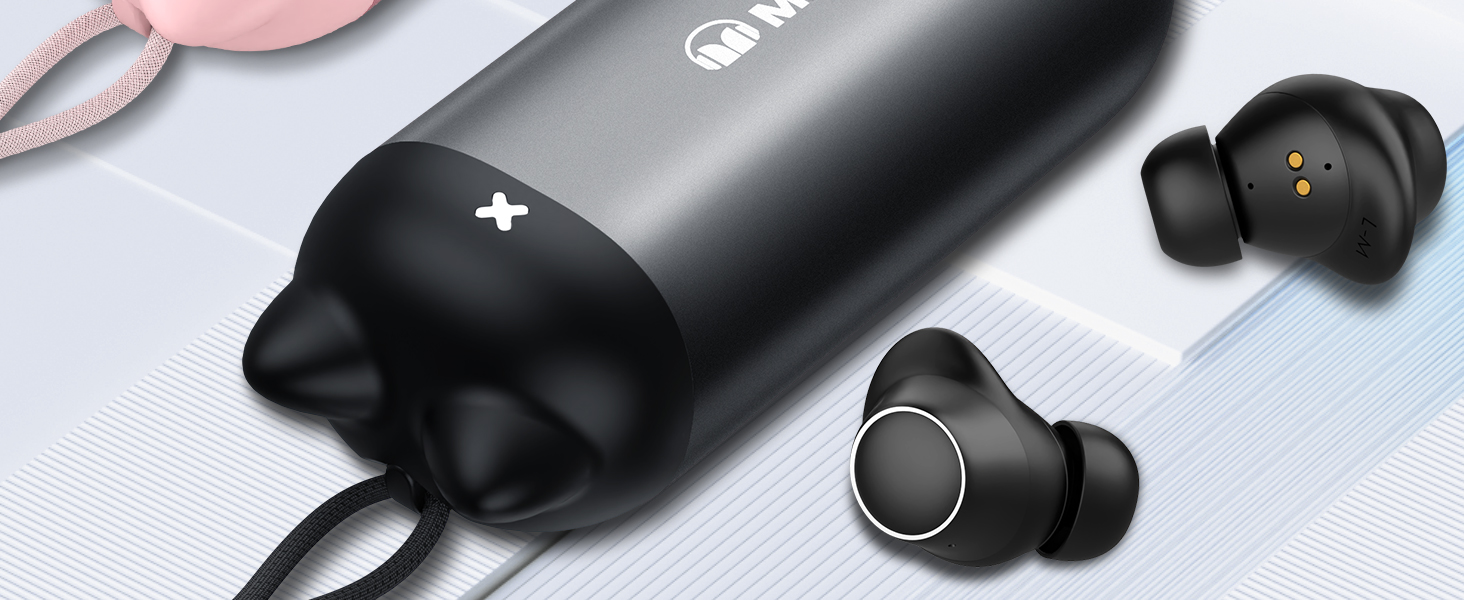
Image: A person wearing the Monster Melody earbuds, highlighting the comfortable and secure fit provided by the ergonomic design and silicone ear caps.
3. Setup
3.1. Initial Charging
Before first use, fully charge your Monster Melody earbuds and charging case. Connect the provided USB-C charging cable to the charging case and a power source. A full charge takes approximately 1 hour.

Image: The Monster Melody charging case displaying its battery life, indicating the earbuds are ready for extended use.
3.2. Pairing with Your Device
- Ensure the earbuds are charged and placed inside the charging case.
- Open the charging case. The earbuds will automatically enter pairing mode.
- On your device (smartphone, tablet, laptop), go to Bluetooth settings and enable Bluetooth.
- Search for "Monster Melody" in the list of available devices and select it to connect.
- Once connected, the earbuds will automatically pair with your device in the future thanks to their memory function.
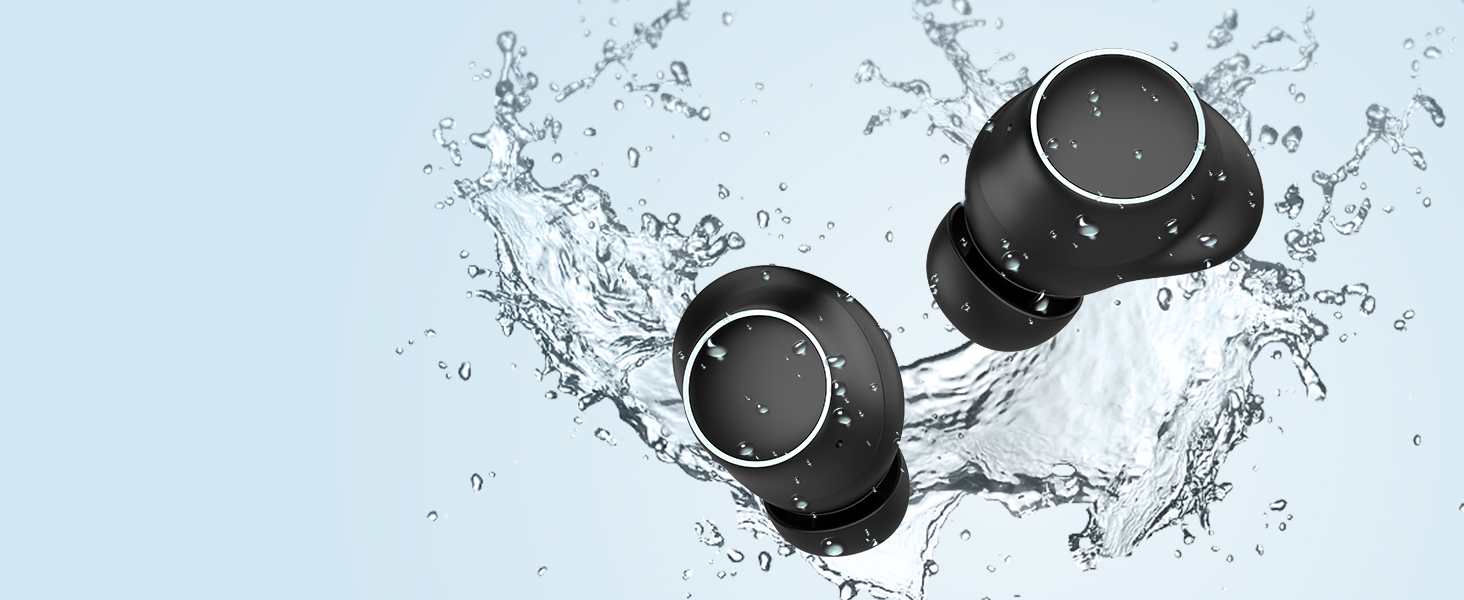
Image: A smartphone screen displaying the Bluetooth pairing process, with "Monster Melody" selected for connection.
4. Operating Instructions
4.1. Power On/Off
- Power On: Open the charging case, and the earbuds will automatically power on.
- Power Off: Place the earbuds back into the charging case and close the lid. They will automatically power off and begin charging.
4.2. Touch Controls
The Monster Melody earbuds feature intuitive touch controls for easy management of your audio and calls.

Image: A visual guide detailing the touch control functions for both the left and right Monster Melody earbuds, including actions for single, double, triple taps, and long presses.
- Play/Pause: Tap once on either earbud.
- Answer Call: Tap once on either earbud.
- Reject Call: Press and hold either earbud for 2 seconds.
- Activate Voice Assistant: Tap three times on either earbud.
- Previous Song: Tap twice on the left earbud.
- Next Song: Tap twice on the right earbud.
- Hang Up Call: Tap twice on either earbud.
4.3. Call Functionality
Equipped with built-in microphones, the Monster Melody earbuds provide crystal clear call quality by reducing environmental noise, ensuring your voice is heard clearly during conversations.
5. Maintenance
5.1. Cleaning
Regularly clean your earbuds and charging case to ensure optimal performance and hygiene. Use a soft, dry, lint-free cloth to wipe down the surfaces. For ear tips, remove them and clean with a mild soap solution, then rinse and dry thoroughly before reattaching.
5.2. Water Resistance
The earbuds feature an IPX5 water-resistant rating, protecting them from sweat and light splashes. They are not designed for submersion in water. Avoid exposing them to heavy rain or swimming.
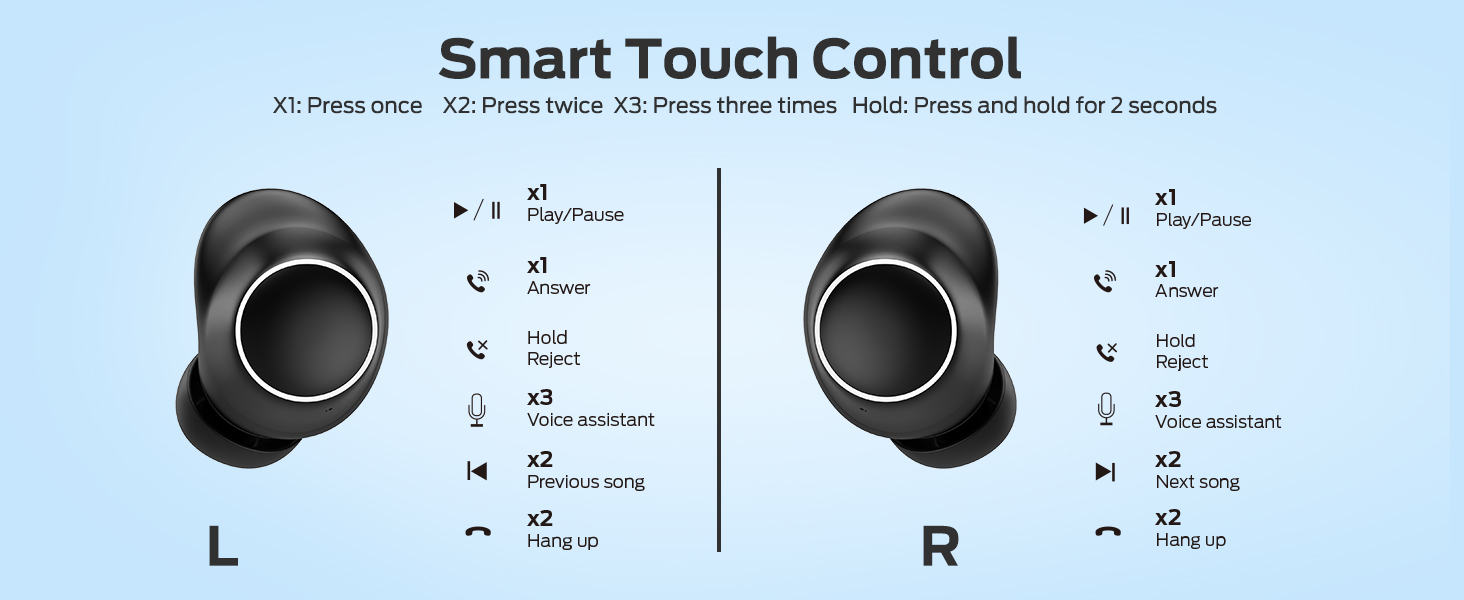
Image: Two Monster Melody earbuds splashing into water, visually representing their IPX5 water-resistant capability.
5.3. Storage
When not in use, store your earbuds in their charging case to protect them from dust, damage, and to keep them charged. Store in a cool, dry place away from extreme temperatures.
6. Troubleshooting
- Earbuds not pairing: Ensure both earbuds are charged and in the charging case. Open the case to initiate pairing mode. Check your device's Bluetooth settings to ensure "Monster Melody" is selected. Try turning Bluetooth off and on again on your device.
- No sound from one or both earbuds: Check the volume level on both your device and the earbuds. Ensure the earbuds are properly connected via Bluetooth. Try re-pairing the earbuds.
- Charging issues: Verify that the USB-C cable is securely connected to both the charging case and the power source. Ensure the charging port is clean and free of debris.
- Poor sound quality: Ensure the earbuds are properly seated in your ears. Try different sized ear tips for a better seal. Move closer to your connected device to avoid interference.
7. Specifications
| Feature | Detail |
|---|---|
| Model Name | Monster Melody |
| Connectivity Technology | Wireless (Bluetooth 5.3) |
| Headphones Jack | NO JACK |
| Included Components | 1 x Monster Melody Earbud, 1 x USB-C Charging Cable, 3 x Different Sizes of Eartips (S,M,L), 3 x Different Sizes of Silicone Earwings (S,M,L), 1 x User Manual |
| Charging Time | 1 Hour |
| Battery Average Life | 24 Hours (with charging case) |
| Water Resistance Level | IPX5 Water Repellent |
| Control Method | Touch |
| Material | Metal, Plastic, Rubber |
| Ear Placement | In Ear |
| Form Factor | In Ear |
8. Warranty and Support
For detailed warranty information, product registration, or technical support, please refer to the documentation included with your product packaging or visit the official Monster website. You may also contact Monster customer service directly for assistance.


