
1. Introduction
The PASYOU Balance Board Ski Simulator is designed to provide a dynamic full-body workout, simulating the movements of skiing. This device helps activate and strengthen leg and hip muscles, improve muscle vitality, and contribute to body sculpting. It offers a low-impact cardio exercise suitable for general fitness and muscle definition, all from the comfort of your home.

Image 1.1: The PASYOU Balance Board Ski Simulator in use, demonstrating its ability to provide a skiing experience at home, offering low-impact fun and balance improvement.
2. Safety Information
- Consult a physician before starting any new exercise program.
- Ensure the balance board is placed on a flat, stable, non-slip surface before use.
- Maintain a clear area around the balance board to prevent accidents.
- Always wear appropriate athletic footwear during use.
- Begin with slow, controlled movements to familiarize yourself with the device and improve balance.
- If you are a beginner, consider using the board near a wall or a sturdy support for initial stability.
- Do not exceed the maximum weight capacity of 150 kg (330 lbs).
- Stop exercising immediately if you feel pain, dizziness, or discomfort.
- Keep children and pets away from the equipment during operation.
3. Package Contents
The PASYOU Balance Board Ski Simulator comes ready for use with minimal assembly. The package includes:
- 1 x PASYOU Balance Board Ski Simulator
- Resistance Bands (if included with your specific model)
- User Manual (this document)

Image 3.1: Key features of the PASYOU Balance Board, including stable foot pads with suction cups, a fully-enclosed position for safety, durable spring resistance, and comfortable elastic pull handles.

Image 3.2: Detail of the foot platform, made from durable PP material with an anti-slip texture and integrated massage points for dual benefits during exercise.
4. Setup
The PASYOU Balance Board is designed for immediate use with no complex assembly required. Simply remove it from the packaging and place it on a suitable surface.
- Unpack: Carefully remove the balance board from its packaging.
- Placement: Place the balance board on a flat, level, and stable surface. Ensure the suction cups on the bottom are securely attached to the floor for maximum stability.
- Clear Area: Verify that there is ample space around the board for unrestricted movement during your workout.
- Resistance Bands (Optional): If your model includes resistance bands, attach them to the designated points on the board as needed for your workout.

Image 4.1: The robust triangular structure of the PASYOU Balance Board, constructed from 1.7mm Q195 Carbon Steel, ensuring stability and supporting up to 150 kg (330 lbs).
5. Operating Instructions
5.1 Getting Started
- Step On: Carefully step onto the foot platforms of the balance board. If you are new to balance boards, hold onto a stable object or wall for support.
- Find Your Balance: Distribute your weight evenly and find your center of balance. The board is designed to move laterally, mimicking skiing motions.
- Initiate Movement: Begin with gentle, controlled side-to-side movements. Push off one foot to glide to the other side, engaging your leg and hip muscles.
- Gradual Progression: Increase the speed and range of motion gradually as your balance and confidence improve.
5.2 Using the LCD Screen
The integrated LCD screen provides real-time feedback on your workout.
- Display Modes: The screen typically cycles through different metrics or can be set to display a specific one.
- Time: Shows the duration of your current workout session.
- Count/Steps: Tracks the number of lateral movements or "steps" you perform.
- Calories: Estimates the calories burned during your workout. Note that calorie counts are estimates and can vary based on individual factors.
- Mode Button: Use the button on the LCD screen to switch between display modes or reset values.

Image 5.1: The LCD screen provides critical workout data, including count, time, and estimated calories burned, to help track progress.
5.3 Workout Tips
- Low-Impact Cardio: The smooth, arc-like motion is gentle on knees and joints, making it ideal for low-impact cardiovascular exercise.
- Muscle Engagement: Focus on engaging your core, glutes, and thigh muscles with each glide to maximize the workout's effectiveness.
- Resistance Bands: Incorporate the resistance bands for an upper body workout or to increase the intensity of your leg and core exercises.
- Quiet Operation: The board operates at less than 25 dB, allowing for quiet workouts at any time without disturbing others.

Image 5.2: Demonstrates various ways to use the balance board, including with resistance bands, and illustrates its efficiency in calorie burning compared to other exercises.

Image 5.3: The PASYOU Balance Board allows for quiet workouts, with a noise level below 25 dB, making it suitable for use at any time without disturbance.
6. Maintenance
6.1 Cleaning
- Wipe down the balance board with a damp cloth after each use to remove sweat and dust.
- Use a mild soap solution for deeper cleaning if necessary, then wipe with a clean, damp cloth and dry thoroughly.
- Avoid using abrasive cleaners or solvents, as these can damage the finish and materials.
6.2 Storage
- Store the balance board in a cool, dry place away from direct sunlight and extreme temperatures.
- Its compact design (69 cm x 24 cm x 16 cm) allows for easy storage under a bed, in a closet, or beside a sofa.
- Ensure the board is clean and dry before storing.
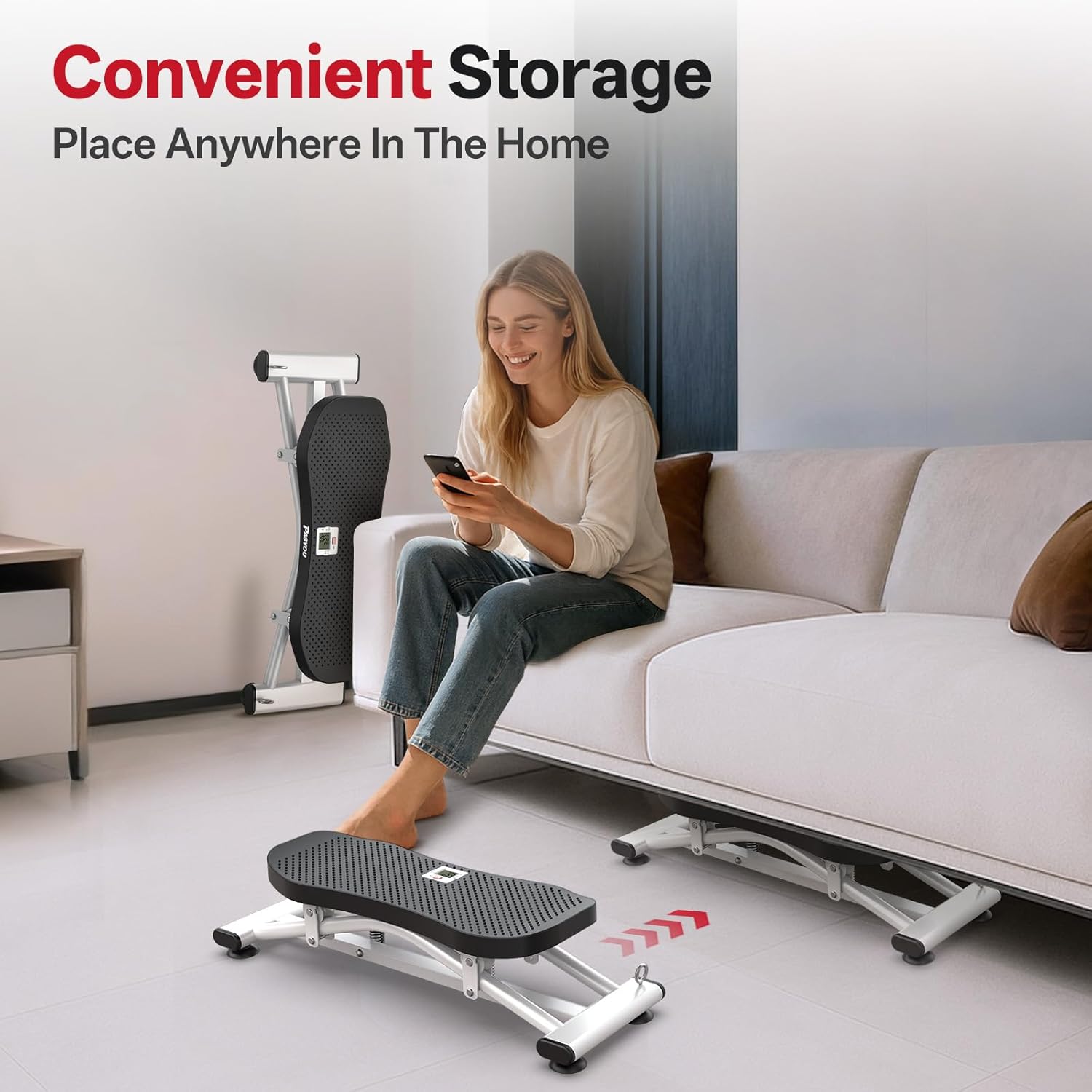
Image 6.1: The compact design of the PASYOU Balance Board allows for convenient storage in various home settings, such as under furniture or against a wall.
7. Troubleshooting
| Problem | Possible Cause | Solution |
|---|---|---|
| Board feels unstable or slides | Uneven surface; suction cups not engaged; slippery floor. | Ensure the board is on a flat, stable surface. Press down firmly to engage suction cups. Clean the floor and suction cups if they are dirty. |
| LCD screen not displaying data | Battery low or dead; sensor not detecting movement. | Replace the battery in the LCD unit. Ensure you are performing movements that activate the sensor. |
| Excessive noise during operation | Loose components; debris in moving parts. | Check all visible connections and ensure they are secure. Inspect for any foreign objects that might be causing friction. The board is designed for quiet operation (under 25 dB). |
| Resistance bands feel too loose or too tight | Incorrect attachment; worn out bands. | Ensure bands are correctly attached. If bands are worn, consider replacing them. |
8. Specifications
- Model Number: SKY10
- Brand: PASYOU
- Dimensions (L x W x H): 69 cm x 24 cm x 16 cm (27.2 x 9.4 x 6.3 inches)
- Item Weight: 4.2 Kilograms (9.26 lbs)
- Material: Metal (1.7mm Q195 Carbon Steel frame), PP (foot platform)
- Color: Black
- Maximum Recommended Load: 150 kg (330 lbs)
- Operating Mode: Manual (User-powered)
- Noise Level: < 25 dB
- Display: LCD (Time, Count/Steps, Calories)
9. Warranty and Support
For warranty information or technical support, please refer to the documentation included with your purchase or contact PASYOU customer service directly. Contact details can typically be found on the manufacturer's official website or on your purchase receipt.