
1. Introduction
The OTTOCAST Mini 3.0 is a compact 2-in-1 wireless adapter designed to convert your car's wired CarPlay or Android Auto system into a wireless experience. This device offers seamless connectivity, dual-phone memory, and high-speed dual-band WiFi for an enhanced in-car infotainment experience.
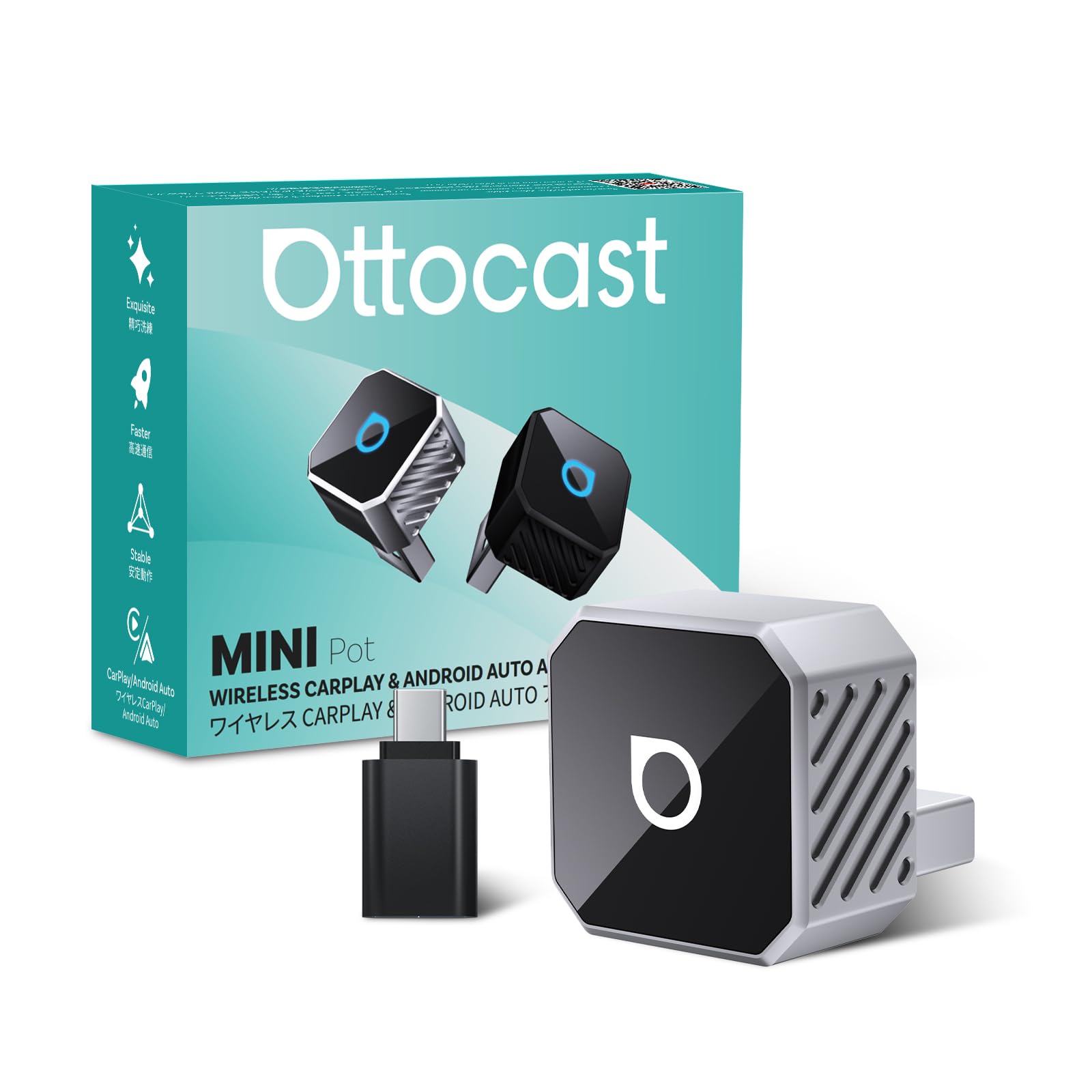
Image: The OTTOCAST Mini 3.0 Wireless CarPlay & Android Auto Adapter.
2. Compatibility Requirements
To ensure proper functionality, your vehicle and smartphone must meet the following criteria:
- Vehicle: Must have factory-installed wired Apple CarPlay or Android Auto.
- iPhone: Requires iOS 10.0 or higher.
- Android Phone: Requires Android 11.0 or higher.

Image: Visual representation of car model and phone OS compatibility for the OTTOCAST Mini 3.0.
3. Setup Instructions
Follow these steps for a quick and effortless setup:
- Connect the Adapter: Plug the OTTOCAST Mini 3.0 adapter into your car's USB port. Use the included USB-A to USB-C adapter if your car has a USB-C port.
- Activate Phone Settings: On your smartphone, turn on both Wi-Fi and Bluetooth.
- Pair via Bluetooth: Search for and select the Bluetooth device named "AUTO2-xxxx" (where xxxx are unique symbols) on your phone. Confirm the authorization request on your phone to complete the pairing.
- CarPlay/Android Auto Launch: After successful pairing, your car's infotainment system will automatically launch Wireless CarPlay or Android Auto.

Image: Step-by-step visual guide for connecting the OTTOCAST Mini 3.0 adapter.
Setup Video Guide
Video: A detailed user guide for setting up the OTTOCAST Mini 3.0 adapter in a car. This video demonstrates the connection process and initial pairing steps.
4. Operating Instructions
Once connected, the OTTOCAST Mini 3.0 provides a seamless wireless experience:
- Automatic Reconnection: The adapter automatically reconnects to the last used phone within 5 seconds of starting the car. It also supports dual-phone memory, automatically switching to the second saved device if the primary is unavailable.
- High-Speed Connectivity: Utilizes 5GHz dual-band Wi-Fi for low latency, ensuring stable navigation, music streaming, and call quality.
- Integrated Controls: Maintain full functionality with your car's original controls, including steering wheel buttons, dashboard knob, touchscreen, and voice assistants (Siri/Google Assistant).
- Superior Audio: Experience Hi-Fi sound quality with reduced lag compared to standard Bluetooth car adapters.

Image: Hands-free control with smart voice assistance for safer driving.

Image: The adapter automatically reconnects within 5 seconds after the first connection.
5. Maintenance
To ensure optimal performance and longevity of your OTTOCAST Mini 3.0 adapter:
- Software Updates (OTA): The device supports Over-The-Air (OTA) upgrades. Regularly check for and install available firmware updates to benefit from new features, performance improvements, and bug fixes.
- Keep Clean: Gently wipe the adapter with a dry, soft cloth to remove dust or debris. Avoid using liquid cleaners.
- Optimal Temperature: The sleek design helps maintain an optimal temperature. Ensure the device is not obstructed or placed in areas with extreme heat to prevent overheating.

Image: The OTTOCAST Mini 3.0 supports online OTA upgrades for continuous improvement.
6. Troubleshooting
If you encounter issues with your OTTOCAST Mini 3.0, try the following solutions:
- No Connection:
- Ensure your car has factory-wired CarPlay/Android Auto.
- Verify Wi-Fi and Bluetooth are enabled on your phone.
- Unplug the adapter and plug it back in.
- Restart your phone and your car's infotainment system.
- Intermittent Connection:
- Check for any physical obstructions around the adapter or phone.
- Ensure your phone's operating system is up to date.
- Perform an OTA update on the OTTOCAST Mini 3.0 if available.
- Audio Issues (e.g., buzzing):
- Ensure the adapter is securely plugged into the USB port.
- Check for any electrical interference from other devices in the car.
- Test with a different USB port if available.
- Dual-Phone Switching Issues:
- Ensure both phones are properly paired and saved in the adapter's memory.
- Confirm only one phone is actively trying to connect at a time for initial connection.
7. Specifications
| Feature | Detail |
|---|---|
| Model Number | Mini 3.0 |
| Color | Silver |
| Package Dimensions | 3.7 x 2.99 x 1.34 inches |
| Item Weight | 1.44 ounces (0.04 Kilograms) |
| Compatible Devices | Android Phone, iPhone |
| Connector Type | USB (USB-A with A-to-C adapter included) |
| Manufacturer | OTTOCAST |
8. Warranty and Support
Your OTTOCAST Mini 3.0 adapter comes with comprehensive support:
- Returns: 30-day return policy.
- Warranty: 24-month warranty.
- Support: US-based customer support is available for assistance.
- Online Resources: For additional information and support, please visit the OTTOCAST Store on Amazon.


