
Introduction
Welcome to your blurams 2K Dual-Lens Indoor Camera. This manual provides essential information for setting up, operating, and maintaining your camera. The blurams A35S camera offers advanced features for indoor security and monitoring, including 2K resolution, dual-lens panoramic view, dual-band Wi-Fi 6, AI-powered detection, two-way audio, and smart home compatibility.
What's in the Box
- blurams 2K Dual-Lens Indoor Camera Unit
- USB-C Power Cable
- Power Adapter
- Mounting Bracket with Screws
- User Manual

The blurams 2K Dual-Lens Indoor Camera package includes the camera unit, USB-C power cable, power adapter, mounting bracket with screws, and this instruction manual.
Setup
Initial Setup
- Unpack the camera and all accessories.
- Download the blurams app from your device's app store (available for iOS and Android).
- Create an account or log in to your existing blurams account.
- Power on the camera by connecting the USB-C cable to the camera and the power adapter to an electrical outlet.
- Follow the in-app instructions to add your camera, which typically involves scanning a QR code displayed by the app.
- Ensure your Wi-Fi network (2.4GHz or 5GHz) is available and enter the password when prompted.
Mounting Options
The camera can be placed on a flat surface or securely mounted to a wall or ceiling using the provided mounting bracket and screws. Choose a location that provides the best viewing angle for your monitoring needs.
The blurams camera can be placed on any flat surface for easy monitoring. Ensure it has a clear line of sight to the desired area.
The included mounting bracket allows for secure installation on walls or ceilings, providing flexible placement options.
Operating Instructions
Dual-Lens & Panoramic View
The camera features two lenses: a fixed lens for a wide overview and a rotating lens (350° horizontal, 110° vertical) for detailed tracking. Both views can be seen simultaneously on a split screen within the blurams app, ensuring no blind spots.

The blurams camera features two lenses for comprehensive coverage, allowing for both a wide fixed view and a movable pan-tilt-zoom view.

With its 2-in-1 dual-lens design, the camera provides a fixed view and a 360° auto-tracking pan-tilt-zoom lens to monitor every corner.
This video demonstrates the dual-lens functionality, showing how the camera captures both a fixed wide-angle view and a movable pan-tilt-zoom view simultaneously, with a split-screen display in the app.
Night Vision Modes
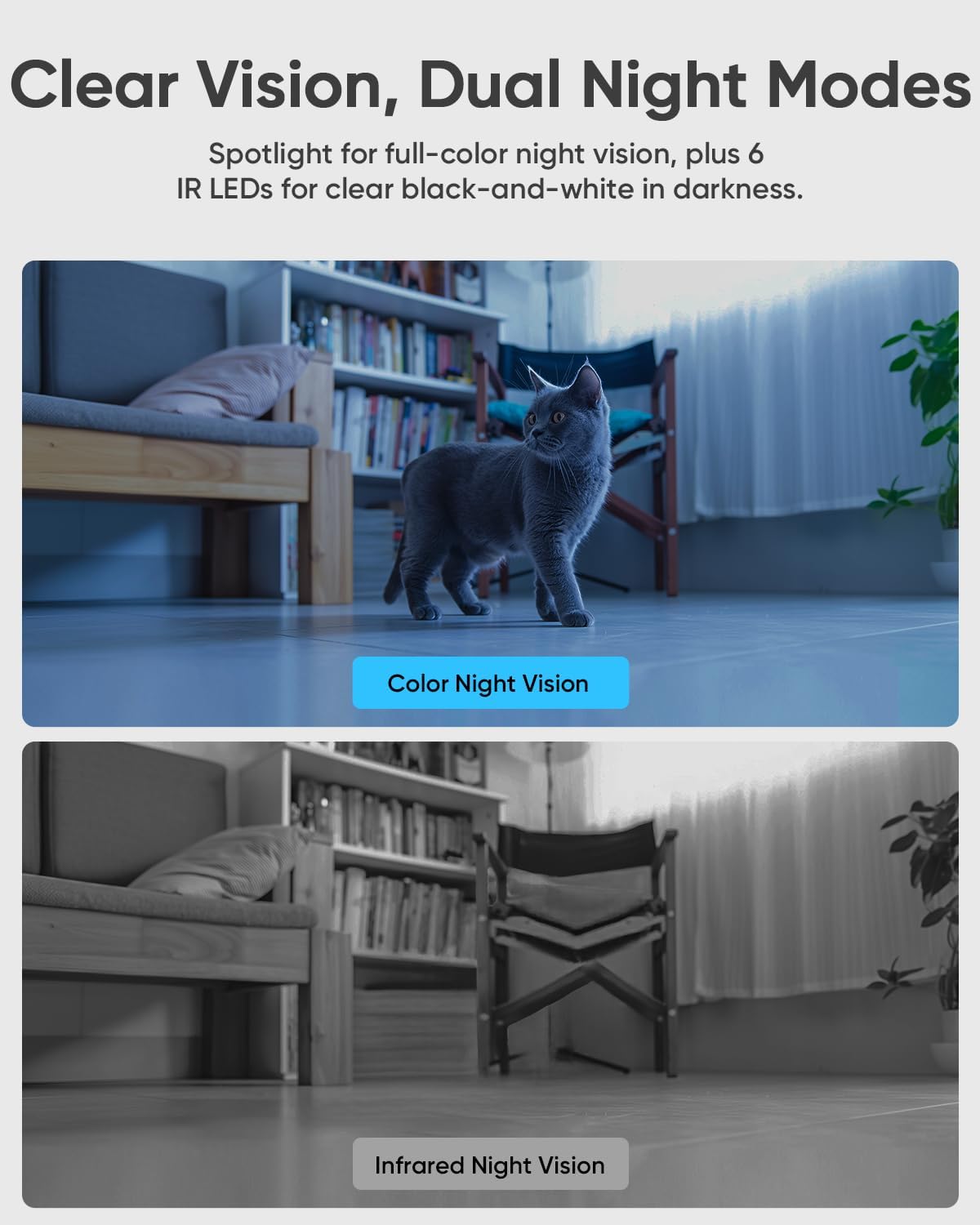
The camera supports color-enhanced night vision using its built-in spotlight and traditional infrared (IR) night vision for clear black-and-white footage in complete darkness. Select your preferred mode in the app settings.

The camera offers dual night vision modes: full-color night vision with a spotlight and clear black-and-white infrared night vision for optimal visibility in low-light conditions.
One-Touch Call & Two-Way Audio
The camera features a one-touch call button on its front. Pressing this button initiates a video call to your phone via the blurams app. Dual noise-canceling microphones and speakers enable clear two-way communication, allowing you to speak with anyone near the camera.

Engage in instant two-way conversations with the one-touch call feature, allowing family members to connect directly to your phone through the camera.
AI Smart Detection & Motion Tracking
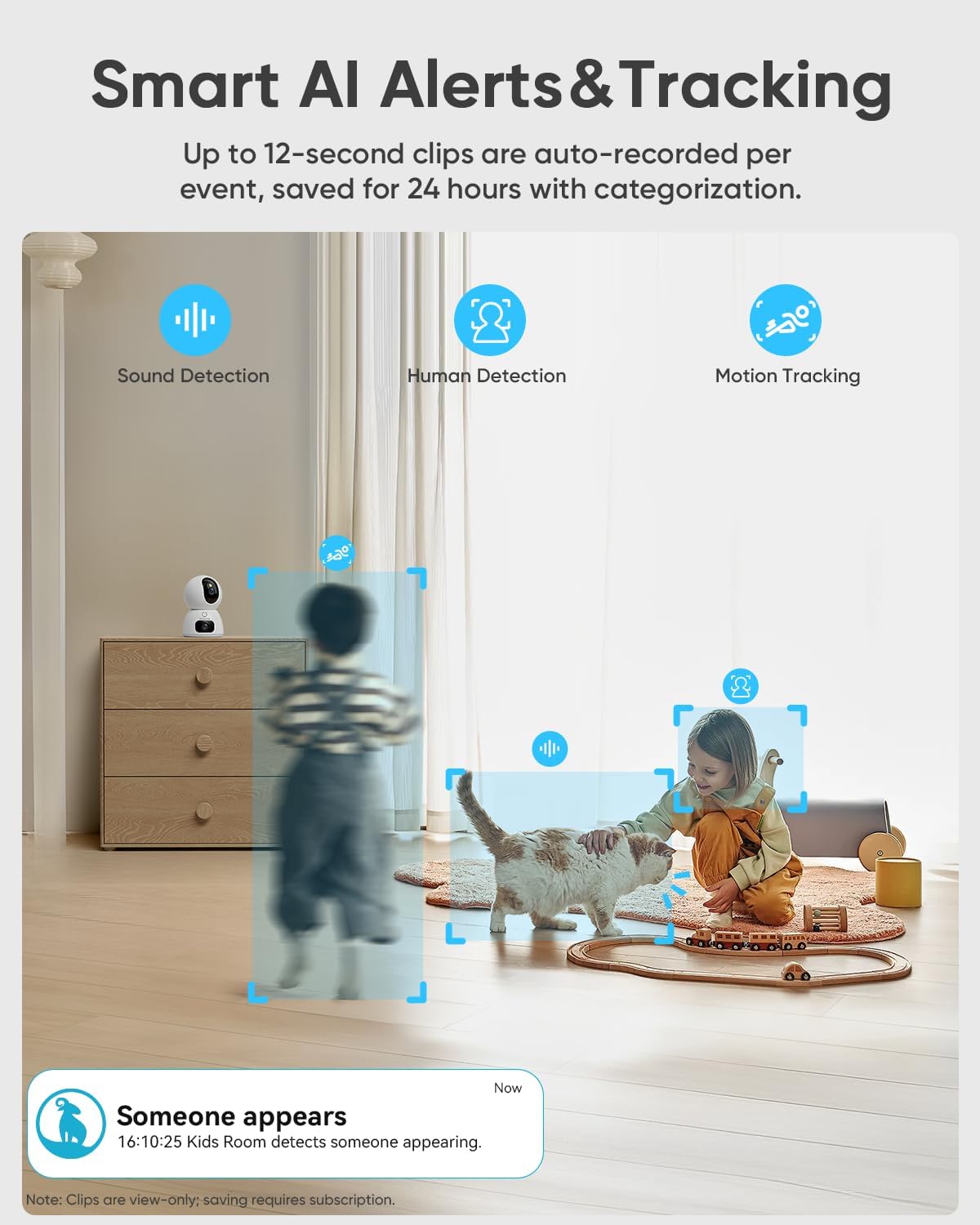
Advanced AI algorithms detect humans, pets, and baby cries, sending instant alerts to your phone. The camera also supports motion tracking, allowing the rotating lens to automatically follow detected movement within its field of view.

Benefit from smart AI detection for humans, pets, and sounds, along with motion tracking to keep important events in view.
Dual-Band Wi-Fi 6 Connectivity
The camera supports both 2.4GHz and 5GHz Wi-Fi 6, ensuring stable and fast streaming with reduced latency and improved connectivity, whether you are at home or on the go.

The camera utilizes dual-band Wi-Fi 6 for enhanced range and speed, providing a reliable and smooth connection for live streaming and data transmission.
Flexible Storage Options
Recordings can be stored locally on an SD card (up to 128GB, not included) or securely backed up to the cloud. A complimentary 30-day cloud trial is often included. The camera automatically saves 12-second event clips for 24 hours even without a subscription or SD card, ensuring important moments are always within reach.
Smart Home Integration
The blurams camera is compatible with Amazon Alexa and Google Assistant, allowing for voice control and hands-free live view access on compatible smart displays. Simply use voice commands to view your camera feed.

Integrate your camera with Amazon Alexa and Google Assistant for convenient voice control and hands-free monitoring.
This video highlights the camera's features, including 2K resolution, 5G Wi-Fi, and its use as a pet camera, demonstrating its versatility.
Specifications
| Feature | Value |
|---|---|
| Recommended Uses For Product | Indoor Security |
| Brand | blurams |
| Model Name | A35S |
| Connectivity Technology | Wireless |
| Special Feature | 2-Way Audio, One-Touch Call, 2K Dual-Lens, Split-Screen Live View, Human/Sound Detection, Motion Tracking, Night Vision, Dual-Band WiFi 6, Work with Alexa |
| Indoor Outdoor Usage | Indoor |
| Compatible Devices | Smartphone |
| Controller Type | Amazon Alexa |
| Mount Type | Wall/Ceiling Mount |
| Color | White |
| Connectivity Protocol | Wi-Fi |
| Power Source | Corded Electric |
| Are Batteries Required | No |
| Video Capture Format | MP4 |
| Number of Items | 2 |
| Video Capture Resolution | 1296p (2K) |
| Item Dimensions | 3.5 x 5 x 5 inches |
Troubleshooting & FAQ
Common Questions
Q: Does the camera support 5GHz Wi-Fi?
A: Yes, the blurams 2K Dual-Lens Indoor Camera supports both 2.4GHz and 5GHz Wi-Fi networks for flexible and stable connectivity.

A common question regarding the camera's Wi-Fi compatibility, confirming support for both 2.4GHz and 5GHz networks.
Q: Is the camera wired or battery powered?
A: The camera is wired and requires a continuous power connection to operate. It is not battery-powered.

Clarification on the camera's power source, indicating it is wired and requires a power outlet.
Q: Can the camera record and store videos?
A: Yes. The camera provides 1-day event cloud storage for each camera, recording events up to 12 seconds in the last 24 hours. For longer recordings or continuous recording, you can insert a memory card (up to 128GB, sold separately) or subscribe to the blurams cloud service.

Information on video recording and storage options, including local SD card support and cloud services.
Maintenance
- Keep the camera lenses clean with a soft, dry, lint-free cloth to ensure clear image quality.
- Ensure the camera is placed in a well-ventilated area to prevent overheating, especially during continuous operation.
- Regularly check for firmware updates through the blurams app to ensure optimal performance, security, and access to new features.
- Avoid placing the camera directly facing strong light sources (e.g., windows with direct sunlight) or behind glass, as this can cause reflections and image distortion, particularly with night vision features.
Safety Information
- This camera is designed for indoor use only. Do not expose it to outdoor elements.
- Keep the camera and its power cable out of reach of children and pets to prevent accidents or damage.
- Use only the provided power adapter to prevent damage to the camera and ensure safe operation.
- Do not attempt to disassemble or repair the camera yourself. Refer to professional service if needed.
- Avoid exposing the camera to extreme temperatures, high humidity, or direct water contact.
Warranty and Support
For detailed warranty information, technical support, or any product-related inquiries, please refer to the official blurams website or contact their customer service directly. Your product typically comes with a standard manufacturer's warranty, details of which can be found on the official website or in the packaging documentation.
