Introduction
The CORBOBO LINGBAO K108 Pro is a full-size wireless mechanical keyboard designed for versatility and performance. It features a smart screen, a multi-function knob, three-mode connectivity (2.4G wireless, Bluetooth, and wired USB-C), hot-swappable switches, PBT keycaps, a five-layer gasket structure, and extensive RGB backlighting. This manual provides detailed instructions for setting up, operating, and maintaining your keyboard.

Image: The LINGBAO K108 Pro keyboard, showcasing its full layout and smart screen.
Setup
Package Contents
- LINGBAO K108 Pro Keyboard
- User Manual
- USB-C Cable
- Keycap Puller
- Two extra switches
Initial Charging
Before first use, it is recommended to fully charge the keyboard. Connect the provided USB-C cable to the keyboard's USB-C port and the other end to a computer's USB port. Do not use mobile phone fast chargers or chargers with excessive current/voltage, as this may damage the keyboard's battery.
Connectivity Modes
The LINGBAO K108 Pro supports three connection modes: 2.4G Wireless, Bluetooth (BT), and Wired USB-C. You can switch between these modes using the multi-functional knob or dedicated keys.

Image: The keyboard displaying its multi-device connectivity options.
2.4G Wireless Connection
- Locate the 2.4G USB receiver (dongle) in the keyboard packaging.
- Plug the USB receiver into an available USB port on your computer.
- Switch the keyboard to 2.4G mode using the multi-functional knob or corresponding shortcut key. The screen will indicate the active connection.
Bluetooth Connection
The keyboard can store up to 5 different Bluetooth devices (BT1, BT2, BT3, BT4, BT5).
- Switch the keyboard to one of the Bluetooth modes (e.g., BT1) using the multi-functional knob or shortcut key.
- On your device (computer, tablet, smartphone), enable Bluetooth and search for new devices.
- Select 'LINGBAO K108 Pro' from the list of available devices to pair.
- To pair additional devices, switch to another BT mode (e.g., BT2) and repeat the process.
Wired USB-C Connection
- Connect the provided USB-C cable to the keyboard's USB-C port.
- Connect the other end of the USB-C cable to your computer's USB port.
- The keyboard will automatically switch to wired mode. This mode is required for driver-based customization and screen time calibration.
Video: LINGBAO K108 Pro Wireless Mechanical Keyboard Overview
This video demonstrates the LINGBAO K108 Pro's features, including its multi-mode connectivity, typing experience, and RGB lighting effects.
Operating Instructions
Smart Screen & Multi-Function Knob
The 1.14-inch smart display shows essential information such as date, time, connection mode, and battery level. The rotary knob provides intuitive control over various keyboard functions.
- Default Display: Shows date, time, connection mode, and battery.
- Multimedia Control: Rotate the knob to adjust computer volume. Press the knob to mute/unmute.
- Keyboard Settings: Rotate the knob to navigate through settings like RGB lighting effects, language, and system. Press to confirm selections.
- Customization: With the robust driver software, you can upload GIF animations to the screen for personalized visuals. Note: Screen time calibration requires driver installation.

Image: Detailed view of the smart screen and knob interface, illustrating its diverse functions.
Video: K108 Pro Multi-Function Knob Demonstration
This video illustrates how to use the multi-function knob to adjust settings and control media on the K108 Pro keyboard.
RGB Backlighting
The keyboard features 16.8 million colors for personalized RGB backlighting. You can adjust lighting modes, brightness, and speed.
- Shortcut Keys: Use specific key combinations (e.g., Fn + \| for light effect, Fn + Tab for switching colors, Fn + Up/Down for brightness, Fn + Left/Right for speed) to quickly change lighting settings.
- Music Rhythm Mode: A unique mode where lighting effects synchronize with audio.
- Side Light Strips: The keyboard also features side RGB light strips with their own shortcut key settings (e.g., Fn + Right Shift to toggle light effect, Fn + Right Alt to toggle brightness, Fn + /? to toggle color, Fn + Right Ctrl to switch speed).

Image: The keyboard illuminated with colorful RGB backlighting, highlighting the main keys and side strips.
Programmable Driver
The keyboard supports full-key macro command programming for enhanced work efficiency and gaming performance. This customization can only be performed within the driver software via a wired USB-C connection on Windows systems.
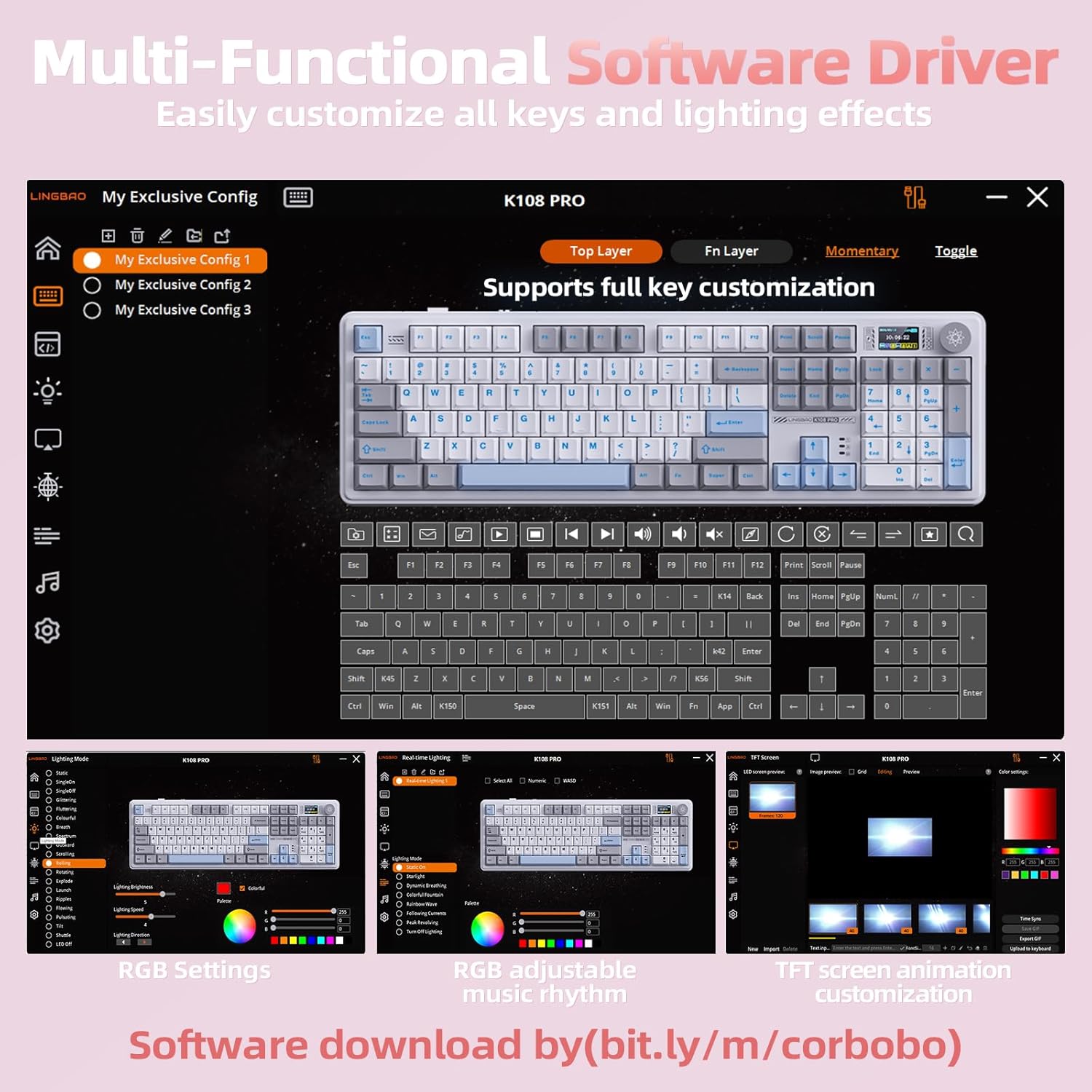
Image: The multi-functional software driver for customizing keys and lighting effects.
Maintenance
Hot-Swappable Switches
The LINGBAO K108 Pro features a full-key hot-swappable socket, allowing users to easily replace 3-pin or 5-pin mechanical switches without soldering. A keycap/switch puller is included for convenience.

Image: Illustration of the hot-swappable switch feature, showing a switch being removed.
PBT Keycaps
The keyboard is equipped with two-color injection-molded PBT keycaps, known for their durability and resistance to wear. The characters on the keycaps are designed to never wear out, ensuring long-lasting legibility.
Gasket Structure
The five-layer gasket structure, combined with a single-key slot PCB design, reduces noise and provides a soft, responsive, and comfortable typing experience with a satisfying sound profile.

Image: Exploded view showing the internal gasket structure components of the keyboard.
Troubleshooting
- Connectivity Issues: Ensure the keyboard is in the correct mode (2.4G, BT, or Wired) for your device. For Bluetooth, ensure your device's Bluetooth is enabled and the keyboard is paired.
- Screen Time Incorrect: The smart screen's time calibration requires the installation of the driver software and a wired connection to a Windows system.
- Battery Not Charging: Only charge the keyboard via a computer's USB port. Avoid using mobile phone fast chargers or chargers with high current/voltage to prevent damage.
- Keys Not Responding: Check if the keyboard is properly connected. If using wireless modes, ensure the battery is charged. For hot-swappable switches, ensure switches are fully seated.
- RGB Lighting Malfunction: Try resetting the lighting effects using shortcut keys or the driver software. Ensure the keyboard is not in a low-power state.
Specifications
| Feature | Detail |
|---|---|
| Product Dimensions | 19.09 x 7.45 x 2.36 inches |
| Item Weight | 3.8 pounds |
| Manufacturer | CORBOBO |
| Item Model Number | K108Pro |
| Batteries | 2 Nonstandard Battery batteries required (included) |
| Connectivity Technology | 2.4GHz, BT5.0, USB-C |
| Keyboard Description | Mechanical Gaming Keyboard |
| Special Features | Backlit, Creamy keyboard, Ergonomic, Hot-Swappable, Mechanical keyboard |
| Keyboard Backlighting Color Support | RGB |
| Battery Capacity | 10000mAh |
| Battery Life (RGB on) | Up to 53 hours |
| Battery Life (RGB off) | Up to 114 hours |
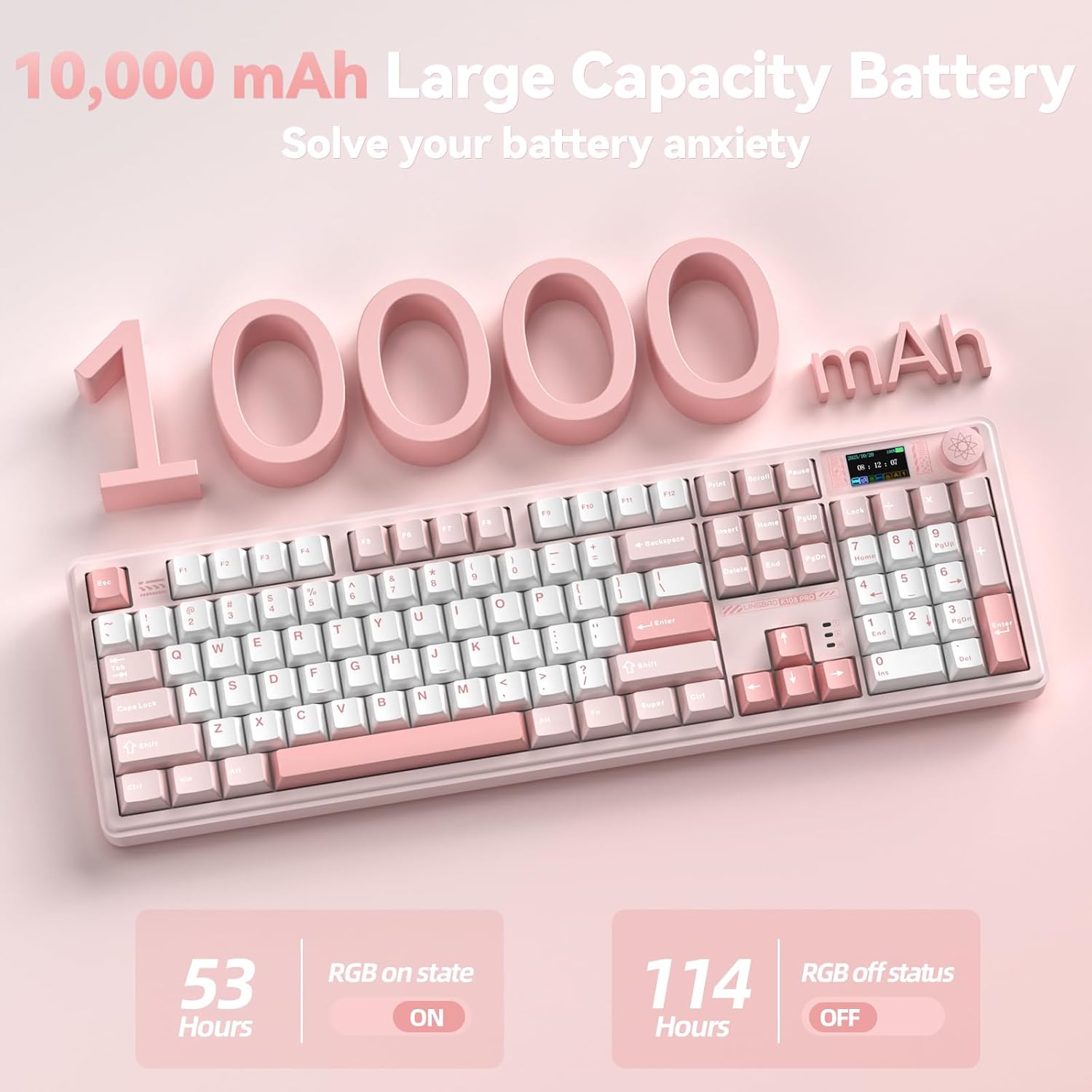
Image: Visual representation of the keyboard's 10000mAh battery and its impressive battery life.
Warranty and Support
The CORBOBO LINGBAO K108 Pro keyboard is covered by the manufacturer's standard warranty. Please refer to the warranty information provided with your purchase for specific terms and conditions.
For technical support, driver downloads, and further assistance, please visit the official CORBOBO support website or use the provided driver download link: bit.ly/m/corbobo.