
1. Introduction
Thank you for choosing the OBO HANDS 2-Wire WiFi Video Intercom System. This manual provides detailed instructions for the installation, operation, and maintenance of your new video doorbell system. Please read this manual thoroughly before installation and keep it for future reference to ensure proper use and optimal performance.
2. Safety Information
- Ensure all power is disconnected before installation or maintenance to prevent electric shock.
- Installation should be performed by a qualified professional if you are unfamiliar with electrical wiring.
- Do not expose the indoor monitor to extreme temperatures, humidity, or direct sunlight.
- The outdoor unit is IP65 water-resistant, but avoid submerging it in water or exposing it to high-pressure water jets.
- Use only the power adapter and accessories provided or recommended by the manufacturer.
3. Package Contents
The complete kit includes the following components:
- Indoor Monitor (1080P Video Display)
- Outdoor Doorbell Unit (with 1080P Camera)
- Mounting Brackets and Screws
- Power Adapter
- RFID Cards
- Wiring Cables and Connectors
- User Manual
4. Product Overview
The OBO HANDS Video Intercom System consists of an indoor monitor and an outdoor doorbell unit, designed for clear communication and enhanced security.
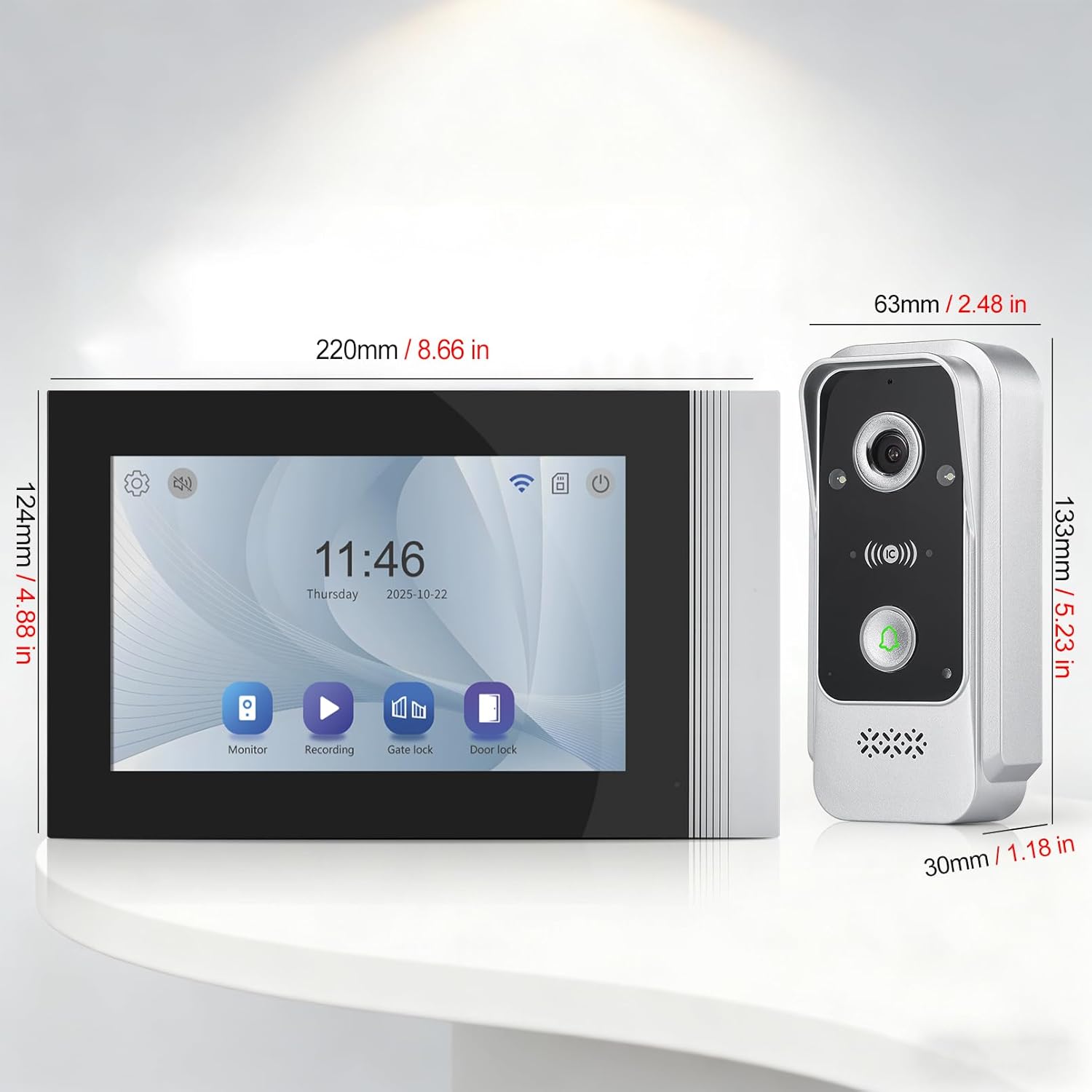
Figure 4.1: Dimensions of the indoor monitor and outdoor doorbell unit. The indoor monitor measures approximately 220mm (8.66 in) wide by 124mm (4.88 in) high. The outdoor unit measures approximately 63mm (2.48 in) wide by 133mm (5.23 in) high and 30mm (1.18 in) deep.
5. Setup
5.1 Wiring Diagram
This system utilizes a 2-wire connection for power and data transmission between the indoor monitor and the outdoor doorbell unit. Refer to the detailed wiring diagram provided in the separate installation guide for specific connections. Ensure correct polarity and secure connections to avoid malfunctions.
5.2 Mounting
Mount the indoor monitor at a convenient height within your home, typically near an electrical outlet. The outdoor doorbell unit should be mounted at a standard doorbell height, ensuring a clear view of visitors and protection from direct impact. Use the provided mounting brackets and screws for secure installation on a flat surface.
5.3 App Installation and WiFi Connection
To utilize smart features, download the Tuya Smart or Smart Life application from your smartphone's app store. Follow the in-app instructions to register an account and add your device. The app will guide you through connecting the indoor monitor to your home's 2.4GHz WiFi network.
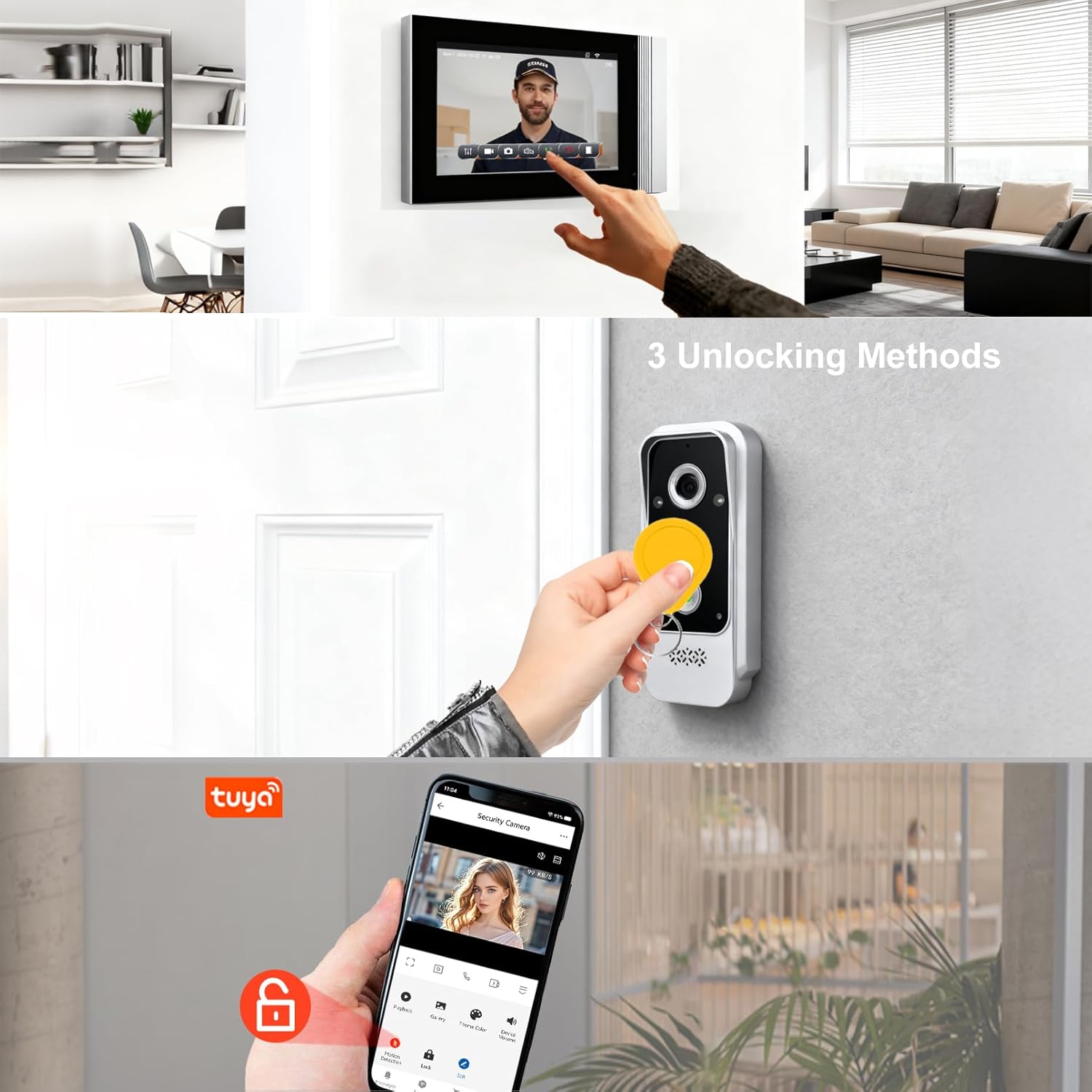
Figure 5.1: The Tuya Smart app interface displaying a live security camera feed and options for unlocking the door. This image also illustrates the three unlocking methods: via the monitor, the app, or an RFID card.
6. Operating Instructions
6.1 Two-Way Intercom
When a visitor presses the doorbell button, the indoor monitor will ring and display the live video feed. You can answer the call from the monitor or via the Tuya Smart app on your smartphone. Engage in two-way audio communication with the visitor through the built-in microphone and speaker on both units.

Figure 6.1: Illustration of the two-way intercom feature, showing a person inside communicating with a delivery person at the door via the video intercom system.
6.2 Unlocking Methods
The system supports multiple unlocking methods for convenience and security:
- Indoor Monitor: Press the unlock button on the indoor monitor during a call.
- Tuya Smart App: Use the unlock function within the Tuya Smart app from anywhere.
- RFID Card: Present a pre-programmed RFID card to the outdoor doorbell unit's sensor to unlock the door.
6.3 Motion Detection
The outdoor doorbell unit features motion detection. When motion is detected within the camera's field of view, the system can automatically record video and send push notifications to your smartphone via the Tuya Smart app, enhancing your home's security.

Figure 6.2: A smartphone screen showing a 'Motion Detected' notification from the security camera, with a visual representation of the detection zone around the outdoor unit.
6.4 Night Vision
The outdoor doorbell unit is equipped with IR (Infrared) night vision, allowing for clear video monitoring even in low-light conditions or complete darkness. The system automatically switches between day and night modes.
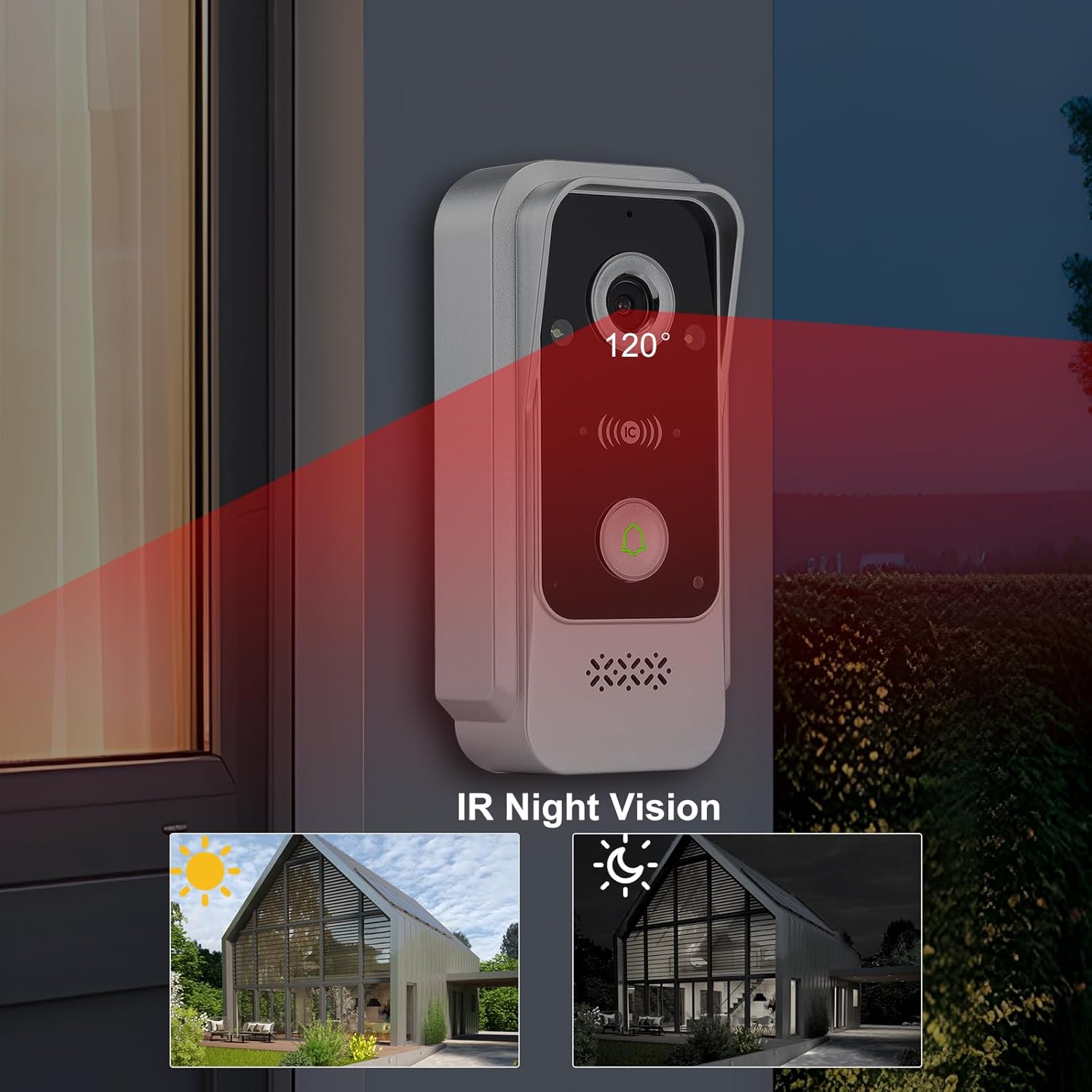
Figure 6.3: The outdoor doorbell unit demonstrating its IR Night Vision capability, showing a 120-degree field of view in darkness compared to daylight conditions.
6.5 Local & Cloud Storage
The system supports both local storage (via an SD card, not included) and optional cloud storage for recorded video footage. You can review call records and motion-triggered events directly from the indoor monitor or through the Tuya Smart app.

Figure 6.4: The indoor monitor displaying call records and a smartphone app interface for local storage, indicating options for reviewing recorded events.
7. Maintenance
To ensure the longevity and optimal performance of your video intercom system, follow these maintenance guidelines:
- Cleaning: Gently wipe the indoor monitor and outdoor unit with a soft, dry cloth. Avoid using abrasive cleaners or solvents.
- Outdoor Unit Protection: While the outdoor unit is IP65 water-resistant, regular checks for debris or obstructions around the camera lens and speaker/microphone can prevent performance issues.
- Software Updates: Periodically check the Tuya Smart app for firmware updates for your device to ensure you have the latest features and security enhancements.

Figure 7.1: The outdoor doorbell unit, labeled as IP65 Water-resistant, shown installed on a stone wall during light rain, demonstrating its weather durability.
8. Troubleshooting
If you encounter issues with your OBO HANDS Video Intercom System, refer to the following common problems and solutions:
- No Power to Monitor: Check the power adapter connection and ensure the electrical outlet is functional.
- No Video/Audio from Outdoor Unit: Verify all 2-wire connections are secure and correctly wired. Ensure the outdoor unit is receiving power.
- WiFi Connection Issues: Ensure your router is broadcasting a 2.4GHz network. Move the indoor monitor closer to the router if the signal is weak. Re-attempt the pairing process in the Tuya Smart app.
- Door Unlocking Failure: Check the wiring to the electronic lock. Ensure RFID cards are properly programmed and presented correctly. Verify the unlock command is sent successfully from the monitor or app.
- Motion Detection Not Working: Check motion detection settings in the Tuya Smart app. Ensure the detection area is configured correctly and sensitivity is adjusted.
9. Specifications
| Feature | Specification |
|---|---|
| Model Number | B0FR4R69F9 |
| Power Source | Electric Cable |
| Video Resolution (Monitor) | 1080P (1024x600) |
| Compatible Devices | Smartphone, Smart Home (Tuya/Smart Life App) |
| Alert Type | Motion Only |
| Outdoor Unit Water Resistance | IP65 |
| Weight | 1 Kilogram (approx.) |
| Package Dimensions | 23 x 15 x 9 cm |
10. Warranty and Support
OBO HANDS products are designed for reliability and performance. For warranty information or technical support, please refer to the contact details provided with your purchase documentation or visit the official OBO HANDS website. Our support team is available to assist you with any questions or issues you may encounter.
