
1. Introduction
The Radtel RT-950 PRO is a high-performance handheld two-way radio designed for amateur radio enthusiasts and professionals. It offers extensive features including multi-band reception, GPS/APRS functionality, Bluetooth app programming, and adjustable power output. This manual provides essential information for setup, operation, and maintenance to ensure optimal performance and longevity of your device.

Image 1: Radtel RT-950 PRO Ham Radio with included accessories: radio unit, antenna, programming cable, and microphone.
2. Setup and Initial Use
2.1 What's in the Box
- 1x RT-950 PRO Main unit
- 2x Antenna
- 1x Belt Clip
- 1x USB Type-C Power Line
- 1x English User Manual
- 1x Microphone
2.2 Initial Charging
Before first use, fully charge the radio's battery. The RT-950 PRO supports both USB Type-C direct charging and desktop charger charging.
- USB Type-C Charging: Connect the provided USB Type-C power line to the radio's Type-C port and a compatible USB power adapter.
- Desktop Charger: Place the radio in the desktop charging dock. Ensure the charging indicator light illuminates, typically red during charging and green when fully charged.

Image 2: Close-up of the USB Type-C charging port.

Image 3: Radtel RT-950 PRO radio in its desktop charging dock.
3. Operating Your Radtel RT-950 PRO
3.1 Bluetooth App Programming & Wireless Frequency Copy
The RT-950 PRO can be programmed wirelessly via a dedicated Bluetooth application on your smartphone. This allows for convenient configuration and management of radio settings, including frequency and CTCSS tones.
- App Download: Scan the QR codes below or visit the respective app stores to download the 'Walkie Talkie' application.
- Wireless Frequency Copy: Use the app's wireless frequency copy feature to quickly duplicate radio settings from another compatible radio without requiring physical cables.
Image 4: QR codes for downloading the Radtel Bluetooth Programming App.
Download for App Store | Download for Android

Image 5: Two Radtel RT-950 PRO radios demonstrating the quick frequency copy feature.
3.2 Power Output Adjustment
The RT-950 PRO offers three adjustable power output levels: 1W, 5W, and 10W. This allows users to optimize power consumption and communication range based on their needs. Higher power settings provide greater range but consume more battery.

Image 6: Radtel RT-950 PRO display indicating three power output levels.
3.3 Multi-Band Reception & NOAA Weather
The radio supports wide frequency coverage, including AM/FM, CB, SW, MW, and LW LSB USB CW bands. It also features real-time NOAA weather channel reception to keep you informed of weather conditions.

Image 7: Radtel RT-950 PRO screen displaying NOAA U.S. Weather Reception.
3.4 GPS/APRS Functionality
Integrated GPS and APRS (Automatic Packet Reporting System) allow for real-time position sharing, which is beneficial for team coordination during outdoor activities or emergency deployments.
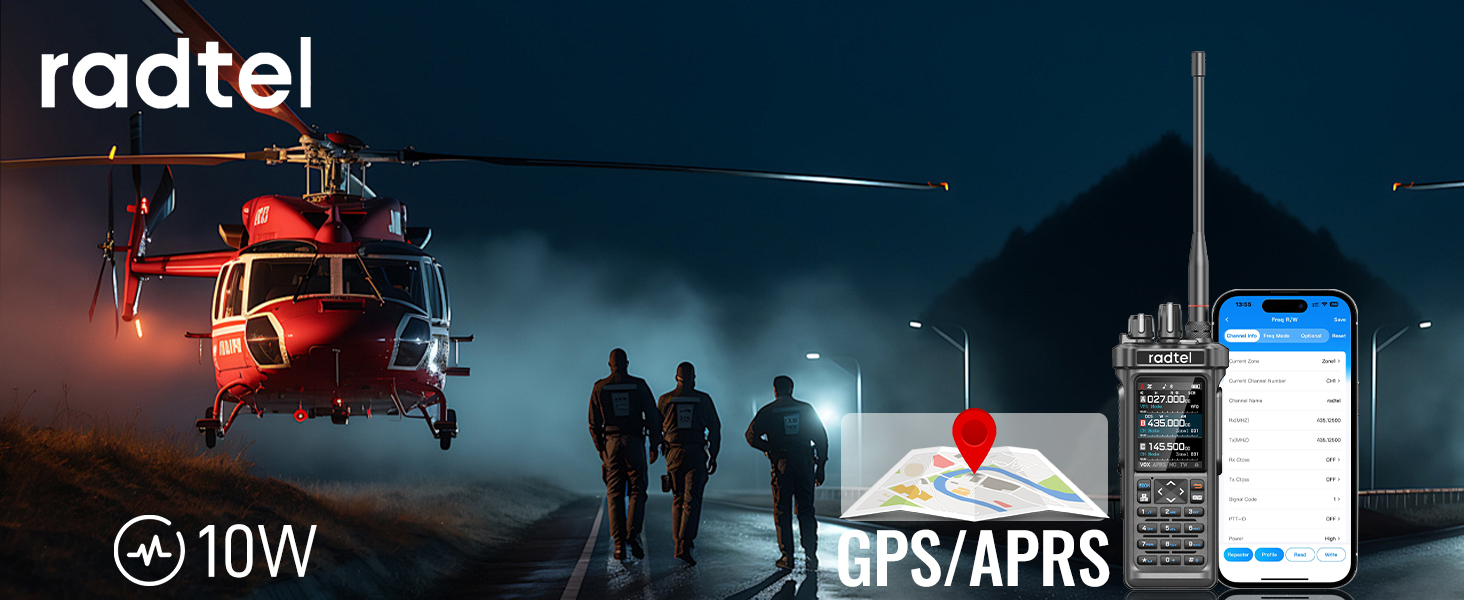
Image 8: Radtel RT-950 PRO illustrating GPS/APRS functionality.
3.5 Spectrum Analyzer
The built-in spectrum analyzer allows users to monitor frequency activity, aiding in identifying clear channels and understanding radio environments.
3.6 Customizable Buttons
The RT-950 PRO features customizable keys that can be assigned various functions such as RADIO, MONI (Monitor), SCAN, SEARCH, SOS, SPECTRUM, and Beacon TX/PTTC (Push-To-Talk Control).

Image 9: Close-up of the Radtel RT-950 PRO keypad, showing customizable function keys.

Image 10: Side view of the Radtel RT-950 PRO, highlighting the three PTT buttons.
3.7 Cross-Band Repeater Function
The cross-band repeater function allows the radio to relay signals between different frequency bands (UHF and VHF), extending communication range and interoperability.
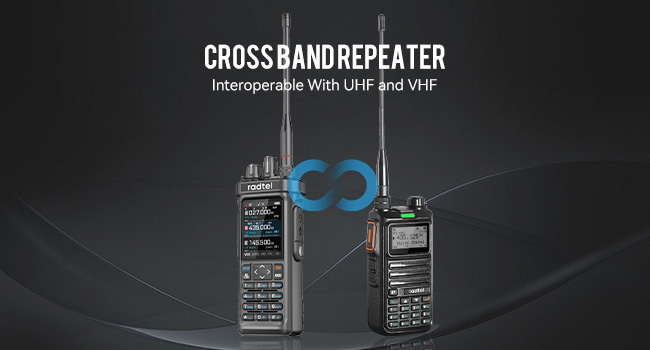
Image 11: Two Radtel radios illustrating the cross-band repeater function.
3.8 Super Mode
To activate Super Mode for extended full-band transmit and receive, first power on the radio, then press and hold the PTT button simultaneously with the '8' button.

Image 12: Hands pressing PTT and '8' buttons to activate Super Mode.
3.9 Official Product Video
Video 1: Radtel RT-950 General View. This video demonstrates various features of the Radtel RT-950 PRO, including GPS positioning, APRS transmission, NOAA weather reception, power level switching, Bluetooth programming, frequency testing, cross-band repeater function, and charging options.
4. Care and Maintenance
4.1 Charging
Always use the provided USB Type-C cable and desktop charger for optimal charging. Avoid using damaged cables or chargers. Ensure the radio is powered off during charging for safety and efficiency.
4.2 Important Warning
WARNING: Please use the RT-950 PRO with caution. Using non-Radtel brand headphones and microphones may burn out the audio amplifier module and cause the radio to be silent. Always use Radtel-approved accessories.
5. Troubleshooting
If you encounter issues with your Radtel RT-950 PRO, please refer to the following general troubleshooting steps:
- No Power: Ensure the battery is fully charged and properly inserted. Check the power button.
- No Transmission/Reception: Verify antenna connection, check frequency settings, and ensure power output is set appropriately. Confirm you are within range of another radio or repeater.
- Audio Issues: Check volume levels and ensure any connected accessories (headphones/microphones) are Radtel-approved and properly connected.
- Programming Issues: Ensure Bluetooth is enabled on both the radio and your smartphone, and the app is correctly installed and connected.
For persistent issues, please contact customer support.
6. Technical Specifications
| Feature | Specification |
|---|---|
| Item Weight | 1.5 pounds |
| Product Dimensions | 1.57 x 2.36 x 10.23 inches |
| Batteries | 1 Lithium Ion battery (included) |
| Number of Channels | 960 |
| Frequency Range | 144-148mHz/420-450mhz (27Mhz TX/RX in FM Modulation only) |
| Talking Range Maximum | 8000 Kilometer |
| Voltage | 7.4 Volts |
| Water Resistance Level | Not Water Resistant |
| Special Feature | Type-C Charging, GPS/APRS, Bluetooth APP Programming, NOAA Weather Reception, Spectrum Analyzer, Cross-Band Repeater |
7. Warranty Information
The Radtel RT-950 PRO comes with a 1-year manufacturer's warranty. This warranty covers defects in materials and workmanship under normal use. Please retain your proof of purchase for warranty claims. For detailed warranty terms and conditions, refer to the official Radtel website or contact customer support.
8. Customer Support
For technical assistance, product inquiries, or warranty support, please contact Radtel customer service. Refer to the Radtel official website for the most current contact information.
Manufacturer: Xiamen Radtel Electronics Co.,Ltd


