
1. Introduction
Thank you for choosing the Lubluelu Cordless Vacuum Cleaner Model 202. This manual provides essential information for the safe operation, assembly, maintenance, and troubleshooting of your new vacuum cleaner. Please read this manual thoroughly before first use and keep it for future reference.
2. Important Safety Instructions
- Read all instructions before using this appliance.
- Do not use outdoors or on wet surfaces.
- Do not allow to be used as a toy. Close attention is necessary when used by or near children.
- Use only as described in this manual. Use only manufacturer’s recommended attachments.
- Do not use with damaged cord or plug. If appliance is not working as it should, has been dropped, damaged, left outdoors, or dropped into water, return it to a service center.
- Do not pull or carry by cord, use cord as a handle, close a door on cord, or pull cord around sharp edges or corners. Do not run appliance over cord. Keep cord away from heated surfaces.
- Do not unplug by pulling on cord. To unplug, grasp the plug, not the cord.
- Do not handle plug or appliance with wet hands.
- Do not put any object into openings. Do not use with any opening blocked; keep free of dust, lint, hair, and anything that may reduce airflow.
- Keep hair, loose clothing, fingers, and all parts of body away from openings and moving parts.
- Turn off all controls before unplugging.
- Use extra care when cleaning on stairs.
- Do not use to pick up flammable or combustible liquids, such as gasoline, or use in areas where they may be present.
- Do not pick up anything that is burning or smoking, such as cigarettes, matches, or hot ashes.
- Do not use without dust cup and/or filters in place.
- Prevent unintentional starting. Ensure the switch is in the OFF-position before connecting to battery pack, picking up or carrying the appliance.
- Recharge only with the charger specified by the manufacturer.
3. Package Contents
Carefully unpack your Lubluelu Cordless Vacuum Cleaner and check that all items are present and in good condition. If any items are missing or damaged, please contact customer support.

Image: The Lubluelu Cordless Vacuum Cleaner with its various components and accessories, including the main unit, extension wand, floor brush, crevice tool, dusting brush, and spare filters.
- Main Vacuum Unit
- Extension Wand
- Motorized Floor Brush
- Crevice Tool
- Dusting Brush
- Wall Mount (optional, not required for self-standing)
- Power Adapter/Charger
- Replacement Battery (2200mAh)
- Spare Filters
4. Product Overview
Familiarize yourself with the main components and controls of your vacuum cleaner.
Main Components:
- Handheld Unit: Contains the motor, dustbin, and battery.
- Extension Wand: Connects the handheld unit to the floor brush or other attachments.
- Motorized Floor Brush: Features LED lights and a rotating brush roll for effective cleaning.
- Dustbin: Collects dirt and debris.
- Filters: Multi-layer filtration system.
- Battery Pack: Detachable and rechargeable lithium-ion battery.
Controls:

Image: A close-up view of the vacuum's control panel, showing the 'SPEED' button and indicators for 'MIN', 'MID', and 'MAX' suction modes.
- Power Button: Turns the vacuum on and off.
- Speed/Mode Button: Cycles through the three suction modes (Min, Mid, Max).
- Battery Indicator Lights: Show the remaining battery charge.
5. Assembly
- Attach the Extension Wand: Insert the top end of the extension wand into the handheld unit until it clicks securely into place.
- Attach the Floor Brush: Insert the bottom end of the extension wand into the motorized floor brush until it clicks securely into place.
- Install the Battery: Align the battery pack with the slot on the handheld unit and push it in until it locks. Ensure it is fully seated.
- Attach Accessories: For handheld use, attach the crevice tool or dusting brush directly to the handheld unit.
6. Charging the Battery
The Lubluelu Cordless Vacuum Cleaner features a detachable battery for convenient charging.

Image: A graphic illustrating the detachable 7x2200 mAh Lithium-ion battery, its 15-50 minute running time, and 4-hour quick charge capability.
Charging Options:
- Charging with Battery Attached: Connect the power adapter to the charging port on the handheld unit. Plug the adapter into a wall outlet.
- Charging Detached Battery: Remove the battery pack from the handheld unit. Connect the power adapter directly to the charging port on the battery pack. Plug the adapter into a wall outlet.
The battery indicator lights will illuminate during charging and turn off or change color when fully charged. A full charge typically takes approximately 4 hours. An additional battery can be purchased to double the runtime.
7. Operating Instructions
Power On/Off:
Press the Power Button once to turn the vacuum cleaner on. Press it again to turn it off.
Adjusting Suction Modes:
The vacuum offers three suction modes for different cleaning needs.

Image: A visual representation of the three suction modes: 10KPa (Min) for 45-50 minutes, 17KPa (Mid) for 25-30 minutes, and 25KPa (Max) for 15-20 minutes, suitable for various debris types.
- Min Mode (10KPa): Provides up to 50 minutes of runtime, ideal for light dusting and everyday cleaning on hard floors.
- Mid Mode (17KPa): Offers up to 30 minutes of runtime, suitable for general cleaning and moderate debris.
- Max Mode (25KPa): Delivers powerful suction for up to 15 minutes, perfect for deep cleaning carpets, pet hair, and stubborn dirt.
Press the Speed/Mode button repeatedly to cycle through Min, Mid, and Max modes.
LED Headlights:
The motorized floor brush is equipped with 3 LED lights to illuminate dark areas, helping you spot hidden dust and debris under furniture or in dimly lit spaces.

Image: The flexible motorized floor brush with its bright LED headlights shining on scattered debris on a floor, demonstrating its ability to illuminate dark areas. The image also shows the 160° sideways swivel and 90° up and down flexibility.
Flexible Maneuverability:
The floor brush features 160° flexible sideways swivel and 90° up and down movement, allowing you to easily clean around furniture and into tight corners.
Self-Standing Feature:
The vacuum cleaner is designed to stand on its own, providing convenient temporary storage during cleaning breaks without the need for wall mounts or leaning against surfaces.
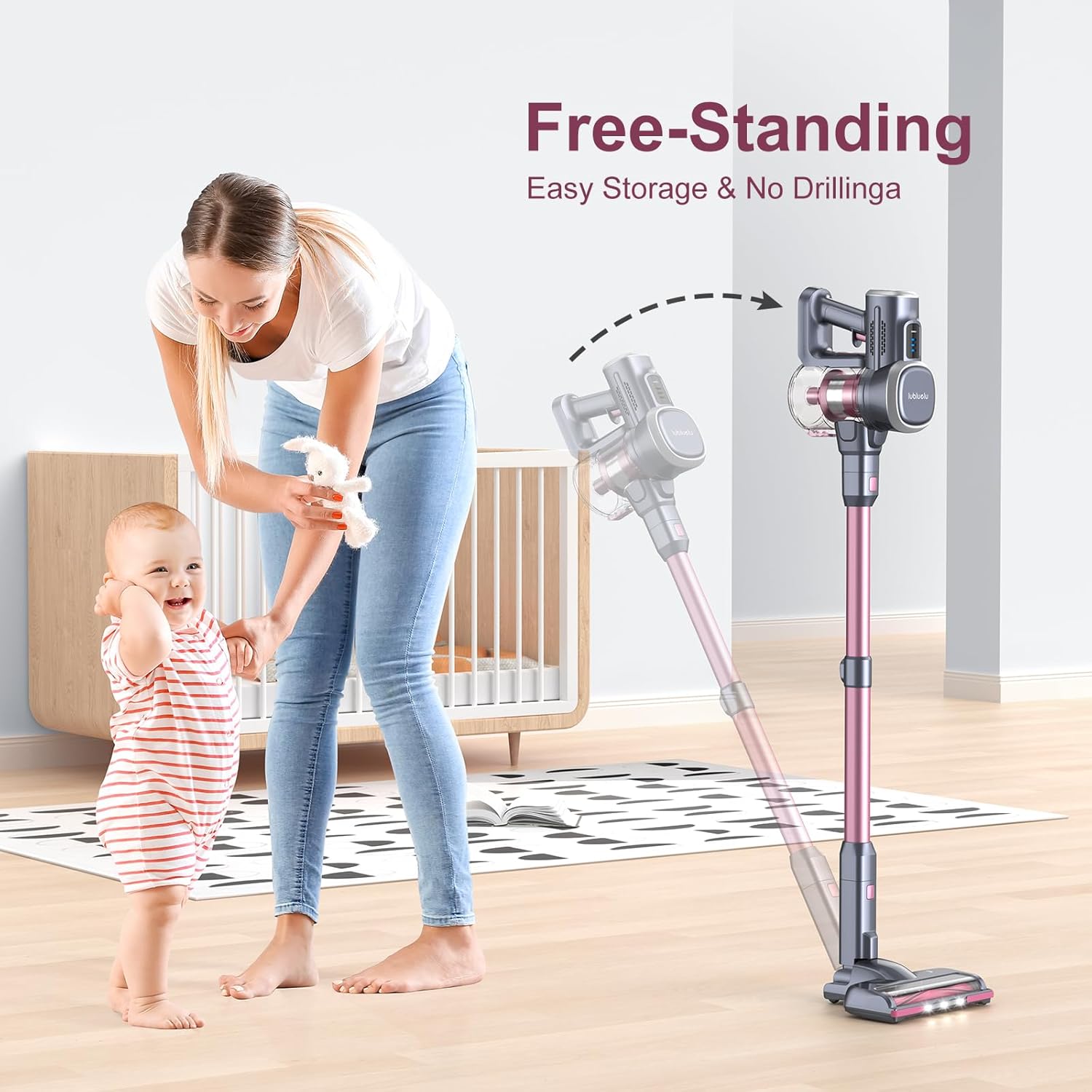
Image: The Lubluelu Cordless Vacuum Cleaner standing upright and freely in a room, demonstrating its self-standing capability for easy storage without drilling.
8. Maintenance
Regular maintenance ensures optimal performance and extends the lifespan of your vacuum cleaner.
Emptying the Dustbin:
- Ensure the vacuum is turned off.
- Locate the dustbin release button on the handheld unit.
- Press the button to open the dustbin flap and empty contents into a trash can.
- Close the dustbin flap securely.
Cleaning the Filters:
The vacuum features a 4-layer filtering system. Clean filters regularly to maintain suction power.
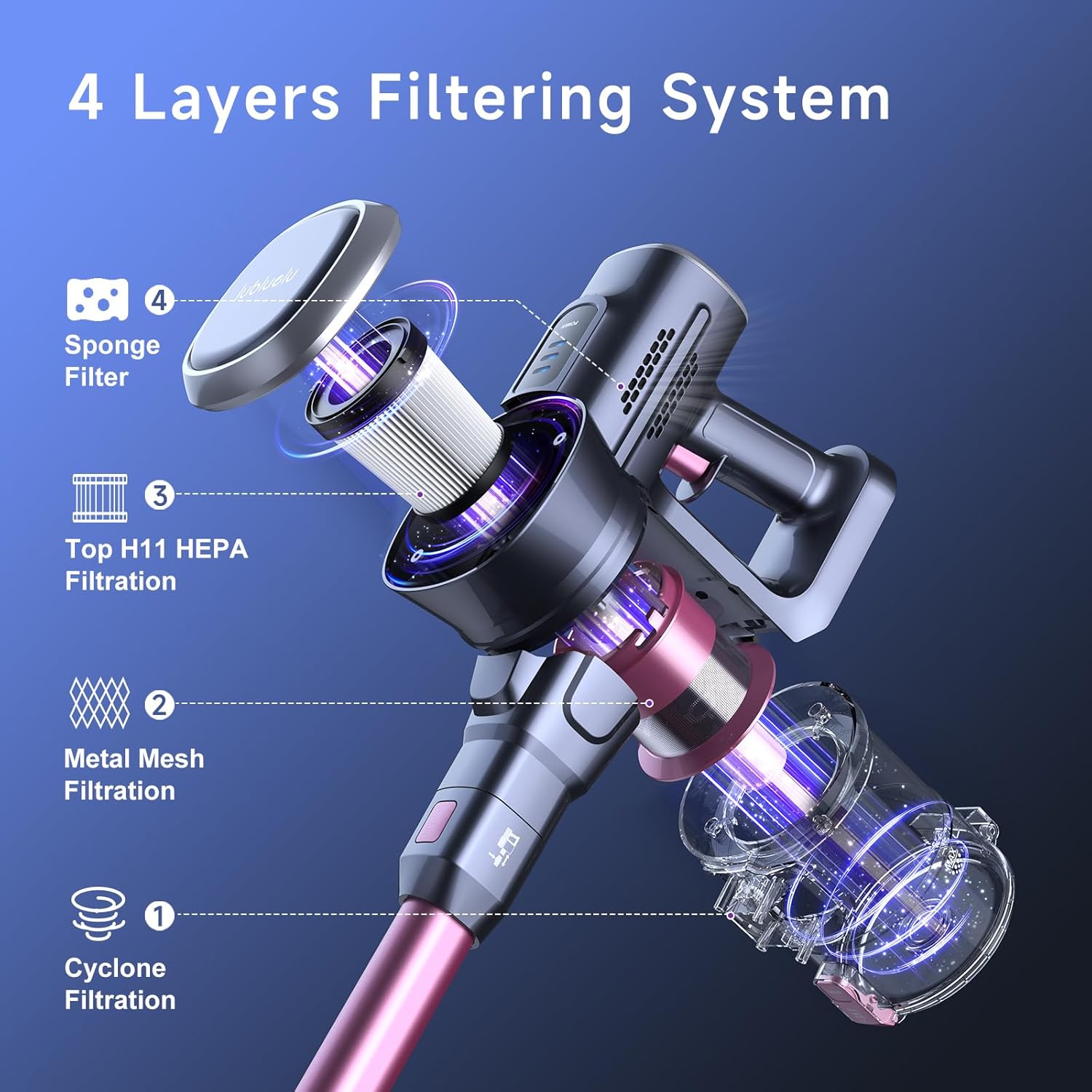
Image: A cutaway diagram illustrating the 4-layer filtering system of the vacuum, showing the Cyclone Filtration, Metal Mesh Filtration, Top H11 HEPA Filtration, and Sponge Filter layers.
- Ensure the vacuum is turned off and the dustbin is empty.
- Twist and pull to remove the filter assembly from the dustbin.
- Separate the components: Sponge Filter, Top H11 HEPA Filtration, Metal Mesh Filtration.
- Tap off loose dirt from each filter. Rinse the filters under cold running water. Do not use detergent.
- Allow all filter components to air dry completely for at least 24 hours before reassembling and placing back into the vacuum. Do not use a hairdryer or other heating methods.
- Reassemble the filters in the correct order and place them back into the dustbin.
Cleaning the Brush Roll:
- Ensure the vacuum is turned off and disconnected from the extension wand.
- Locate the brush roll release tab on the side of the motorized floor brush.
- Remove the brush roll.
- Use scissors or the provided cleaning tool to cut and remove any tangled hair or debris from the brush roll.
- Reinsert the brush roll, ensuring it clicks back into place.
9. Troubleshooting
If you encounter issues, refer to the following common problems and solutions:
| Problem | Possible Cause | Solution |
|---|---|---|
| Vacuum does not turn on | Battery is not charged or not installed correctly. | Charge the battery fully. Ensure the battery pack is securely installed. |
| Low suction power | Dustbin is full. Filters are clogged. Obstruction in the nozzle or wand. | Empty the dustbin. Clean or replace filters. Check for and remove any blockages. |
| Brush roll not spinning | Hair or debris tangled in brush roll. Obstruction in the brush roll area. | Clean the brush roll, removing any tangled hair or debris. Check for and remove any obstructions. |
| Battery not charging | Charger not properly connected. Faulty charger or battery. | Ensure charger is securely plugged into both the battery/vacuum and the wall outlet. Contact customer support if the issue persists. |
If the problem persists after trying these solutions, please contact Lubluelu customer support.
10. Specifications
- Model: Lubluelu 202
- Motor Power: 235W Brushless Motor
- Suction Power: Up to 25,000Pa (Max Mode)
- Battery: 7x2200mAh Lithium-ion (Detachable)
- Runtime: Min: 50 mins (10KPa), Mid: 30 mins (17KPa), Max: 15 mins (25KPa)
- Charging Time: Approximately 4 hours
- Filtration System: 4-Layer (Cyclone, Metal Mesh, H11 HEPA, Sponge)
- Weight: Approximately 4.6 lbs (main unit)
- ASIN: B0FR4KNW26
11. Warranty and Support
Lubluelu provides a 2-year warranty for this product. For after-sales service or any concerns, please contact our customer support team.
- Phone Support: +1 (256) 384-8884 (9 AM to 5 PM PST, weekdays)
- Online Support: Visit the Lubluelu Store on Amazon for more information and contact options.


