
1. Product Overview
The Rainbuvvy 4G Smart Watch is a versatile device combining the functionalities of a smartwatch and a smartphone. It features a 2.4-inch HD touch screen, runs on Android 10.7, and is powered by an MTK6762 8-core 1.4GHz processor. With 4GB RAM and 64GB ROM, it supports various applications, media, and offers robust connectivity options including 4G, Bluetooth, and Wi-Fi. The watch is equipped with dual cameras and a 1500mAh battery, designed for extended use and outdoor activities with IP67 water-resistance.

Figure 1: Rainbuvvy 4G Smart Watch
Key Features:
- Display: 2.4-inch 480 x 640 resolution HD touch screen.
- Processor: MTK6762 8-cores 1.4GHz.
- Memory: 4GB RAM + 64GB ROM for ample storage and smooth performance.
- Operating System: Android 10.7.
- Connectivity: 4G LTE (Bands: 2G: B3, B5, B8; 3G: B1, B5, B8; 4G: FDD/TDD: B2, B4, B5, B7, B8, B12, B17, B34, B38, B39, B40, B41), Bluetooth, Wi-Fi, GPS.
- Cameras: Dual 2.0MP cameras (front and side).
- Battery: 1500mAh for extended standby time.
- Durability: IP67 Water-resistance.
- Security: Face unlock feature.
- Functionality: Supports standalone smartphone features with Nano SIM, including calls, messages, and app downloads.
2. What's in the Box
Upon unboxing your Rainbuvvy 4G Smart Watch, please ensure all the following items are present:
- Rainbuvvy 4G Smart Watch (Model B0FR4GSDNZ)
- Watch Band (pre-installed or separate)
- Charging Cable
- User Manual (this document)
If any items are missing or damaged, please contact customer support.
3. Setup Guide
3.1 Initial Charge
Before first use, fully charge your smartwatch. Connect the provided charging cable to the magnetic charging points on the back of the watch and to a USB power source. The watch display will indicate charging status.

Figure 2: Smartwatch charging connection
3.2 SIM Card Installation (Optional)
To use the smartwatch as a standalone phone, insert a Nano SIM card. Locate the SIM card slot on the side of the watch. Carefully open the slot cover and insert the Nano SIM card with the gold contacts facing down, ensuring it is correctly oriented. Close the slot cover securely.
3.3 App Installation and Pairing with Phone
To unlock full functionality and synchronize data with your smartphone, install the companion app. The app allows for health tracking, notifications, and other features.
- On your smartwatch, navigate to the app installation section (often found in settings or a dedicated app store icon).
- Scan the QR code displayed on the watch screen using your smartphone's camera or a QR code scanner app. This will direct you to the app download page.
- Download and install the "GaoFit" app (or similar specified app) on your smartphone.
- Enable Bluetooth on both your smartwatch and smartphone.
- Open the installed app on your smartphone and follow the on-screen instructions to add a new device. The app will guide you through the pairing process, which may involve scanning a QR code on the watch again or selecting the watch from a list of available Bluetooth devices.
- Confirm the pairing request on both devices.
Video 1: Demonstrates connecting the smartwatch to a smartphone app via QR code and Bluetooth pairing.
3.4 Connecting Bluetooth Earphones
You can pair Bluetooth earphones directly with your smartwatch for audio playback or calls.
- On your smartwatch, go to Settings > Connected devices > Bluetooth.
- Ensure Bluetooth is turned on.
- Put your Bluetooth earphones into pairing mode (refer to your earphone's manual for specific instructions).
- On the smartwatch, tap Pair new device or wait for your earphones to appear in the list of available devices.
- Select your earphones from the list to initiate pairing.
- Confirm any pairing requests.
Video 2: Shows the process of pairing Bluetooth earphones with the smartwatch.
4. Operating Instructions
4.1 Basic Navigation
The smartwatch features a touch screen for navigation. Swipe left, right, up, or down to access different screens, menus, and notifications. Tap icons to open applications or select options. Use the physical buttons on the side for power on/off, back, or quick access functions.

Figure 3: Large screen display for easy interaction
4.2 Making and Receiving Calls
With a Nano SIM card installed, you can make and receive calls directly from your watch. Navigate to the Phone app, dial a number, or select a contact. For incoming calls, tap the green icon to answer or the red icon to reject.

Figure 4: Call and message notification on the smartwatch
4.3 Using Applications
The smartwatch supports a wide range of Android applications. Access the app drawer by swiping on the home screen. You can download additional apps from the integrated Play Store or other app sources. The watch's 4GB RAM and 64GB ROM ensure smooth operation for multiple applications.
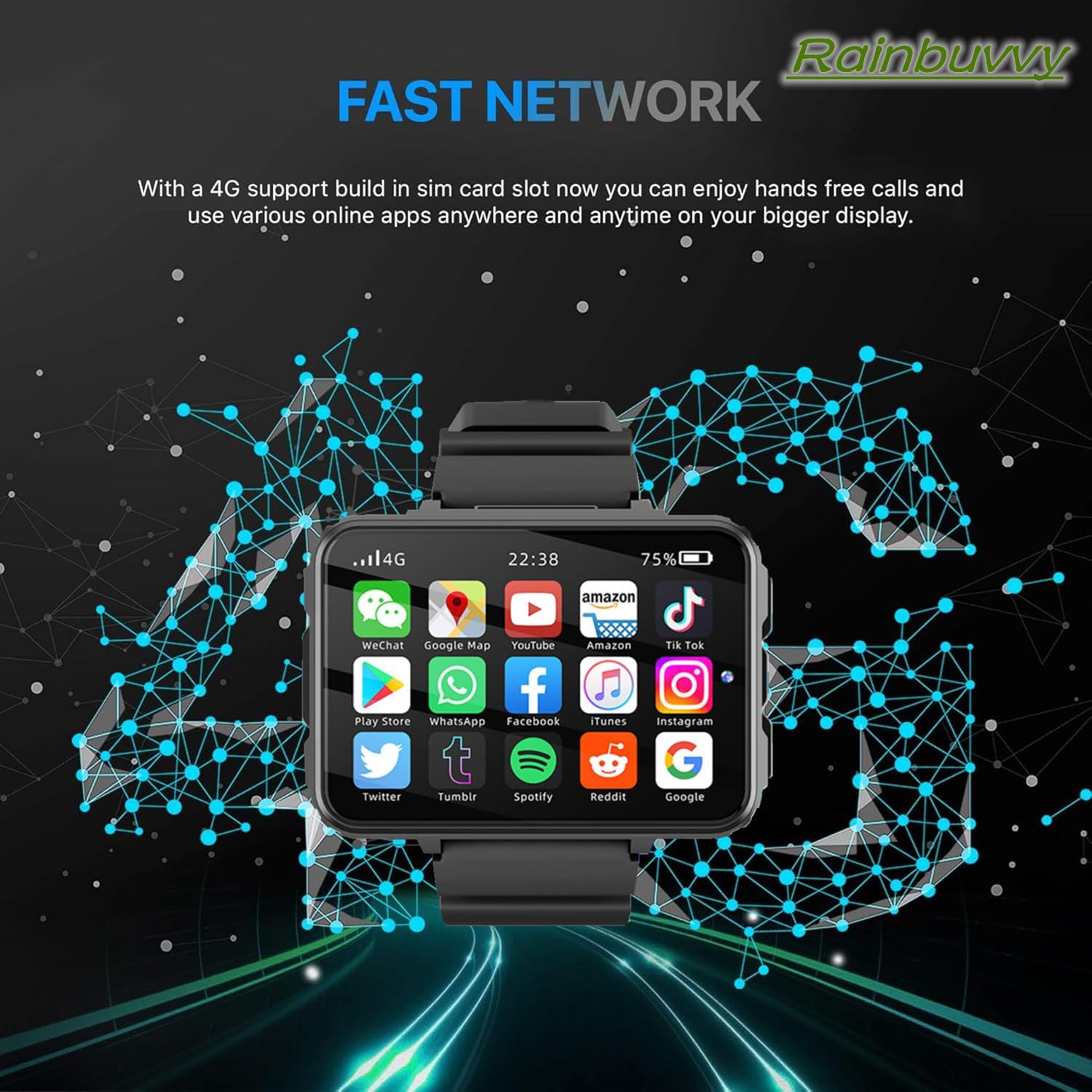
Figure 5: Smartwatch displaying various applications

Figure 6: Smartwatch displaying memory and storage details
4.4 Camera Functionality
The smartwatch features dual 2.0MP cameras. Open the Camera app to take photos or record videos. You can switch between the front and side cameras as needed. The face unlock feature utilizes the front camera for secure access.

Figure 7: Dual camera features and face recognition
4.5 GPS and Navigation
The built-in GPS, GLONASS, and A-GPS support multi-satellite positioning, allowing for accurate navigation. Use the Maps application for directions, tracking your route during activities like hiking or cycling, and general location services.
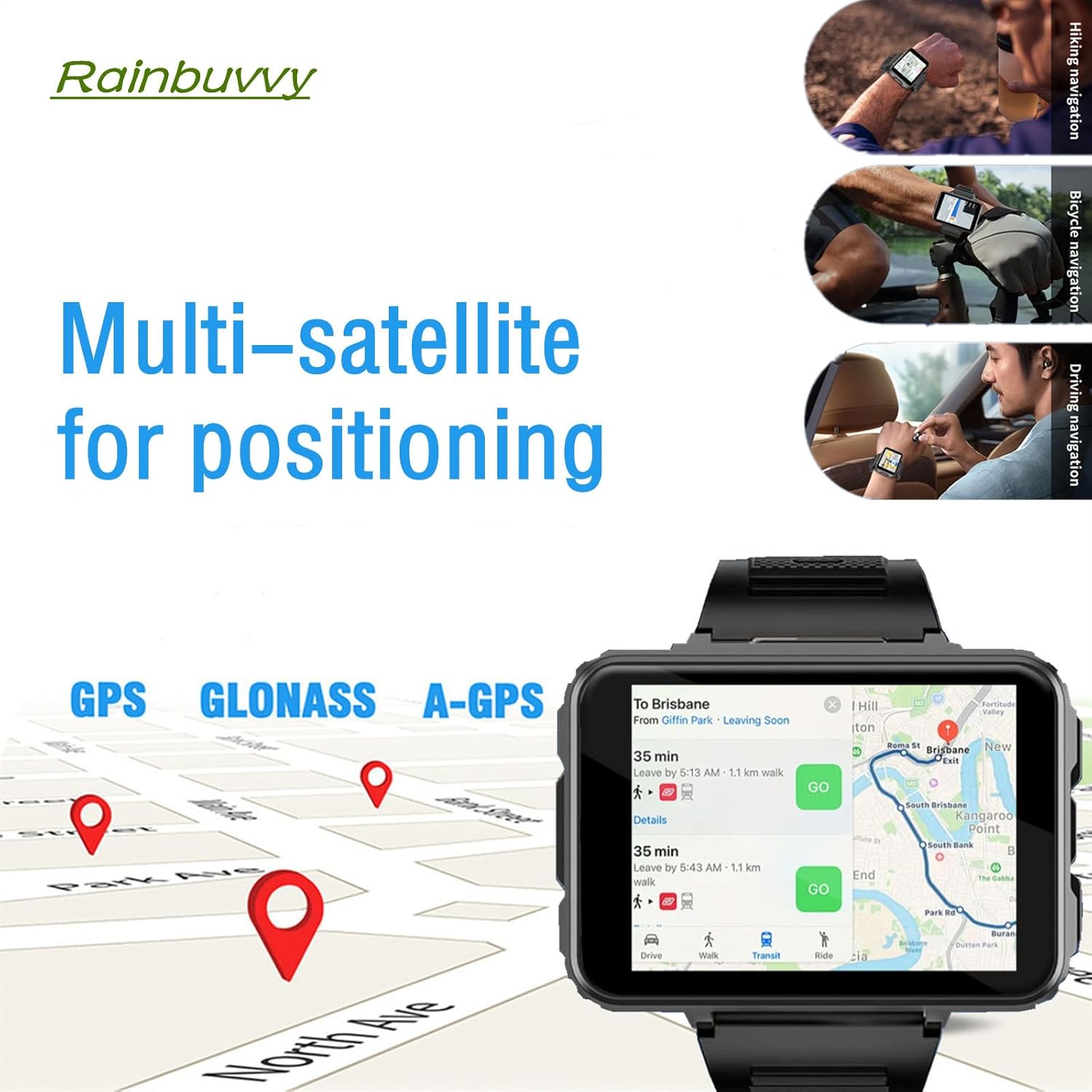
Figure 8: GPS and multi-satellite positioning on the smartwatch
4.6 Web Browsing
Utilize the integrated browser to access the internet. The 2.4-inch HD display provides a clear view for browsing news, social media, and other web content.

Figure 9: Easy web browsing on the smartwatch
4.7 Watch Faces and Customization
Personalize your smartwatch with various watch faces. Access the watch face settings to choose from pre-installed options or download new ones from the app store. You can also customize widgets and shortcuts for quick access to frequently used features.
Video 3: Overview of smartwatch features including UI navigation, app downloads, camera, calls, and watch face customization.
5. Maintenance and Care
- Cleaning: Wipe the watch screen and body with a soft, damp cloth. Avoid using harsh chemicals or abrasive materials.
- Water Resistance: The watch is IP67 water-resistant, meaning it can withstand splashes and brief immersion. However, it is not suitable for swimming or diving. Avoid exposing it to hot water or steam.
- Battery Care: To prolong battery life, avoid extreme temperatures. Charge the watch regularly and avoid letting the battery completely drain for extended periods.
- Storage: Store the watch in a cool, dry place when not in use.
- Software Updates: Ensure your watch's software is up to date for optimal performance and security. Updates can usually be found in the watch's settings menu.
6. Troubleshooting
| Problem | Possible Cause | Solution |
|---|---|---|
| Watch does not power on. | Low battery. | Charge the watch for at least 30 minutes before attempting to power on. |
| Cannot pair with smartphone app. | Bluetooth is off; incorrect app; pairing mode not active. | Ensure Bluetooth is enabled on both devices. Download the correct "GaoFit" app. Follow the pairing steps in Section 3.3. Restart both devices. |
| Poor battery life. | High screen brightness; many apps running in background; frequent 4G/GPS use. | Adjust screen brightness. Close unused background apps. Limit continuous GPS tracking. Disable unnecessary notifications. |
| Screen orientation issues with some apps. | App not optimized for watch's screen orientation settings. | Some third-party apps may not fully support the watch's default screen orientation. Check if the app has its own rotation settings or if a watch software update addresses this. |
| Cannot connect to Bluetooth earphones. | Earphones not in pairing mode; watch Bluetooth off. | Ensure earphones are in pairing mode. Verify watch Bluetooth is on. Try restarting both devices. |
7. Specifications
| Feature | Detail |
|---|---|
| Model Number | B0FR4GSDNZ |
| CPU | MTK6762 8-cores 1.4GHz processor |
| Memory | 4GB RAM + 64GB ROM |
| Operating System | Android 10.7 |
| Display | 2.4-inch 480 x 640 resolution HD touch screen |
| Cameras | Dual 2.0MP (front and side) |
| Battery Capacity | 1500mAh Lithium Polymer |
| Connectivity | 4G LTE, Wi-Fi (802.11n), Bluetooth, Built-in GPS |
| Water Resistance | IP67 |
| Watchband | Silicon strap, removable, 22mm width |
| Item Weight | 9.6 ounces |
| Package Dimensions | 4.3 x 4.3 x 3.1 inches |
8. Warranty and Support
For warranty information, please refer to the documentation provided with your purchase or contact the retailer. For technical support, product inquiries, or assistance with troubleshooting, please contact Rainbuvvy customer service through their official channels or the retailer where the product was purchased.
Manufacturer: Refly


