
1. Introduction
Thank you for choosing the YESHOMY Modern 58-Inch TV Stand. This manual provides essential information for the safe assembly, operation, and maintenance of your new entertainment center. Please read these instructions carefully before beginning assembly and retain them for future reference.
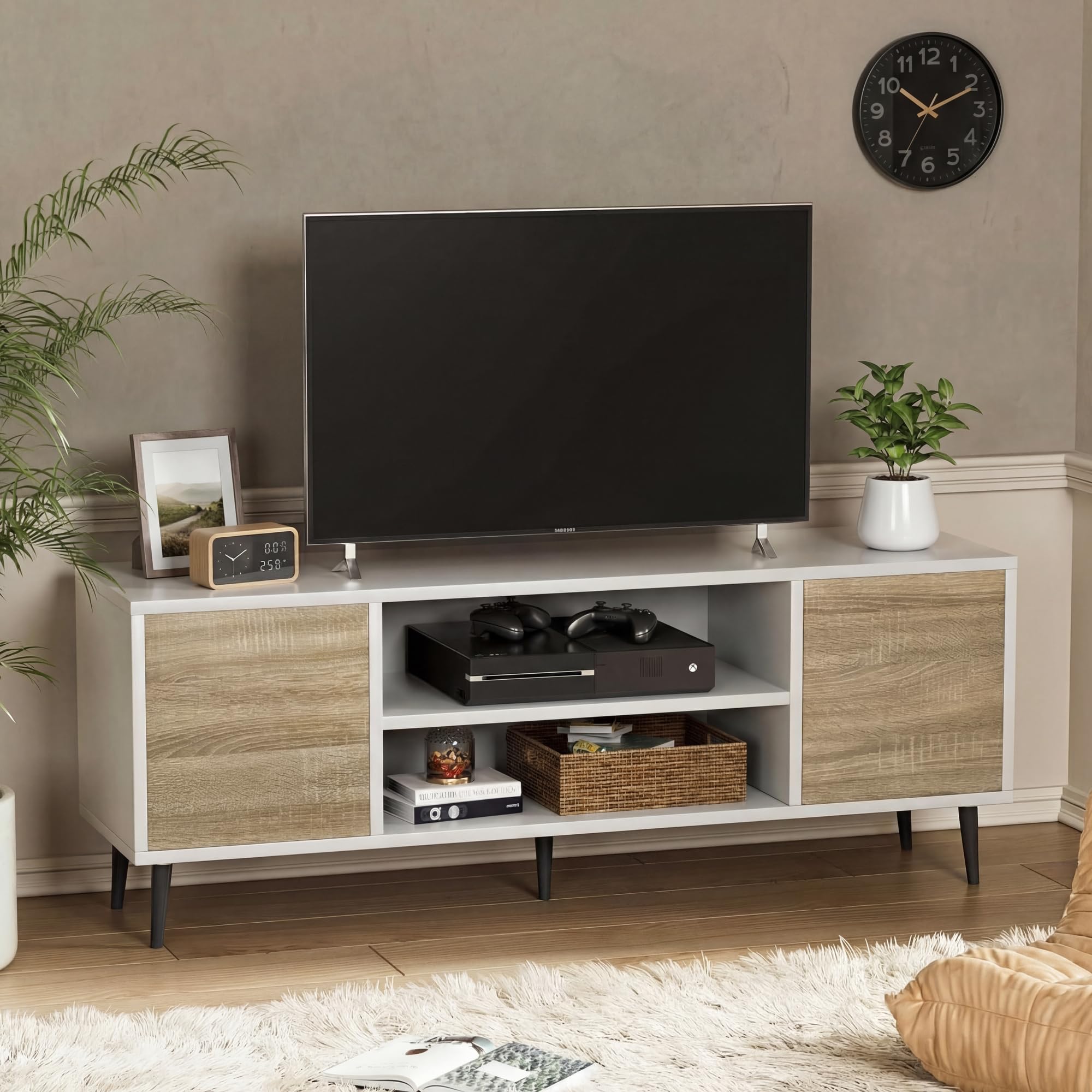
Image 1.1: The YESHOMY Modern 58-Inch TV Stand, featuring a white frame with beige wood-grain cabinet doors, designed to accommodate televisions up to 65 inches.
2. Safety Information
WARNING: To prevent serious injury or death from tip-over:
- Always secure the TV stand to the wall using the provided anti-tip kit.
- Do not place heavy items on the top shelves to avoid overloading and tipping.
- Never allow children to climb or hang on the TV stand, drawers, or doors.
- Place the heaviest items on the lowest shelves.
- Do not place a television on the top surface unless it is securely anchored to the wall or the stand.
Ensure all screws and fasteners are tightened securely before use. Periodically check and re-tighten as necessary.
3. Package Contents
Before beginning assembly, verify that all parts and hardware are present. If any items are missing or damaged, please contact customer support.
- TV Stand Panels (Top, Bottom, Side, Shelves, Back)
- Cabinet Doors (2)
- Legs (4)
- Hardware Pack (screws, dowels, cam locks, push-open mechanisms, anti-tip kit)
- Assembly Manual
4. Assembly Instructions
Assembly of the YESHOMY TV Stand is designed to be straightforward. Follow the step-by-step instructions provided in the included manual. A basic tool kit is typically included, but a Phillips head screwdriver may be required.
General Assembly Steps:
- Unpack all components and lay them out on a clean, soft surface to prevent scratches.
- Identify each part using the diagrams in the separate assembly manual.
- Attach the legs to the bottom panel.
- Assemble the main frame by connecting the side panels, shelves, and top panel using the provided hardware.
- Install the push-open mechanisms for the cabinet doors.
- Attach the cabinet doors.
- Secure the back panel.
- Attach the anti-tip kit to the TV stand and then to a wall stud.
Video 4.1: An official product video demonstrating the features and assembly process of the YESHOMY Modern TV Stand.
5. Product Features
- Handle-Free Pop-Up Doors: The cabinet doors feature a clean, modern design with a push-to-open mechanism, eliminating the need for external handles. Soft-close hinges ensure quiet operation.
- Built-In Cable Management: Two pre-drilled cable holes on the back panel allow for neat routing of wires from your TV, gaming consoles, and other media devices, keeping your entertainment area organized.
- Spacious & Stable Design: The 58-inch wide tabletop can accommodate televisions up to 65 inches and supports up to 220 lbs. Four reinforced solid feet provide stability.
- Modern Minimalist Style: The white and beige finish offers a clean, neutral, and modern aesthetic that complements various home décor styles, including Scandinavian and minimalist interiors.
- Open Shelving: Two open shelves provide convenient storage and display space for media devices, books, or decorative items.

Image 5.1: Illustration of the push-open mechanism for the handle-free cabinet doors. A light press activates the pop-up function.

Image 5.2: Close-up details highlighting the cable management hole, the push-to-open door mechanism, and the sturdy support feet of the TV stand.
6. Usage Guidelines
This TV stand is designed for indoor use to support televisions and store media equipment and decorative items. Ensure the weight of your television and other items does not exceed the maximum load capacity of the stand (220 lbs for the top surface).

Image 6.1: The TV stand showcasing its open shelves filled with gaming consoles, speakers, and decorative pieces, with a television placed on top.
7. Care and Maintenance
- Cleaning: Wipe the surface with a dry, soft cloth. Avoid using harsh chemicals or abrasive cleaners, as they may damage the finish.
- Spills: Immediately wipe up any spills with a damp cloth to prevent staining or damage to the wood.
- Sunlight: Avoid prolonged exposure to direct sunlight to prevent fading or discoloration.
- Heat: Do not place hot items directly on the surface. Use coasters or protective pads.
8. Troubleshooting
Common Issues:
- Wobbling: Ensure all screws and fasteners are fully tightened. Check that the stand is on a level surface. Adjust the feet if necessary.
- Doors not closing/opening smoothly: Check the alignment of the hinges and push-open mechanisms. Ensure no obstructions are preventing proper operation.
- Missing parts: Refer to the package contents list. If any parts are missing, contact YESHOMY customer support with your model number and a description of the missing part.
9. Specifications
| Attribute | Detail |
|---|---|
| Brand | YESHOMY |
| Model Number | YH-106-2BGNEW3 |
| Color | White and Beige |
| Style | Modern |
| Material Type | Wood |
| Item Dimensions (L x W x H) | 58 x 14 x 19 inches |
| Item Weight | 51 Pounds |
| Number of Shelves | 2 |
| Maximum TV Size Supported | Up to 65 inches |
| Maximum Weight Capacity (Top) | 220 lbs |

Image 9.1: Detailed dimensions of the TV stand, including overall length, width, height, and shelf spacing.
10. Warranty and Support
For warranty information, missing parts, or any questions regarding your YESHOMY Modern TV Stand, please refer to the contact information provided in your purchase documentation or visit the official YESHOMY website. Please have your model number (YH-106-2BGNEW3) ready when contacting support.

