
Introduction
This manual provides detailed instructions for the TORJALPH Smart Watch, a versatile fitness tracker designed for men and women. It features a 1.83-inch full touch screen, IP68 waterproofing, Bluetooth connectivity, and monitors heart rate, sleep, and blood oxygen. Please read this manual carefully before using your device to ensure proper operation and maintenance.
Package Contents
Verify that all items are present in your package:
- TORJALPH Smart Watch
- Magnetic Charging Cable
- User Manual
Setup
1. Charging the Device
Before first use, fully charge your smart watch. Connect the magnetic charging cable to the charging contacts on the back of the watch and plug the USB end into a power adapter (not included) or a computer's USB port.
A full charge typically takes approximately 2 hours. The watch has a 300 mAh battery, providing 5-7 days of typical use.
2. App Installation
To unlock the full functionality of your smart watch, download and install the "Da Fit" application on your smartphone. You can find it on the App Store (for iOS devices) or Google Play Store (for Android devices).
Compatibility: Android 5.0 and above, or iOS 9.0 and above.
3. Pairing with Smartphone
- Ensure Bluetooth is enabled on your smartphone.
- Open the "Da Fit" app.
- Follow the in-app instructions to search for and connect to your TORJALPH Smart Watch.
- Confirm the pairing request on both your watch and smartphone.
Once paired, the watch will synchronize data and settings with your phone.
Operating Instructions
Basic Navigation
The smart watch features a 1.83-inch full HD color touch screen for intuitive navigation:
- Swipe Up/Down: Scroll through menus and notifications.
- Swipe Left/Right: Access quick functions or different data screens.
- Tap: Select an item or confirm an action.
- Press Side Button: Return to the home screen or power on/off.
Call and Message Notifications
After pairing with your smartphone and enabling notifications in the "Da Fit" app, your watch will display incoming calls and messages.

Image: The watch displays an incoming call with options to answer or hang up, and shows message notifications from platforms like WhatsApp, Facebook, and Twitter.
- Incoming Calls: View caller ID and choose to hang up directly from the watch.
- Messages: Receive alerts for SMS, WhatsApp, Facebook, Twitter, and other app notifications.
Health Monitoring
The watch continuously monitors various health metrics:
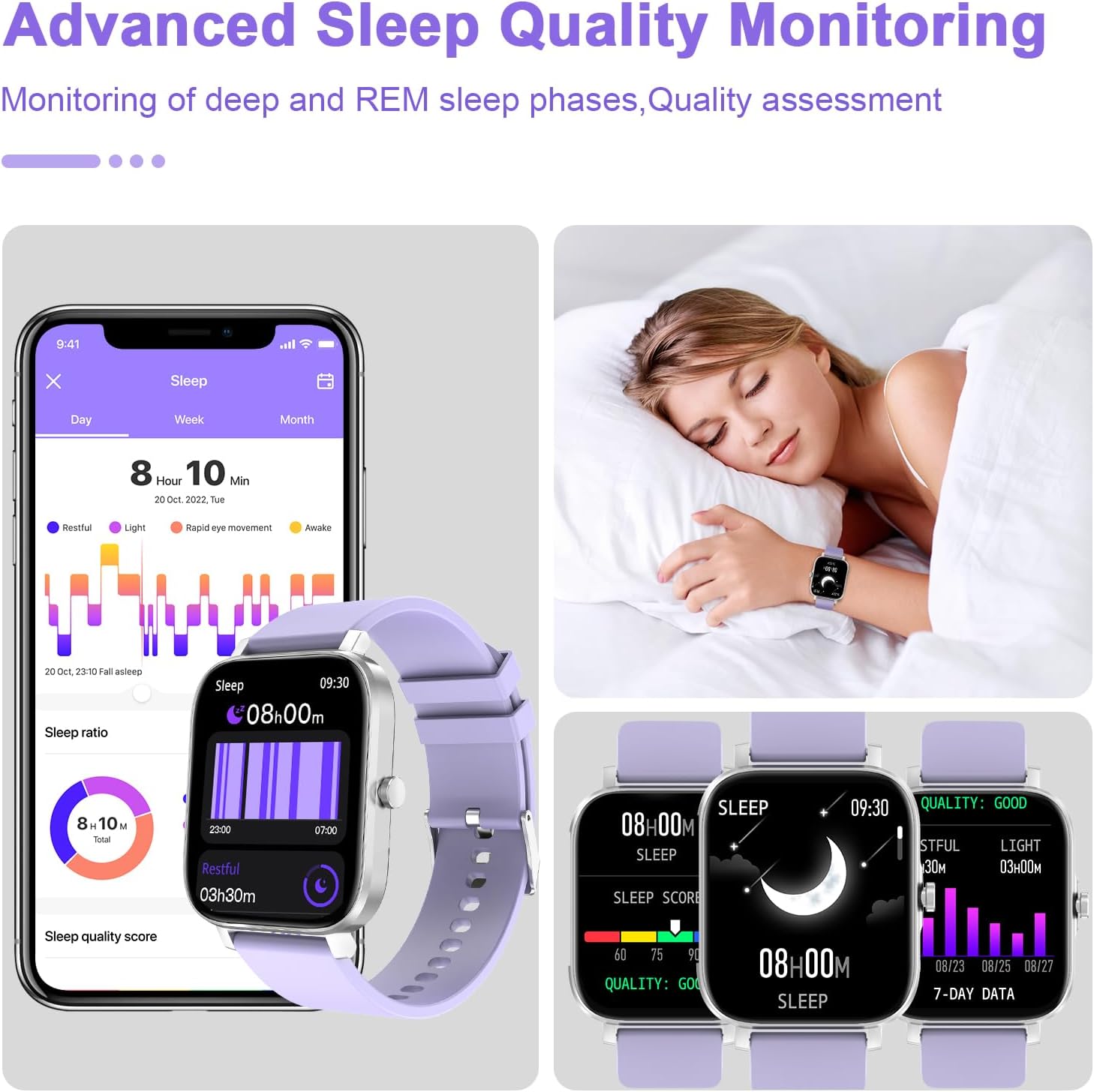
Image: Visual representation of the watch's 24-hour health monitoring capabilities, including heart rate, sleep, blood oxygen, and stress tracking.
- Heart Rate Monitor: Tracks your heart rate throughout the day.
- Sleep Monitor: Analyzes your sleep patterns, including deep and REM sleep phases. View detailed sleep data in the "Da Fit" app.
- Blood Oxygen Saturation: Measures your blood oxygen levels.

Image: A smartphone screen shows a detailed sleep analysis from the "Da Fit" app, including total sleep duration, sleep stages (restful, light, REM, awake), and a sleep quality score. The watch also displays a summary of sleep data.
Activity Tracking
The watch supports 12 sports modes to track your workouts:
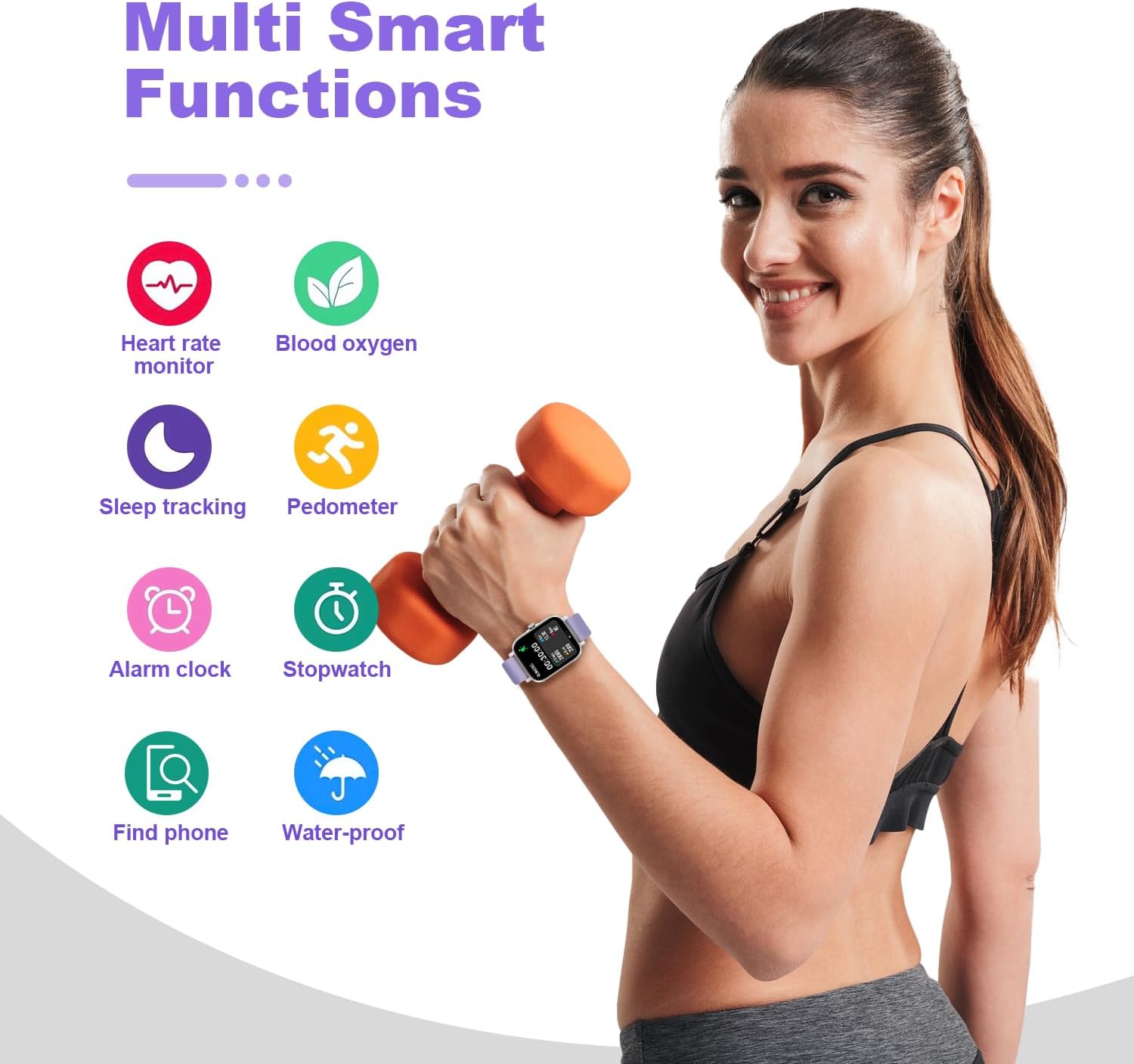
Image: The smartwatch screen shows real-time fitness data during a running session, including duration, steps taken, distance covered, calories burned, and heart rate. A person is shown exercising with the watch.
- Walking
- Running
- Bicycle
- Swimming
- Badminton
- Basketball
- Football
- Rope Skipping
- And more...
Select your desired sport mode on the watch to begin tracking. Data will be synchronized with the "Da Fit" app.
Customizing Watch Faces
Personalize your watch with over 200 watch faces available through the "Da Fit" app. You can also create custom watch faces using your own photos.
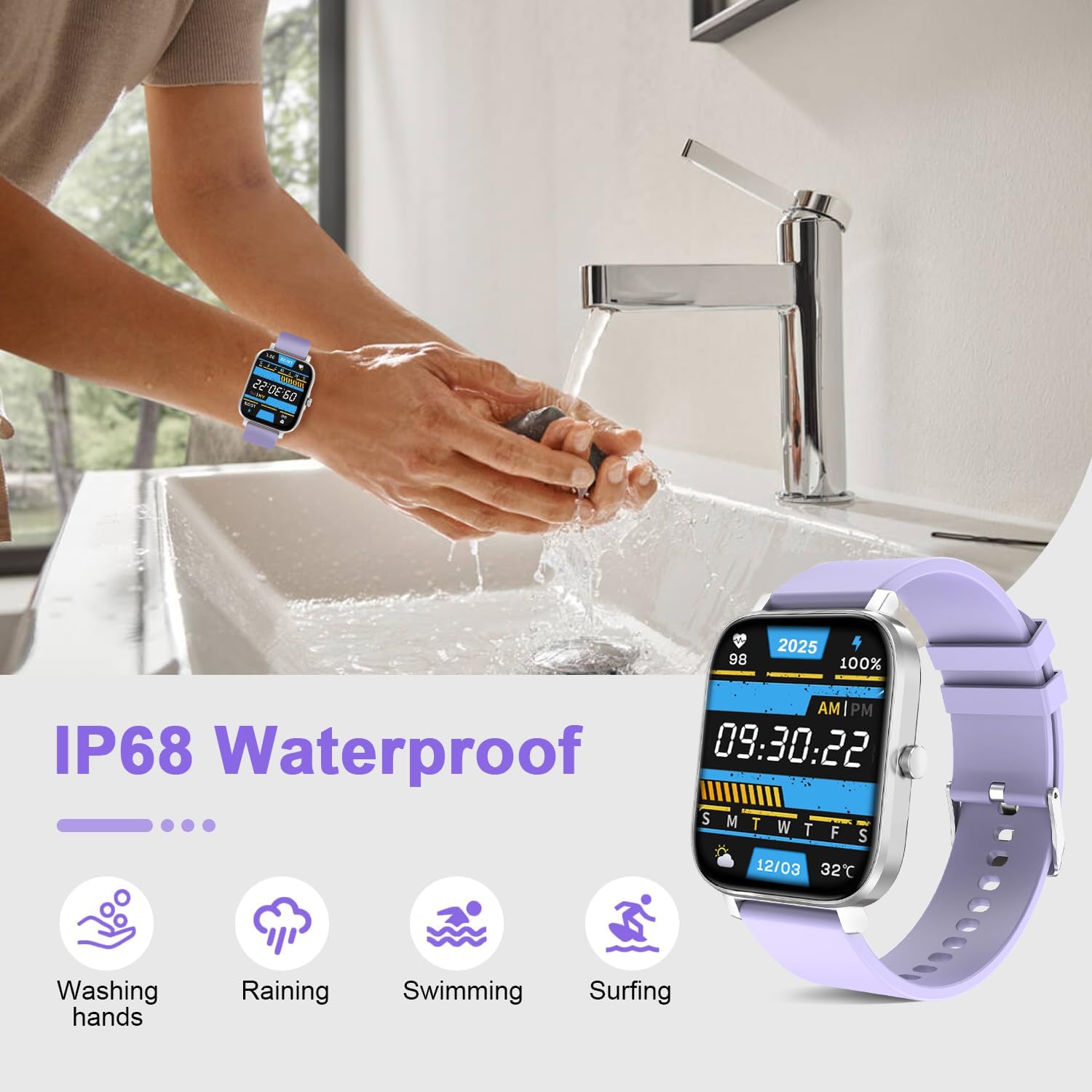
Image: The image showcases multiple watch face designs, demonstrating the customization options available, including digital and analog styles, and the ability to set a personal photo as the watch background.
Other Functions
The smart watch includes additional features for convenience:

Image: A graphic illustrating multiple smart functions of the watch, including heart rate monitoring, blood oxygen measurement, sleep tracking, pedometer, alarm clock, stopwatch, 'find phone' feature, and waterproof capability.
- Sedentary Reminder: Alerts you to move after periods of inactivity.
- Alarm Clock: Set alarms directly from the watch or app.
- Stopwatch & Timer: Basic timekeeping functions.
- Weather Information: Displays current weather conditions (requires app synchronization).
- Music Control: Control music playback on your smartphone.
- Remote Camera Control: Use your watch as a remote shutter for your phone's camera.
- Find Phone: Locate your paired smartphone by making it ring.
Maintenance
Water Resistance (IP68)
Your TORJALPH Smart Watch is IP68 waterproof, meaning it is resistant to dust and can withstand immersion in water up to 1.5 meters for 30 minutes. This makes it suitable for:

Image: A person is shown washing hands while wearing the smartwatch, illustrating its IP68 waterproof capability for activities such as washing hands, exposure to rain, swimming, and surfing.
- Washing hands
- Raining
- Swimming
- Showering (avoid hot water and steam)
Note: Not suitable for diving, hot baths, saunas, or high-pressure water activities. Water resistance is not a permanent condition and may decrease over time.
Cleaning
Regularly clean your watch and strap to prevent skin irritation and maintain performance:
- Wipe the screen and body with a soft, damp, lint-free cloth.
- For the strap, use mild soap and water, then rinse thoroughly and dry completely before wearing.
- Avoid using harsh chemicals or abrasive materials.
Battery Care
- Charge the watch regularly, avoiding complete discharge.
- Do not expose the watch to extreme temperatures.
- Use only the provided magnetic charging cable.
Troubleshooting
| Problem | Solution |
|---|---|
| Watch does not turn on | Ensure the watch is fully charged. Connect it to the charger for at least 30 minutes. |
| Cannot pair with smartphone |
|
| Notifications not received |
|
| Inaccurate health data | Ensure the watch is worn snugly on your wrist, about one finger's width above the wrist bone. Avoid excessive movement during measurements. |
Specifications
| Feature | Detail |
|---|---|
| Model Number | 769029074224 |
| Screen Size | 1.83 Inches |
| Display Type | Full HD Color Touch Screen |
| Water Resistance | IP68 |
| Battery Capacity | 300 mAh |
| Battery Type | Lithium Ion |
| Connectivity | Bluetooth |
| Operating System Compatibility | Android 5.0+ / iOS 9.0+ |
| Memory Storage Capacity | 128 MB |
| Item Weight | 2.64 ounces |
| Manufacturer | TORJALPH |
Warranty and Support
For warranty information and customer support, please refer to the documentation included with your purchase or contact TORJALPH customer service through the official website or your retailer. Keep your purchase receipt as proof of purchase.