
Introduction
The Turtlebox Grande is a rugged, waterproof, and ultra-portable Bluetooth speaker designed for outdoor use. It delivers powerful, distortion-free sound with deep bass, suitable for various environments. This manual provides essential information for setting up, operating, maintaining, and troubleshooting your speaker.
What's in the Box
- Turtlebox Grande Speaker
- Power Cable
Setup
Initial Charge
Before first use, fully charge your Turtlebox Grande using the provided power cable. The battery indicator lights on the control panel will show charging progress.
Powering On/Off
- To power on, press and hold the power button (⏻) on the control panel until the indicator light illuminates.
- To power off, press and hold the power button until the indicator light turns off.

Image: Top view of the Turtlebox Grande, highlighting the control panel. The power button is on the far left.
Operating Instructions
Bluetooth Pairing
- Ensure the Turtlebox Grande is powered on.
- Press the Bluetooth button (➿) on the control panel. The Bluetooth indicator light will flash, indicating it's in pairing mode.
- On your device (smartphone, tablet, laptop), navigate to Bluetooth settings and select "Turtlebox Grande" from the list of available devices.
- Once connected, the Bluetooth indicator light will remain solid.
Volume Control and Track Navigation
- Use the - and + buttons on the control panel to adjust the volume.
- Use the ◀► buttons to skip tracks forward or backward.
Party Mode (Multiple Speaker Pairing)
Party Mode allows you to connect multiple Turtlebox Grande speakers for a synchronized audio experience. To activate:
- Ensure all speakers are powered on and not currently paired to a device.
- On the primary speaker (the one you want to control), press the Party Mode button (✱).
- On each additional speaker, press the Party Mode button. They will automatically connect to the primary speaker.
- Once connected, pair your device to the primary speaker via Bluetooth as described above.

Image: Detailed view of the control panel, indicating the Bluetooth and Party Mode buttons for multi-speaker setup.
Using Mic & Auxiliary Inputs and USB-C Output
The Turtlebox Grande features a sealed compartment for additional connectivity:
- Mic Input: Connect a standard 3.5mm microphone. This input functions even when playing music via Bluetooth.
- Auxiliary Input: Connect devices using a 3.5mm audio cable for wired playback.
- USB-C Output: Use this port to charge external devices, effectively turning your speaker into a portable power bank.

Image: The sealed input panel showing the microphone, auxiliary, and USB-C charging ports.
Key Features
- High Output Audio: Delivers up to 126 decibels of sound with a 10-inch woofer and 1.25-inch titanium tweeter.
- Rugged Construction: Built with metal, plastic, and rubber enclosure materials, featuring reinforced corner bumpers and a durable handle.
- Waterproof & Dustproof: IP67 rated, making it fully submersible and protected from dust.
- Extended Battery Life: Provides up to 25 hours of continuous playtime on a single charge.
- Tie-Down Anchors: Integrated stainless steel tie-downs allow secure mounting to UTVs, boats, or other surfaces.
- Pro Audio Mount: A built-in mounting interface on the bottom for use with speaker stands or tripods.

Image: Front view of the Turtlebox Grande, illustrating its physical dimensions and weight.
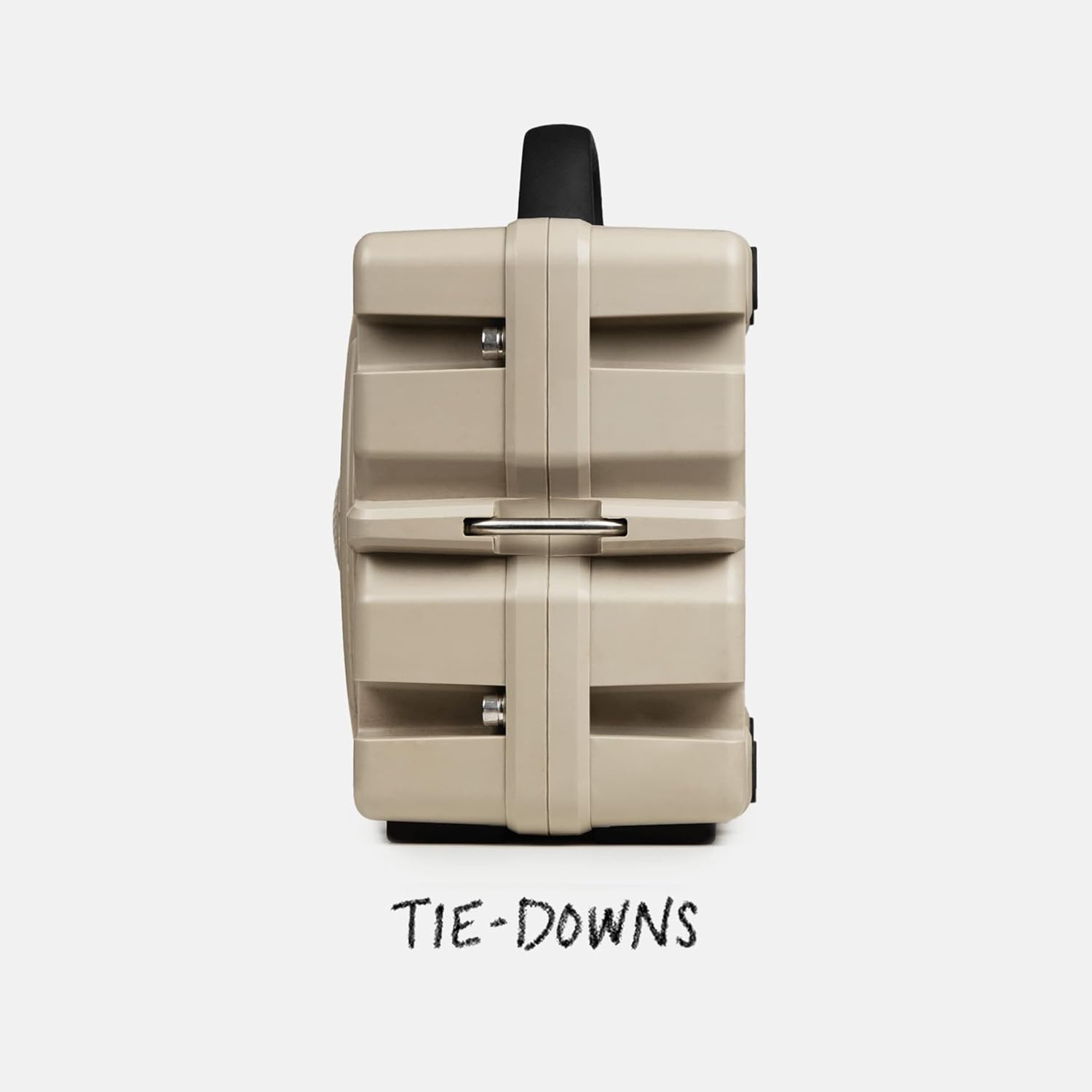
Image: Side view of the speaker, showing the integrated tie-down anchors.
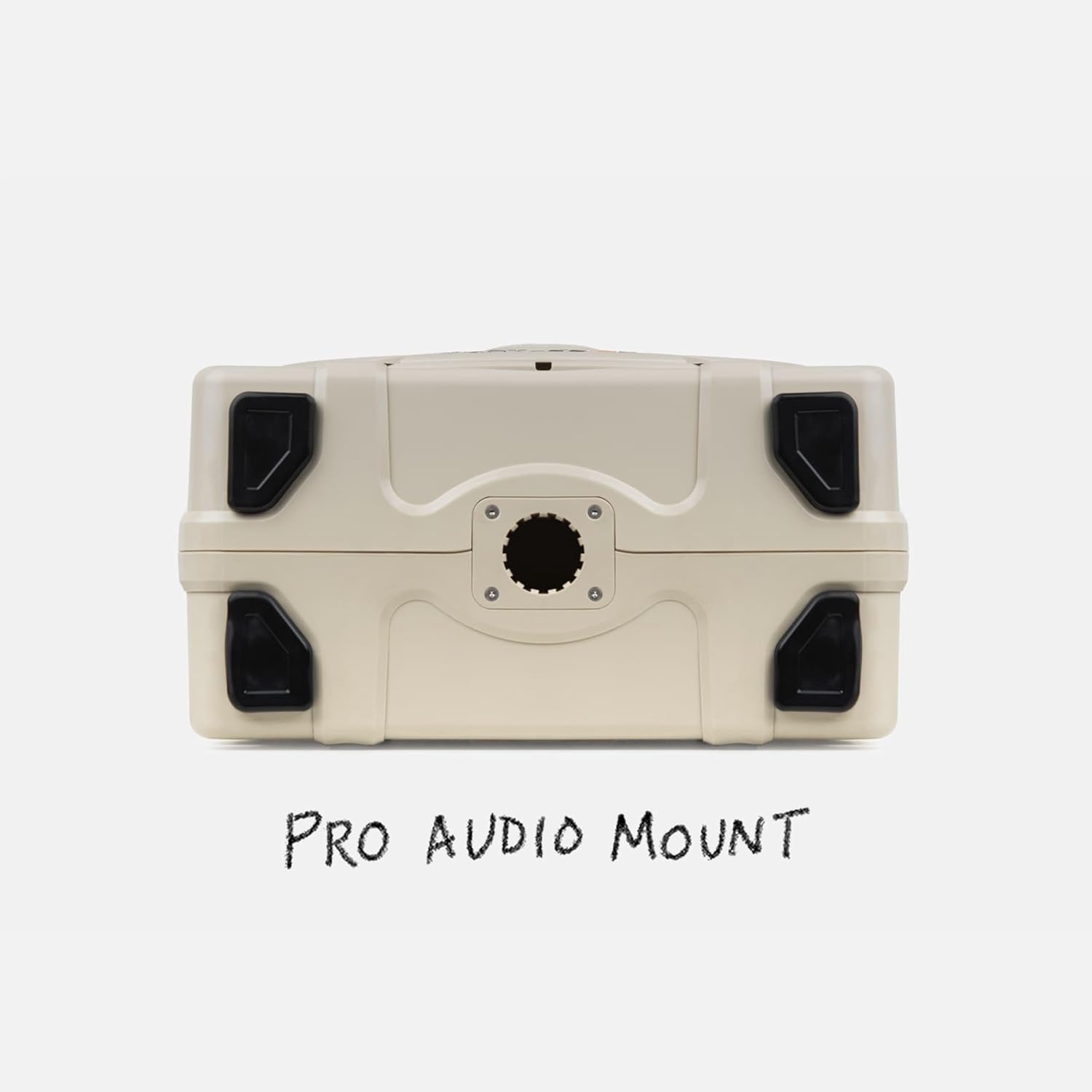
Image: Bottom view of the speaker, featuring the Pro Audio Mount.

Image: Rear view of the speaker, highlighting its waterproof sealing.
Maintenance
- Cleaning: Wipe the speaker with a damp cloth. Do not use harsh chemicals or abrasive cleaners. Ensure all ports are sealed before cleaning with water.
- Storage: Store the speaker in a cool, dry place when not in use. For long-term storage, ensure the battery is partially charged (around 50%) to prolong its lifespan.
- Battery Care: Avoid fully discharging the battery frequently. Recharge as needed.
Troubleshooting
| Problem | Possible Cause | Solution |
|---|---|---|
| Speaker does not power on. | Low battery. | Charge the speaker using the provided power cable. |
| Cannot pair via Bluetooth. | Speaker not in pairing mode; device too far; interference. | Ensure speaker is in pairing mode (flashing Bluetooth light). Move device closer. Turn off other Bluetooth devices. |
| No sound or low volume. | Volume too low on speaker or device; incorrect input selected. | Increase volume on both speaker and connected device. Check if Bluetooth is connected or if Aux/Mic cables are properly inserted. |
| Party Mode not connecting. | Speakers not in Party Mode; too far apart. | Ensure all speakers are in Party Mode. Keep speakers within range of each other. |
Specifications
- Model Name: Turtlebox Grande
- Speaker Maximum Output Power: 100 Watts
- Sound Output: Up to 126 dB
- Audio Drivers: 10-inch woofer, 1.25-inch Titanium tweeter
- Connectivity: Bluetooth 5.4, 3.5mm Auxiliary Input, 3.5mm Microphone Input
- Power Source: Battery Powered (158Wh Lithium-ion battery)
- Battery Life: Up to 25 Hours (average)
- Charging Output: USB-C (for external devices)
- Water Resistance: IP67 (Waterproof and Dustproof)
- Enclosure Material: Metal, Plastic, Rubber
- Dimensions (D x W x H): 8.4" x 14" x 11.5"
- Weight: 18.8 lbs
- Mounting: Tabletop, Pro Audio Mount (bottom), Tie-down anchors
- Compatible Devices: Smartphone, Tablet, Laptop
Warranty and Support
The Turtlebox Grande comes with a 1-Year Limited Warranty from the date of purchase. This warranty covers manufacturing defects. For warranty claims, technical support, or further assistance, please visit the official Turtlebox website or contact their customer service.
Official Website: www.turtleboxaudio.com
