
Introduction
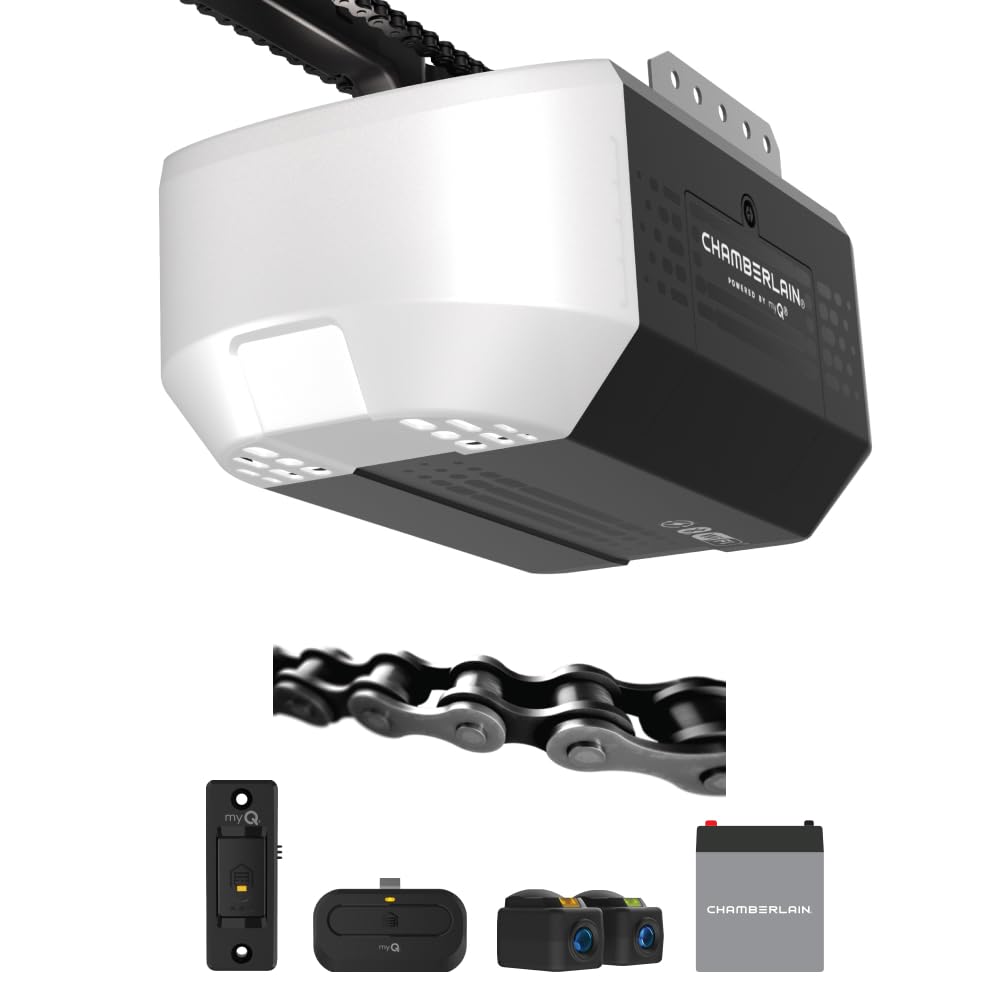
The Chamberlain C3000 Chain Drive myQ Garage Door Opener provides reliable and quiet operation for your garage door. Featuring a 1/2 HP DC motor and a robust chain drive, this system is designed for smooth performance. The integrated battery backup ensures continued functionality during power outages, while myQ connectivity allows for smartphone control and monitoring. This manual provides essential information for the safe installation, operation, maintenance, and troubleshooting of your C3000 garage door opener.

Image: Overview of key features including quiet operation, smartphone control, battery backup, 1-bulb lighting, and warranty information.
Safety Information
Always prioritize safety during installation, operation, and maintenance. Failure to follow these instructions may result in serious injury or property damage.
- Read the Entire Manual: Understand all instructions before beginning installation or operation.
- Proper Installation: Ensure the garage door opener is installed correctly and securely according to all local building codes.
- Door Balance: Verify that the garage door is properly balanced before installing the opener. An unbalanced door can cause severe injury.
- Obstruction Sensors: Install and test the safety reversal sensors as instructed. These sensors prevent the door from closing on people or objects.
- Keep Clear: Do not allow children or pets near the garage door when it is in motion.
- Manual Release: Familiarize yourself with the manual release mechanism for emergency situations.
Package Contents
Verify that all components are present before beginning installation:
- Chamberlain C3000 Garage Door Opener Head
- Chain Drive Rail Assembly
- Battery Backup Unit
- 1-Button Remote Control
- 1-Button Wall Control
- Safety Reversal Sensors (Photo Eyes)
- Mounting Hardware and Fasteners
- Instruction Manual
Installation
Proper installation is crucial for the safe and efficient operation of your garage door opener. It is recommended to have two people for installation.
Pre-Installation Checks
- Ensure your garage door is in good working condition and properly balanced.
- Confirm there is a power outlet within 6 feet of the opener's intended location.
Detailed Installation Steps
For comprehensive, step-by-step 3D instructions, download the BILT app. This app provides interactive guidance with voice, text, and animated images to simplify the installation process.

Image: The BILT app interface demonstrating interactive 3D instructions for assembly and installation. Scan the QR code or visit biltapp.link/J6ae for detailed guidance.
The following video provides a visual guide to the setup process for the Chamberlain C3000.
Video: Official Chamberlain C3000 Setup Video. This video demonstrates the installation process for the garage door opener.
Programming Remotes and HomeLink
After installation, program your remote controls and any HomeLink compatible systems in your vehicle. Refer to your vehicle's manual for specific HomeLink programming instructions.
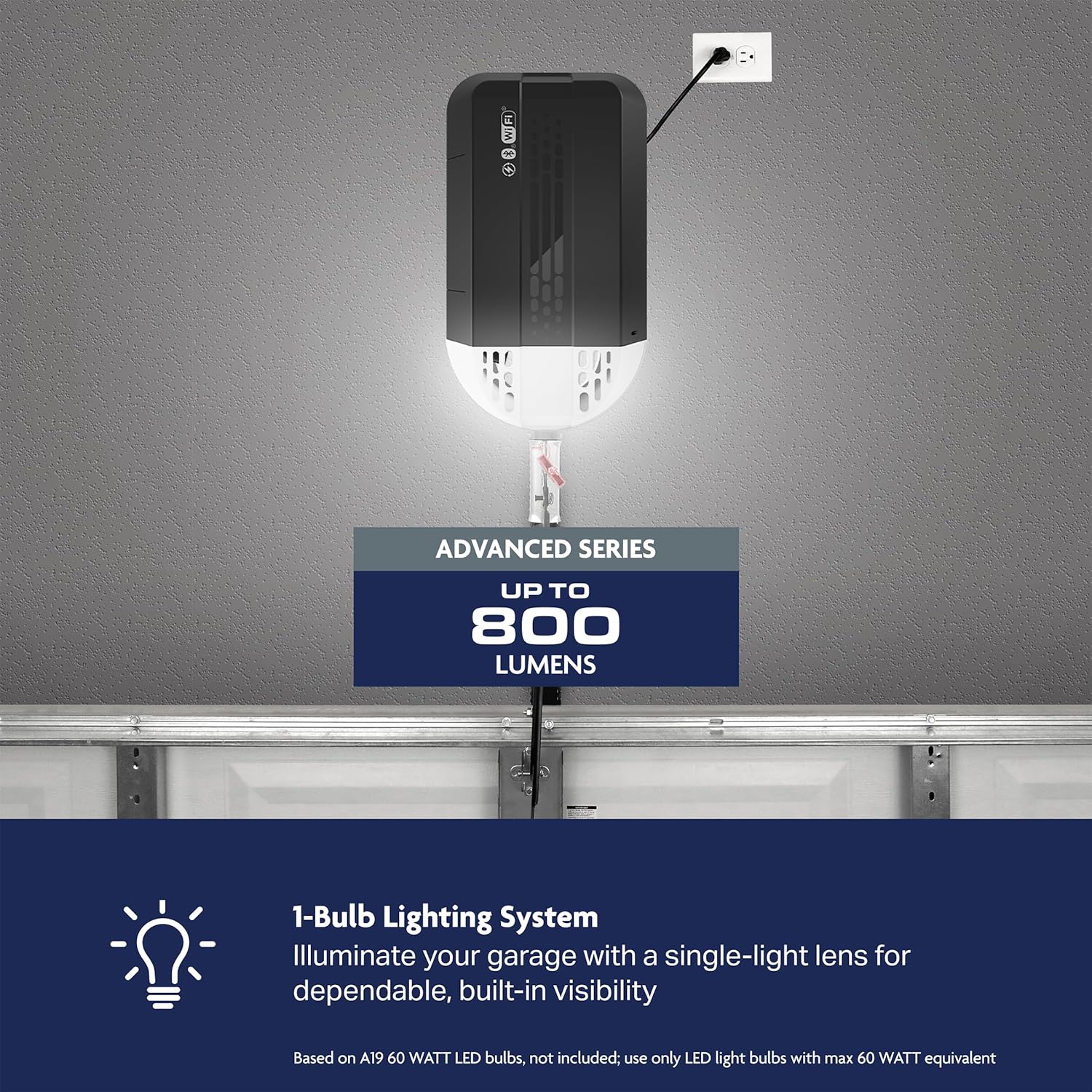
Image: The C3000 opener highlighting its 1/2 HP lifting capacity for smooth performance.
Operation
Your Chamberlain C3000 opener offers multiple ways to control your garage door.
Remote Control
The included 1-button remote control provides convenient access from your vehicle. Press the button once to open or close the garage door.
Wall Control
The sleek 1-button wall control offers simple, reliable access from inside your garage. Press the button to operate the door.
myQ App (Smartphone Control)
The myQ app allows you to open, close, and monitor your garage door from anywhere using your smartphone. Download the myQ app from your device's app store and follow the in-app instructions to connect your opener.

Image: The included 1-button remote and wall control, which connect to the myQ app for smart access.

Image: The myQ app interface, demonstrating how to schedule the garage door to close at a specific time.
Learn more about the features and benefits of your Chamberlain C3000 in the following video:
Video: Official Chamberlain C3000 Features & Benefits. This video highlights the key functionalities of the garage door opener.
Battery Backup Operation
The integrated battery backup provides uninterrupted access during power outages. The opener will automatically switch to battery power when the main power is lost, allowing for multiple open and close cycles.

Image: Illustration of the battery backup feature, ensuring continued operation during power outages.
1-Bulb Lighting System
The opener features a 1-bulb lighting system for dependable visibility in your garage. The light activates when the door operates and can be controlled via the wall control or myQ app.

Image: The 1-bulb lighting system providing illumination in the garage.
Manual Release
In case of an emergency or power failure (if the battery backup is depleted), pull the red emergency release handle to disconnect the garage door from the opener. This allows you to manually open or close the door.
Accessory Compatibility
Your C3000 opener is compatible with specific Chamberlain accessories. Most older accessories are not compatible. Refer to the compatibility chart for details.

Image: A chart detailing compatible accessories for the Chamberlain C3000 garage door opener.
Maintenance
Regular maintenance ensures the longevity and safe operation of your garage door opener.
- Monthly Door Balance Test: Disconnect the opener and manually lift the door. It should stay in place at any point of travel. If not, contact a garage door professional.
- Monthly Safety Reversal Test: Place a 1.5-inch object on the floor in the door's path. The door should reverse upon contact. If not, adjust the travel limits or contact support.
- Inspect Chain Tension: Check the chain for proper tension. It should not sag excessively. Adjust if necessary according to the installation instructions.
- Clean Safety Sensors: Wipe the lenses of the safety reversal sensors with a soft, dry cloth to ensure clear visibility.
- Battery Backup Check: Periodically test the battery backup by unplugging the opener and operating the door. Replace the battery when its performance degrades.
Troubleshooting
Refer to this section for common issues and their solutions.
| Problem | Possible Cause | Solution |
|---|---|---|
| Opener does not respond to remote/wall control. | Power outage, remote battery dead, remote out of range, opener unplugged. | Check power supply, replace remote battery, ensure remote is within range, plug in opener. |
| Door does not close completely. | Safety sensors obstructed or misaligned, travel limits need adjustment. | Clear obstruction, align sensors, adjust travel limits as per manual. |
| Door reverses unexpectedly. | Safety sensors obstructed, force settings too low, door unbalanced. | Clear sensors, adjust force settings (consult manual), check door balance. |
| Light bulb not working. | Bulb burned out, loose connection. | Replace bulb (use LED bulbs up to 60W equivalent), check connection. |
| myQ app not connecting. | Wi-Fi issues, incorrect myQ setup. | Check Wi-Fi connection, re-link opener to myQ app, ensure strong signal. |
Specifications
Key technical details for the Chamberlain C3000 Garage Door Opener:
| Feature | Detail |
|---|---|
| Model Number | C3000 |
| Motor Type | DC Motor |
| Horsepower | 1/2 HP (equivalent lifting capacity) |
| Drive Type | Chain Drive |
| Battery Backup | Included (Lithium Metal) |
| Lighting | 1-Bulb System (up to 800 lumens, bulb sold separately) |
| Connectivity | myQ Smartphone Control |
| Dimensions | 14.6 x 8.2 x 7.2 inches |
| Item Weight | 30.6 pounds |
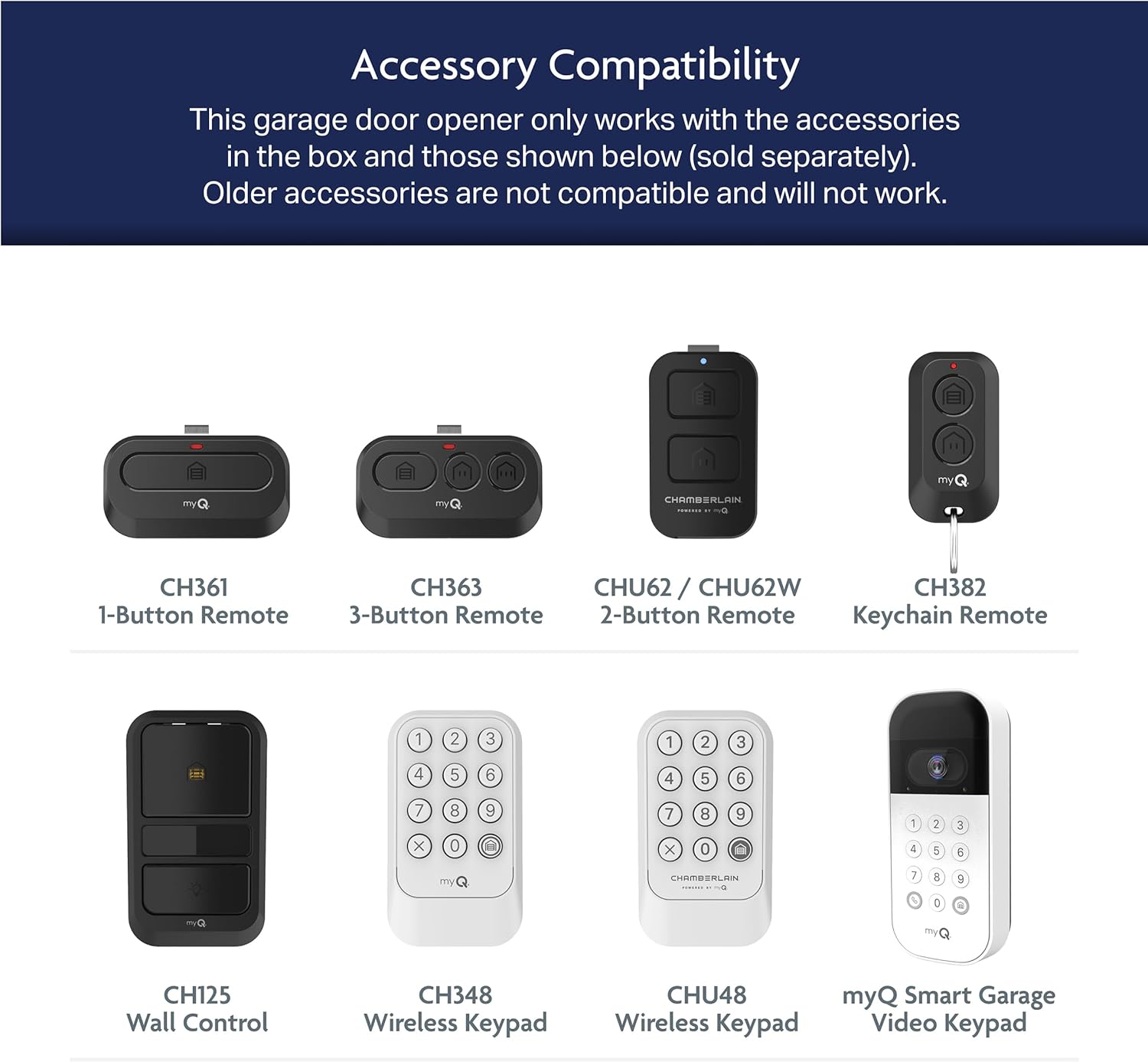
Image: A comparison table highlighting the features of different Chamberlain garage door opener series, with the C3000 categorized under the Advanced series.
Warranty
The Chamberlain C3000 Garage Door Opener is backed by a robust warranty:
- Motor: 5-Year Limited Warranty
- Chain: 1-Year Limited Warranty
- Parts: 1-Year Limited Warranty
For detailed warranty terms and conditions, please refer to the warranty card included with your product or visit the official Chamberlain website.
Support
For further assistance, technical support, or to purchase replacement parts and accessories, please utilize the following resources:
- myQ App: Access troubleshooting guides, FAQs, and customer support directly through the myQ app.
- BILT App: For interactive 3D installation and assembly instructions, download the BILT app.
- Chamberlain Website: Visit the official Chamberlain website for product information, support documents, and contact options.


