
Introduction
This manual provides detailed instructions for the installation, operation, and maintenance of your JVC KW-Z900W 9-inch HD Touchscreen Car Stereo. Please read this manual thoroughly before using the product to ensure correct usage and optimal performance. Keep this manual for future reference.
What's in the Box
Verify that all items are present before beginning installation.
- JVC KW-Z900W Digital Media Receiver with 9" HD Floating Touchscreen
- GPS Antenna
- External Microphone with Mounting Bracket
- Power and Speaker Wiring Harness
- Installation Screws and Hardware
- Owner’s Manual and Installation Guide
Product Overview
The JVC KW-Z900W features a 9-inch HD touchscreen with a single DIN chassis and a floating display for flexible installation. Below are diagrams illustrating the unit's components and dimensions.

Figure 1: Front and Rear Panel Connections. This diagram shows the various inputs and outputs on the JVC KW-Z900W, including the Bluetooth microphone input, rear view camera input, GPS terminal, HDMI input, AV-IN/front view camera input, USB terminal, DC connector, fuse, and audio preouts.

Figure 2: KW-Z900W Dimensions. This image provides the height, width, and depth measurements for the 9-inch monitor and the receiver chassis, crucial for installation planning.
Setup & Installation
The JVC KW-Z900W is designed for a hassle-free installation with its compact rear chassis and 360-degree adjustable floating display. For detailed wiring and mounting instructions, please refer to the dedicated Installation Guide included in your package.
- Mounting: The single DIN chassis allows for installation in a wide range of vehicles. The floating display can be adjusted for optimal viewing angles.
- Wiring: Connect the power and speaker wiring harness according to your vehicle's specifications and the provided wiring diagram in the Installation Guide.
- Antennas: Connect the GPS antenna for navigation features and the FM/AM antenna for radio reception.
- Microphone: Install the external microphone in a suitable location for clear hands-free calling.

Figure 3: 360° Adjustable Floating Mechanism. The display can be rotated and tilted to achieve the best viewing angle in your vehicle.
Operating Instructions
The KW-Z900W offers a user-friendly interface with responsive touch controls. Navigate through menus and access features directly from the 9-inch HD touchscreen.
Wireless Apple CarPlay & Android Auto
Connect your compatible iPhone or Android smartphone wirelessly to access navigation, music, calls, and messages directly on the stereo's display.
- Apple CarPlay: For iPhones, ensure Wi-Fi and Bluetooth are enabled. Follow the on-screen prompts to pair your device.
- Android Auto: For Android phones, ensure Wi-Fi and Bluetooth are enabled. Follow the on-screen prompts to pair your device.
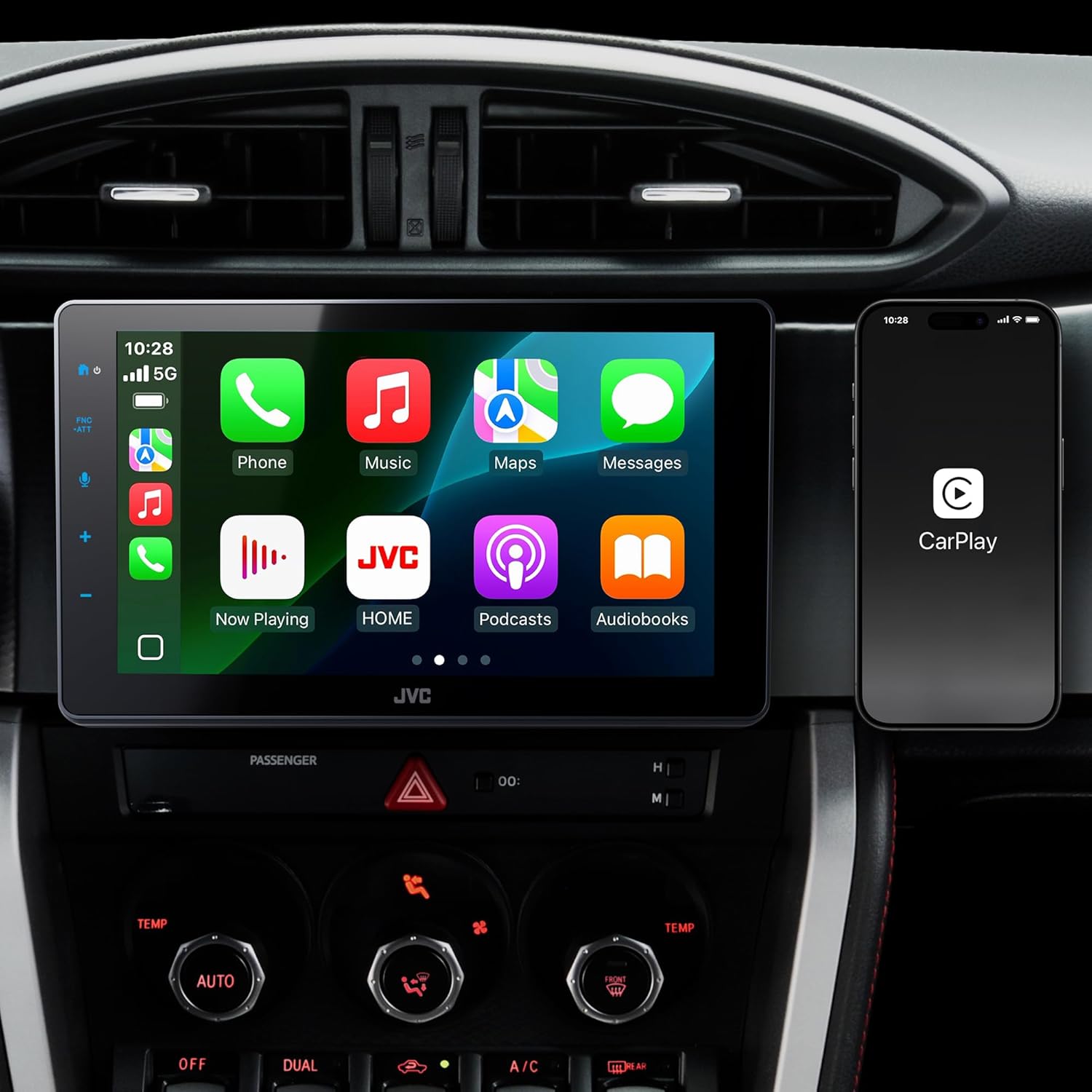
Figure 4: Wireless Apple CarPlay Interface. Displays the familiar Apple CarPlay interface on the JVC KW-Z900W screen.

Figure 5: Wireless Android Auto Interface. Shows the Android Auto interface on the JVC KW-Z900W screen, providing access to navigation and media.
Wireless & HDMI Mirroring
Mirror your smartphone screen to the KW-Z900W display for viewing content. Wireless mirroring is available for compatible smartphones using the "CarbitLink-EasyConnection" app. For other devices, use the HDMI input with a proper adapter and cable.

Figure 6: Wireless Mirroring. A smartphone screen is mirrored wirelessly to the JVC KW-Z900W display.
Audio Settings
Customize your audio experience with the built-in 13-band equalizer and time alignment features.
- 13-Band Equalizer: Adjust frequency bands to fine-tune the sound output to your preference.
- Time Alignment: Optimize the sound stage by adjusting the output timing for each speaker, ensuring a cohesive listening experience.

Figure 7: 13-Band Equalizer. The touchscreen interface for adjusting audio frequencies.
Camera Inputs
The unit supports two camera inputs, including an HD rear camera input, for enhanced visibility and safety during parking and maneuvering.

Figure 8: Two Camera Inputs. Illustrates the capability to connect two cameras for comprehensive vehicle monitoring.
iDatalink Maestro Integration
The KW-Z900W is compatible with iDatalink Maestro (sold separately) for seamless integration with your vehicle's factory features, including steering wheel controls and vehicle information display.

Figure 9: iDatalink Maestro. Shows the iDatalink Maestro module, which enables advanced vehicle integration with the stereo.
SiriusXM Ready
Enjoy a wide variety of satellite radio content by connecting an optional SiriusXM tuner (sold separately).

Figure 10: SiriusXM Ready. Indicates compatibility with an optional SiriusXM tuner for satellite radio access.
Supported Audio/Video Formats
The KW-Z900W supports a variety of audio and video formats for playback.

Figure 11: Supported Formats. Lists compatible audio formats (FLAC, AAC, WAV, MP3, WMA) and video formats (H.264, MKV, WMV, MPEG-4, MPEG-1/2).
Official Product Video
Video 1: JVC 9" HD display with wireless CarPlay and Android Auto. This video demonstrates the key features and user interface of the JVC KW-Z900W car stereo, including its high-definition display, compact chassis, adjustable floating mechanism, wireless Apple CarPlay and Android Auto, wireless and HDMI mirroring, iDatalink Maestro integration, HD rear camera input, time alignment, and 13-band equalizer.
Maintenance
Proper maintenance ensures the longevity and performance of your JVC KW-Z900W car stereo.
- Screen Cleaning: Use a soft, lint-free cloth to gently wipe the touchscreen. For stubborn smudges, slightly dampen the cloth with water or a screen-safe cleaner. Avoid harsh chemicals.
- Software Updates: Periodically check the official JVC website for firmware updates to ensure optimal performance and access to new features. Follow the instructions provided with the update carefully.
- General Care: Keep the unit free from dust and debris. Avoid exposing it to extreme temperatures or direct sunlight for extended periods.
Troubleshooting
If you encounter issues with your JVC KW-Z900W, refer to the following common solutions:
| Problem | Possible Cause / Solution |
|---|---|
| No power | Check the power wiring harness connections and the 15A fuse. Ensure the vehicle's ignition is on. |
| No sound | Verify speaker connections. Check volume level and audio source selection. Ensure external amplifiers (if used) are powered on. |
| Wireless CarPlay/Android Auto not connecting | Ensure Wi-Fi and Bluetooth are enabled on your smartphone. Restart both the stereo and your phone. Check for software updates for both devices. |
| Touchscreen unresponsive | Perform a soft reset by pressing the reset button (refer to the Installation Guide for location). If the issue persists, contact support. |
| Poor radio reception | Check the FM/AM antenna connection. Ensure the antenna is properly extended or installed. |
For more complex issues, consult the full Owner's Manual or contact JVC customer support.
Specifications
Key technical specifications for the JVC KW-Z900W.
| Feature | Specification |
|---|---|
| Model Number | KW-Z900W |
| Display Size | 9 Inch HD Touchscreen |
| Connectivity Technology | Auxiliary, HDMI, USB, Wi-Fi, Bluetooth |
| Controller Type | Touchscreen |
| Special Features | Wireless Android Auto, Wireless Apple CarPlay, Built-In Bluetooth, Built-In Wi-Fi, Touchscreen, HDMI Input, Backup Camera Ready, SiriusXM Ready, Single DIN Floating Display, 3 RCA Preouts |
| Total HDMI Ports | 1 |
| Connector Type | RCA, USB Type A |
| Audio Output Mode | Stereo |
| Surround Sound Channel Configuration | 4 |
| Video Encoding | MPEG-1, MPEG-2, H.264/MPEG-4 AVC, WMV, MKV |
| Output Power | 200 Watts |
| Number of Channels | 4 |
| Item Weight | 5 Pounds |
Warranty & Support
Your JVC KW-Z900W car stereo comes with a 1-Year Limited Warranty from the date of purchase. This warranty covers defects in materials and workmanship under normal use.
For warranty claims, technical assistance, or further inquiries, please contact JVC customer support through their official website or the contact information provided in your product packaging. Please have your model number (KW-Z900W) and proof of purchase ready when contacting support.


