
1. Introduction
Thank you for purchasing the LKHLTBF K812 MAX 4K HD Dual Camera GPS Drone. This advanced quadcopter features a dual 4K camera system, GPS positioning, 5G WiFi FPV transmission, and 360° obstacle avoidance for a stable and intelligent flight experience. This manual provides essential information for safe operation, setup, maintenance, and troubleshooting. Please read it thoroughly before your first flight.

Image 1.1: LKHLTBF K812 MAX Drone highlighting GPS return and obstacle avoidance capabilities.
2. Safety Information
Operating a drone requires responsibility. Failure to follow safety guidelines can result in injury, damage, or legal issues. Always prioritize safety.
2.1 General Safety Guidelines
- Pre-Flight Check: Always inspect the drone, propellers, and remote control for any damage before each flight.
- Flight Environment: Fly in open areas, away from people, animals, buildings, and power lines. Avoid flying in strong winds or adverse weather conditions.
- Line of Sight: Maintain visual line of sight with the drone at all times.
- Age Recommendation: This product is recommended for users aged 14 years and older.
- Local Regulations: Be aware of and comply with all local aviation laws and regulations.
2.2 Battery Safety
- Use only the provided charger and original batteries.
- Do not overcharge or over-discharge batteries.
- Do not expose batteries to extreme temperatures or direct sunlight.
- If a battery is damaged, swollen, or leaking, discontinue use immediately and dispose of it properly.
3. Package Contents
Verify that all items are present in your package:
- K812 MAX Drone
- Remote Control with Screen
- Drone Battery(ies) (Quantity may vary based on purchase)
- USB Charging Cable
- Spare Propellers
- Screwdriver (for propeller installation/removal)
- Instruction Manual (this document)
4. Product Overview
4.1 Drone Components
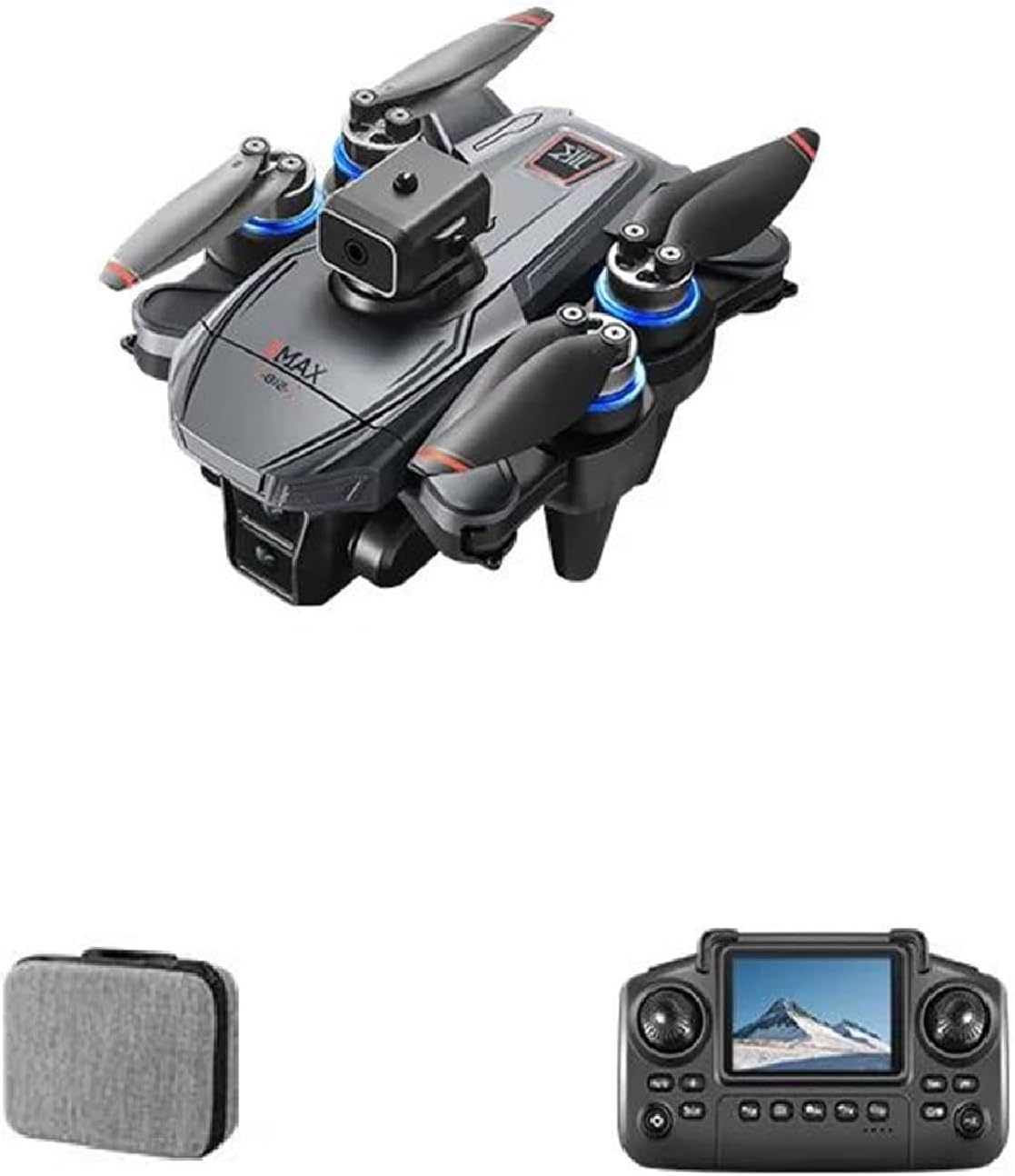
Image 4.1: The LKHLTBF K812 MAX Drone.
The K812 MAX drone features a foldable design for portability, brushless motors for efficient flight, and a dual camera system for capturing high-quality aerial footage. It is equipped with GPS for stable positioning and intelligent flight functions.
4.2 Remote Control Layout
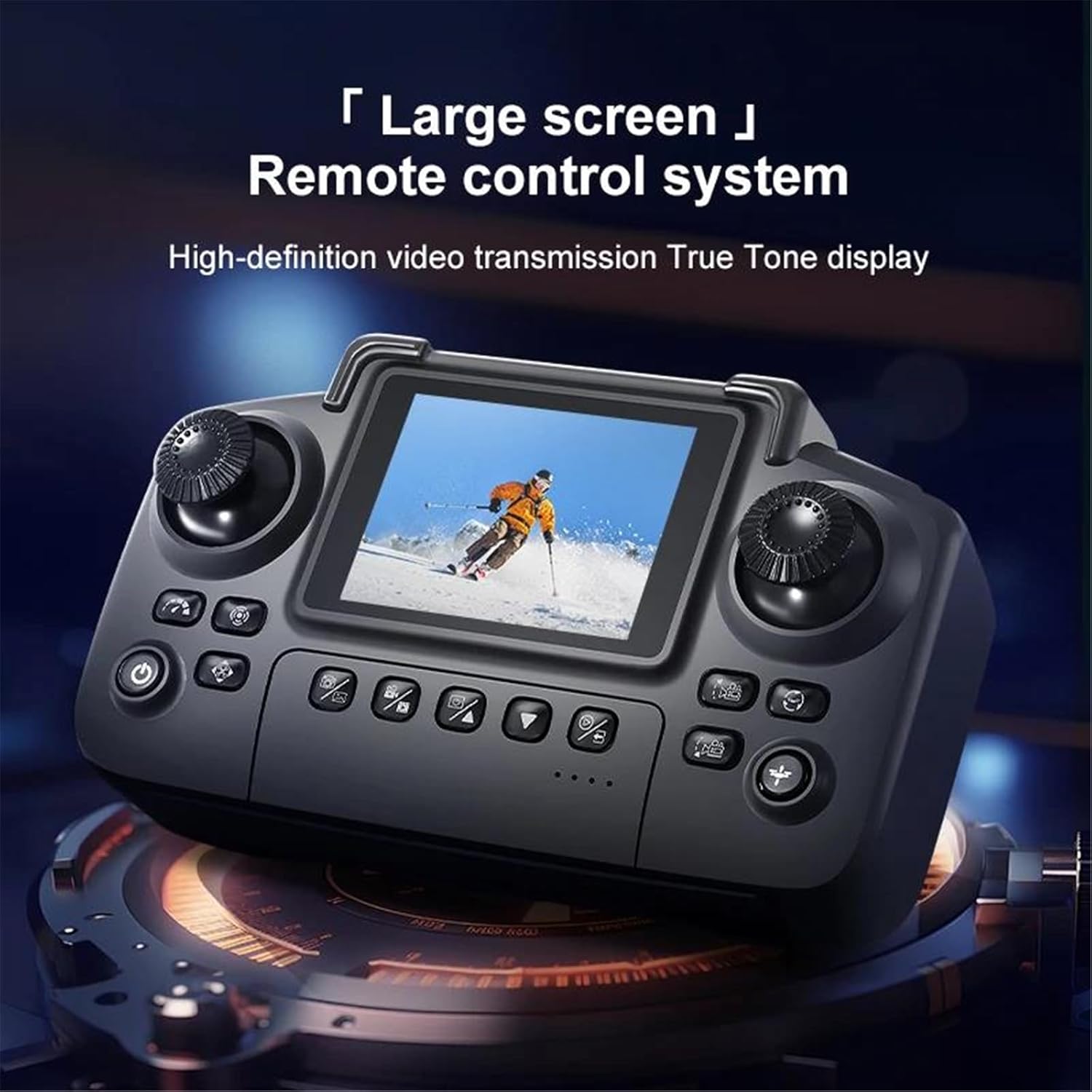
Image 4.2: Remote control with integrated screen for real-time FPV.

Image 4.3: Detailed diagram of the remote control functions.
The remote control includes a built-in screen for real-time FPV (First Person View) transmission. Key controls include:
- Throttle Stick: Controls altitude (up/down) and yaw (rotate left/right).
- Steering Sticks: Controls forward/backward and left/right movement.
- Power Switch: Turns the remote control on/off.
- Speed Switching: Adjusts flight speed (e.g., beginner, normal, sport).
- Headless Mode: Simplifies flight orientation.
- Obstacle Avoidance: Activates/deactivates the 360° obstacle avoidance system.
- GPS Return: Initiates automatic return to home.
- Landing/Emergency Stop: Initiates automatic landing or emergency motor stop.
- Camera/Video Buttons: For taking photos and recording videos.
5. Setup
5.1 Charging Batteries
- Connect the drone battery to the USB charging cable.
- Plug the USB cable into a 5V/2A USB power adapter (not included).
- Charging time is approximately 60 minutes. The indicator light will change when fully charged.
- Ensure the remote control batteries (AA, not included) are installed.
5.2 Installing Drone Battery
- Unfold the drone arms.
- Insert the charged drone battery into the battery compartment until it clicks securely into place.
5.3 Propeller Installation (if required)
- Ensure propellers are installed correctly according to their rotation direction (A and B markings).
- Use the provided screwdriver to secure the propellers.
5.4 Pairing and Calibration
- Place the drone on a flat, level surface.
- Turn on the drone, then turn on the remote control.
- The drone and remote control will automatically pair. Wait for the indicator lights to stabilize.
- Perform gyroscope calibration by pushing both control sticks to the bottom-left or bottom-right corners simultaneously until the drone lights flash and then become solid.
- Perform GPS calibration (if applicable) by following the on-screen instructions on the remote control or app. This usually involves rotating the drone horizontally and vertically.
6. Operating Instructions
6.1 Pre-Flight Checks
- Ensure batteries are fully charged in both drone and remote control.
- Check propellers for damage and ensure they are securely attached.
- Confirm drone and remote control are paired and calibrated.
- Ensure you are in a safe, open flying area.
6.2 Takeoff and Landing
- Automatic Takeoff: Press the one-key takeoff button on the remote control. The drone will ascend to a safe altitude and hover.
- Manual Takeoff: Push both control sticks to the bottom-inner corners to start the motors, then slowly push the throttle stick up to ascend.
- Automatic Landing: Press the one-key landing button. The drone will descend and land automatically.
- Manual Landing: Slowly pull the throttle stick down until the drone lands, then push both sticks to the bottom-inner corners to stop the motors.
6.3 Flight Controls (Mode 1)
- Left Stick (Throttle): Up/Down for altitude, Left/Right for yaw (rotation).
- Right Stick (Direction): Up/Down for forward/backward, Left/Right for left/right strafing.
6.4 Special Features
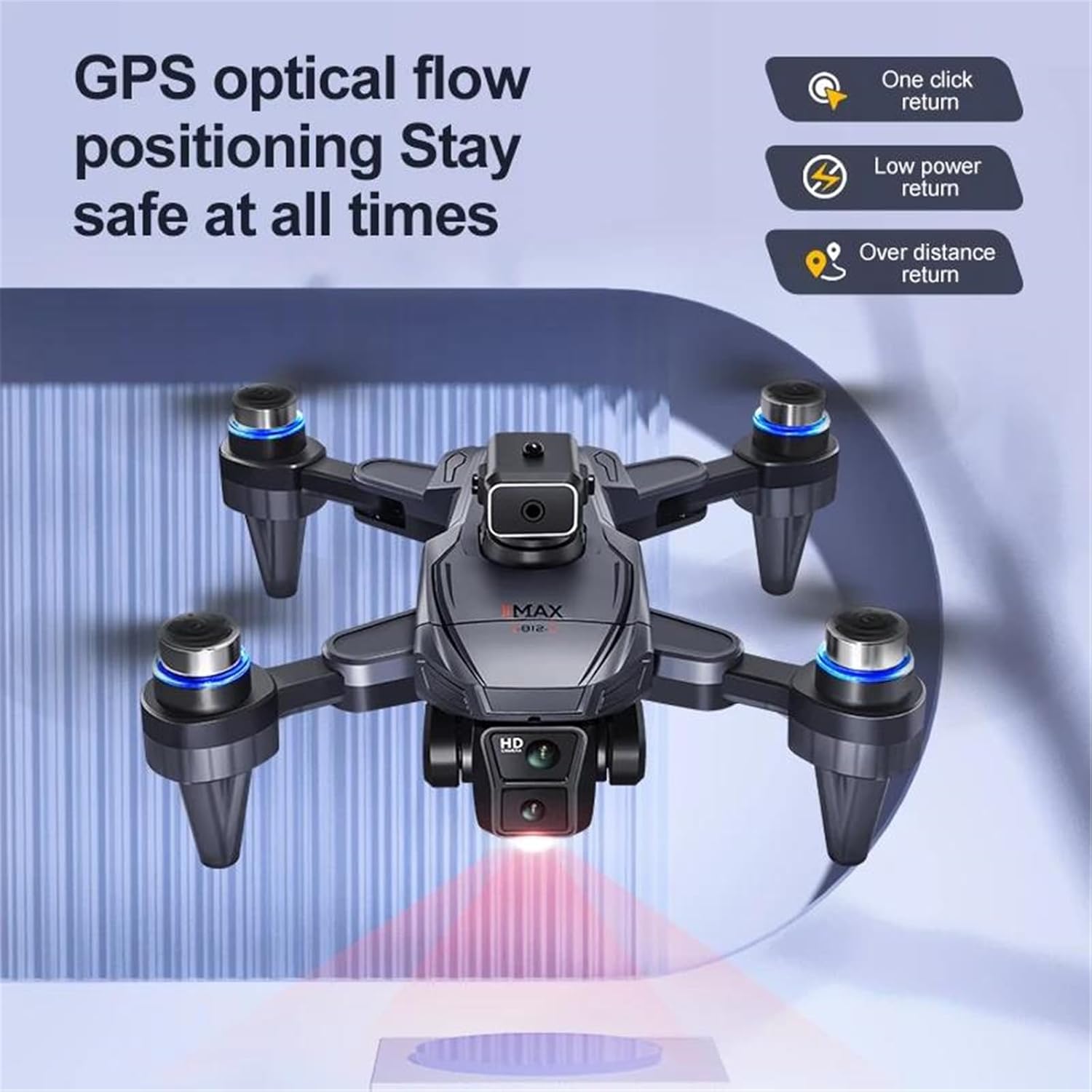
Image 6.1: GPS optical flow positioning ensures stable and safe flight with various return functions.
- GPS Return to Home (RTH): The drone will automatically return to its takeoff point if GPS signal is lost, battery is low, or the RTH button is pressed.
- 360° Obstacle Avoidance: The drone is equipped with sensors to detect and avoid obstacles in its path, enhancing flight safety.
- Follow Me Mode: When activated via the app, the drone will automatically follow the remote control or connected smart device.
- Headless Mode: In this mode, the drone's orientation is relative to the pilot, making it easier to control regardless of the drone's front direction.
- 5G WiFi FPV: Connect your smartphone to the drone's WiFi network to view real-time camera feed and access advanced flight modes via the dedicated app.
7. Maintenance
- Cleaning: Use a soft, dry cloth to clean the drone and remote control after each use. Avoid water or harsh chemicals.
- Propeller Replacement: If propellers are damaged, replace them immediately with genuine spare parts. Ensure correct A/B propeller placement.
- Battery Care: Store batteries in a cool, dry place. Do not store fully charged or completely depleted batteries for extended periods. Charge them to about 50-60% for long-term storage.
- Storage: When not in use, fold the drone arms and store it in its original packaging or a protective case to prevent damage.
8. Troubleshooting
| Problem | Possible Cause | Solution |
|---|---|---|
| Drone does not respond to remote control. | Not paired; low battery; interference. | Re-pair drone and remote; charge batteries; move to an area with less interference. |
| Drone drifts during flight. | Not calibrated; strong wind. | Perform gyroscope calibration; avoid flying in strong winds. |
| Poor camera image quality or no FPV feed. | Weak WiFi signal; camera lens dirty; app issue. | Ensure strong 5G WiFi connection; clean lens; restart app and drone. |
| Drone fails to take off. | Motors not armed; low battery; propellers blocked. | Arm motors (push sticks to inner corners); charge battery; check for obstructions. |
9. Specifications

Image 9.1: The K812 MAX features brushless motors for strong wind resistance.
- Model: K812 MAX
- Brand: LKHLTBF
- Drone Weight: 178 g
- Video Capture Resolution: 4K UHD
- Effective Fixed Resolution: 8 Megapixels
- Camera Gimbal: 2-axis
- Motor Type: Brushless Motor
- Wind Resistance Level: 5
- Flight Time: 10 to 20 minutes (per battery)
- Charging Time: Approximately 60 minutes
- Remote Control Range: 300 meters
- Maximum Flight Altitude: 0 to 120 meters
- Control Channels: 4 channels
- Control Mode: MODE 1
- Operator Skill Level: Beginner
- Usage Environment: Indoor/Outdoor
- Material: Plastic
- Assembly State: Ready-to-Fly
- Recommended Age: 14 years and up
- Features: App Control, Automatic Return, GPS, Integrated Camera, Obstacle Avoidance, Wi-Fi
10. Warranty and Support
This product comes with a standard manufacturer's warranty. For specific warranty details, please refer to the documentation provided with your purchase or contact the seller directly. If you encounter any issues or require technical assistance, please reach out to the LKHLTBF customer support team or your retailer.
Please retain your proof of purchase for warranty claims.