
VCHOO SL01
VCHOO SL01 Keyless Entry Door Lock Deadbolt with Handle Set User Manual
Model: SL01
1. Introduction
This manual provides detailed instructions for the installation, setup, operation, and maintenance of your VCHOO SL01 Keyless Entry Door Lock Deadbolt with Handle Set. Please read this manual thoroughly before installation and use to ensure proper function and safety.

Image: VCHOO SL01 Keyless Entry Door Lock Deadbolt with Handle Set installed on a white door, showcasing the keypad and lever handle.
2. Product Components
Verify that all components are present before beginning installation. If any parts are missing or damaged, please contact customer support.

Image: An exploded diagram illustrating all parts included in the VCHOO SL01 Keyless Entry Door Lock package, such as the deadbolt rear lock, front lock, lever handles, door keys, lock latches, and various screws.
- Deadbolt Rear Lock (x1)
- Deadbolt Front Lock (x1)
- Lever Handle (x2)
- Door Key (x2)
- Lock Latch (x2)
- Various Screws (A, B, C, D, E, and additional sets)
- Screwdriver (x1)
3. Specifications
| Feature | Specification |
|---|---|
| Brand | VCHOO |
| Model Name | SL01 |
| Lock Type | Keypad Deadbolt with Lever Handle |
| Material | Zinc Alloy |
| Color | Matte Black |
| Special Feature | Auto-Lock, Anti-Peeping Password, Low Battery Alert, Emergency Type-C Charging |
| Door Thickness Range | 1.31" - 2.16" (33mm - 55mm) |
| Backset | Adjustable 2-3/8" or 2-3/4" (60mm or 70mm) |
| Power Source | 4 AA Batteries (not included) |
| Weather Resistance | IP54 Waterproof, Operating Temperature -4°F to +140°F (-20°C to 60°C) |
| User Codes | Up to 100 user codes, one-time codes |
| Connectivity | No App or Wi-Fi required (keypad operation only) |
4. Installation Guide
The VCHOO SL01 lock is designed for easy installation and can replace most standard deadbolts and lever handles with a screwdriver. It is compatible with both left and right-hand doors.
4.1 Door Compatibility and Dimensions
Before installation, ensure your door meets the required dimensions and compatibility criteria.

Image: Detailed measurements for door thickness, backset, and bore hole diameter to ensure compatibility with the VCHOO SL01 lock.

Image: Visual guide for checking door compatibility, showing acceptable latch hole types (chiseled, not chiseled) and compatible door lock types (single cylinder) versus incompatible types (mortise, integrated, rim cylinder).
4.2 Installation Steps
Follow these steps for a smooth installation. A screwdriver is the only tool required.

Image: A person using a screwdriver to install the VCHOO SL01 Keyless Entry Door Lock, demonstrating the ease of installation.
- Prepare the Door: Ensure the door bore holes and backset match the lock's specifications. Adjust the backset on the latch if necessary (2-3/8" or 2-3/4").
- Install the Latch: Insert the latch into the door edge and secure it with screws. Ensure the latch bolt faces the correct direction for your door swing.
- Install the Deadbolt Assembly: Place the exterior keypad assembly through the door, aligning the spindle with the latch mechanism. Secure the interior deadbolt assembly.
- Connect Cables: Carefully connect the cable from the exterior assembly to the interior assembly.
- Install the Lever Handles: Attach the lever handles to both sides of the door. Ensure they are securely fastened and operate smoothly.
- Insert Batteries: Open the battery cover on the interior assembly and insert 4 AA batteries (not included).
- Test Operation: Close the door and test the lock's functionality using the keypad and mechanical key.
4.3 Adjusting Handle Direction
The lever handles are reversible to accommodate both left and right-hand doors.

Image: A visual representation of the VCHOO SL01 lock installed on both left-opening and right-opening doors, highlighting its reversible design.
5. Setup and Programming
This section details how to set up your lock, including programming user codes and configuring auto-lock features.
5.1 Programming User Codes
The lock supports up to 100 user codes. Refer to the specific programming instructions provided in the quick start guide for detailed steps on adding, deleting, or modifying codes.
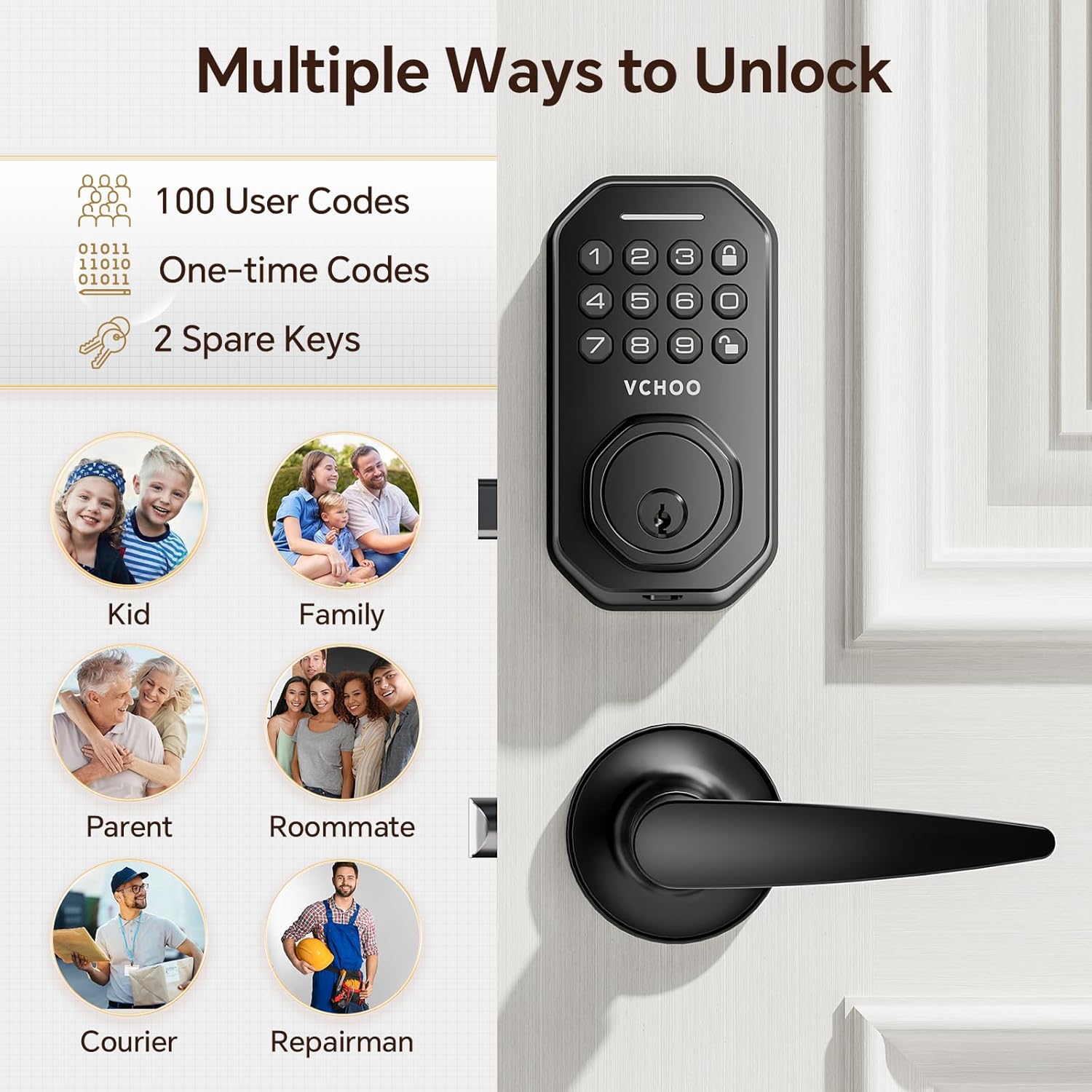
Image: A graphic demonstrating the various access methods for the VCHOO SL01 lock, including user codes, one-time codes, and physical keys.
5.2 One-Time Codes
Generate temporary one-time codes for visitors or service personnel. These codes expire after a single use.

Image: A scenario showing a person receiving a one-time entry code via text message, highlighting the convenience for temporary access.
5.3 Auto-Lock Function
The lock features an automatic locking function, which can be set to engage after 10-30 seconds. There is also a one-touch auto-lock option.

Image: A family entering their home, with visual cues indicating the automatic locking mechanism and the option for one-touch locking.
6. Operating Instructions
Learn how to use your VCHOO SL01 lock for daily access and enhanced security.
6.1 Unlocking Methods
- User Code: Enter your programmed user code on the keypad.
- One-Time Code: Enter the temporary one-time code.
- Mechanical Key: Use one of the two provided physical keys as a backup.
6.2 Anti-Peeping Password
To prevent others from guessing your code, you can enter random digits before or after your actual password. The lock will still unlock as long as the correct sequence is embedded within the longer string of numbers.

Image: A visual explanation of the anti-peeping password feature, showing how random digits can be added before or after the actual code to obscure it from onlookers.
7. Maintenance
Proper maintenance ensures the longevity and reliable operation of your VCHOO SL01 lock.
7.1 Battery Replacement
The lock requires 4 AA batteries (not included). When the low battery alert activates (green light appears), replace the batteries promptly.

Image: A composite image detailing the replaceable battery compartment, the visual low battery alert on the keypad, and the emergency Type-C charging port.
7.2 Emergency Power
In case of complete battery depletion, an emergency Type-C charging port is available on the exterior unit to temporarily power the lock for entry.
7.3 Cleaning
Clean the lock's exterior with a soft, damp cloth. Avoid abrasive cleaners or solvents that could damage the finish or electronic components.
8. Troubleshooting
This section addresses common issues you might encounter with your VCHOO SL01 lock.
- Lock not responding: Check battery levels. If batteries are dead, use the emergency Type-C charging port or the mechanical key.
- Keypad not lighting up: Replace batteries.
- Code not working: Ensure the correct code is entered. Try the anti-peeping method. Verify the code has not been deleted or expired (for one-time codes).
- Handle feels loose or falls off: Re-align the handle and press firmly until it clicks into place. Refer to the solution steps below.
8.1 Handle Re-attachment Steps

Image: A step-by-step visual guide demonstrating how to re-attach a lever handle if it becomes loose, focusing on alignment and secure fastening.
- Step 1: Observe the inside of the handle and locate the small metal hole with a line passing through it.
- Step 2: Confirm the position of the notch at the end of the handle. Accurately align this interface.
- Step 3: Completely align the handle notch with the internal metal line, then apply vertical pressure with the palm of your hand.
- Step 4: When you hear a "click," it indicates the buckle is securely in place.
9. Safety Information
- Do not expose the lock to extreme temperatures or direct sunlight for prolonged periods.
- Avoid using corrosive liquids or sprays on the lock.
- Keep physical keys in a secure location away from the lock.
- Regularly check the battery level and replace batteries as needed to prevent lockouts.
- Ensure all installation screws are tightened securely.
10. Warranty and Support
VCHOO is committed to providing quality products and customer service. We strictly check and control every link of the product. If you have any questions about your VCHOO SL01 Keyless Entry Door Lock, please contact us. Our professional sales team is available to assist you.
For support, please refer to the contact information provided with your purchase or visit the official VCHOO website.
Related documentsSL01


Ask a question about this manual
Ask about setup, troubleshooting, compatibility, parts, safety, or missing instructions. Manuals+ will review the question and use this page’s manual context to help answer it.