
1. Introduction
The EF ECOFLOW DELTA 3 Classic is a portable power station designed to provide reliable power for various applications, including home backup, outdoor activities, and emergency situations. It features a 1024Wh LiFePO4 battery, 1800W AC output (expandable to 2600W with X-Boost), and multiple charging options. This manual provides essential information for the safe and efficient operation of your device.
2. Safety Instructions
Please read and understand all safety instructions before using the DELTA 3 Classic. Failure to follow these instructions may result in electric shock, fire, or serious injury.
- Do not disassemble, repair, or modify the unit.
- Keep the unit away from heat sources, direct sunlight, and flammable materials.
- Avoid exposure to water or other liquids.
- Ensure proper ventilation during use and charging.
- Do not use the unit if it is damaged or appears to be malfunctioning.
- Keep out of reach of children and pets.
3. Product Overview
Familiarize yourself with the components of your DELTA 3 Classic portable power station.
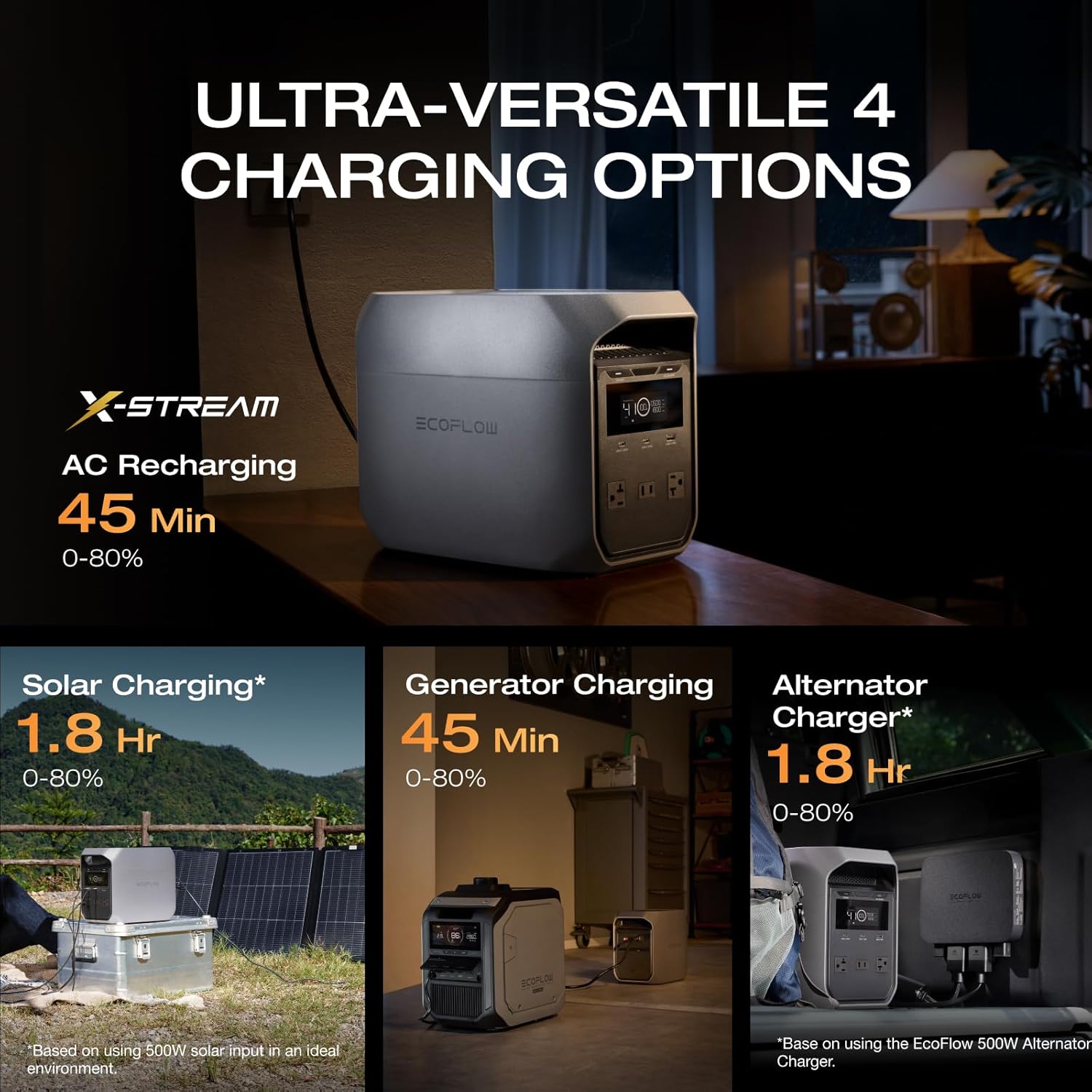
Figure 3.1: Front view of the DELTA 3 Classic Portable Power Station.
Ports and Controls
The DELTA 3 Classic features multiple input and output ports for versatile connectivity.
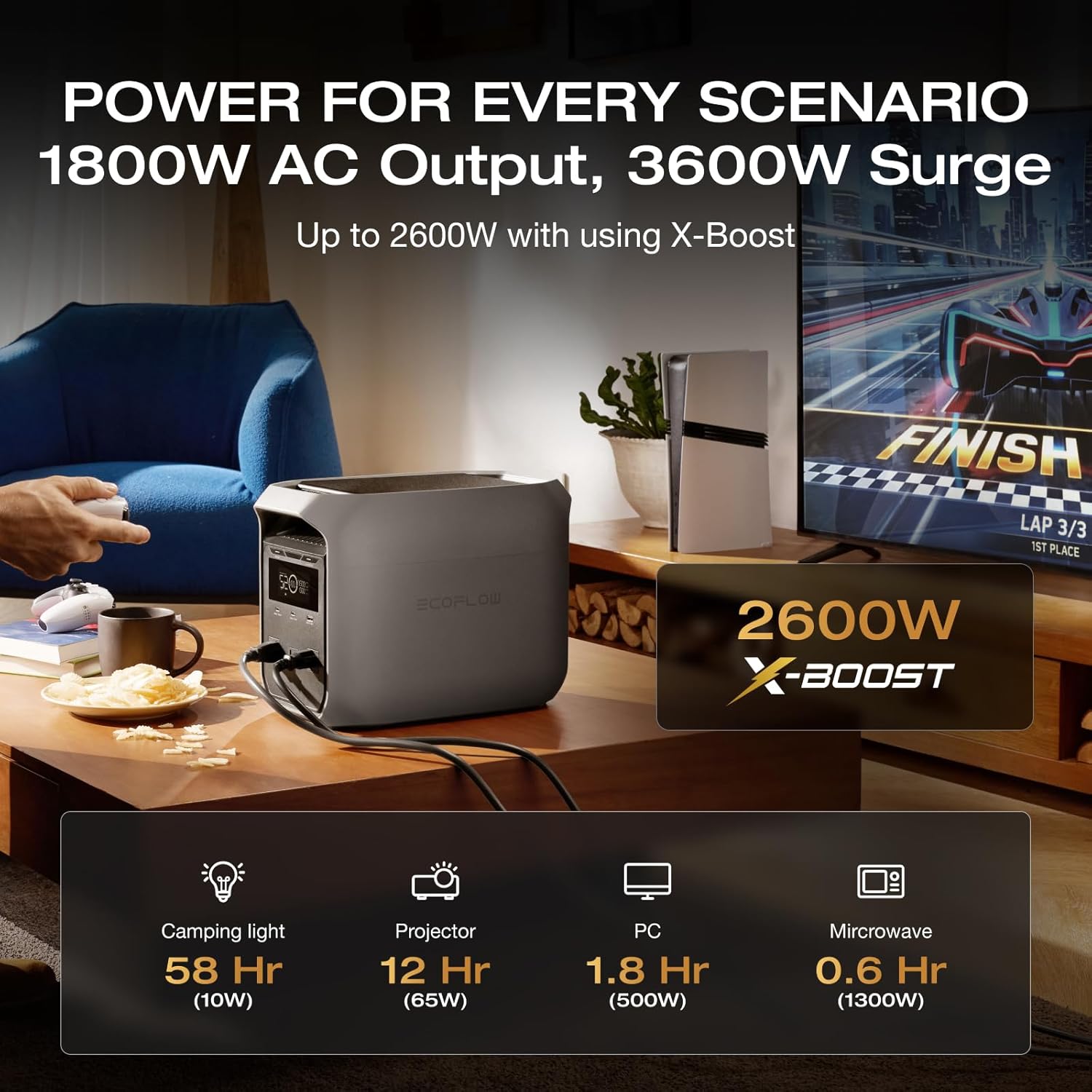
Figure 3.2: Overview of the 6 versatile output ports, including USB-C, USB-A, and AC outlets.
- AC Output Ports: 3 x AC outlets, providing up to 1800W total.
- USB-C Ports: 1 x 100W Max USB-C, 1 x 30W Max USB-C.
- USB-A Port: 1 x 18W Max USB-A.
- Display Screen: Shows battery level, input/output power, and other status indicators.
- Power Button: For turning the unit on and off.
4. Setup
Initial Charging
Before first use, fully charge the DELTA 3 Classic. The X-Stream AC charging technology allows for rapid charging.
- Connect the AC charging cable to the unit's AC input port and then to a wall outlet.
- The display will indicate charging status. The unit can charge from 0% to 80% in approximately 45 minutes.
Connecting Devices
Once charged, you can connect your devices to the appropriate output ports.
- For AC appliances, plug them into the AC output ports.
- For USB devices, use the USB-A or USB-C ports.
5. Operating Instructions
Turning On/Off
Press and hold the main power button to turn the unit on or off. The display screen will illuminate upon activation.
AC Output Usage
The DELTA 3 Classic provides 1800W AC output, with an X-Boost feature that can support devices up to 2600W. This allows it to power a wide range of appliances, including refrigerators, microwaves, and laptops.
Figure 5.1: The DELTA 3 Classic providing power for various scenarios, highlighting its 1800W AC output and X-Boost capability up to 2600W.
Charging Options
The DELTA 3 Classic offers multiple ways to recharge its battery.
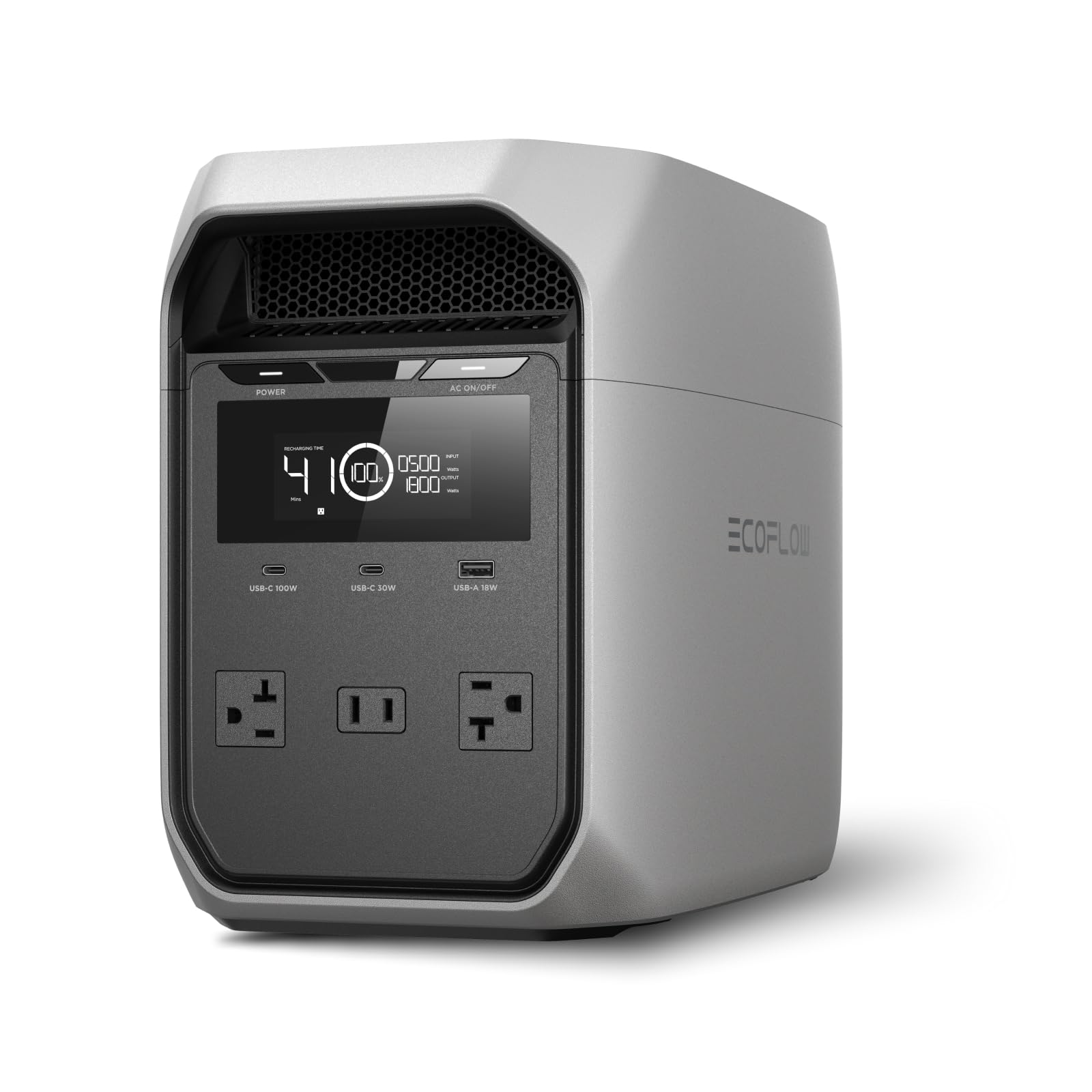
Figure 5.2: The four versatile charging options for the DELTA 3 Classic: AC recharging (45 min to 80%), Solar Charging (1.8 hr to 80% with 500W solar input), Generator Charging (45 min to 80%), and Alternator Charger (1.8 hr to 80% with EcoFlow 500W Alternator Charger).
- AC Charging: Connect to a standard wall outlet for fast charging.
- Solar Charging: Connect compatible solar panels (optional) for renewable energy charging. With 500W solar input, it can charge in approximately 2.5 hours.
- Car Charging: Use the car charger cable to charge from your vehicle's 12V outlet.
- Generator Charging: Can be recharged using a generator.
Uninterruptible Power Supply (UPS) Function
The DELTA 3 Classic features an Uninterruptible Power Supply (UPS) function to protect sensitive electronics. In the event of a power outage, it automatically switches to battery power in less than 10 milliseconds, preventing data loss and interruptions for devices like PCs, servers, and medical equipment.
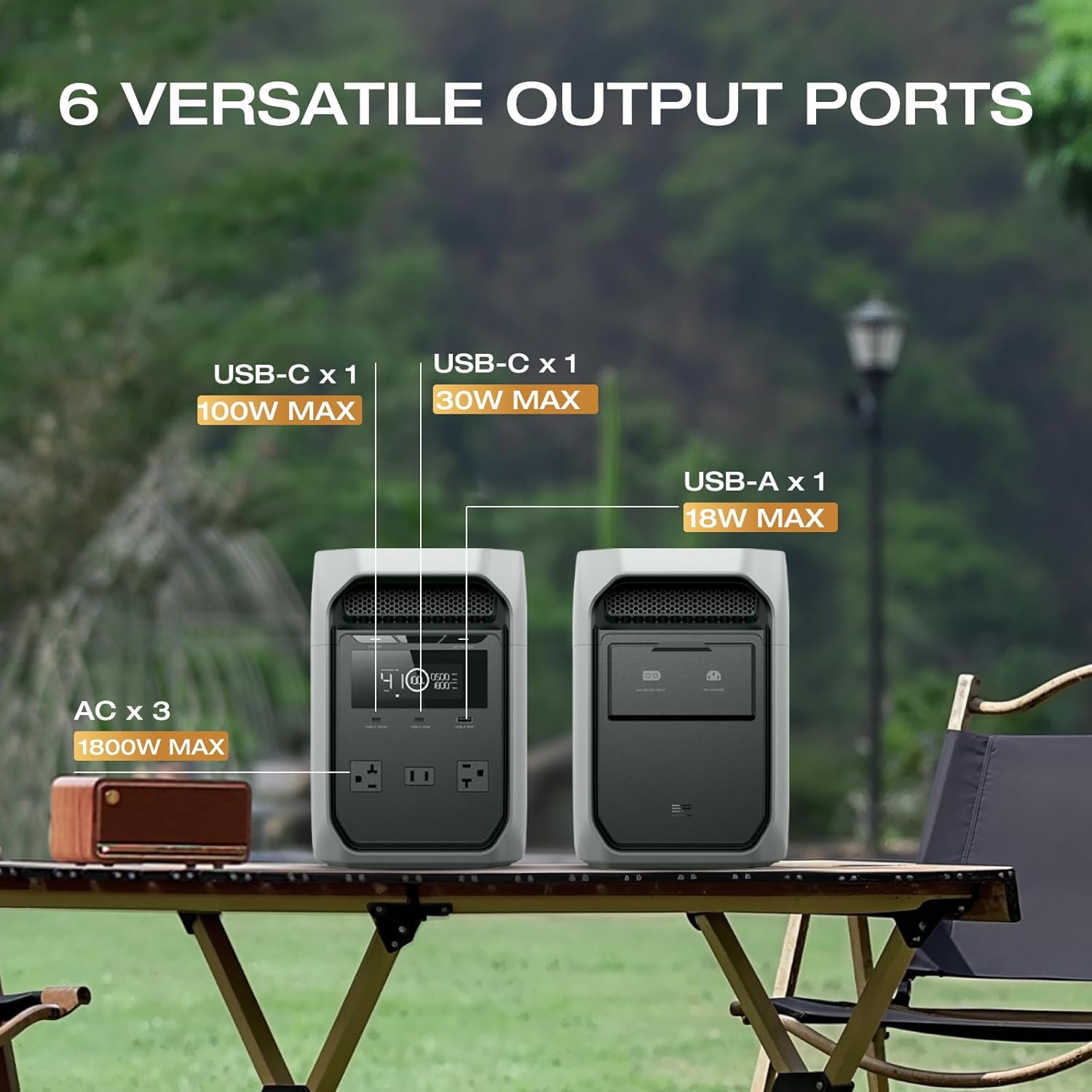
Figure 5.3: The DELTA 3 Classic providing seamless power with its 10ms auto-switch UPS function, ensuring zero interruptions for critical devices.
EcoFlow App Control
Manage and monitor your DELTA 3 Classic remotely using the EcoFlow app. The app allows you to monitor energy usage, set charging schedules, and activate backup modes like storm alerts or self-power mode.
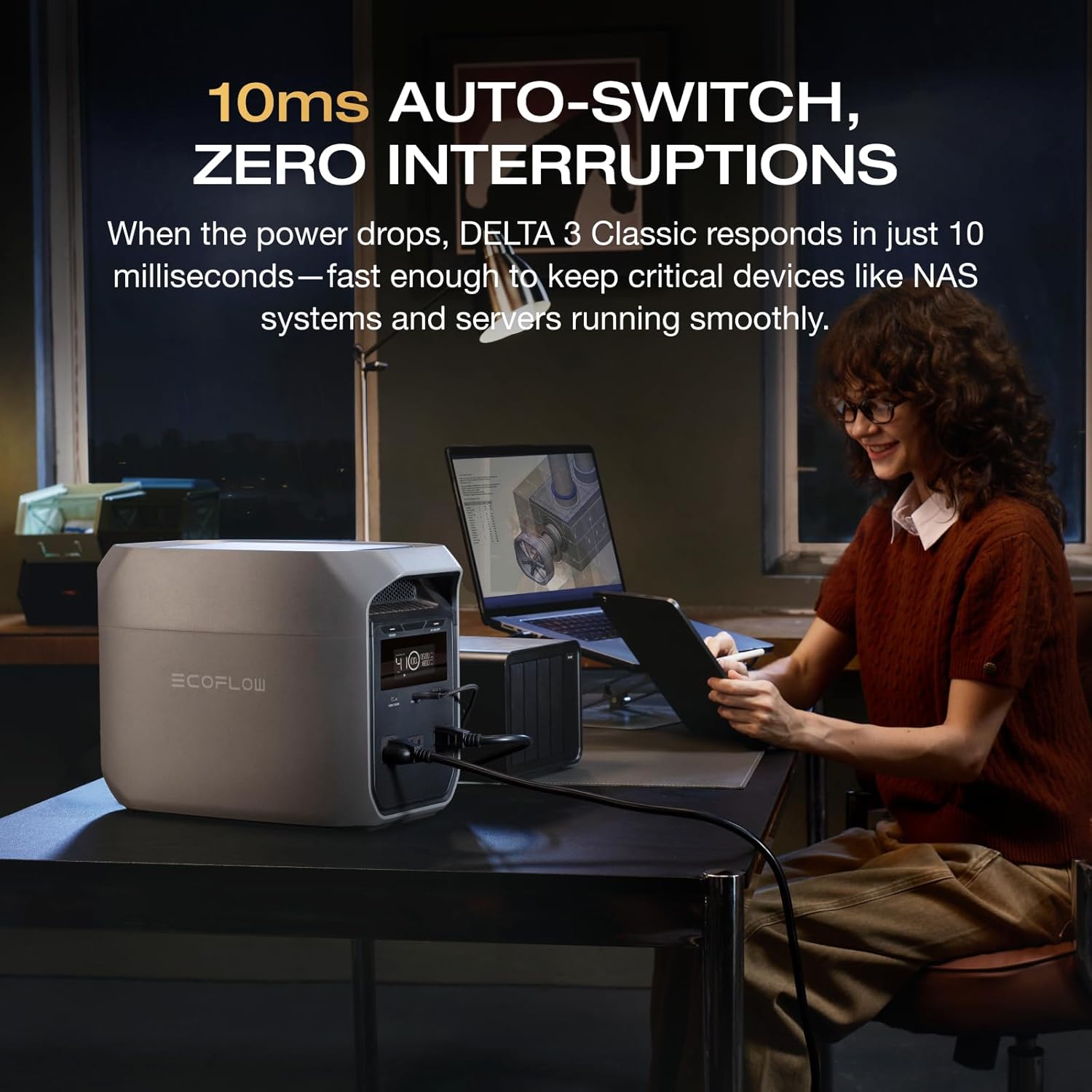
Figure 5.4: The EcoFlow app providing deeper insights and easier control, allowing users to monitor energy usage, set scheduled tasks, and manage backup modes.
6. Maintenance
Battery Care
The DELTA 3 Classic uses LiFePO4 battery cells, designed for over 10 years of daily use. To maximize battery lifespan:
- Avoid fully discharging the battery frequently.
- Store the unit in a cool, dry place when not in use.
- Recharge the unit to 80% every 3-6 months if stored for extended periods.
Cleaning
Use a dry, soft cloth to clean the exterior of the unit. Do not use harsh chemicals or abrasive materials.
7. Troubleshooting
If you encounter issues with your DELTA 3 Classic, refer to the following common problems and solutions.
- Unit not turning on: Ensure the battery is charged. Press and hold the power button for a few seconds.
- No output from ports: Check if the specific output (AC/DC/USB) is enabled. Verify the device connected is within the power station's output limits.
- Slow charging: Ensure the charging cable is securely connected. Check the power source for adequate output. For solar charging, ensure panels are in direct sunlight and clean.
- Overload warning: Disconnect some devices to reduce the load. The unit will automatically recover once the overload is removed.
For further assistance, contact EF ECOFLOW customer support.
8. Specifications
| Feature | Specification |
|---|---|
| Brand | EF ECOFLOW |
| Model Name | DELTA 3 Classic |
| Product Model Number | EF-DL3-C |
| Battery Type | LiFePO4 |
| Capacity | 1024Wh |
| AC Output | 1800W (3600W Surge), X-Boost up to 2600W |
| USB-C Output | 1 x 100W Max, 1 x 30W Max |
| USB-A Output | 1 x 18W Max |
| Charging Time (AC) | 0-80% in 45 minutes |
| Solar Charging Input | Up to 500W (charges in approx. 2.5 hours) |
| UPS Function | <10ms Auto-Switch |
| Dimensions | 20.07 x 28.19 x 39.88 cm |
| Weight | 15 kg (33 lbs) |
| Material | Metal (frame/housing), Plastic/Rubber (insulation), LiFePO4 (battery) |
| Recommended Uses | Camping, Home, Commercial |
9. Warranty and Support
The EF ECOFLOW DELTA 3 Classic comes with a manufacturer's warranty. For detailed warranty information, please refer to the warranty card included with your product or visit the official EF ECOFLOW website.
For technical support, troubleshooting assistance, or spare parts, please contact EF ECOFLOW customer service through their official channels. Ensure you have your product model number (EF-DL3-C) and purchase details ready when contacting support.


