
1. Introduction
This manual provides essential instructions for the assembly, operation, and maintenance of your OKD 70-inch Mid Century Modern Fluted TV Stand. Please read this manual thoroughly before assembly and retain it for future reference. This TV stand is designed to accommodate televisions up to 75 inches, offering both functional storage and an elegant aesthetic.

Image 1.1: The OKD 70-inch Mid Century Modern Fluted TV Stand, showcasing its design and storage capabilities.
2. Safety Information
Please observe the following safety guidelines to prevent injury or damage to the product:
- Weight Capacity: Do not exceed the maximum weight capacity for the top surface (150 lbs) and internal shelves (30 lbs). Overloading can cause the unit to collapse.
- Stability: Ensure the TV stand is placed on a flat, level surface. Uneven surfaces can lead to instability and tipping.
- Children Safety: Keep children away from the assembly area. Do not allow children to climb on or play with the TV stand. Secure the unit to a wall using anti-tip hardware (if included or recommended) to prevent tipping accidents.
- Assembly: Assemble the unit according to the instructions. Do not use power tools unless explicitly stated, as overtightening screws can damage the material.
- Moving the Unit: When moving the assembled unit, always lift it. Do not drag it, as this can damage the legs or structure.
3. Package Contents
Before beginning assembly, verify that all components are present and undamaged. If any parts are missing or damaged, contact customer support immediately. The package should contain:
- All necessary wooden panels (top, bottom, side, back, shelves, doors)
- Legs and support beams
- Hardware kit (screws, dowels, cam locks, hinges, handles, adjustable shelf pins)
- Assembly instructions manual
4. Setup and Assembly
Assembly typically requires two adults and basic tools such as a Phillips head screwdriver. Follow the numbered steps provided in the included assembly guide. Below are general guidelines and key features to note during assembly:
- Unpack and Organize: Lay out all parts on a soft, clean surface to prevent scratches. Group similar hardware components.
- Assemble the Base: Attach the legs and central support beams to the bottom panel. Ensure all connections are secure.
- Construct the Frame: Attach the side panels and internal dividers to the bottom panel, then secure the top panel.
- Install Shelves: Insert the adjustable shelf pins into the desired holes within the open compartments and cabinets. Place the shelves on top of the pins.
- Attach Doors: Mount the soft-close hinges to the doors and then to the cabinet frame. Adjust hinges as needed for proper door alignment.
- Install Handles: Attach the decorative handles to the fluted cabinet doors.
- Back Panel and Cable Management: Secure the back panel. Utilize the pre-drilled cable access holes in the back panel of the open shelf compartments for organizing wires from electronic devices.

Image 4.1: Interior view of the TV stand, highlighting the adjustable shelves and cable management openings.

Image 4.2: Detail of the open shelf and customizable storage compartments.
5. Operating and Usage Guidelines
Once assembled, your OKD TV stand is ready for use. Consider the following for optimal functionality:
- Placement: Position the TV stand in a location that is stable, level, and away from direct sunlight or heat sources.
- Television Placement: Center your television on the top surface. Ensure the TV base fits entirely within the stand's top dimensions. Do not place a TV larger than 75 inches on this stand.
- Cable Management: Utilize the cable access holes in the back of the open compartments to route and organize power cords and AV cables, keeping them tidy and out of sight.
- Storage: Use the two cabinets and open shelf for storing media devices, accessories, books, or decorative items. The adjustable shelves allow for flexible storage configurations.

Image 5.1: The TV stand in use, supporting a television and displaying decorative items.
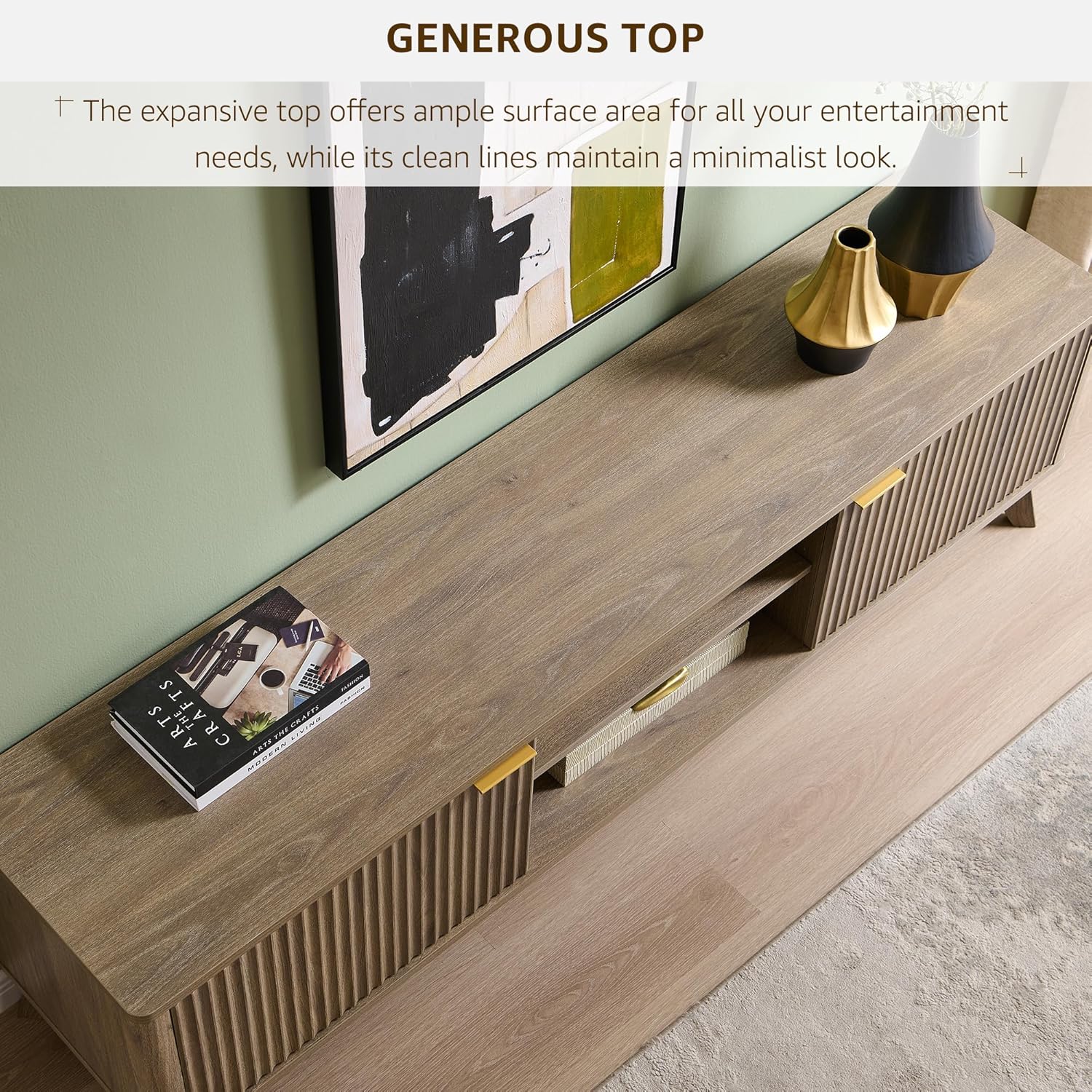
Image 5.2: A top-down view illustrating the expansive surface area for entertainment needs.
6. Maintenance
Proper care will ensure the longevity and appearance of your TV stand:
- Cleaning: Wipe surfaces with a soft, damp cloth. Avoid harsh chemicals, abrasive cleaners, or polishes that may damage the finish.
- Spills: Clean spills immediately with a dry cloth to prevent staining or water damage.
- Hardware Check: Periodically check all screws and fasteners to ensure they remain tight. Retighten if necessary, but do not overtighten.
- Avoid Direct Sunlight: Prolonged exposure to direct sunlight can cause fading or discoloration of the finish.
7. Troubleshooting
If you encounter any issues with your TV stand, refer to the following common problems and solutions:
| Problem | Possible Cause | Solution |
|---|---|---|
| Stand is wobbly or unstable. | Uneven floor; loose fasteners. | Ensure the stand is on a level surface. Check and tighten all assembly fasteners. |
| Cabinet doors do not align or close properly. | Hinges are not adjusted correctly; loose hinge screws. | Adjust the hinge screws to align the doors. Refer to the hinge adjustment section in the detailed assembly guide. |
| Missing parts or damaged components. | Packaging error or shipping damage. | Do not proceed with assembly. Contact OKD customer support with your purchase details. |
8. Specifications
Key specifications for the OKD 70-inch Mid Century Modern Fluted TV Stand:
- Brand: OKD
- Model Number: FPSC70LOTC-BWA
- Color: Alder Grey
- Material: Engineered Wood
- Product Dimensions (L x W x H): 70 x 15.75 x 20 inches
- Item Weight: 86 pounds
- Special Feature: Adjustable Shelf
- Maximum TV Size: Up to 75 inches
- Weight Capacity (Top): 150 lbs
- Weight Capacity (Shelves): 30 lbs

Image 8.1: Dimensional diagram of the TV stand, including width, depth, and height.

Image 8.2: Detail showcasing the curved profile, fluted design, and tapered legs.
9. Warranty and Support
For warranty information, missing parts, or technical assistance, please contact OKD customer support. Keep your purchase receipt and model number (FPSC70LOTC-BWA) readily available when contacting support.
OKD Customer Support: Please refer to the contact information provided with your purchase or visit the official OKD website for support details.