
Important Safety Information
Please read all instructions carefully before assembly and use. Keep this manual for future reference.
- Always assemble this table with two people to ensure stability and prevent injury.
- Do not exceed the maximum weight capacity of 150 pounds on the tabletop.
- Ensure all electrical connections for the LED light and charging station are secure and follow local electrical codes.
- Keep liquids away from electrical components.
Package Contents
Before beginning assembly, verify that all parts listed in the assembly guide are present and undamaged. Refer to the included assembly guide for a detailed list of components and hardware.
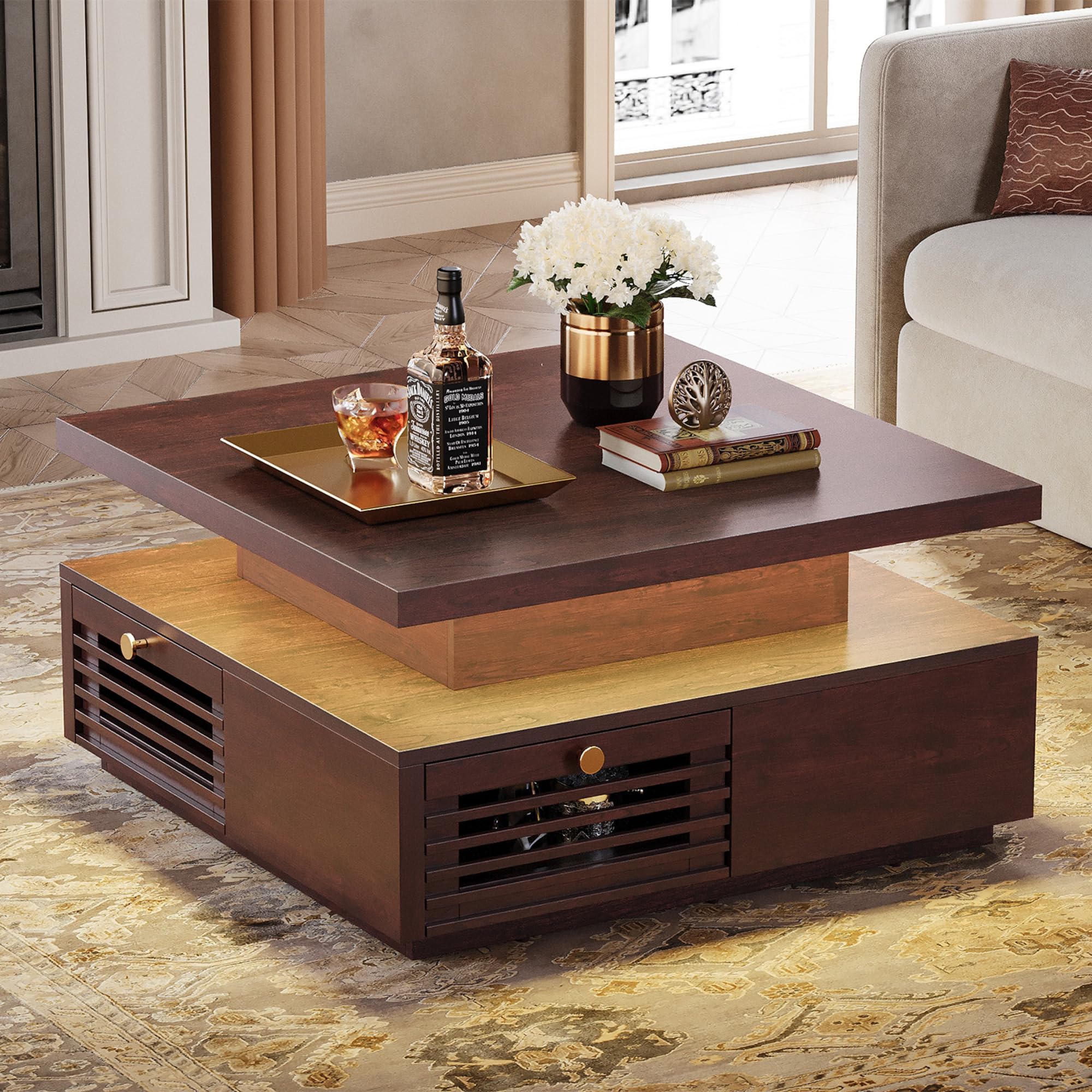
Figure 1: Product Dimensions and Components. This image illustrates the overall dimensions of the coffee table and its individual components, including the main tabletop, lower section, and a drawer with its specific measurements. The overall dimensions are 31.5 inches deep, 31.5 inches wide, and 17.6 inches high. Each drawer measures 14.4 inches wide, 11.8 inches deep, and 4.9 inches high.
Setup and Assembly
The IRONCK Coffee Table is designed for straightforward assembly. Clear step-by-step instructions and all necessary tools are included in the package. For the best experience and to ensure stability, we recommend that two people work together during assembly.
- Unpack all components and lay them out on a clean, soft surface to prevent scratches.
- Identify each part using the labels provided in the assembly guide.
- Follow the detailed, illustrated steps in the assembly guide to construct the table frame.
- Install the drawer slides and assemble the four storage drawers.
- Securely attach the tabletop to the base.
- Connect the LED light strip and charging station according to the electrical connection instructions.

Figure 2: Spacious Desktop and Storage Drawers. This image shows a top-down view of the coffee table with its four drawers pulled open, revealing ample storage space. The tabletop measures 31.5 inches by 31.5 inches, providing a large surface for various items.
Operating Instructions
LED Light with Remote Control
The integrated LED light strip offers customizable ambiance for your living space. It connects directly to the built-in charging station for power.
- Power On/Off: Use the power button on the included remote control to turn the LED lights on or off.
- Color Selection: Choose from 7 vibrant colors using the color buttons on the remote.
- Brightness Adjustment: Adjust the light intensity to your preference using the brightness controls.
- Mode Switching: Cycle through various lighting modes (e.g., flash, strobe, fade, smooth) to create different effects.

Figure 3: Multiple Color Lighting Options. This image displays the coffee table with its LED lights illuminated in different colors, along with the remote control used to operate them. The remote allows selection of 7 colors, brightness adjustment, and mode changes.
Built-in Charging Station
The convenient charging station allows you to power your devices directly from the coffee table.
- The charging station includes 2 AC outlets (120V/12A), 1 USB port (5V/2A), and 1 Type-C port (5V/2A).
- Plug your devices directly into the appropriate port for charging.
- Ensure the coffee table is connected to a power source for the charging station to function.

Figure 4: Convenient Charging Station. This close-up view highlights the built-in charging station on the side of the coffee table, featuring two standard AC outlets, one USB port, and one Type-C port for powering various electronic devices.
Storage Drawers
The four spacious drawers provide hidden storage for various items, helping to keep your living area tidy.
- Each drawer features an elegant grille design and a metal round knob for easy access.
- The drawers are equipped with smooth metal drawer slides for effortless opening and closing.

Figure 5: Square Coffee Table with 4 Drawers. This image focuses on the detail of one of the coffee table's drawers, showcasing its elegant grille design and the round metal knob for opening and closing.
Maintenance
Proper care will ensure the longevity and appearance of your IRONCK Coffee Table.
- Cleaning: The tabletop features a waterproof surface, making it easy to clean. Wipe spills immediately with a soft, damp cloth. Avoid abrasive cleaners or harsh chemicals that could damage the finish.
- Dusting: Regularly dust the table with a dry, soft cloth.
- Drawer Care: Periodically check drawer slides for smooth operation. If needed, clean any dust or debris from the tracks.
- Electrical Components: Ensure the LED light strip and charging station remain dry. Do not immerse in water or spray directly with cleaning solutions.

Figure 6: Easy to Clean and Resistant to Wear. This image demonstrates the waterproof nature of the coffee table's surface, showing a hand wiping away liquid spills, highlighting its ease of maintenance.
Troubleshooting
If you encounter any issues with your coffee table, refer to the following common solutions:
- LED Lights Not Working:
- Ensure the LED strip is properly connected to the charging station.
- Verify the coffee table is plugged into a functional power outlet.
- Check the remote control battery and replace if necessary.
- Charging Station Not Providing Power:
- Confirm the coffee table's power cord is securely plugged into a working wall outlet.
- Test the outlet with another device to ensure it is functional.
- Ensure your device's charging cable is properly connected to the charging station port.
- Drawers Sticking or Not Sliding Smoothly:
- Check for any obstructions in the drawer slides.
- Ensure all assembly hardware for the drawers and slides is tightened correctly.
- Lightly lubricate the metal drawer slides if needed.
Specifications
| Feature | Detail |
|---|---|
| Model Number | HK-BZKFZ-02 |
| Product Dimensions (D x W x H) | 31.5" x 31.5" x 17.7" |
| Item Weight | 97 Pounds |
| Maximum Weight Capacity | 150 Pounds |
| Frame Material | Engineered Wood |
| Number of Drawers | 4 |
| Tabletop Thickness | 1.46 Inches |
| Charging Station | 2 AC Outlets (120V/12A), 1 USB Port (5V/2A), 1 Type-C Port (5V/2A) |
| LED Light | Multi-color with remote control |
| Color | Red Walnut |
| UPC | 791137933391 |

Figure 7: Construction Details. This image highlights key construction features of the coffee table, including anti-slip pads on the base, the substantial 1.46-inch thick tabletop, and the durable metal drawer slides for smooth operation.
Product Video
Watch this official product video for a visual overview of the IRONCK Coffee Table's features and design.
Video 1: IRONCK Coffee Table with LED Light and Charging Station. This video provides a dynamic demonstration of the coffee table, showcasing its spacious desktop, four storage drawers, multiple color LED lighting options, and the convenient built-in charging station. It highlights the table's functionality and aesthetic appeal in a living room setting.
Warranty and Support
For warranty information, please refer to the documentation included with your purchase or contact the retailer. For customer support, you may visit the official IRONCK store on Amazon or contact their customer service directly.
IRONCK Store Link: Visit the IRONCK Store