
Harman Kardon HKENCH900BLKAM
Harman Kardon Enchant-900 Soundbar with Dolby Atmos (2025) Instruction Manual
Model: HKENCH900BLKAM
Introduction
This manual provides essential information for the proper setup, operation, and maintenance of your Harman Kardon Enchant-900 Soundbar. Please read this manual thoroughly before using the product to ensure optimal performance and safety.
The Harman Kardon Enchant-900 Soundbar delivers an immersive audio experience with 3D surround sound, featuring Dolby Atmos and MultiBeam technology. Its distinguished design complements any home entertainment setup, while Harman PureVoice technology enhances dialogue clarity. Enjoy Ultra HD 4K pass-through with Dolby Vision for a complete cinematic experience.
What's in the Box
Carefully unpack your soundbar and verify that all components listed below are present and in good condition. If any item is missing or damaged, contact your retailer.
- Harman Kardon Enchant-900 Soundbar
- Remote Control
- HDMI Cable
- Power Cable
- 2 x L-shape wall-mount brackets with screws

Image: Front view of the Harman Kardon Enchant-900 Soundbar, showcasing its sleek design.
Setup
1. Placement
The soundbar can be placed on a tabletop or mounted on a wall. For optimal audio performance, position the soundbar centrally below your television.
- Tabletop Placement: Ensure the surface is stable and level. Do not block the speakers.
- Wall Mounting: Use the provided L-shape wall-mount brackets and screws. Consult a professional for wall mounting if you are unsure.

Image: Angled view of the soundbar, suitable for illustrating tabletop placement.
2. Connections
Connect your soundbar to your television and power source using the following steps:
- HDMI ARC/eARC Connection: Connect one end of the provided HDMI cable to the HDMI ARC/eARC port on your soundbar and the other end to the HDMI ARC/eARC port on your television. This connection allows audio from your TV to be sent to the soundbar and enables control of the soundbar with your TV remote.
- Other HDMI Devices: If you have external devices like a Blu-ray player or gaming console, connect them to the HDMI IN ports on the soundbar.
- Optical Connection (Optional): If your TV does not have an HDMI ARC/eARC port, connect an optical cable (not included) from your TV's optical output to the OPTICAL IN port on the soundbar.
- Power Connection: Connect the power cable to the soundbar's power input and then to a wall outlet.

Image: Rear view of the soundbar, showing the various input and output ports for connection.
3. Initial Power On
After all connections are made, press the power button on the soundbar or the remote control to turn it on. The soundbar will typically enter setup mode or automatically detect the input source.
Operating Instructions
Basic Controls
The soundbar can be controlled using the included remote control or the buttons on the top panel of the unit.
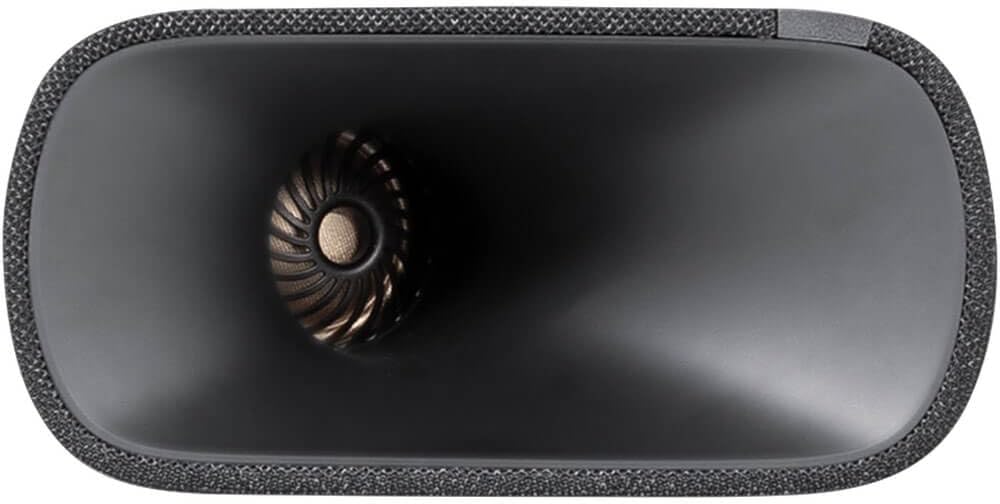
Image: Close-up of the soundbar's top panel, showing the integrated control buttons.
- Power Button: Turns the soundbar on or off.
- Volume Up/Down: Adjusts the master volume level.
- Source/Input: Cycles through available input sources (HDMI, Optical, Bluetooth, Wi-Fi).
- Bluetooth Pairing: Initiates Bluetooth pairing mode for connecting mobile devices.
Sound Modes and Features
- Dolby Atmos: Experience immersive 3D audio. Ensure your content and source device support Dolby Atmos for the full effect.
- MultiBeam Technology: Creates a wide soundstage without additional rear speakers.
- Harman PureVoice: Enhances dialogue clarity, making conversations easier to understand, especially in action-packed scenes. Activate this feature via the remote control or soundbar settings.
- Connectivity: Utilize Airplay, Bluetooth, or Wi-Fi for wireless audio streaming from compatible devices.
Maintenance
To ensure the longevity and optimal performance of your Harman Kardon Enchant-900 Soundbar, follow these maintenance guidelines:
- Cleaning: Use a soft, dry cloth to wipe the surface of the soundbar. Do not use liquid cleaners or abrasive materials, as they may damage the finish.
- Ventilation: Ensure that the soundbar's ventilation openings are not blocked. Adequate airflow prevents overheating.
- Storage: If storing the soundbar for an extended period, disconnect it from power and store it in a cool, dry place, preferably in its original packaging.
Troubleshooting
If you encounter issues with your soundbar, refer to the following common problems and solutions:
| Problem | Possible Solution |
|---|---|
| No power |
|
| No sound |
|
| Poor sound quality |
|
| Remote control not working |
|
Specifications
Detailed technical specifications for the Harman Kardon Enchant-900 Soundbar:
| Model Name | HKENCH900BLKAM |
| Speaker Type | Soundbar |
| Color | Black |
| Product Dimensions | 5.1"D x 34.2"W x 2.6"H |
| Item Weight | 7.7 Pounds |
| Speaker Maximum Output Power | 195 Watts |
| Connectivity Technology | Airplay, Bluetooth, Wi-Fi |
| Mounting Type | Tabletop Mount |
| UPC | 028292291883 |
| Manufacturer | Harman-Kardon |
Warranty and Support
Harman Kardon products are designed for reliability and performance. For information regarding warranty coverage, technical support, or service, please refer to the warranty card included with your product or visit the official Harman Kardon website.
Keep your purchase receipt as proof of purchase for warranty claims.
Related documentsHKENCH900BLKAM


Ask a question about this manual
Ask about setup, troubleshooting, compatibility, parts, safety, or missing instructions. Manuals+ will review the question and use this page’s manual context to help answer it.