
Introduction
The XIAOMI Smart Camera C302 is an indoor security camera designed to provide comprehensive home monitoring. It features 2K UHD resolution, full-color night vision, and advanced AI detection capabilities for humans, pets, and baby cries. The camera offers 360° panoramic viewing, Wi-Fi 6 connectivity, and two-way audio communication. Enhanced privacy is ensured through a physical lens shield and a financial-grade security chip. This manual provides instructions for setting up, operating, maintaining, and troubleshooting your camera.
What's in the Box
Verify that all components are present in your package:
- XIAOMI Smart Camera C302
- Instruction Manual
- Power Adapter
Product Overview
Familiarize yourself with the camera's components.
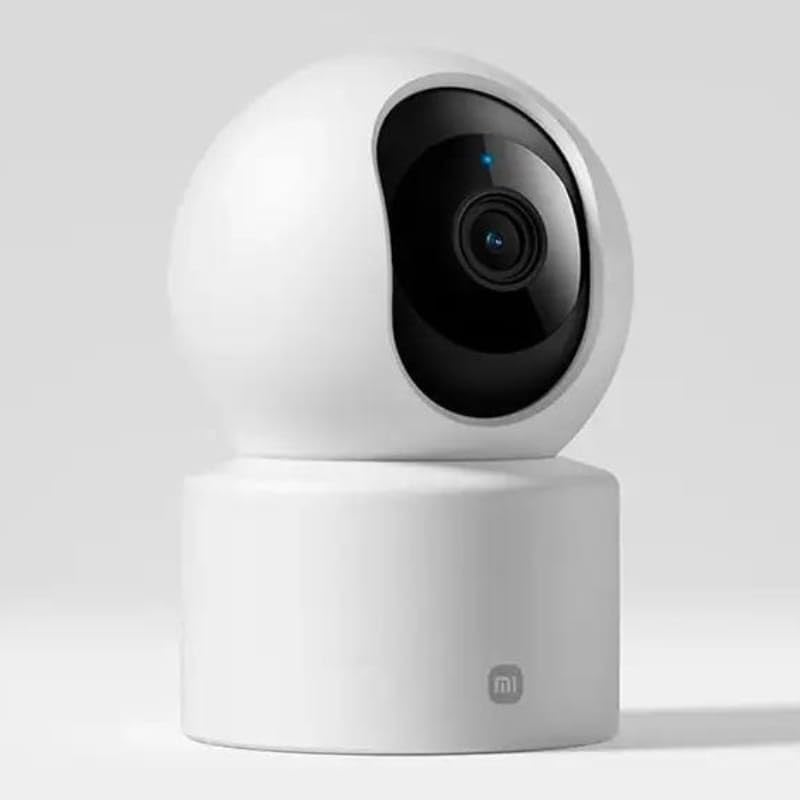
Figure 1: Front view of the camera, highlighting the lens.
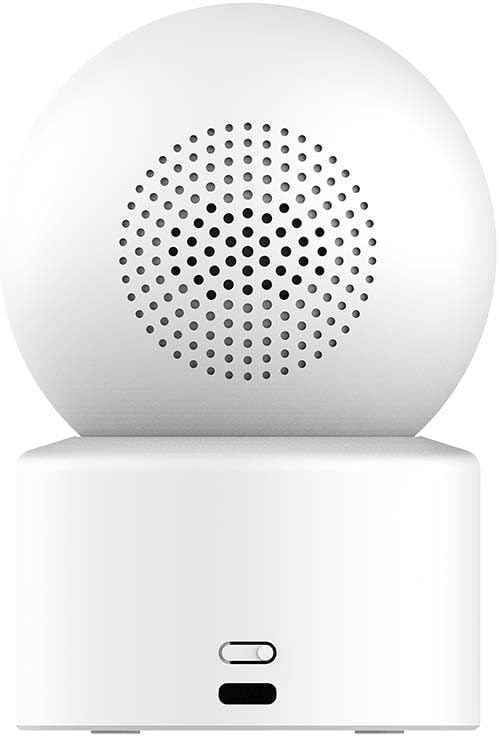
Figure 2: Back view of the camera, showing the speaker and power input.

Figure 3: The camera's physical lens shield mechanism.
Setup
- Power On: Connect the provided power adapter to the camera's power port and plug it into an electrical outlet. The camera will power on and initiate its startup sequence.
- Download Xiaomi Home App: Download and install the "Xiaomi Home" app on your smartphone from your device's app store.
- Add Device: Open the Xiaomi Home app, log in or create an account, and follow the in-app instructions to add the XIAOMI Smart Camera C302. This typically involves scanning a QR code on the camera or selecting it from a list of nearby devices.
- Wi-Fi Connection: Connect the camera to your home Wi-Fi network (2.4GHz or 5GHz, Wi-Fi 6 compatible) through the app. Ensure your Wi-Fi signal is strong in the camera's intended location.
- MicroSD Card Installation (Optional): For local storage, insert a compatible MicroSD card (8GB to 256GB, not included) into the designated slot on the camera. Format the card via the Xiaomi Home app if prompted.
- Placement: Place the camera on a flat surface such as a tabletop. Ensure it has a clear view of the area you wish to monitor.
Operating Instructions
Using the Xiaomi Home App
The Xiaomi Home app is the primary interface for controlling and managing your camera.
- Live View: Access real-time video feed from your camera.
- Pan-Tilt Control: Use the app to remotely rotate the camera 360° horizontally and 107° vertically to adjust the viewing angle.
- Two-Way Audio: Utilize the built-in microphone and speaker for two-way communication.
- Recording & Playback: View recorded footage stored on the MicroSD card or cloud service (subscription may be required).
- Privacy Shield: Activate the physical lens shield through the app to retract the lens into the camera body, blocking the view for privacy.
Smart Detection Features
The camera utilizes local AI for various detection functions:
- Human Detection & Tracking: Receive alerts when a human is detected and the camera can track their movement.
- Pet Detection: Get notifications for pet activity (cats/dogs).
- Baby Cry Detection: Alerts are sent when a baby's cry is detected.
- Virtual Fence & Custom Zones: Define specific areas for monitoring and receive alerts when activity occurs within these zones.
- Abnormal Sound Detection: The camera can detect unusual sounds like glass breaking.
Night Vision
The camera offers two night vision modes:
- Full-Color Night Vision: In low-light conditions, the high-sensitivity sensor enables extended full-color imaging.
- Black & White Night Vision: In complete darkness, six non-glow infrared illuminators provide clear black and white footage.
Voice Control Integration
The camera is compatible with Amazon Alexa and Google Assistant. Link your Xiaomi Home account to these services to control the camera using voice commands, such as viewing live footage on compatible smart displays.
Maintenance
- Cleaning: Use a soft, dry cloth to clean the camera lens and body. Avoid using liquid cleaners or abrasive materials.
- Firmware Updates: Regularly check for and install firmware updates through the Xiaomi Home app to ensure optimal performance and security.
- MicroSD Card Management: Periodically review and manage recordings on your MicroSD card. Format the card through the app if performance degrades or storage is full.
Troubleshooting
- Camera not connecting to Wi-Fi:
- Ensure the camera is within range of your Wi-Fi router. Verify your Wi-Fi password is correct. Try restarting both the camera and your router. Ensure your Wi-Fi network is 2.4GHz or 5GHz and compatible with Wi-Fi 6 standards.
- Poor image quality:
- Check the camera lens for dirt or smudges and clean it gently. Ensure adequate lighting in the monitored area. Verify your internet connection speed is sufficient for streaming 2K video.
- No detection alerts:
- Confirm that detection settings (human, pet, baby cry, virtual fence) are enabled in the Xiaomi Home app. Adjust sensitivity settings if necessary. Ensure the camera's view is not obstructed.
- Two-way audio not working:
- Check microphone and speaker permissions for the Xiaomi Home app on your smartphone. Ensure the camera's volume is not muted in the app.
- Camera is unresponsive:
- Unplug the power adapter, wait 10 seconds, and plug it back in to restart the camera. If the issue persists, a factory reset may be required (refer to the Xiaomi Home app for instructions).
Specifications
| Model Name | Xiaomi Smart Camera C302 |
| Model Number | MBC28 |
| Indoor/Outdoor Usage | Indoor |
| Video Capture Resolution | 2K (3MP Effective Still Resolution) |
| Connectivity Protocol | Wi-Fi (Wi-Fi 6 compatible) |
| Power Source | Corded Electric (5V, 5W) |
| Mounting Type | Tabletop Mount |
| Pan/Tilt Range | 360° Horizontal, 107° Vertical |
| Night Vision | Full-Color (low light), Black & White (IR) |
| Storage Options | MicroSD Card (8-256GB, not included), Cloud Service |
| Smart Home Compatibility | Amazon Alexa, Google Assistant |
| Dimensions (L x W x H) | 3.07 x 2.99 x 4.53 inches |
| Item Weight | 0.34 Kilograms (12 ounces) |
Warranty Information
Warranty terms and conditions for the XIAOMI Smart Camera C302 are typically provided with your purchase documentation or can be found on the official XIAOMI website. Please retain your proof of purchase for warranty claims.
Support
For further assistance, please refer to the help section within the Xiaomi Home app or visit the official XIAOMI support website. You may also find frequently asked questions and additional resources there.


