
CASCHO P125
CASCHO P125 Smart Watch User Manual
Model: P125 | Brand: CASCHO
Introduction
Thank you for choosing the CASCHO P125 Smart Watch. This device is designed to enhance your daily life with advanced health monitoring, fitness tracking, and smart communication features. Please read this manual thoroughly to ensure proper usage and to maximize your experience with the watch.
The CASCHO P125 features a 1.85-inch HD touchscreen, Bluetooth 5.4 connectivity, and compatibility with both iOS and Android systems. It offers comprehensive health tracking including heart rate, blood oxygen (SpO2), and sleep monitoring, alongside over 120 sports modes. Enjoy convenient features like Bluetooth calls, message notifications, and AI voice control.
What's in the Box
- 1 x CASCHO P125 Smart Watch (with pre-installed strap)
- 1 x Charging Cable
- 1 x User Manual
- Additional Strap(s) (e.g., 1 metal strap + 1 silicone strap)
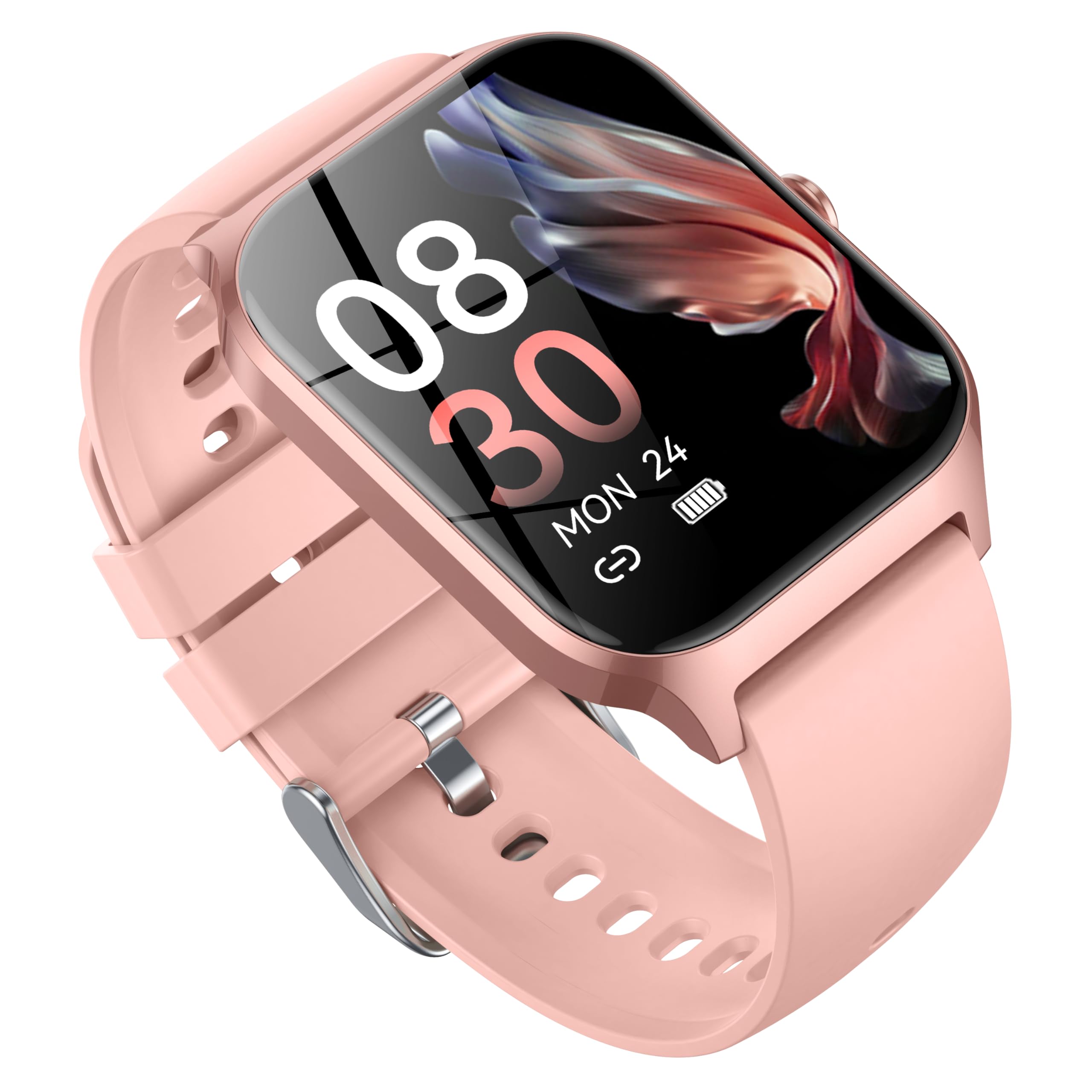
Image: Contents of the CASCHO P125 Smart Watch package, including the watch, charging cable, and user manual.
Setup Guide
1. Initial Charging
Before first use, fully charge your CASCHO P125 Smart Watch. Connect the magnetic charging cable to the charging points on the back of the watch and plug the USB end into a compatible power adapter (not included).
Video: Demonstrates how to correctly use the magnetic data cable to charge the CASCHO P125 Smart Watch.
2. App Download and Pairing
To unlock the full potential of your smart watch, download the companion app. Scan the QR code provided in the manual or on the watch screen to download the "VeryFit" app from the App Store (iOS) or Google Play Store (Android).
- Ensure Bluetooth is enabled on your smartphone.
- Open the "VeryFit" app and follow the on-screen instructions to create an account or log in.
- In the app, select "Add Device" and allow the app to search for your watch.
- Select "P125" or the corresponding device ID from the list of found devices to pair. Confirm the pairing request on both your phone and watch.
Video: Guide on how to connect the smart watch to your smartphone via the companion app.
3. Language and Unit Settings
After successful pairing, you will be prompted to select your preferred language and measurement units (e.g., Celsius/Fahrenheit, km/miles) within the app.
4. Notification Setup
Enable necessary permissions in your phone's settings and within the "VeryFit" app to receive call, message, and app notifications directly on your watch.
5. Health Tracking Activation
Within the app, activate continuous health monitoring for features like heart rate, SpO2, and stress. Note that continuous monitoring may impact battery life.
6. AI Voice Assistant (Alexa)
If desired, sign in to your Amazon Alexa account through the "VeryFit" app to enable AI voice control features on your smart watch.
Operating Your Smart Watch
Basic Navigation
- Swipe Up/Down: Scroll through menus and notifications.
- Swipe Left/Right: Access quick-view widgets or different function screens.
- Tap: Select an item or confirm an action.
- Press Side Button: Return to the home screen or wake the watch.
- Long Press Side Button: Power on/off or access quick settings.
Health Monitoring
The CASCHO P125 continuously monitors your health data. Access these features by swiping through the watch interface or checking the "VeryFit" app.
- Heart Rate: Monitors your heart rate throughout the day.
- Blood Oxygen (SpO2): Measures your blood oxygen saturation levels.
- Sleep Tracking: Automatically records your sleep patterns (deep sleep, light sleep, wakefulness).
- Stress Detection: Provides insights into your stress levels.
- Female Menstrual Cycle Tracking: Helps track and predict menstrual cycles.

Image: The CASCHO P125 Smart Watch displaying heart rate and sleep tracking information.
Sports Modes
With over 120 sports modes, the watch accurately tracks your steps, calories burned, and distance. Select your desired activity from the "Exercise" menu on the watch.
- Includes modes for walking, running, cycling, swimming, yoga, basketball, and many more.
- Synchronize data with the "VeryFit" app for detailed analysis of your fitness progress.

Image: The CASCHO P125 Smart Watch screen showing a selection of available sports modes.
Calls and Messages
The watch supports Bluetooth 5.4 calls, allowing you to answer and make calls directly from your wrist. You will also receive notifications for incoming messages and app alerts.
- Ensure your watch is connected to your phone via Bluetooth for call and message functionality.
- Manage call and message settings within the "VeryFit" app.
Customization
Personalize your watch with over 200 watch face styles available through the "VeryFit" app, or use your own photos for a custom look. The watch also comes with interchangeable straps (metal and silicone) to suit different occasions.
Maintenance
- Cleaning: Regularly wipe the watch screen and straps with a soft, dry cloth. For silicone straps, a mild soap and water solution can be used, ensuring it is thoroughly dried afterward.
- Water Resistance: The watch is IP68 waterproof, suitable for daily use like hand washing or light rain. Avoid prolonged submersion, hot water, or steam.
- Charging: Use only the provided charging cable. Avoid using damaged cables or chargers.
- Storage: Store the watch in a cool, dry place when not in use. Avoid extreme temperatures.
Troubleshooting
- Watch not turning on: Ensure the watch is fully charged. If it's completely drained, it may take a few minutes on the charger before it responds.
- Unable to pair with phone:
- Ensure Bluetooth is enabled on your phone and the watch is within range.
- Check if the "VeryFit" app has all necessary permissions enabled in your phone's settings.
- Restart both your phone and the watch.
- If previously paired, try unpairing and re-pairing the device through the app.
- Notifications not received:
- Verify that notification permissions are granted to the "VeryFit" app in your phone's settings.
- Ensure the watch is connected via Bluetooth.
- Check notification settings within the "VeryFit" app.
- Inaccurate health data: Ensure the watch is worn snugly on your wrist, about one finger's width from your wrist bone. Clean the sensor on the back of the watch regularly.
Specifications
| Brand | CASCHO |
| Model Number | P125 |
| Screen Size | 1.85 Inches |
| Display Type | HD Full Touch Screen |
| Connectivity | Bluetooth 5.4 |
| Compatibility | iOS (9.0+) & Android (5.0+) |
| Water Resistance | IP68 |
| Battery Capacity | 300mAh (Magnetic Charging) |
| Health Monitoring | Heart Rate, SpO2, Sleep, Stress, Female Cycle Tracking |
| Sports Modes | 120+ |
| Item Weight | 80 Grams (2.82 ounces) |
Warranty and Support
For warranty information and customer support, please refer to the documentation included in your product packaging or visit the official CASCHO website. You may also contact the seller directly for assistance.
Additional protection plans are available for purchase separately to extend coverage for your device. Please check the product listing or contact your retailer for details.
Safety Information
- Do not attempt to disassemble, repair, or modify the device yourself.
- Keep the device away from extreme temperatures, direct sunlight, and strong magnetic fields.
- This device is not a medical device. The measurement data is for reference only and should not be used for medical diagnosis or treatment.
- Avoid using the device while driving or in situations that require full attention.
- Keep out of reach of children.
Related documentsP125


Ask a question about this manual
Ask about setup, troubleshooting, compatibility, parts, safety, or missing instructions. Manuals+ will review the question and use this page’s manual context to help answer it.