
1. Introduction
The Crossbeats Lumex Vista Projector is a smart home theater device designed to deliver a high-quality visual and audio experience. Featuring native 1080p resolution with 4K support, 1200 ANSI lumens brightness, and integrated Android TV, this projector offers versatile entertainment options. It includes Dolby Audio for immersive sound and advanced features like auto-focus and auto-keystone correction for easy setup.

Image 1.1: The Crossbeats Lumex Vista Projector showcasing its design and smart interface.
2. What's in the Box
Upon unboxing your Crossbeats Lumex Vista Projector, please ensure all the following items are present:
- User Manual
- Remote Control
- Power Cord
- Warranty Card
- Cleaning Kit
3. Setup
Follow these steps to set up your projector for optimal viewing:
- Placement: Position the projector on a stable, flat surface. The built-in stand allows for flexible placement, including tabletop or ceiling projection. Ensure the projection path is clear of obstructions.
- Power Connection: Connect the power cord to the projector and then to a power outlet.
- Initial Power On: Press the power button on the projector or the remote control to turn on the device.
- Automatic Adjustments: The projector features Auto 6D Keystone Correction and Electric Auto Focus. These functions automatically adjust the image shape and clarity to ensure a rectangular and sharp picture, regardless of the projection angle.
- Manual Adjustments (Optional): If further adjustments are needed, use the remote control to access settings for fine-tuning focus and keystone. The digital zoom function allows you to adjust the screen size between 35% and 100% without moving the projector.

Image 3.1: Illustration of the projector's automatic 6D keystone correction for hassle-free setup.
4. Operating Instructions
The Crossbeats Lumex Vista Projector runs on an integrated Android OS, providing a smart TV experience.
4.1. Smart TV Features
- Built-in Apps: Access over 10,000 apps and 800+ channels directly from the projector, including popular streaming services like Netflix, YouTube, Jio Cinema, Hotstar, Prime Video, and Zee5. No external streaming stick is required.
- Google Play Store: The integrated Google Play Store ensures your applications are always up-to-date with the latest features and security patches.
- User Profiles: Supports multiple user accounts and personalized watchlists for a customized viewing experience for each family member.
- Kids Mode: Utilize Kids Mode with content filters and screen time management features to ensure safe entertainment for children.

Image 4.1: The projector's interface displaying various built-in streaming applications.
4.2. Remote Control
The included remote control provides full navigation and control over the projector's functions. It supports HDMI CEC, allowing you to control connected streaming devices, adjust volume, and navigate menus with a single remote.

Image 4.2: Overview of key features, including the remote control for the projector.
5. Key Features
5.1. Display and Visuals
- Resolution: Native 1080p resolution with support for 4K content, delivering crisp and detailed visuals.
- Brightness: 1200 ANSI lumens for clear images, even in environments with ambient light.
- HDR10+ Optimization: Features HDR10+ dynamic optimization for enhanced contrast and color accuracy, with a color gamut coverage of 99%.
- AI Color Engine: Utilizes an AI Color Engine for vibrant, true-to-life color reproduction and deep dynamic contrast.
- 4-Channel LED Technology: Advanced Quad-LED technology provides richer colors and brighter scenes with superior color accuracy.
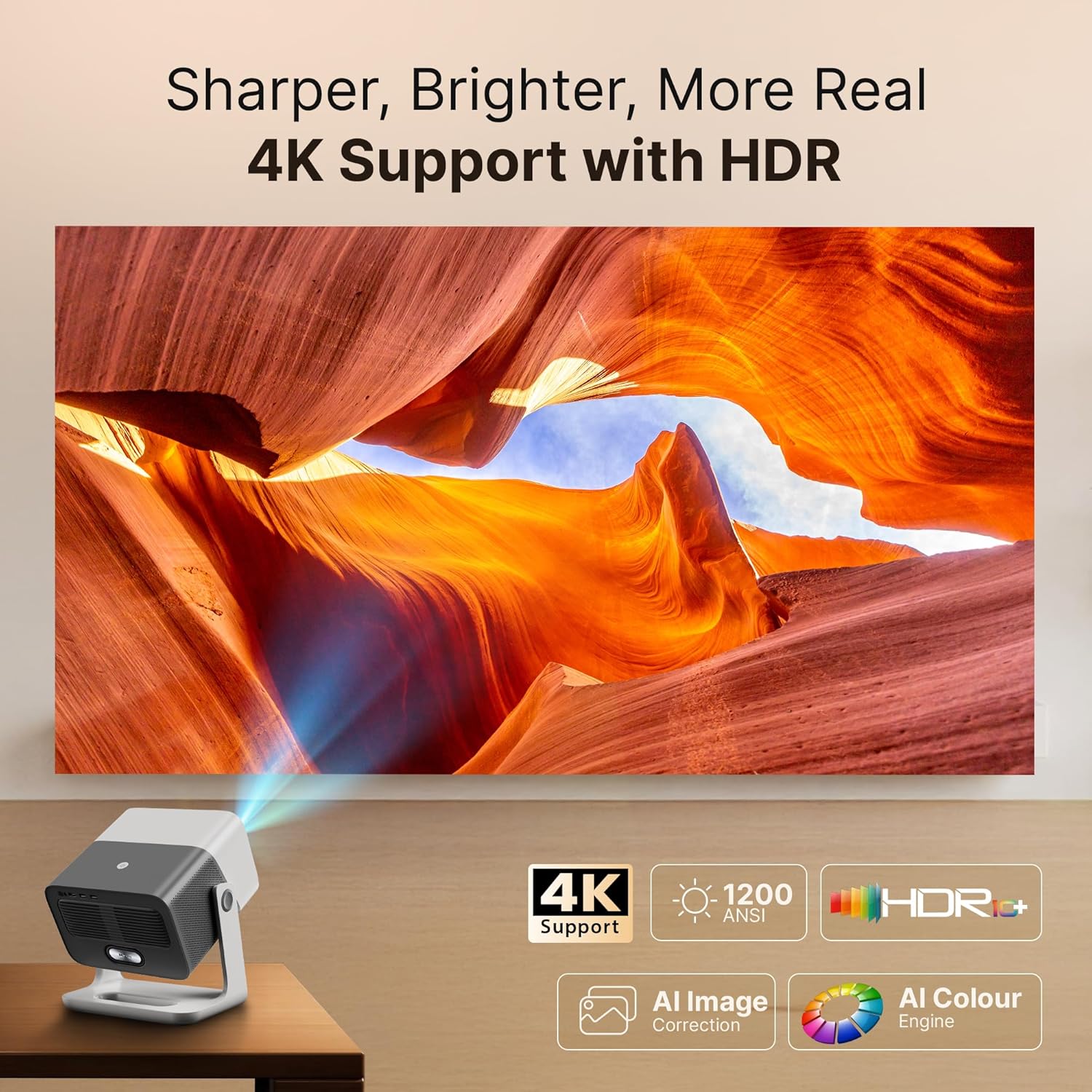
Image 5.1: The projector's capability to display sharp, bright, and realistic 4K HDR content.
5.2. Audio
- Dolby Audio: Officially licensed Dolby Audio provides crystal-clear sound, deep bass, and immersive surround effects for a cinematic experience without additional speakers.
- Dual 24W Speakers: Equipped with dual 24W speakers for rich, full-bodied sound.

Image 5.2: The projector delivering a theatre-like audio experience with Dolby Audio.
5.3. Projection Capabilities
- Large Screen Projection: Capable of projecting images up to 300 inches.
- Short Throw Ratio: A 1:1 short throw ratio allows for a 100-inch screen from a shorter distance, saving space.
- Eye-Care Design: Soft diffusion eye-care design helps reduce eye strain during extended viewing.

Image 5.3: Visual representation of the projector's ability to create a grand-scale display up to 300 inches.
5.4. Performance and Reliability
- Quad-Core Chipset: Powered by an efficient quad-core processor for smooth operation and application performance.
- Triple Turbo-Cooling: An intelligent triple-fan cooling system maintains optimal operating temperatures for peak efficiency and longevity.
- Long Lamp Life: The LED lamp has a lifespan of up to 50,000 hours, offering extended use and cost savings.
- Durability: Tested through over 40 rigorous reliability checks, including continuous operation, power switch endurance (5000+ cycles), all-weather endurance, port endurance (10,000+ connection cycles), and power shield protection.

Image 5.4: Diagram illustrating the Triple Turbo-Cooling system for quiet and reliable performance.
6. Connectivity
The Lumex Vista Projector offers a variety of connectivity options:
- Wireless: Built-in Wi-Fi 6 (dual-band 2.4G and 5G) for fast internet access and seamless screen casting/mirroring from Android and iOS devices. Bluetooth for connecting external audio devices or accessories.
- Wired: HDMI, USB (including USB 3.0), and a 3.5mm audio port. These ports allow connection to gaming consoles (PS5, Switch), laptops, smartphones, speakers, and tablets.

Image 6.1: The projector's rear panel highlighting its multi-source ready connectivity ports.
7. Maintenance
Proper maintenance ensures the longevity and optimal performance of your projector.
- Dust-Free Design: The projector features a sealed optical engine, which significantly reduces dust accumulation and black spots, extending its lifespan and maintaining image quality.
- Cleaning: Use the provided cleaning kit to gently clean the lens and exterior surfaces. Avoid abrasive materials or harsh chemicals.
- Ventilation: Ensure the projector's ventilation ports are not blocked to allow for proper airflow and cooling.

Image 7.1: Illustration of the projector's dust-free design with a full sealed optical engine.
8. Troubleshooting
If you encounter issues with your projector, refer to the following common troubleshooting tips:
- No Power: Ensure the power cord is securely connected to both the projector and a working power outlet. Try a different outlet if necessary.
- No Image: Check that the projector is powered on. Verify the input source is correctly selected (e.g., HDMI, internal Android TV). Ensure any connected devices are also powered on and outputting a signal.
- Blurry Image: Allow the auto-focus feature to complete its adjustment. If still blurry, manually adjust the focus via the remote control. Ensure the projection surface is flat and the projector is stable.
- Distorted Image: The auto-keystone correction should automatically rectify image distortion. If the image remains trapezoidal, check for obstructions or manually adjust keystone settings in the menu.
- No Sound: Check the volume level on the projector and any connected external audio devices. Ensure the correct audio output is selected in the settings. If using an external source, verify its audio output.
- Remote Not Responding: Check the remote control's batteries. Ensure there are no obstructions between the remote and the projector's IR receiver.
- Wi-Fi/Bluetooth Connectivity Issues: Restart the projector and your router. Ensure the projector is within range of your Wi-Fi network. Re-pair Bluetooth devices if connection is lost.
For persistent issues, please refer to the official Crossbeats support channels.
9. Specifications
| Feature | Specification |
|---|---|
| Brand | CrossBeats |
| Model | VISTA |
| Model Year | 2025 |
| Product Dimensions | 32.8 x 32.8 x 32 cm; 1.8 kg |
| Hardware Interface | 3.5mm Audio, Bluetooth, HDMI, USB, USB 3.0 |
| Compatible Devices | Gaming Console, Laptop, Smartphone, Speaker, Tablet |
| Special Features | 3D-Ready, Auto Focus, Auto Obstacle Avoidance, Built-In Wi-Fi, Dust-Proof |
| Display Technology | 4K Support, DLP, LCD, LED Laser |
| Display Type | LED |
| Image Brightness | 1200 ANSI Lumens (16000 stated in specs, but 1200 ANSI is consistent in features) |
| Image Contrast Ratio | 20000:1 Pixels |
| Aspect Ratio | 16:9 |
| Screen Resolution | 1920 x 1080 (Native) |
| Resolution (Supported) | 3840 x 2160 Pixels (4K) |
| Refresh Rate | 120 Hz |
| Connector Type | Bluetooth, HDMI, USB, Wi-Fi |
| Form Factor | Portable, Lightweight |
| Mounting Type | Tabletop Mount |
| Item Weight | 1 kg 800 g |
10. Warranty and Support
Your Crossbeats Lumex Vista Projector comes with a Warranty Card. Please refer to this card for detailed information regarding warranty coverage, terms, and conditions.
For technical support, service inquiries, or further assistance, please contact Crossbeats customer service through their official website or the contact information provided on your Warranty Card.
Keep your purchase receipt and Warranty Card in a safe place as proof of purchase for any warranty claims.


