
1. Product Overview
The VILTROX AF 9mm F2.8 APS-C Lens is an ultra-wide-angle prime lens designed for Nikon Z-Mount APS-C cameras. It offers a broad 113.8° field of view, making it suitable for capturing expansive landscapes, architectural scenes, cityscapes, and immersive vlogs. The bright F2.8 aperture provides excellent low-light performance and creative depth of field control.
Key Features:
- 113.8° Ultra Wide-Angle View: 9mm focal length (equivalent to 13.5mm on full frame) for expansive perspectives.
- Bright F2.8 Large Aperture: Enables excellent low-light performance and depth of field control.
- Fast & Accurate Autofocus: Equipped with an STM stepping motor for smooth, quiet, and precise focusing.
- Close-Focus Capability: Minimum focusing distance allows for dramatic wide-angle close-ups.
- Compact & Lightweight Design: Portable for daily use with a 52mm filter thread and durable metal mount.
- USB-C Firmware Upgrades: Supports future firmware updates for long-term performance.
What's in the Box:
- 9mm F2.8 camera lens
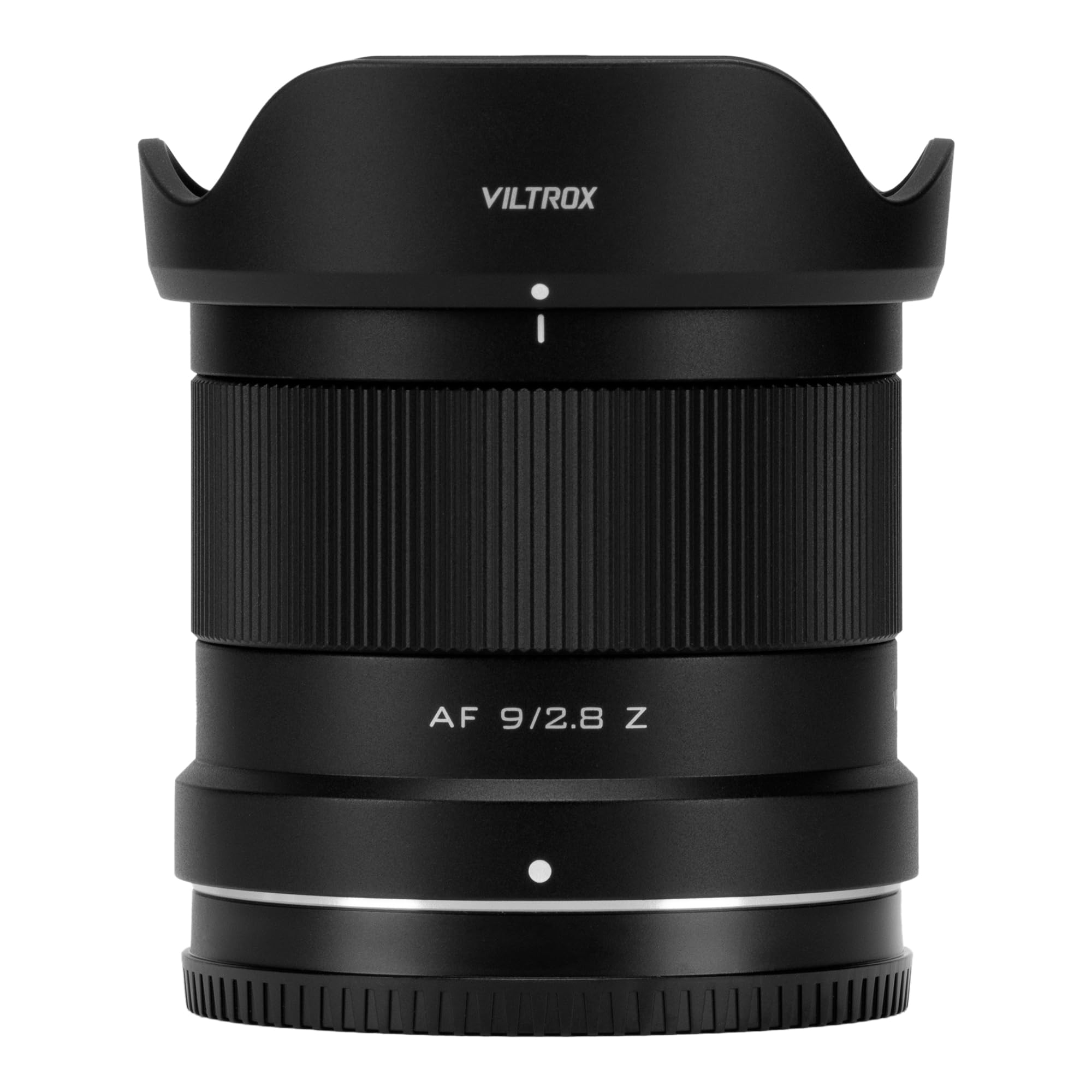
Figure 1: VILTROX AF 9mm F2.8 APS-C Lens, a compact and versatile ultra-wide-angle lens.

Figure 2: Contents of the VILTROX AF 9mm F2.8 APS-C Lens package, including the lens, caps, and documentation.
2. Setup
2.1 Attaching the Lens
- Align the white dot on the lens barrel with the white dot on your Nikon Z-Mount camera body.
- Gently insert the lens into the camera's lens mount.
- Rotate the lens clockwise until it clicks into place, indicating it is securely locked.

Figure 3: Rear view of the VILTROX AF 9mm F2.8 lens, showing the Nikon Z-Mount interface and electronic contacts.

Figure 4: The VILTROX AF 9mm F2.8 lens securely mounted on a Nikon Z-Mount camera body.
2.2 Firmware Updates
The lens features a USB-C port on the mount for firmware updates. Regularly check the VILTROX official website for the latest firmware to ensure optimal performance and compatibility with new camera models.
Video 1: Product Unboxing Details. This video provides a brief overview of the lens and its components, including the USB-C port for firmware updates.
3. Operating the Lens
3.1 Autofocus (AF)
The VILTROX AF 9mm F2.8 lens utilizes an STM stepping motor for fast, quiet, and precise autofocus. Ensure your camera's autofocus mode is set appropriately for your shooting scenario (e.g., Single-servo AF for still subjects, Continuous-servo AF for moving subjects).
3.2 Aperture Control
The lens features a bright F2.8 maximum aperture, allowing for excellent performance in low-light conditions and creative control over depth of field. Adjust the aperture via your camera's settings or the lens's aperture ring if available, depending on your camera model and lens version.
3.3 Ultra-Wide Perspective
With a 9mm focal length, this lens provides an ultra-wide perspective. Experiment with different angles and compositions to fully utilize its expansive field of view for landscapes, architecture, and vlogging.
Video 2: AF 9mm F2.8 Air Z Ultra-Wide Field of View. This video demonstrates the expansive field of view and image quality of the VILTROX AF 9mm F2.8 lens.
Video 3: VILTROX 9mm F2.8 APS-C Prime Lens. This video showcases various applications and features of the VILTROX 9mm F2.8 lens.
4. Maintenance
4.1 Cleaning the Lens
- Use a soft, lint-free cloth or a lens brush to remove dust from the lens surface.
- For smudges or fingerprints, use a lens cleaning solution specifically designed for optical elements and a microfiber cloth.
- Avoid touching the glass elements directly with your fingers.
4.2 Storage
- When not in use, attach both front and rear lens caps to protect the glass elements.
- Store the lens in a dry, cool place, away from direct sunlight and extreme temperatures.
- Consider using a dehumidifying cabinet or silica gel packets in humid environments to prevent mold growth.

Figure 5: Front view of the VILTROX AF 9mm F2.8 lens, showing the front element and filter thread.
5. Troubleshooting
5.1 Lens Not Recognized by Camera
- Ensure the lens is securely attached to the camera body. Remove and reattach the lens.
- Clean the electronic contacts on both the lens and the camera body with a clean, dry cloth.
- Check for available firmware updates for both the lens and your camera. Outdated firmware can sometimes cause compatibility issues.
5.2 Autofocus Issues
- Verify that the camera's autofocus mode is correctly set for your subject.
- Ensure there is sufficient light for the autofocus system to operate effectively.
- If issues persist, perform a firmware update for the lens.
6. Specifications
| Feature | Specification |
|---|---|
| Brand | VILTROX |
| Model | AF 9mm F2.8 Z-Mount |
| Focal Length | 9mm (Ultra Wide Angle) |
| Maximum Aperture | F2.8 |
| Lens Type | Wide Angle |
| Compatible Mountings | Nikon Z |
| Product Dimensions | 0.6 x 2.3 x 2.3 inches |
| Item Weight | 10.6 ounces |
| Filter Thread Size | 52mm |
7. Warranty and Support
For warranty information, technical support, or service inquiries, please refer to the warranty card included in your product packaging or visit the official VILTROX website. Ensure you register your product if required to activate your warranty.


