
Introduction
Thank you for choosing the Mingdaln G302 Smartwatch. This device is designed to enhance your daily life with features such as wireless call and message alerts, comprehensive activity tracking with over 120 sport modes, and robust IP68 water resistance. This manual provides essential information for setting up, operating, and maintaining your smartwatch to ensure optimal performance. Please read this guide thoroughly before use.
What's in the Box
- Mingdaln G302 Smartwatch
- Magnetic Charging Cable
- User Manual
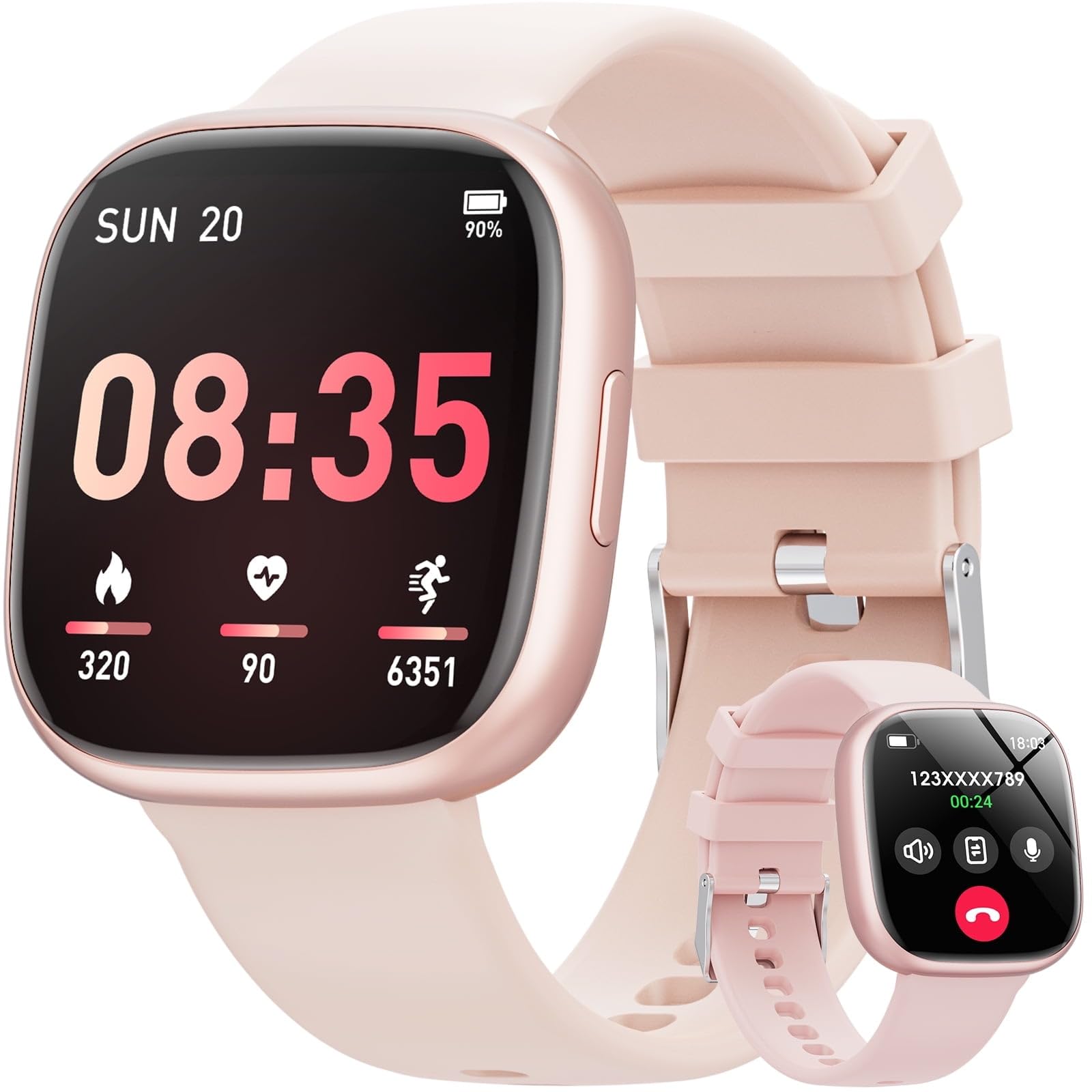
Image: The Mingdaln G302 Smartwatch with its included magnetic charging cable and user manual.
Setup
1. Charging the Smartwatch
Before initial use, fully charge your smartwatch. Connect the magnetic charging cable to the charging contacts on the back of the watch. Plug the USB end of the cable into a standard USB power adapter (5V/1A recommended). The watch display will indicate charging status. A full charge typically takes approximately 2 hours.
2. Pairing with Your Smartphone
- Download the companion application: Search for the 'Mingdaln Fit' app (or similar name specified in the quick start guide) on the Apple App Store or Google Play Store and install it on your smartphone.
- Enable Bluetooth: Ensure Bluetooth is enabled on your smartphone.
- Open the app and follow the on-screen instructions to create an account and pair your smartwatch. The app will guide you through the process of finding and connecting to your G302 device.
- Grant necessary permissions: Allow the app to access notifications, location, and other requested permissions for full functionality.
Operating Your Smartwatch
Basic Navigation
- Touch Screen: Swipe left/right to navigate between main functions, swipe up/down for quick settings or notifications. Tap to select.
- Side Button: Press to wake/sleep the screen, return to the home screen, or long-press to power on/off.
Wireless Call and Message Alerts
Once paired with your smartphone, the G302 Smartwatch can receive call and message notifications. Ensure the 'Call Alert' and 'Message Alert' features are enabled within the companion app. You can answer or reject calls directly from the watch, and view incoming messages.
Sport Modes
The smartwatch supports over 120 sport modes. To access them, navigate to the 'Workout' or 'Sport' section on your watch. Select your desired activity to start tracking. The watch will record data such as duration, calories burned, and heart rate. Sync with the app to view detailed statistics.
Water Resistance (IP68)
The G302 Smartwatch is IP68 rated, meaning it is resistant to dust and can withstand immersion in water up to 1.5 meters for up to 30 minutes. It is suitable for daily use, hand washing, and light rain. Avoid hot water, saunas, or diving, as these conditions may compromise the water resistance.
Maintenance
Cleaning
Regularly clean your smartwatch and strap. Use a soft, dry, lint-free cloth to wipe the screen and body. For the strap, a slightly damp cloth can be used. Avoid using harsh chemicals or abrasive materials.
Care and Storage
Store your smartwatch in a cool, dry place when not in use. Avoid exposing it to extreme temperatures, direct sunlight, or strong magnetic fields. Do not attempt to disassemble the device, as this will void the warranty.
Troubleshooting
| Issue | Solution |
|---|---|
| Watch not turning on | Ensure the watch is fully charged. Connect to the charging cable and allow it to charge for at least 30 minutes before attempting to power on. |
| Cannot pair with smartphone | Check that Bluetooth is enabled on your phone. Ensure the watch is within range. Restart both the watch and your phone. Try unpairing and re-pairing through the app. |
| Notifications not received | Verify that notification permissions are granted to the companion app on your smartphone. Check that 'Call Alert' and 'Message Alert' are enabled in the app settings. Ensure the watch is connected via Bluetooth. |
| Inaccurate activity data | Ensure the watch is worn snugly on your wrist, about one finger's width above your wrist bone. Update the watch firmware and app to the latest versions. |
| Screen unresponsive | Restart the smartwatch by long-pressing the side button until the power options appear, then select 'Restart'. If unresponsive, allow the battery to fully drain and then recharge. |
Specifications
| Feature | Detail |
|---|---|
| Model Number | G302 |
| Operating System | Wear OS 1.1 |
| Display Size | 1.72-inch |
| Special Features | Activity Tracker, Wireless Call/Message Alert, 120+ Sport Modes |
| Water Resistance | IP68 |
| GPS | No GPS |
| Compatible Devices | Smartphone (Android and iPhone) |
| Manufacturer | Mingdaln |
| UPC | 607603387493 |
| ASIN | B0FQNJMDSW |
Warranty and Support
The Mingdaln G302 Smartwatch comes with a 1-year manufacturer's warranty from the date of purchase. This warranty covers manufacturing defects under normal use. It does not cover damage caused by misuse, accidents, unauthorized modifications, or failure to follow the instructions in this manual.
For technical support, warranty claims, or further assistance, please contact your retailer or visit the official Mingdaln support website. Please have your purchase receipt and product model number (G302) ready when contacting support.