
Introduction
The Dsoon VR300 3D VR Night Vision Binoculars are designed to provide an immersive visual experience with advanced night vision capabilities. Featuring industrial-grade sensors, 3D imaging, and high-resolution photo and video recording, these binoculars are suitable for various outdoor activities. This manual provides essential information for the proper setup, operation, and maintenance of your device.
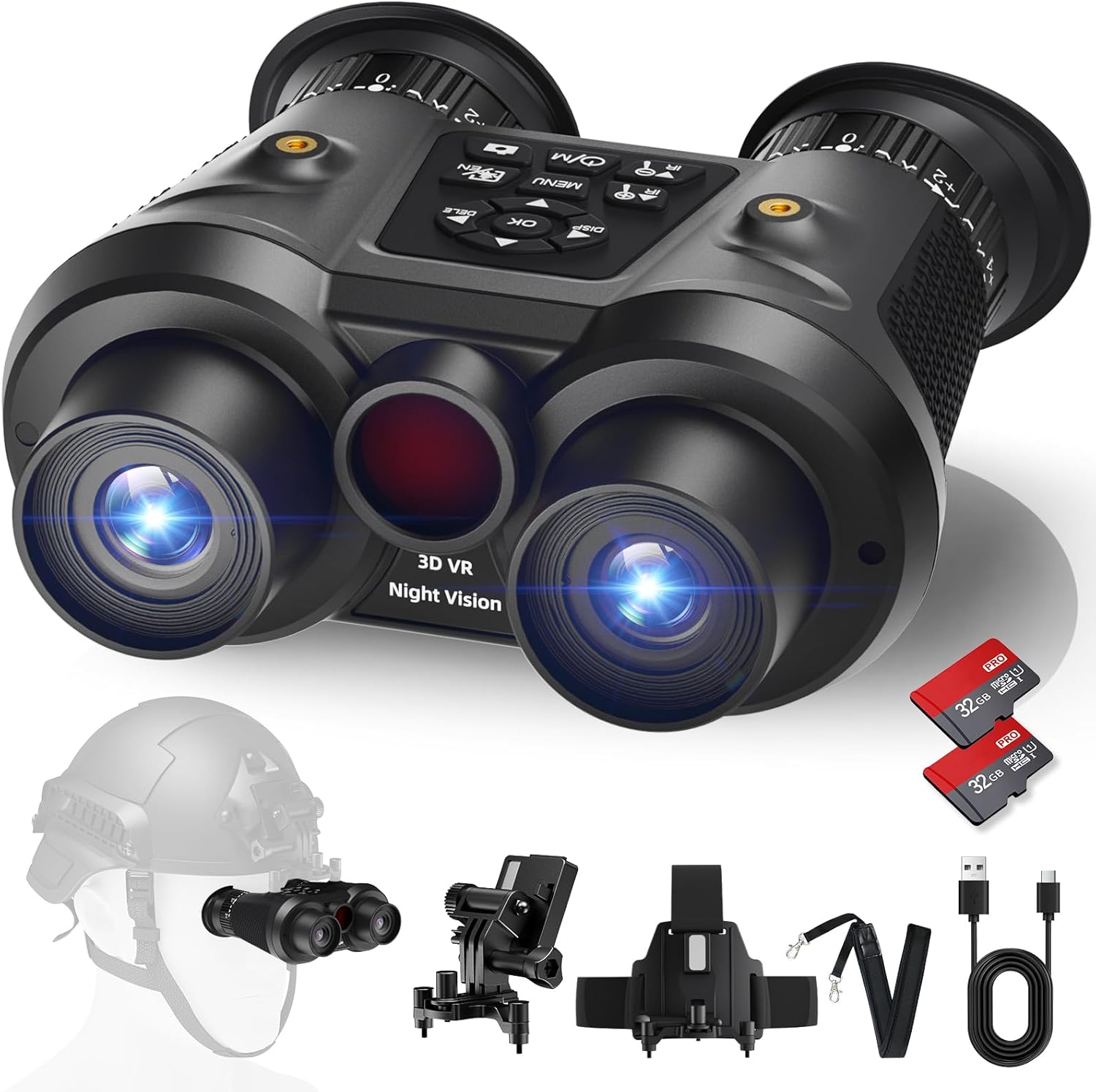
Figure 1: Dsoon VR300 3D VR Night Vision Binoculars
What's in the Box
Upon unpacking, please ensure all the following items are present:
- Dsoon VR300 3D VR Night Vision Goggles
- Carrying Case
- Helmet Mount
- Neck Strap
- Charging Cable
- Lens Cleaning Cloth
- Two (2) SD Cards (64GB total)
- User Manual

Figure 2: Package contents including binoculars, case, and accessories.
Setup
1. Inserting SD Cards
Locate the SD card slots on the device. Gently insert the provided SD cards into their respective slots until they click into place. The device supports two individual cameras, each requiring an SD card for recording.
2. Charging the Device
Connect the charging cable to the device's charging port and a suitable power source. Ensure the device is fully charged before first use for optimal battery performance.
3. Attaching Neck Strap or Helmet Mount
Attach the neck strap for hands-free carrying or the helmet mount for head-mounted operation. The helmet mount features a flip-up mechanism for convenience.
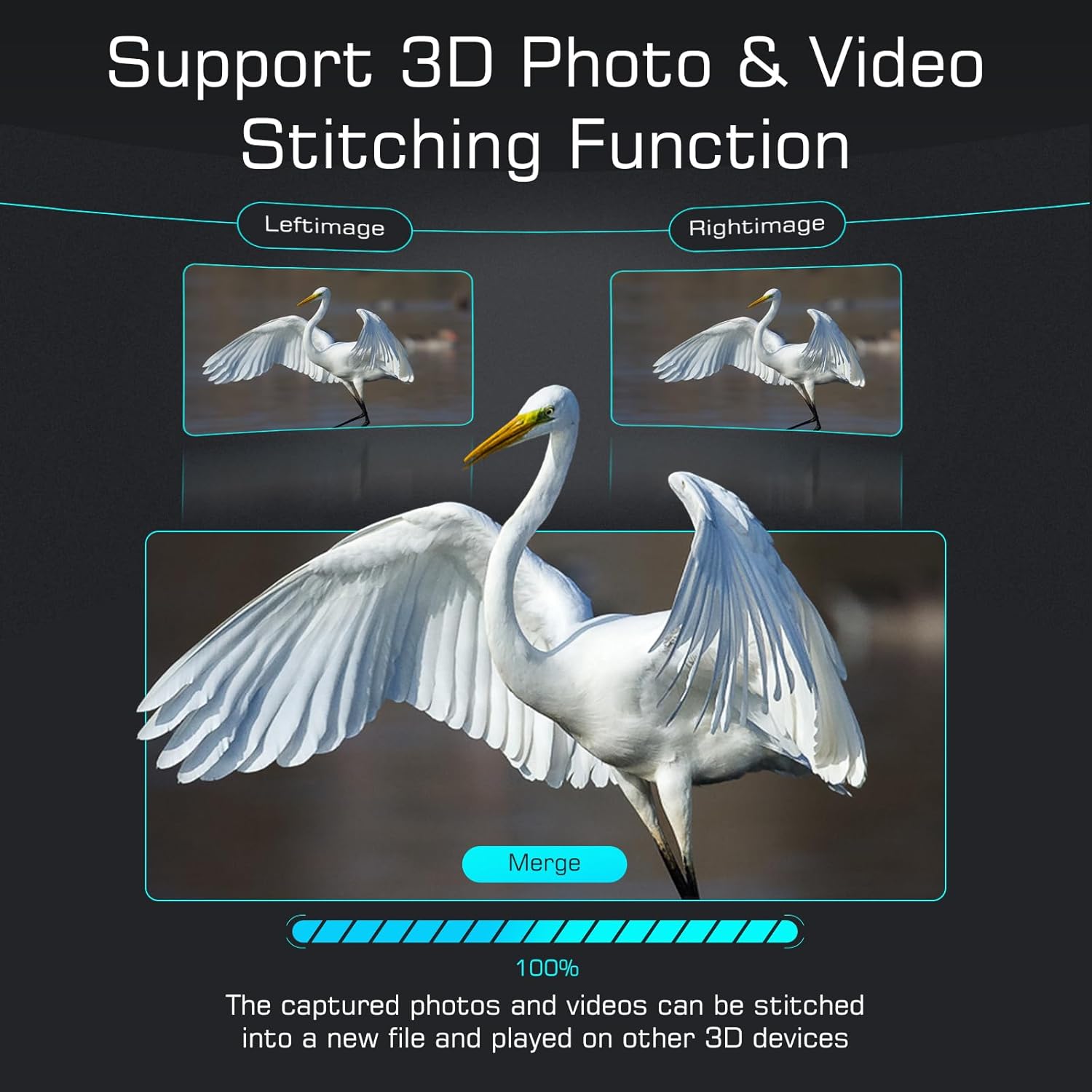
Figure 3: Helmet mount attachment for hands-free use.
4. Adjusting Diopter
The binoculars feature independent adjustable dual lenses with a diopter adjustment range of +/-4. Rotate the diopter adjustment wheels on each eyepiece to achieve optimal focus for your individual vision, accommodating nearsightedness or farsightedness up to 400 degrees.
Operating Instructions
1. Power On/Off and Mode Selection
Press the power button to turn the device on or off. Use the mode button (W/O or M) to cycle between video recording, photo capture, and playback modes. The device supports 8K (8064x3024) photo and 4K (3840x1080) video resolutions.
2. Infrared (IR) Adjustment
The device offers 7 levels of infrared illumination. Use the IR +/- buttons to adjust the brightness of the infrared light, enhancing visibility in low-light or complete darkness conditions.

Figure 4: Night Vision Enhanced Mode showing varying IR levels.
3. Digital Zoom
Utilize the digital zoom function to magnify your view up to 6 times. This allows for closer observation of distant subjects. Note that excessive digital zoom may reduce image clarity.

Figure 5: Demonstrating 6X digital zoom for enhanced viewing.
4. Lift-to-Wake Technology
The device features a lift-to-wake function. The display automatically activates when you bring the binoculars to your eyes and turns off when you move them away, conserving battery life and allowing for quick readiness.
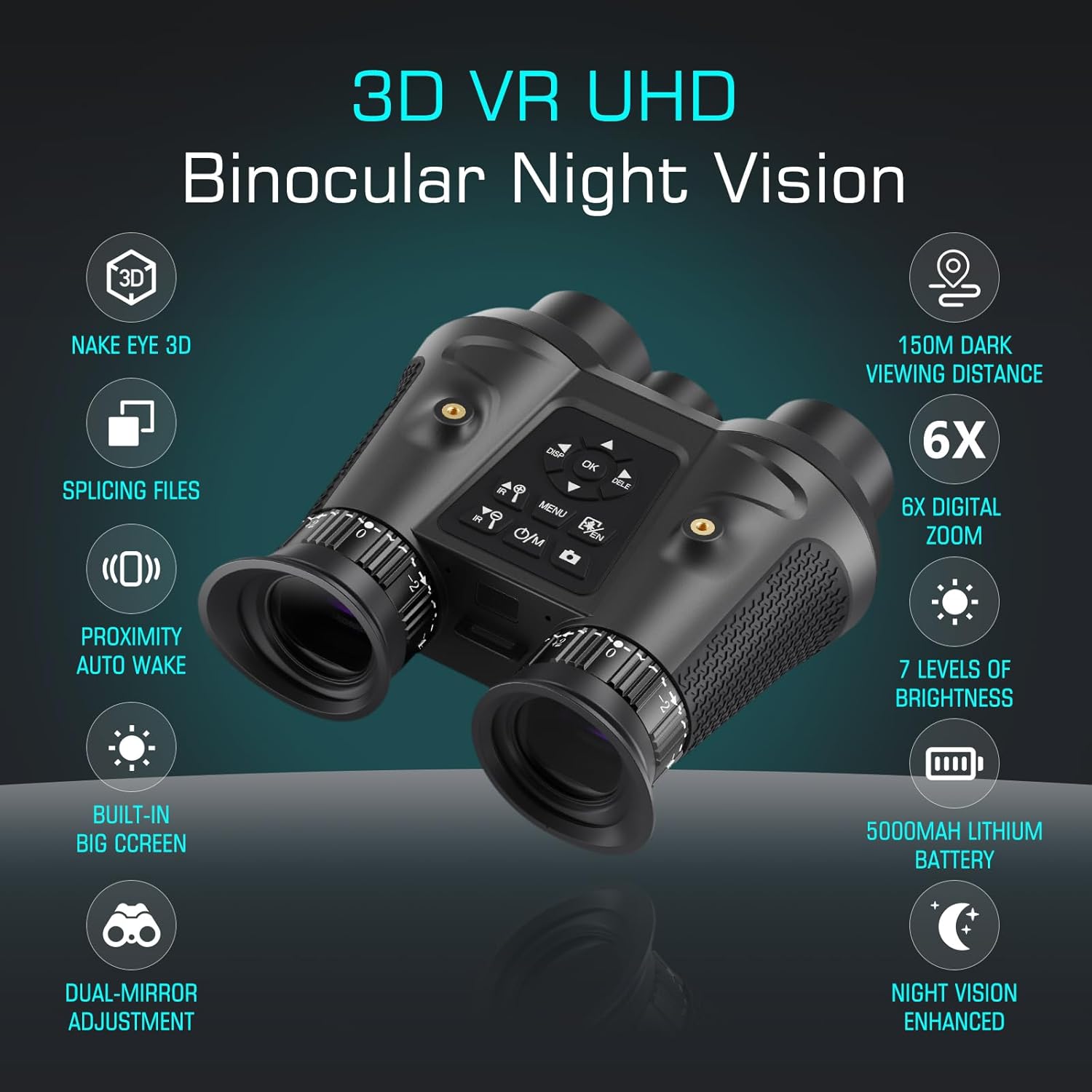
Figure 6: Illustration of the Lift-to-Wake function.
5. 3D Photo & Video Stitching
The VR300 binoculars can seamlessly merge 3D photos and videos captured by its dual cameras. The stitched files can be played back on other 3D-compatible devices for an immersive experience. Note: 3D polarized glasses (not included) are required to view 3D images or videos.

Figure 7: Visual representation of 3D photo and video stitching.
6. Usage Scenarios
The Dsoon VR300 is versatile for various activities including hunting, wildlife observation, camping, boat fishing, and hiking, providing clear vision in diverse environments.

Figure 8: Examples of activities where the binoculars can be used.
7. Official Product Video
Video 1: Official product video showcasing the Dsoon 8K UHD Night Vision Binoculars for Adults.
Maintenance
1. Cleaning Lenses
Use the provided lens cleaning cloth to gently wipe the lenses. Avoid using abrasive materials or harsh chemicals that could damage the optical coatings. For stubborn smudges, a small amount of lens cleaning solution designed for optics can be applied to the cloth, not directly to the lens.
2. Storage
When not in use, store the binoculars in their protective carrying case in a cool, dry place away from direct sunlight and extreme temperatures. Ensure the lens caps are in place to prevent dust accumulation and scratches.
3. Battery Care
To prolong battery life, avoid fully discharging the device frequently. Recharge the battery regularly, even if the device is not in active use for extended periods.
Troubleshooting
- Device not powering on: Ensure the battery is fully charged. Check the charging cable and adapter for proper connection.
- Poor image quality: Clean the lenses with the provided cloth. Adjust the diopter for each eye. Ensure sufficient IR illumination in dark conditions.
- SD card error: Ensure the SD cards are correctly inserted. Format the SD cards through the device's menu if issues persist (this will erase all data).
- 3D stitching issues: Ensure both cameras are recording properly. Verify that the files are being processed correctly on your computer for 3D viewing.
- Display not activating (Lift-to-Wake): Check for any obstructions near the eye sensor. Ensure the feature is enabled in the device settings.
Specifications
| Brand | Dsoon |
| Model Name | VR300 |
| Age Range (Description) | Adult |
| Special Features | Focus Knob, LCD Display, Night Vision, Portable, Seamless 3D Integration |
| Objective Lens Diameter | 45 Millimeters |
| Magnification Maximum | 6 x |
| Specific Uses | 3D |
| Prism Type | Roof Prism |
| Exit-Pupil Diameter | 7.5 Millimeters |
| Coating | Anti-Reflective |
| Water Resistance Level | Waterproof |
| Focus Type | Fixed Focus |
| Diopter Adjustment Range | +/-4 diopters |
| Zoom Ratio | 6 |
| Field of View | 70 Degrees |
| Compatible Devices | Smartphone |
| Low Light Technology | Night Vision |
| Material | Plastic |
Warranty and Support
Warranty Information
The Dsoon VR300 3D VR Night Vision Binoculars come with a 1-year limited warranty from the date of purchase. This warranty covers manufacturing defects and workmanship under normal use. It does not cover damage caused by misuse, accidents, unauthorized modifications, or natural disasters.
Customer Support
For technical assistance, troubleshooting, or warranty claims, please contact Dsoon customer support through the retailer where the product was purchased or visit the official Dsoon website for contact information.


