
Introduction
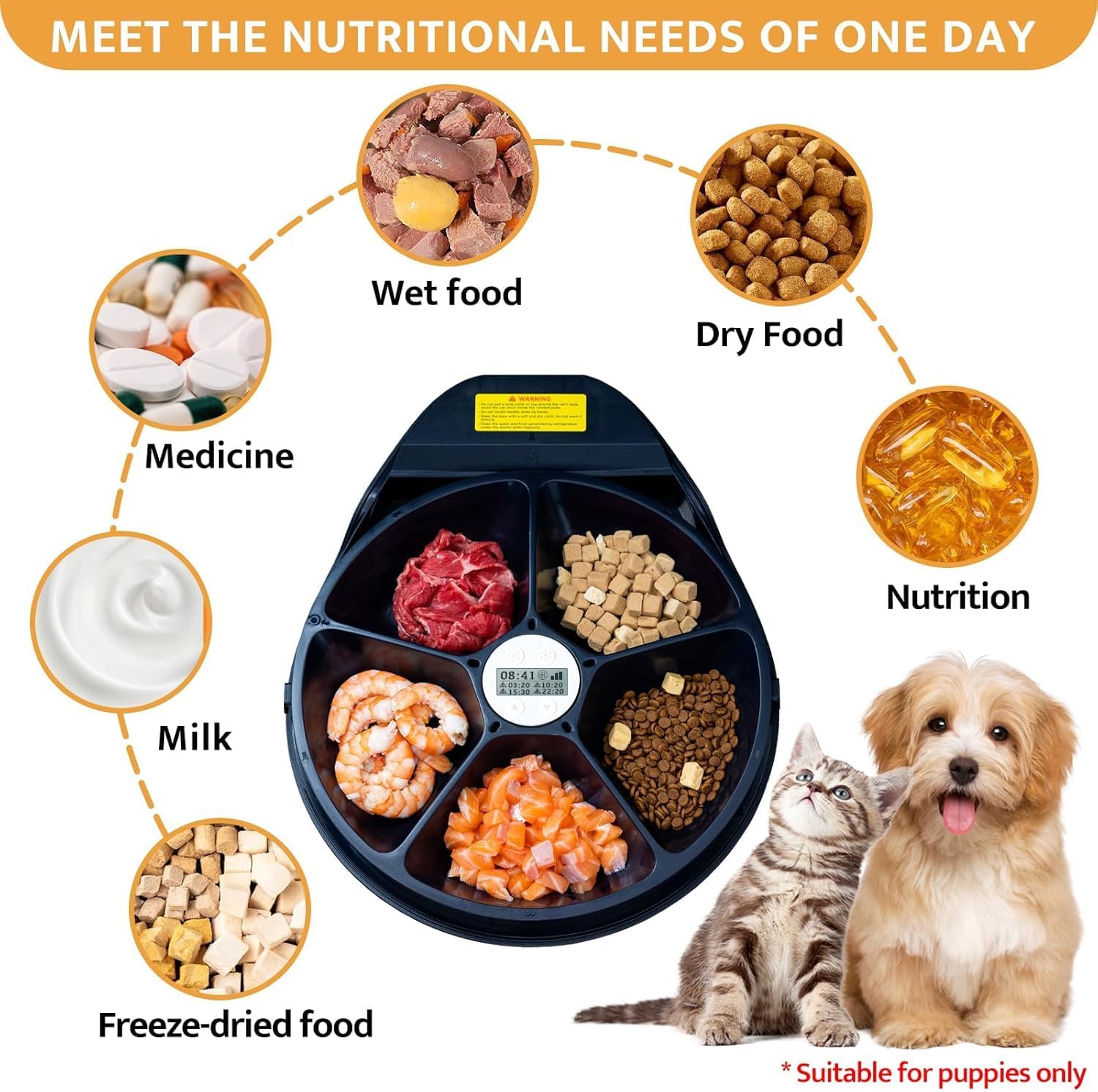
This instruction manual provides essential information for the safe and effective use of your SAROSORA Automatic Cat Feeder with Cooling. This device is designed to provide fresh wet and dry food for your cat, featuring semiconductor refrigeration to maintain food freshness for extended periods. It includes a timer function for scheduled meals and five individual food compartments.
Please read this manual thoroughly before operating the feeder and retain it for future reference.
Product Overview
The SAROSORA Automatic Cat Feeder is equipped with advanced features to ensure your pet receives fresh meals on schedule. Key features include:
- Semiconductor Refrigeration: Maintains food temperature between 13°C and 23°C to keep wet food fresh for 1-4 days.
- 5 Food Compartments: Each compartment holds approximately 330g of pet food, allowing for up to 5 meals.
- Programmable Timer: Set up to 4 fixed-time meals per day, in addition to an immediate meal.
- Food-Grade Materials: Plates are made from non-toxic, environmentally friendly PP material.
- Removable and Washable Design: Easy to disassemble for cleaning, with dishwasher-safe lid and bowls.

Setup
- Unpack the Feeder: Carefully remove all components from the packaging. Ensure all parts are present: main unit, food plate, and cover.
- Assemble the Feeder: Place the food plate into the main unit, ensuring it sits securely. Then, place the cover on top, aligning it properly.
- Initial Cleaning: Before first use, wash the food plate and cover with warm soapy water. Rinse thoroughly and dry completely. The main unit with refrigeration parts should only be wiped clean with a damp cloth.
- Placement: Position the feeder on a flat, stable surface away from direct sunlight or heat sources. Ensure it is within reach of a power outlet.
- Connect Power: Plug the power adapter into the feeder and then into a wall outlet. The display should illuminate.

Operating Instructions
Powering On/Off
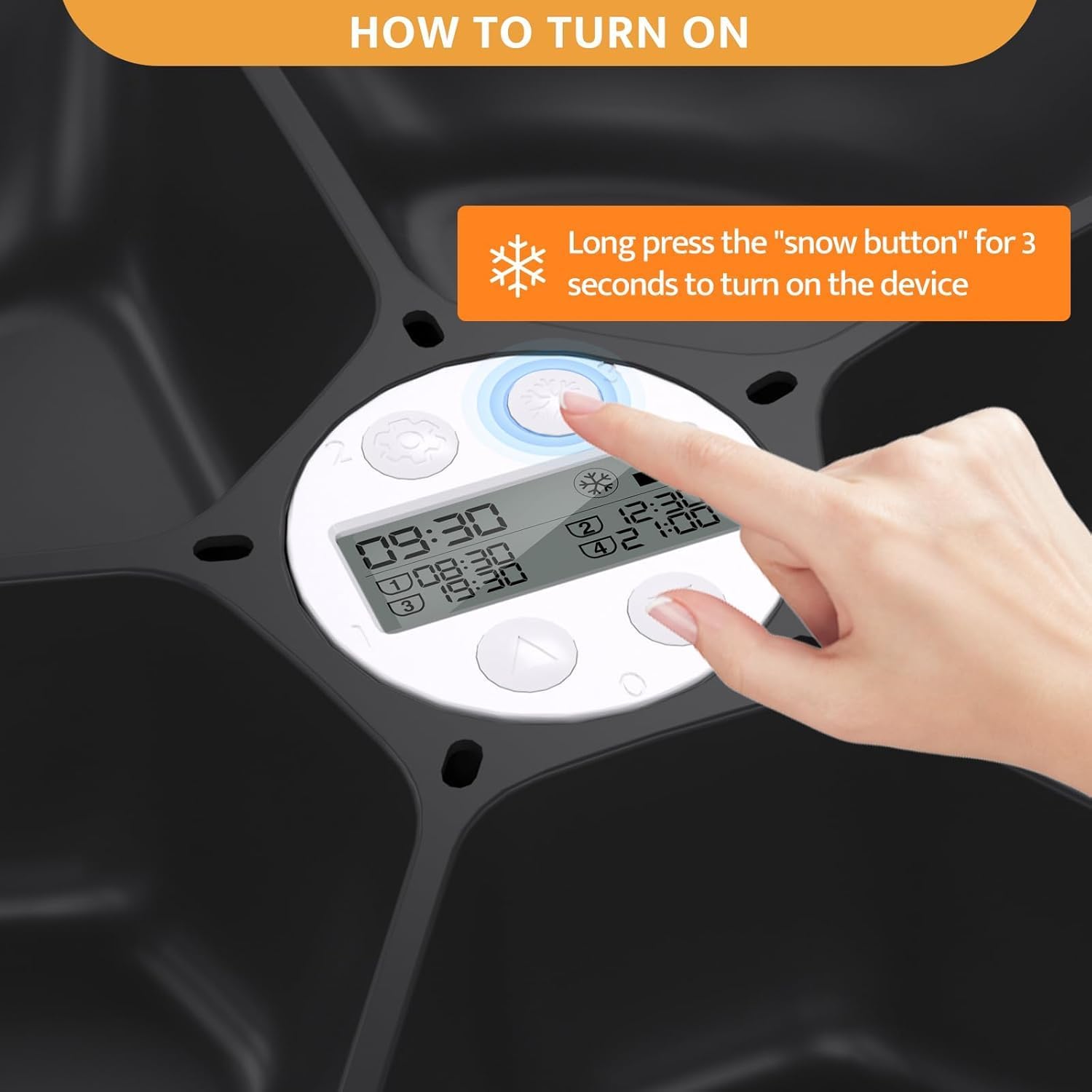
To turn on the device, long press the "snow button" (usually indicated by a snowflake icon) for 3 seconds. Repeat this action to turn off the device.
Setting Meal Times
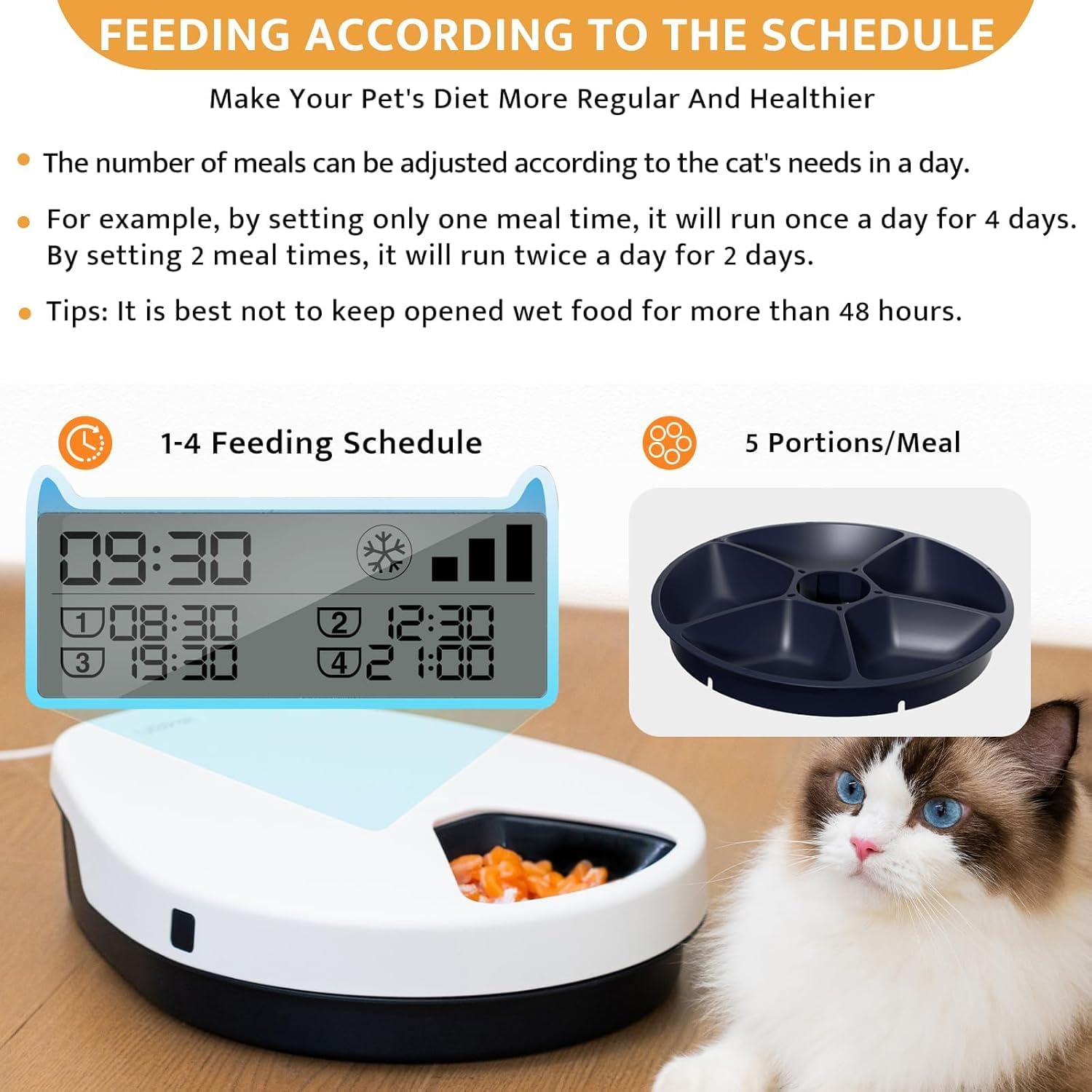
The feeder allows for up to 5 meals per day: one immediate meal and four fixed-time meals. You can program the feeder to dispense 1, 2, 3, or 4 meals daily, lasting for 1 to 4 consecutive days depending on the number of meals set.
- 1 Meal Time: The feeder will run once a day for 4 days.
- 2 Meal Times: The feeder will run twice a day for 2 days.
- 3 Meal Times: The feeder will run three times a day for 1 day.
- 4 Meal Times: The feeder will run four times a day for 1 day.
To set specific meal times, refer to the feeder's display and control buttons. Typically, there are buttons for setting the current time and then individual meal times (e.g., Meal 1, Meal 2, etc.). Follow the on-screen prompts to adjust the hours and minutes for each desired feeding.
Example for Overnight Feeding: If you want the first meal at 8 p.m. and the second meal at 6 a.m., you must set these times between 6 a.m. and 8 p.m. of the natural day. You only need to set the first two meal times; the feeder will cycle through these. For instance, it will dispense at 8 p.m., then 6 a.m., then 8 p.m. again, and so on. The on-screen time display will continue to show natural chronological order, but the feeding schedule will follow your programmed intervals.


Using the Cooling Function
The feeder utilizes semiconductor refrigeration to keep food fresh. It offers three levels of temperature settings to maintain food temperature between 13°C and 23°C, based on an ambient room temperature of 25°C.
- Level 1: Approximately 23°C
- Level 2: Approximately 17°C
- Level 3: Approximately 13°C
To activate or adjust the cooling function, use the dedicated cooling button (often the same snowflake button used for power). Short presses may cycle through temperature levels or turn the cooling on/off. Refer to the display for the current cooling status and temperature setting.
The cooling function helps keep wet food fresh for 1-4 days, cooked meat for 1-2 days, and raw meat for 1 day.


Maintenance
Regular cleaning is essential to ensure hygiene and prolong the life of your feeder.
- Disassembly: Unplug the feeder from the power outlet. Remove the top cover and then lift out the food plate.
- Cleaning the Food Plate and Cover: The food plate and cover are made of food-grade PP material and are dishwasher safe. Alternatively, wash them by hand with warm water and a mild dish soap. Rinse thoroughly to remove all soap residue and dry completely before reassembly.
- Cleaning the Main Unit: The main unit, which contains the electronic and refrigeration components, should not be submerged in water. Wipe the exterior and the refrigeration parts with a soft, damp cloth. For stubborn stains, use a slightly moistened cloth with mild soap, then wipe with a clean, damp cloth, and dry immediately.
- Reassembly: Once all parts are clean and dry, reassemble the feeder by placing the food plate back into the main unit and securing the cover.
Note: It is best not to keep opened wet food in the feeder for more than 48 hours, even with cooling, to ensure optimal freshness and safety.

Troubleshooting
| Problem | Possible Cause | Solution |
|---|---|---|
| Feeder does not turn on. | No power connection. | Ensure the power adapter is securely plugged into the feeder and a working wall outlet. |
| Food is not staying cool. | Cooling function not activated or set to low level; high ambient temperature. | Verify the cooling function is turned on and set to an appropriate level. Ensure the feeder is not in direct sunlight or a very warm room. |
| Meals are not dispensing at scheduled times. | Incorrect time settings; food blockage; feeder not powered on. | Check programmed meal times and current time settings. Ensure the feeder is powered on. Clear any food debris that might obstruct the rotation mechanism. |
| Display is not working. | Power issue; internal malfunction. | Check power connection. If power is confirmed, contact customer support. |
Specifications
- Model Number: EZ_BOW1
- Product Dimensions (L x W x H): 13.8" x 12.2" x 4"
- Item Weight: 1.81 Kilograms (approximately 3.99 Pounds)
- Material: Polypropylene (PP)
- Target Species: Cat
- Food Compartments: 5
- Capacity per Compartment: Approximately 330g
- Cooling Technology: Semiconductor Refrigeration
- Temperature Range: 13°C to 23°C (relative to 25°C ambient)
- Operation Mode: Automatic
- Power Source: AC Adapter (Batteries not required or included)
Warranty and Support
This product is covered by a warranty provided by EZSKUUP. For specific warranty details, including duration and coverage, please refer to the warranty information included with your purchase or contact the seller directly.
If you encounter any issues or have questions regarding your SAROSORA Automatic Cat Feeder, please do not hesitate to contact our customer service. Your satisfaction is our top priority, and we are here to help sincerely.
Customer Service Contact: Please refer to your purchase documentation or the seller's contact information on the platform where you purchased the product.