
Introduction
This manual provides essential information for the safe and effective use of your LUVODI 48x24 inch LED Bathroom Mirror. This mirror features integrated LED lighting with adjustable color temperature and brightness, a Bluetooth speaker, a digital time display, a 3X magnification area, and an anti-fog function. Please read these instructions thoroughly before installation and operation, and retain them for future reference.
Safety Information
To ensure safe operation and prevent damage, observe the following precautions:
- Always unplug the mirror before cleaning.
- Do not expose the mirror to excessive moisture or water beyond its intended bathroom environment.
- Use appropriate mounting hardware and techniques to secure the mirror safely to the wall.
- Keep the mirror away from heat sources and flammable materials.
- Always turn off the mirror and allow it to cool before handling or performing maintenance.
- Do not use the mirror if the cord is damaged or if the mirror is damaged in any way.
- Always follow the manufacturer's instructions for use and care.
Setup
Unboxing
Carefully open the packaging. The mirror is protected by an outer layer and fully wrapped protective layers. Ensure all accessories, including screw packs and the instruction manual, are present.
Video: Unboxing the LUVODI LED Bathroom Mirror. This video demonstrates the careful unboxing process and shows the included components and protective packaging.
Installation
The mirror is designed for wall mounting. It can be powered either by plugging into a standard outlet or by hardwiring it to a wall switch for integrated control. Consult a qualified electrician for hardwiring to ensure proper and safe installation.

Image: Powering Options. This image illustrates the two methods for powering the mirror: direct plug-in or hardwired connection to a wall switch.

Image: Wall-Mounted Installation. This image shows the LUVODI mirror installed above a bathroom sink, demonstrating its typical placement.
Operating Instructions
Your LUVODI mirror features intuitive touch controls for various functions.

Image: Touch Control Panel. This image displays the mirror's integrated touch buttons and digital display, indicating controls for various smart features.
Power On/Off and Lighting Adjustment
- Power/Light Button: A single touch turns the mirror lights on or off.
- Color Temperature: With the lights on, tap the light button to cycle through three color temperatures: 3000K (warm), 4000K (natural), and 6000K (daylight).
- Brightness Adjustment: Press and hold the light button to steplessly adjust the brightness from 10% to 100%. Release when the desired brightness is achieved.
- Memory Function: The mirror remembers your last brightness and color temperature settings.
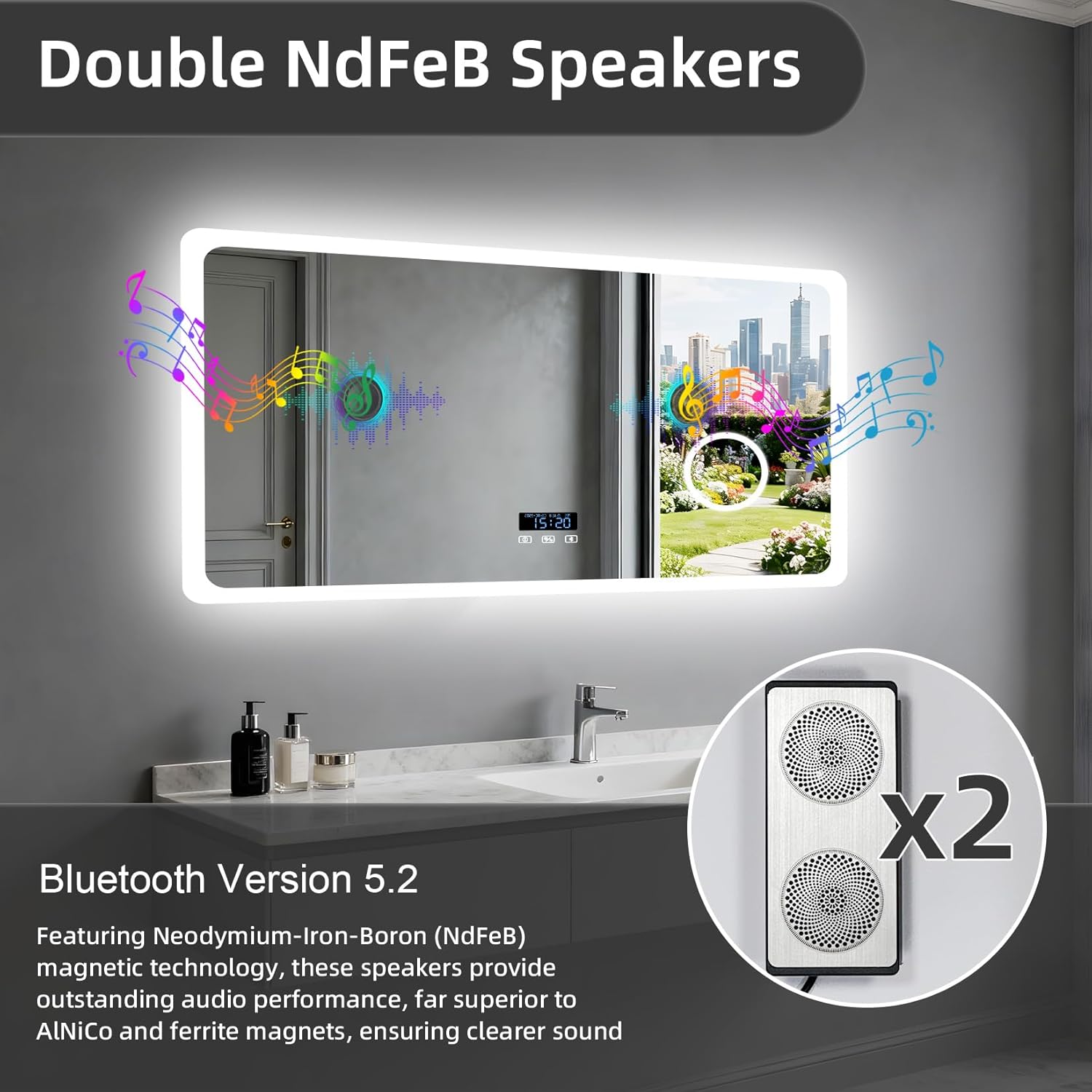
Image: Adjustable Lighting. This image demonstrates the three available light color temperatures (White, Neutral, Warm) and explains how to adjust them using the touch controls.
Video: LED Lighting and Controls. This video illustrates the mirror's LED lighting features, including color temperature switching and brightness adjustment, as well as the anti-fog and Bluetooth functions.
Anti-Fog Function
The mirror includes a built-in heating pad to clear steam. Press the dedicated anti-fog button to activate or deactivate this function. The defogging process starts automatically upon activation.

Image: Intelligent Anti-Fog. This image highlights the mirror's anti-fog capability, ensuring a clear reflection even in steamy bathroom conditions.
Bluetooth Speaker
The mirror features two integrated NdFeB Bluetooth 5.2 speakers for 360° surround sound. To connect:
- Press the Bluetooth button on the mirror to activate pairing mode.
- On your mobile device, go to Bluetooth settings and select "LUVODI-Bathroom mirror" to connect.
- Once connected, you can play audio through the mirror's speakers.

Image: Double NdFeB Speakers. This image illustrates the mirror's integrated Bluetooth speakers and highlights its Bluetooth 5.2 technology for enhanced audio.
Time Display and Settings
The mirror features a digital display for time and date. To adjust the settings:
- Long press the settings icon (often combined with the defog button) to enter the clock setting mode.
- Tap to adjust the hour, minute, date, or temperature unit.
- Long press again to confirm the settings and move to the next item.
3X Magnifier
A dedicated 3X magnification area is integrated into the mirror for detailed tasks such as makeup application or shaving.

Image: 3X Magnifier. This image demonstrates the utility of the integrated 3X magnifier for precise grooming and makeup application.
Maintenance
Regular maintenance ensures the longevity and optimal performance of your mirror.
- Cleaning: Always unplug the mirror before cleaning. Use a soft, damp cloth with a mild glass cleaner. Avoid abrasive cleaners or harsh chemicals that could damage the mirror surface or frame.
- Inspection: Periodically inspect the power cord and connections for any signs of wear or damage.
- Storage: If storing the mirror for an extended period, ensure it is clean, dry, and protected from extreme temperatures or humidity.
Troubleshooting
If you encounter issues with your LUVODI mirror, refer to the following common solutions:
| Problem | Possible Cause | Solution |
|---|---|---|
| Lights not turning on | No power, loose connection, faulty switch. | Check power outlet/hardwiring. Ensure the power switch is on. Contact support if the issue persists. |
| Bluetooth not connecting | Mirror's Bluetooth off, device not in pairing mode, interference. | Ensure mirror's Bluetooth is active. Put your device in pairing mode. Move closer to the mirror. |
| Anti-fog not working | Anti-fog function not activated. | Press the anti-fog button to activate. Allow a few minutes for the heating pad to work. |
| Time display incorrect | Time not set or reset after power interruption. | Long press the settings icon to enter time adjustment mode and set the correct time. |
Specifications
| Feature | Detail |
|---|---|
| Brand | LUVODI |
| Model Number | B0FQJQG6ZY |
| Product Dimensions | 47.24"L x 27.56"W |
| Shape | Rectangular |
| Frame Material | Aluminum |
| Mirror Type | 5mm Copper-free antioxidant shatter-proof glass HD silver mirror |
| Lighting | Dimmable LED, 3 Color Temperatures (3000K, 4000K, 6000K) |
| Magnification | 3X Optical Magnification |
| Audio | Built-in Bluetooth 5.2 Speakers (Double NdFeB) |
| Special Features | Anti-Fog Function, Digital Time Display, Memory Function, IP44 Waterproof |
| Mounting Type | Wall Mount |
Warranty
Specific warranty details are typically provided with your purchase documentation. Please refer to the warranty card or contact LUVODI customer support for information regarding your product's warranty coverage.
Support
For any questions, technical assistance, or support regarding your LUVODI LED Bathroom Mirror, please contact LUVODI customer service through the platform where you made your purchase. You can typically find seller contact information on your order details page.

Image: How to Find Support. This image provides a visual guide on how to contact LUVODI for support and service through the Amazon platform.


