
Introduction
The AquaSonic Aqua Flosser PRO is a rechargeable, cordless water flosser designed to enhance your daily oral care routine. It utilizes targeted water jets to effectively remove food particles and plaque from between teeth and along the gumline. This device offers three flossing modes and comes with six interchangeable jet tips to cater to various oral hygiene needs.
Important Safety Information
- Always keep the device dry when not in use.
- Do not use if you have any medical conditions that affect your oral health without consulting your dentist.
- Keep out of reach of children.
- Do not submerge the device in water.
- If the device is damaged, stop using it and contact customer service.
What's Included
Your AquaSonic Aqua Flosser PRO package contains the following items:
- 1 Cordless Water Flosser PRO unit
- 6 Interchangeable Jet Tips (including a deluxe tongue-cleaning nozzle)
- 1 Charging Cable
- 1 Travel Bag

Image: AquaSonic Aqua Flosser PRO unit with included accessories.
Setup
- Charge the Device: Before first use, charge the device overnight to ensure a full battery for long-lasting use.
- Fill the Water Tank: Open the water container cover located on the back of the unit. Fill the 300ml water tank with warm water. Close the cover securely.
- Attach a Jet Tip: Select your desired jet tip and firmly insert it into the opening at the top of the flosser until it clicks into place.

Image: Detailed view of the water tank and filling port.
Operating Instructions
Flossing Modes
The Aqua Flosser PRO features three distinct flossing modes to suit individual preferences and needs:
- Normal Mode: Provides a strong, consistent water stream for everyday cleaning and plaque removal.
- Soft Mode: Offers a gentler water pressure, ideal for sensitive teeth and gums or first-time users.
- Pulse Mode: Delivers a pulsating water stream designed for gum massage and enhanced circulation.
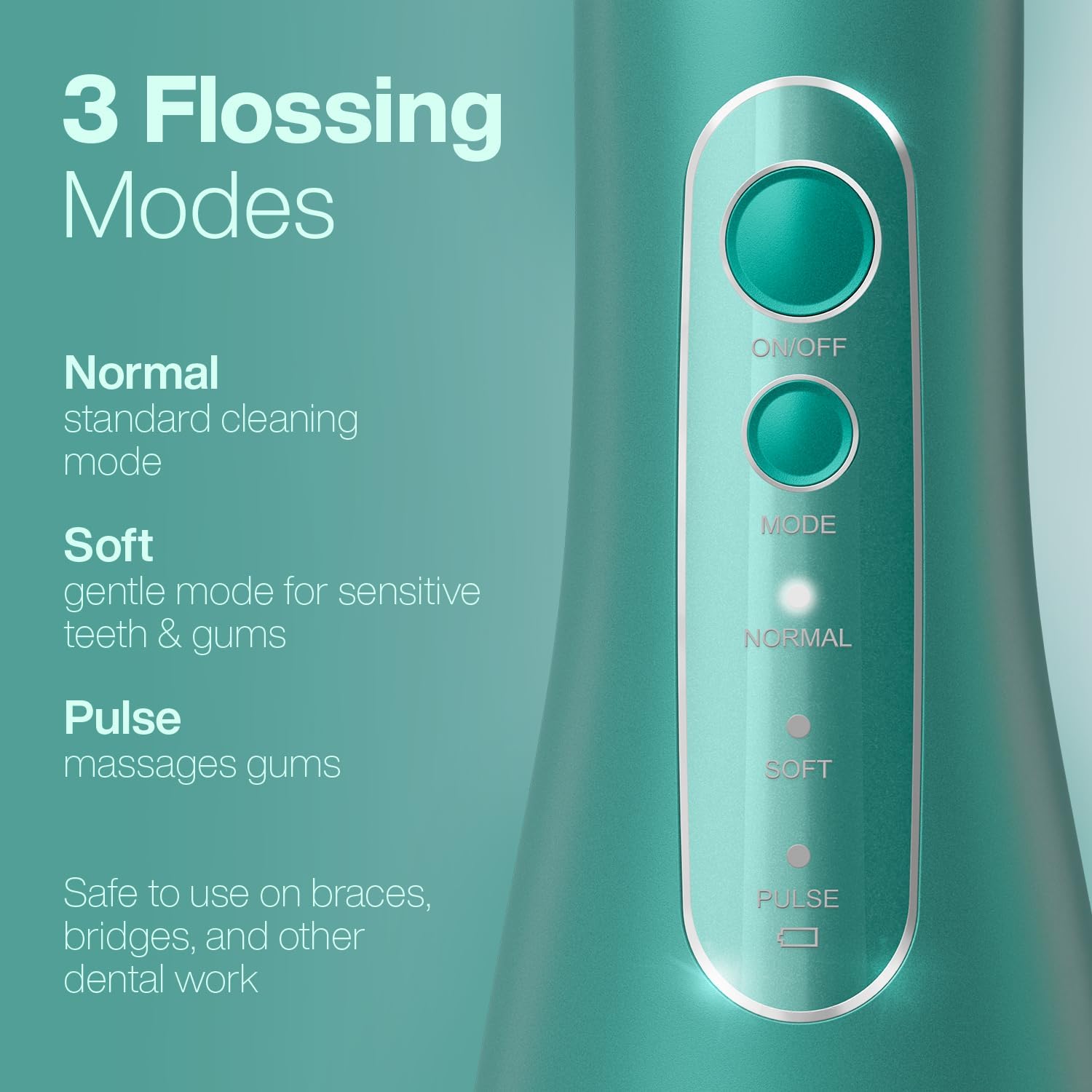
Image: Control panel with mode indicators.
Using the Flosser
- Lean over a sink to avoid splashing.
- Place the chosen jet tip into your mouth, pointing it towards your teeth and gumline.
- Press the power button to turn on the device.
- Use the mode button to select your preferred flossing mode (Normal, Soft, or Pulse).
- Maneuver the tip along your teeth, gums, and tongue, ensuring to clean all areas. The 360-degree rotating nozzle allows for easy access to difficult angles.
- After use, press the power button to turn off the device.

Image: Water jet cleaning action on teeth.
Interchangeable Jet Tips
The Aqua Flosser PRO includes six specialized tips for comprehensive oral care:
- Standard Tip: Creates an ultra-fine jet stream for general cleaning between teeth and along the gumline.
- Orthodontic Tip: Features soft bristles for dislodging plaque and debris from braces and dental work.
- Periodontal Tip: Has a soft, rubberized tip for gently cleaning deep pockets below the gumline.
- Tongue Scraper Tip: Ideally shaped to scrape the tongue for fresh breath.
- Deluxe Tongue Tip: Rubberized surface scrubs and scrapes the tongue for a deeper clean.

Image: Various jet tips for different cleaning needs.
Maintenance
- Cleaning the Tip: After each use, remove the jet tip and rinse it thoroughly under running water.
- Emptying the Tank: Empty any remaining water from the 300ml tank after each use to prevent bacterial growth. The tank is removable for easy cleaning.
- Charging: The rechargeable lithium-ion battery provides weeks of use on a single charge. Recharge the device when the battery indicator shows low power.
- Storage: Store the device in the included travel bag for protection and easy portability.
Troubleshooting
If you encounter any issues with your AquaSonic Aqua Flosser PRO, please consider the following:
- No Water Flow: Ensure the water tank is filled and the jet tip is securely attached. Check if the device is fully charged.
- Weak Water Pressure: Verify the selected mode is appropriate (Normal mode offers stronger pressure than Soft mode). Ensure the tank is adequately filled.
- Device Not Turning On: Confirm the device is fully charged. If the issue persists, contact customer service.
- Leaking: Ensure the water tank cover is properly sealed and the jet tip is correctly inserted. If leaking continues, discontinue use and contact customer service.
Specifications
| Feature | Detail |
|---|---|
| Model Number | AS-FLOS-PRO3-GRN |
| Power Source | Battery Powered (Rechargeable Lithium-ion) |
| Tank Volume | 300 Milliliters |
| Flossing Modes | Normal, Soft, Pulse |
| Jet Tips Included | 6 (Standard, Orthodontic, Periodontal, Tongue Scraper, Deluxe Tongue Nozzle) |
| Additional Features | Cordless, Portable, Waterproof, 360-degree Rotating Nozzle |
| Material Type | Rubber, Plastic |
| Color | Green |
| Manufacturer | Aquasonic LLC |
Official Product Video
Video: An official product video demonstrating the AquaSonic Aqua Flosser PRO and its features.
Warranty and Support
For warranty information or customer support, please refer to the documentation included in your product packaging or visit the official Aquasonic website. Contact details for customer service are typically provided in these resources.