
1. Introduction
This manual provides detailed instructions for the installation, operation, and maintenance of your Surtime 42-inch Low Profile Ceiling Fan with Light and Remote/APP Control. Please read this manual thoroughly before installation and use, and retain it for future reference. This ceiling fan is designed for indoor use in various spaces such as living rooms, bedrooms, offices, and kitchens, and is also suitable for covered outdoor areas like patios and gazebos (note: not waterproof).
2. Safety Information
- Always turn off the main power at the circuit breaker before beginning installation or performing any maintenance.
- Ensure all electrical connections comply with local codes and ordinances. If you are unsure, consult a qualified electrician.
- Mount the fan to a ceiling joist or support structure capable of supporting the fan's weight.
- Do not bend the blade holders during installation or cleaning.
- Keep hands and objects clear of the fan blades when the fan is operating.
- This product is not waterproof and should not be exposed to direct water or heavy moisture.
3. Package Contents
Carefully unpack all components and ensure all items are present before discarding packaging materials.
- Fan Motor
- Hanging Board
- Blades (5 pieces)
- Remote Control
- Screws and other mounting hardware
- Instruction Manual

Image: Overview of Surtime 42-inch ceiling fan components.
4. Product Features
- Integrated Dimmable LED Light: Features three color temperature options (3000K Warm Light, 4500K Natural Light, 6000K White Light) and adjustable brightness from 10% to 100%. Includes a light memory function.
- Remote and APP Control: Conveniently adjust fan speed, light settings, and timing via the included remote control or a smartphone application.
- 6-Speed Reversible DC Motor: High-quality motor ensures quiet operation (less than 30dB). Reversible function allows for downdraft mode in summer for cooling and updraft mode in winter for air circulation.
- No-Installation Blade Design: Innovative snap-in blade design simplifies assembly, saving time and effort.
- Low Profile Flush Mount: Designed for spaces with lower ceilings, providing efficient air circulation without excessive protrusion.
- Durable Build: Constructed with plastic blades and a robust motor for long-lasting performance.
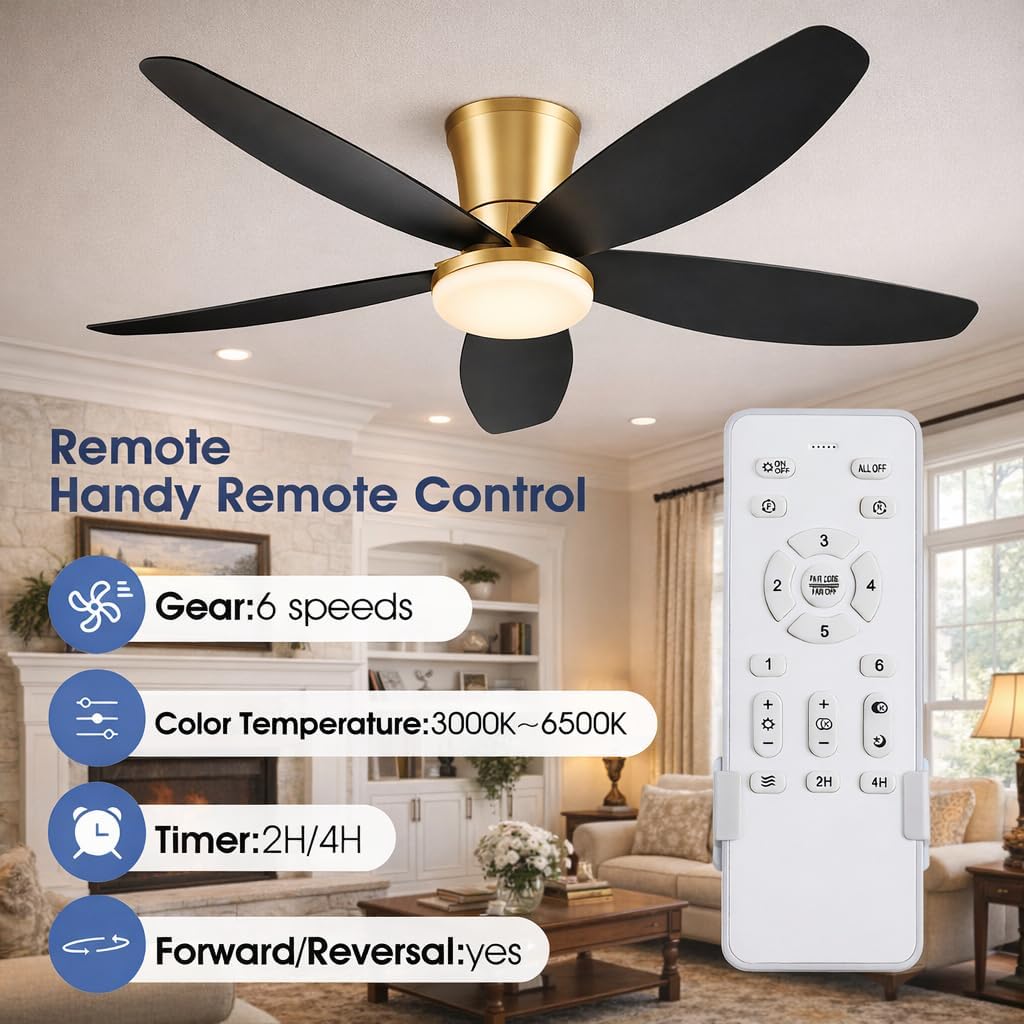
Image: Key features of the Surtime ceiling fan and its remote control.
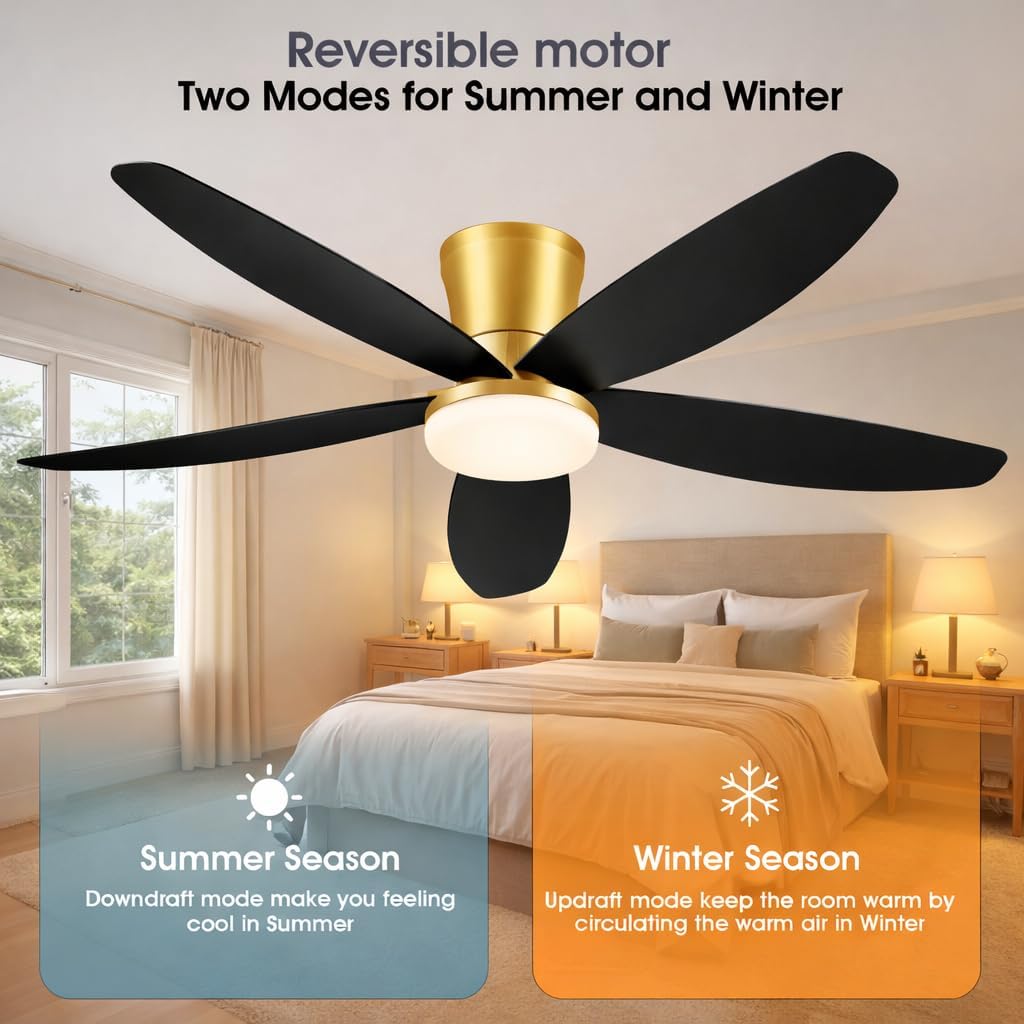
Image: Reversible motor functionality for seasonal comfort.

Image: Six adjustable fan speeds for various scenarios.

Image: Dimmable LED light with three color temperature settings.
5. Installation
Follow these steps for proper installation. It is recommended to have a second person assist during installation.
- Prepare for Installation: Turn off power at the circuit breaker. Ensure the mounting location can support the fan's weight.
- Attach Blades: The fan features a plug-in blade design. Align each blade with its slot on the motor housing and secure it with the provided screws.
- Mount Hanging Board: Secure the hanging board to the ceiling junction box using appropriate screws.
- Wiring: Connect the fan's electrical wires to the household wiring according to the wiring diagram provided in the video. Ensure all connections are secure with wire nuts.
- Attach Fan to Hanging Board: Carefully lift the fan assembly and attach it to the hanging board, ensuring all wires are tucked safely inside.
- Secure Canopy: Slide the canopy up to cover the hanging board and secure it with screws.
Video: Detailed installation guide for the Surtime ceiling fan. This video demonstrates the step-by-step process of assembling the blades, wiring, and mounting the fan to the ceiling.
6. Operating Instructions
6.1 Remote Control Operation
The included remote control allows for easy adjustment of fan and light settings.
- Power ON/OFF: Press the 'ON/OFF' button to turn the fan and light on or off.
- Fan Speed: Use buttons '1' through '6' to select desired fan speed. '1' is the lowest, '6' is the highest.
- Light Control:
- Light ON/OFF: Press the light bulb icon to toggle the light.
- Color Temperature: Press the sun icon to cycle through 3000K (Warm), 4500K (Natural), and 6000K (White) light.
- Brightness Adjustment: Use the '+' and '-' buttons to increase or decrease light brightness (10% to 100%).
- Reversible Function: Press the 'R' key. The fan will stop completely, then automatically reverse direction after 5-8 seconds. Use downdraft for summer cooling and updraft for winter air circulation.
- Timer: Set the fan to turn off automatically after 2 or 4 hours using the '2H' or '4H' buttons.
Video: Demonstration of remote control functions including fan speed, light settings, and reversible motor operation.
6.2 APP Control Operation
The fan can also be controlled via a smartphone application. Scan the QR code provided in the video to download the 'Fan Lamp Pro' APP.
- Download and Install APP: Scan the QR code to download 'Fan Lamp Pro'.
- Language Setting: Open the APP, navigate to settings, and select your preferred language (e.g., English).
- Pairing the Device:
- Ensure your phone's Bluetooth is turned ON.
- Turn off the main power to the fan at the wall switch.
- Turn on the main power to the fan. Within 5 seconds, open the 'Fan Lamp Pro' APP and click the '+' button to add a device.
- The fan light will blink twice to indicate a successful connection.
- Control Functions: Once paired, you can control fan speed (6 levels), light color temperature (3 levels), brightness (10%-100%), and the reversible function directly from the APP.
Video: Guide to connecting and controlling the ceiling fan using the smartphone application, including language settings and pairing process.
7. Maintenance
Regular maintenance ensures optimal performance and longevity of your ceiling fan.
- Cleaning: Use a soft, damp cloth to clean the fan blades and motor housing. Do not use abrasive cleaners or solvents.
- Light Kit: The LED light kit is replaceable. If replacement is needed, ensure power is off and follow the instructions for replacing the LED module.
- Tighten Fasteners: Periodically check all screws and fasteners to ensure they are tight. Loose connections can cause noise or wobbling.
8. Troubleshooting
If you encounter issues with your fan, refer to the following common problems and solutions:
| Problem | Possible Cause | Solution |
|---|---|---|
| Fan does not start | No power to the fan; Loose wiring; Remote/APP not paired. | Check circuit breaker; Verify all wire connections; Re-pair remote/APP (refer to section 6). |
| Light does not work | Light switch off; Loose wiring; Faulty LED module. | Ensure light is turned on via remote/APP; Check light wiring connections; Replace LED module if necessary. |
| Fan is noisy | Loose screws; Unbalanced blades; Motor issue. | Tighten all screws on the fan and mounting bracket; Ensure blades are securely attached; Contact support if motor noise persists. |
| Remote/APP not responding | Low battery in remote; APP not connected; Interference. | Replace remote batteries; Ensure Bluetooth is on and APP is connected; Minimize interference from other devices. |
9. Specifications

Image: Product dimensions and electrical specifications.
| Feature | Detail |
|---|---|
| Brand | Surtime |
| Model Name | 42IN-6666-Black+Gold |
| Size | 42 inches |
| Color | Black+Gold |
| Material | Plastic |
| Power Source | DC |
| Special Features | APP Control, Dimmable Light, Light Memory Function, Timer, Reversible Motor |
| Included Components | Remote Control |
| Number of Items | 1 |
| Mounting Type | Ceiling Mount |
| Item Weight | 7 pounds |
| Package Dimensions | 17.32 x 12.48 x 6.69 inches |
| Voltage | 90-265V |
| Color Temperature | 3000K-6500K |
| Wattage | 36W |
| Speeds | 6 speeds |
10. Warranty and Support
Surtime ceiling fans come with a 1-year warranty on quality-related issues. If you encounter any problems or require technical assistance, please do not hesitate to contact Surtime customer support. Refer to your purchase documentation for specific contact details or visit the official Surtime store on Amazon: Surtime Store.


