
1. Introduction
Thank you for choosing the Shodu Heated Blanket. This manual provides important information regarding the safe and efficient use of your new heated blanket. Please read all instructions carefully before use and retain this manual for future reference.
2. Important Safety Instructions
When using electrical appliances, basic precautions should always be followed to reduce the risk of fire, electric shock, and injury to persons, including the following:
- Read all instructions before using this heated blanket.
- Do not use this blanket with an infant, a child, an invalid, or any person insensitive to heat.
- Do not use this blanket with a person who cannot operate the controls properly.
- Do not use this blanket in conjunction with another heating appliance.
- Ensure the blanket is not folded, bunched, or creased during use to prevent overheating.
- The blanket features an ETL certification and a built-in overheat protection system, including PTC+NTC double helix structure heating wire, designed to prevent overheating and short circuits. The system automatically shuts down if a certain temperature is exceeded.
- Do not insert pins or other metallic objects into the blanket.
- Always unplug the blanket from the electrical outlet when not in use.
- Do not dry clean this blanket. Cleaning solvents may damage the insulation of the heating element.
- Do not use bleach.
- Do not iron the blanket.
- Do not use if wet.
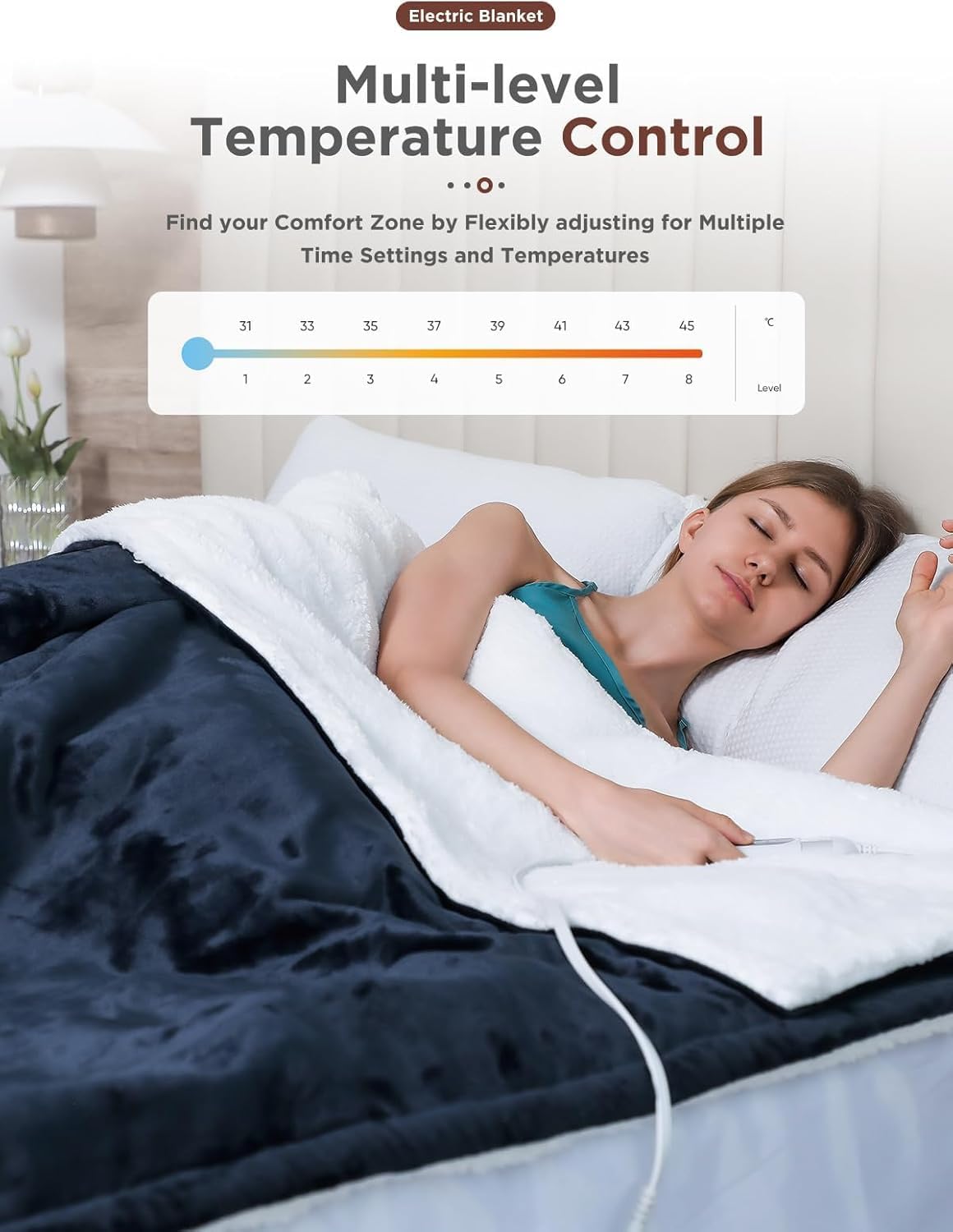
Figure 1: Overheating Protection Layers. This image illustrates the internal construction of the blanket, highlighting the superior fleece flannel, additional heater wire fixing layer, high-quality heating wire, and sherpa fabric, all contributing to even heat distribution and safety against overheating.
3. Product Overview
The Shodu Heated Blanket is a soft flannel electric throw designed for comfort and warmth. It features multiple heating levels, an auto shut-off timer, and is machine washable for easy care.
Key Features:
- Material: Deluxe soft flannel and sherpa fabric for double softness and warmth retention.
- Heating Levels: 8 adjustable heating levels (approximately 85°F - 110°F).
- Auto Shut-Off: Programmable timer from 1 to 9 hours.
- Safety: ETL certified with built-in overheat and overvoltage protection.
- Controller: Detachable controller for easy cleaning.
- Power Cord: 6.2-foot (74-inch) long power cord for flexible use.
- Dimensions: 50 inches x 60 inches.

Figure 2: Super-Soft & Skin-Friendly Material. This image shows a close-up of the two different fabric textures, highlighting the soft flannel and plush sherpa material that make up the blanket.
4. Setup Instructions
- Unpack: Carefully remove the heated blanket and controller from its packaging.
- Inspect: Check the blanket and power cord for any signs of damage. Do not use if damaged.
- Connect Controller: Ensure the detachable controller is securely plugged into the blanket's connector. Make sure it clicks into place.
- Placement: Lay the blanket flat on your bed, sofa, or desired surface. Ensure there are no folds, creases, or bunched areas.
- Plug In: Plug the power cord into a standard 120V AC electrical outlet.

Figure 3: Detachable Controller Connection. This image demonstrates the connection point for the detachable controller, emphasizing the importance of a secure connection for proper operation. It also highlights features like one-button operation, 8 heating levels, 9-hour auto-off, and the 74-inch long power cord.
5. Operating Instructions
The Shodu Heated Blanket features a user-friendly controller with one-button operation for power, heat level adjustment, and timer settings.
Power On/Off:
- Press the power button on the controller to turn the blanket on. The display will illuminate.
- Press the power button again to turn the blanket off.
Adjusting Heat Levels:
- With the blanket powered on, press the 'Level' button to cycle through the 8 available heating levels.
- The current heat level (1-8) will be displayed on the controller screen.
- Level 1 is the lowest heat setting, and Level 8 is the highest.
Setting the Auto Shut-Off Timer:
- With the blanket powered on, press the 'Timer' button to set the desired auto shut-off duration.
- You can set the timer from 1 to 9 hours. The selected hour will be displayed.
- The blanket will automatically turn off after the set time has elapsed, providing peace of mind and energy saving.

Figure 4: Multi-level Temperature Control. This image shows a user enjoying the heated blanket, with an overlay illustrating the 8 temperature levels and their corresponding approximate temperatures in Celsius, allowing for personalized comfort.
6. Care and Maintenance
Proper care ensures the longevity and safe operation of your heated blanket. Always follow these instructions carefully.
Before Cleaning:
- Always unplug the blanket from the wall outlet.
- Carefully detach the controller from the blanket by squeezing the sides of the connector and pulling it apart. Ensure the controller is completely disconnected before proceeding with cleaning.
Machine Washing:
- Machine wash on a cold, gentle cycle.
- Use a mild detergent.
- Do not bleach.
- Do not dry clean.
Drying:
- Tumble dry on low heat or air dry.
- Ensure the blanket is completely dry before reconnecting the controller and plugging it in.
- Do not iron the blanket.

Figure 5: Easy to Clean & Care. This image illustrates the machine washable nature of the blanket after detaching the control panel, with clear icons indicating cold wash, hand wash, no ironing, and no bleaching.
7. Troubleshooting
If you experience issues with your Shodu Heated Blanket, please refer to the following common problems and solutions:
| Problem | Possible Cause | Solution |
|---|---|---|
| Blanket is not heating. | Not plugged in, controller not connected, power outage, or safety shut-off activated. | Ensure power cord is securely plugged into a working outlet. Check that the controller is firmly connected to the blanket. Verify household power. Unplug and re-plug the blanket to reset the safety system. |
| Controller display is off or flickering. | Loose connection or power issue. | Check all connections, including the wall outlet and the controller-to-blanket connection. Try a different outlet. |
| Blanket feels too hot or not warm enough. | Heat level setting is incorrect. | Adjust the heat level using the 'Level' button on the controller to your desired comfort. |
| Blanket automatically turns off unexpectedly. | Auto shut-off timer activated or overheating protection engaged. | Check the timer setting on the controller. If the blanket was bunched or folded, it might have triggered the overheating protection. Unplug, flatten the blanket, and wait a few minutes before plugging it back in. |
If the problem persists after attempting these solutions, please contact customer support.
8. Specifications
| Feature | Detail |
|---|---|
| Brand | Shodu |
| Model Name | HB189NC-5060 |
| Product Dimensions | 50"L x 60"W |
| Material | Flannel, Sherpa Fabric |
| Color | Blue+white |
| Heating Levels | 8 (approx. 85°F - 110°F) |
| Auto Shut-Off Timer | 1-9 hours |
| Power Cord Length | 6.2 feet (74 inches) |
| Product Care Instructions | Machine Washable (controller detached) |
| Safety Certification | ETL Certified |
| Item Weight | 4.38 pounds |
| UPC | 797093823240 |
9. Customer Support
Shodu is committed to providing quality after-sales support for our products. If you have any questions, concerns, or require assistance with your heated blanket, please do not hesitate to contact us.
We aim to provide a satisfactory solution within 24 hours for any issues you may encounter.
Please refer to your purchase documentation or the retailer's website for specific contact information.