
1. Introduction
Thank you for purchasing the ROCAM CR1030DAB Solar DAB+/FM Emergency Radio with Bluetooth. This device is designed to provide reliable communication and illumination in various situations, including emergencies, outdoor activities, and daily use. It features multiple power sources, including solar, hand crank, USB-C, and AAA batteries, ensuring continuous operation. Please read this manual carefully to understand the product's functions and ensure safe and optimal use.

Image 1.1: The ROCAM CR1030DAB Solar DAB+/FM Emergency Radio, showing its front panel, display, and solar panel.
2. Safety Information
To prevent damage to the product or injury to yourself and others, please observe the following safety precautions:
- Do not expose the device to extreme temperatures, direct sunlight for prolonged periods (beyond charging), or high humidity.
- Avoid dropping or subjecting the radio to severe impacts.
- Keep the device away from strong magnetic fields.
- Do not attempt to disassemble or modify the radio. This will void the warranty and may cause damage.
- Use only specified charging cables and power adapters.
- Ensure the USB-C port cover is securely closed when not in use, especially in wet conditions, to maintain IPX6 water resistance.
- When using the SOS alarm, be aware of its 120 dB volume, which can be very loud.
3. Package Contents
Please check the package for the following items:
- 1 × ROCAM CR1030DAB Radio
- 1 × USB-C Charging Cable
- 1 × Portable Strap
- 1 × User Manual
4. Product Overview
The ROCAM CR1030DAB radio combines multiple functionalities into a robust, portable unit. Key features include DAB+/FM radio reception, Bluetooth 5.0 connectivity, a 12000 mAh power bank, a 5W LED flashlight, a reading lamp, and an SOS alarm. The device is equipped with a 2.4-inch color display for clear information and supports multiple charging methods.
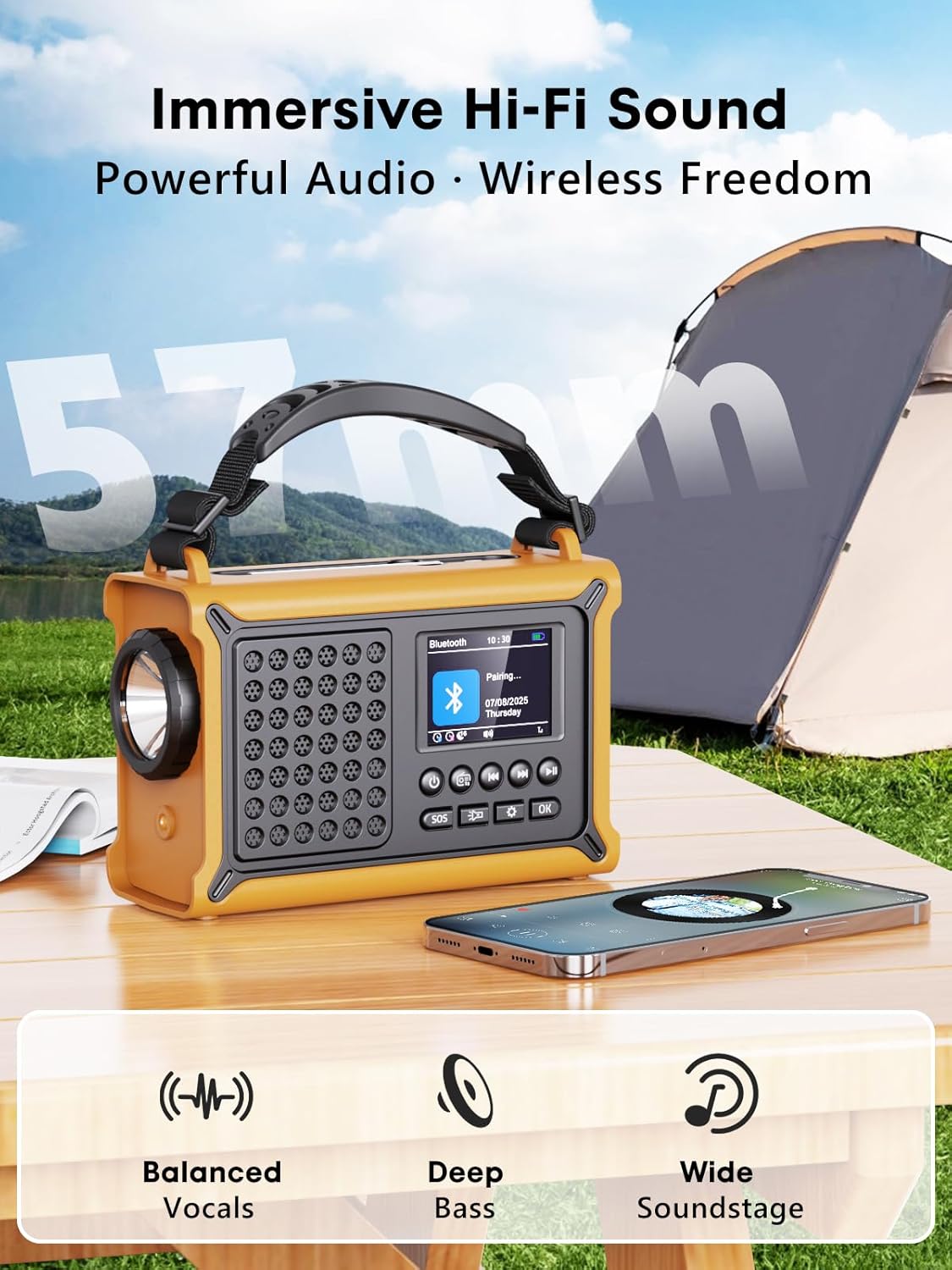
Image 4.1: The radio's 2.4-inch color display showing station information and battery level.
5. Setup
5.1 Initial Charging
Before first use, it is recommended to fully charge the radio using the USB-C cable. Connect the USB-C cable to the radio's charging port and the other end to a USB power adapter (not included) or a computer USB port. The battery indicator on the display will show charging progress.
5.2 Inserting AAA Batteries (Optional Backup)
The radio can also be powered by 3 AAA batteries (not included) as a backup. Open the battery compartment cover on the back of the radio and insert the batteries, ensuring correct polarity. Close the cover securely.
6. Operating Instructions
6.1 Power On/Off
Press and hold the Power button to turn the radio on or off.
6.2 Radio Operation (DAB+/FM)

Image 6.1: The radio displaying DAB+ reception, indicating clear signal and advanced chip technology.
- Switching Modes: Press the Mode button to switch between DAB+, FM, and Bluetooth modes.
- Auto Scan: In DAB+ or FM mode, press and hold the Scan button to automatically scan for available stations. The radio will save up to 40 DAB+ and 40 FM presets.
- Manual Tuning/Selecting Presets: Use the Up/Down buttons to navigate through stations or saved presets.
- Volume Control: Rotate the Volume knob on the side of the radio to adjust the sound level.
- Antenna: Extend the telescopic antenna for optimal radio reception.
6.3 Bluetooth Pairing
In Bluetooth mode, the radio will automatically enter pairing mode. On your smartphone or other Bluetooth device, search for "CR1030DAB" and connect. Once paired, you can stream audio wirelessly to the radio's speakers.

Image 6.2: The radio connected to a smartphone via Bluetooth, demonstrating its Hi-Fi sound capabilities.
6.4 Flashlight and Reading Lamp

Image 6.3: Demonstrating the 5W flashlight, SOS red flashing light, and 12-LED reading lamp features of the radio.
- Flashlight: Press the Flashlight button once to turn on the 5W LED flashlight. Press again to turn it off.
- Reading Lamp: Press the Reading Lamp button once to activate the soft reading light. Press again to turn it off.
6.5 SOS Alarm
Press the SOS button to activate a loud 120 dB alarm and a flashing red light. This function is intended for emergency situations to attract attention. Press the SOS button again to deactivate it.
7. Charging Methods
The ROCAM CR1030DAB offers four versatile charging options to ensure power availability in any situation.

Image 7.1: The radio showcasing its multiple charging options: solar panel, USB-C port, hand crank, and AAA battery compartment.
7.1 Solar Charging
Place the radio with its solar panel facing direct sunlight. The 8500 mm² solar panel will convert solar energy into electrical energy to charge the internal 12000 mAh battery. This method is ideal for maintaining charge or slow charging in outdoor environments.
7.2 Hand Crank Charging
Unfold the hand crank located on the side of the radio. Rotate the crank clockwise or counter-clockwise at a steady pace (approximately 120-150 RPM) to generate power. This method is effective for quick bursts of power or when other charging options are unavailable.
7.3 USB-C Charging
Connect the provided USB-C cable to the radio's USB-C input port and to a standard USB power source (e.g., wall adapter, power bank, computer). This is the fastest and most efficient way to fully charge the radio.
7.4 AAA Battery Power
As mentioned in Section 5.2, 3 AAA batteries can be inserted as an alternative power source. The radio will draw power from these batteries when the internal rechargeable battery is depleted or not present.
8. Maintenance
- Cleaning: Wipe the radio with a soft, damp cloth. Do not use abrasive cleaners or solvents.
- Storage: Store the radio in a cool, dry place away from direct sunlight when not in use for extended periods.
- Battery Care: For optimal battery life, fully charge the radio at least once every three months if not used regularly.
9. Troubleshooting
| Problem | Possible Cause | Solution |
|---|---|---|
| Radio does not turn on. | Battery is depleted. | Charge the radio using USB-C, solar, or hand crank. Check AAA batteries if installed. |
| Poor radio reception. | Antenna not extended; weak signal area. | Fully extend the telescopic antenna. Try repositioning the radio or moving to an open area. |
| Bluetooth device cannot pair. | Radio not in Bluetooth mode; device too far. | Ensure the radio is in Bluetooth mode. Keep the device within 10 meters of the radio. Restart both devices. |
| Flashlight/Reading lamp not working. | Battery is too low. | Charge the radio. |
10. Specifications
| Feature | Specification |
|---|---|
| Model | CR1030DAB |
| Radio Bands | DAB+, FM |
| Presets | 80 (40 DAB+, 40 FM) |
| Battery Capacity | 12,000 mAh Lithium |
| Solar Panel Size | 8500 mm² |
| Hand Crank Output | 650 mA |
| Charging Options | Solar, Hand Crank, USB-C, 3x AAA Batteries |
| Display | 2.4-inch Color LCD |
| Water Resistance | IPX6 |
| Bluetooth Version | 5.0 |
| Flashlight | 5W LED |
| SOS Alarm | 120 dB |
| Headphone Jack | 3.5 mm |
| Dimensions | 17.2 cm (L) x 7.3 cm (W) x 12 cm (H) (approx.) |
| Weight | 820 g |
11. Warranty and Support
ROCAM products are designed for reliability and performance. For warranty information or technical support, please refer to the contact details provided with your purchase documentation or visit the official ROCAM website. Please retain your proof of purchase for warranty claims.


