
VENTS Twinfresh Comfo RB1-50-2
VENTS-US TwinFresh Comfo RB1-50-2 Ventilation Fan User Manual
Ductless ERV Through-the-Wall Single Room Ventilation Fan
1. Introduction
This manual provides detailed instructions for the installation, operation, and maintenance of your VENTS-US TwinFresh Comfo RB1-50-2 ventilation fan. Please read this manual thoroughly before using the product to ensure proper function and safety. Keep this manual for future reference.
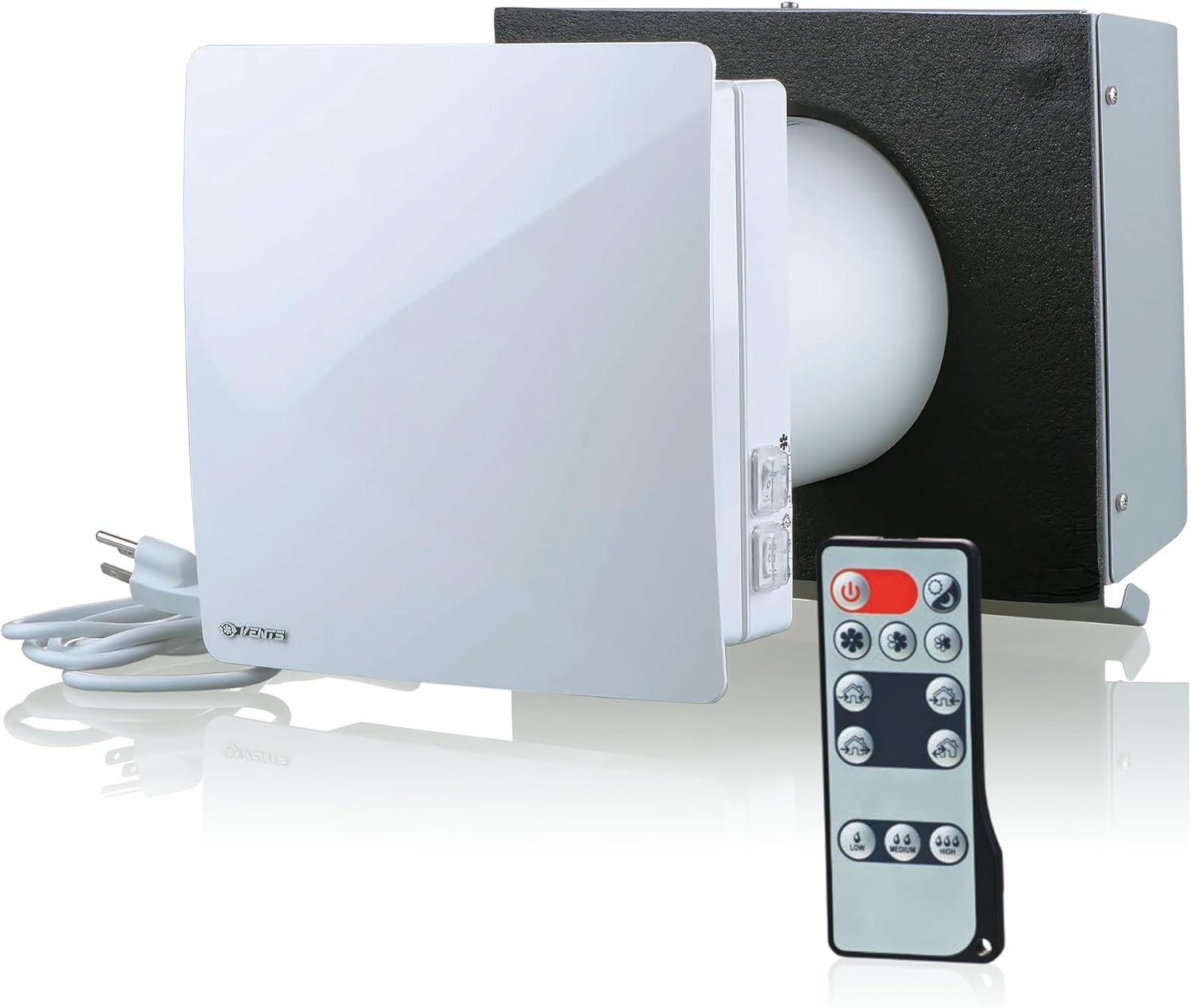
Figure 1: VENTS-US TwinFresh Comfo RB1-50-2 unit with remote control.
Video 1: Product Overview of the VENTS-US TwinFresh Comfo Ventilation Fan. This video provides a general introduction to the features and benefits of the unit.
2. Safety Information
- Always disconnect power before performing any installation, maintenance, or repair work.
- Ensure all electrical connections comply with local codes and regulations.
- Do not install the unit in a cooking area or connect it directly to any appliance.
- For use in one- and two-dwelling units only.
- Do not mount in a fire-rated wall.
- Keep hands and foreign objects away from moving parts during operation.
- This appliance is not intended for use by persons (including children) with reduced physical, sensory or mental capabilities, or lack of experience and knowledge, unless they have been given supervision or instruction concerning use of the appliance by a person responsible for their safety.
3. Product Overview and Components
The VENTS-US TwinFresh Comfo RB1-50-2 is a ductless energy recovery ventilator designed for single-room applications. It provides fresh, filtered air while recovering heat or cooling energy.
Key Features:
- Energy-efficient operation with up to 88% heat/cooling recovery.
- Ductless through-the-wall installation for rooms up to 500 sq ft.
- High-efficiency reversible DC motor with quiet operation (as low as 0.2 sones).
- Built-in humidity sensor for automatic moisture response.
- MERV 5 filters to reduce dust, pollen, and odors.
- Includes a corrosion-resistant stainless steel exterior hood and wireless remote control.
Included Components:
- Ventilation fan unit
- Remote control
- Stainless steel outdoor hood
- Power cord

Figure 2: Front and back views of the TwinFresh Comfo unit, illustrating its compact design.
Video 2: A 360-degree view of the TwinFresh Comfo fan, showcasing its design and components from all angles.
4. Specifications
| Attribute | Value |
|---|---|
| Brand | VENTS |
| Model Name | Twinfresh Comfo RB1-50-2 |
| Color | White |
| Electric Fan Design | Exhaust Fan |
| Power Source | Corded Electric (120V / 60Hz) |
| Product Dimensions | 18.5"D x 12.19"W x 10.25"H |
| Room Type | Bathroom, Bedroom, Craft room, Dining Room, Game room, Garage, Home Office, Home gym, Home theater, Kids Room, Kitchen, Laundry Room, Mudroom, Nursery, Playroom, Pool house, Private library, Storage room, Study Room, Workshop |
| Special Feature | Remote Controlled |
| Recommended Uses | Air Circulation, Cooling, Exhausting, Ventilating |
| Noise Level | 0.5 Sones |
| Wattage | 7 watts |
| Finish Type | Stainless Steel |
| Air Flow Capacity | 30 Cubic Feet Per Minute (CFM) |
| Speed | 1450 RPM |
| Voltage | 120V |
| Item Weight | 16.88 pounds |
| Indoor/Outdoor Usage | Indoor |
| Control Method | Remote |
| Efficiency | High (Energy Recovery up to 88%) |
| Number of Power Levels | 3 |
| Motor Type | DC motor |
| Material Type | Metal Hood, Plastic Unit |
| Mounting Type | Wall Mount |

Figure 3: Detailed dimensions of the TwinFresh Comfo unit for installation planning.

Figure 4: Dimensions of the included stainless steel outdoor hood, designed to protect against weather and debris.
5. Installation
The TwinFresh Comfo RB1-50-2 is designed for through-the-wall installation. Ensure you have the necessary tools and follow all local electrical codes.
Installation Steps:
- Prepare the Wall: Ensure the wall thickness is between 6 and 20 inches. Create a circular opening in the wall according to the unit's dimensions.
- Remove Access Panel: Carefully remove the access panel from the unit's base.
- Remove Wire Retainer: Unscrew and remove the wire retainer.
- Disconnect Power Cord: Disconnect the pre-attached power cord from the unit.
- Pull Wire Through Wall: With power to the circuit turned OFF, pull the electrical wires (ground, neutral, live) through the prepared wall opening.
- Install Duct in Wall: Insert the duct section into the wall opening.
- Mount Comfo Base Panel: Mount the unit's base panel to the wall, feeding the electrical wires through the designated opening.
- Attach Ground Wire (Optional): If required by local codes, attach the ground wire to the designated terminal.
- Attach Neutral and Live Wires: Connect the neutral (white) and live (black) wires to the appropriate terminals (120V / 60Hz).
- Mount Wire Retainer: Secure the wire retainer back in place.
- Insert Cartridge into Duct: Carefully insert the ceramic energy recovery core and filters into the duct.
- Mount Face Panel: Attach the decorative face panel to the unit.
Video 3: Detailed instructions on how to hardwire the TwinFresh Comfo unit for permanent electrical connection.
6. Operation
The TwinFresh Comfo RB1-50-2 can be operated using the included wireless remote control or the manual switches on the unit.
Control Switches:

Figure 5: The physical control switches located on the side of the unit.

Figure 6: Explanation of the fan speed switch: Third Speed, OFF, Second Speed.

Figure 7: Explanation of the operation mode switch: Ventilation mode, Regeneration mode, Supply mode.
Remote Control:
The wireless remote control provides convenient access to all functions, including speed control, multiple operating modes, and humidity control settings.

Figure 8: Multiple units can be wired in a network to operate on one remote control for synchronized ventilation.
7. Maintenance
Regular maintenance ensures optimal performance and longevity of your TwinFresh Comfo unit. The ceramic ERV core and filters are washable.
Filter and Core Maintenance:
- Remove and Clean Fan Motor: Carefully remove the fan motor assembly and clean any dust or debris with a soft cloth.
- Remove Core Assembly: Pull the attached wire cord to remove the ceramic energy recovery core assembly.
- Clean Filters: Remove the filters from the core. Wash the filters with warm water and mild soap. Allow them to dry completely before reinstallation.
- Clean Core: Use a vacuum cleaner to remove any visible dust or debris from within the ceramic core.
- Replace Cleaned/New Filters: Reinsert the dry filters into the core assembly.
- Reinstall Core Assembly: Carefully slide the core assembly back into the duct.
- Reattach Fan Motor: Reinstall the fan motor assembly.
Video 4: Instructions for performing air filter maintenance on the TwinFresh Comfo unit, including cleaning the filters and core.
8. Troubleshooting
If you encounter issues with your TwinFresh Comfo unit, refer to the following common troubleshooting steps:
- Unit not powering on: Check the power connection and ensure the circuit breaker is not tripped. Verify the power cord is securely connected.
- Reduced airflow: Inspect the filters for excessive dust buildup. Clean or replace filters as necessary. Ensure the outdoor hood is not obstructed.
- Unusual noise: Check for any loose components or obstructions in the fan blades. Ensure the unit is securely mounted.
- Remote control not responding: Replace the batteries in the remote control. Ensure there are no obstructions between the remote and the unit.
- Ineffective humidity control: Ensure the humidity sensor is clean and not obstructed. Verify the unit is set to an appropriate operating mode for humidity management.
For persistent issues, contact customer support.
9. Warranty
VENTS-US products are covered by a manufacturer's warranty. Please refer to the warranty card included with your product or visit the official VENTS-US website for detailed warranty terms and conditions. Keep your proof of purchase for warranty claims.
10. Support
For technical assistance, replacement parts, or further inquiries, please contact VENTS-US customer support through their official website or the contact information provided in your product packaging. When contacting support, please have your model number (Twinfresh Comfo RB1-50-2) and purchase date available.
Related documentsTwinfresh Comfo RB1-50-2


Ask a question about this manual
Ask about setup, troubleshooting, compatibility, parts, safety, or missing instructions. Manuals+ will review the question and use this page’s manual context to help answer it.