
Introduction
Welcome to your new Apple Watch Series 11 GPS + Cellular 42mm. This device is designed to enhance your daily life with advanced health monitoring, comprehensive fitness tracking, and seamless connectivity. This manual will guide you through the essential steps to set up, operate, and maintain your watch, ensuring you get the most out of its features.
What's in the Box
Upon opening your Apple Watch Series 11 package, you should find the following components:
- Apple Watch Series 11 Case (Natural Titanium)
- Sport Band (Stone Grey, S/M size, fits 130–180mm wrists)
- 1m Magnetic Charging Cable (USB-C)

Image: Components included in the Apple Watch Series 11 package: the watch case, a sport band, and a USB-C magnetic fast charging cable.
Setup
1. Attaching the Band
To attach the band, slide each piece into the slots on the watch case until you feel and hear a click. Ensure the band is securely fastened before wearing the watch.
2. Charging Your Apple Watch
Connect the magnetic charging cable to a USB-C power adapter (sold separately) and plug it into a power outlet. Place the back of your Apple Watch on the magnetic charger. The watch will display a charging indicator. For initial setup, ensure your watch has sufficient charge.
3. Powering On and Off
- To Power On: Press and hold the Side Button until the Apple logo appears.
- To Power Off: Press and hold the Side Button until the power off slider appears, then drag the slider to the right.
4. Pairing with iPhone
To use your Apple Watch, you must pair it with an iPhone (iPhone XS or later with the latest iOS version).
- Ensure your iPhone's Bluetooth is enabled and it's connected to Wi-Fi or cellular.
- Place your Apple Watch on your wrist and power it on.
- Hold your iPhone near your Apple Watch. A pairing screen will appear on your iPhone. Tap "Continue".
- Position your iPhone so that your Apple Watch appears in the viewfinder of the Apple Watch app.
- Follow the on-screen instructions on both your iPhone and Apple Watch to complete the pairing process, including setting up cellular service if desired.
Operating Your Apple Watch
Basic Navigation
- Digital Crown: Rotate to scroll, zoom, or adjust values. Press once to go to the watch face or app list. Double-press to switch between recently used apps. Press and hold for Siri.
- Side Button: Press once to open the Dock (recently used apps). Double-press for Apple Pay. Press and hold for power options or Emergency SOS.
- Touch Screen: Tap to select, swipe to navigate, and force touch (press firmly) for additional options in some apps.
Health and Fitness Tracking
Your Apple Watch Series 11 is equipped with advanced sensors to monitor your health and fitness.
- Sleep Score: Track your sleep patterns and receive a daily sleep score to understand and improve your sleep quality.
- ECG App: Take an electrocardiogram (ECG) directly from your wrist to check for signs of atrial fibrillation.
- Heart Rate Monitoring: Receive notifications for high, low, or irregular heart rhythms.
- Vitals App: View overnight health metrics including heart rate, blood oxygen, and respiratory rate.
- Blood Oxygen App: Measure your blood oxygen saturation levels on demand.
- Activity Rings: Track your daily movement, exercise, and standing goals.
- Workout App: Access advanced metrics for various workouts, including Pacer, Heart Rate Zones, and training load.

Image: The Apple Watch display showcasing richer health insights in the Vitals app, up to 24 hours of battery life, sleep score tracking, and 5G connectivity.

Image: Two Apple Watch displays. One shows the activity rings for Move, Exercise, and Stand. The other shows the Workout app interface for an 'Outdoor Run'.
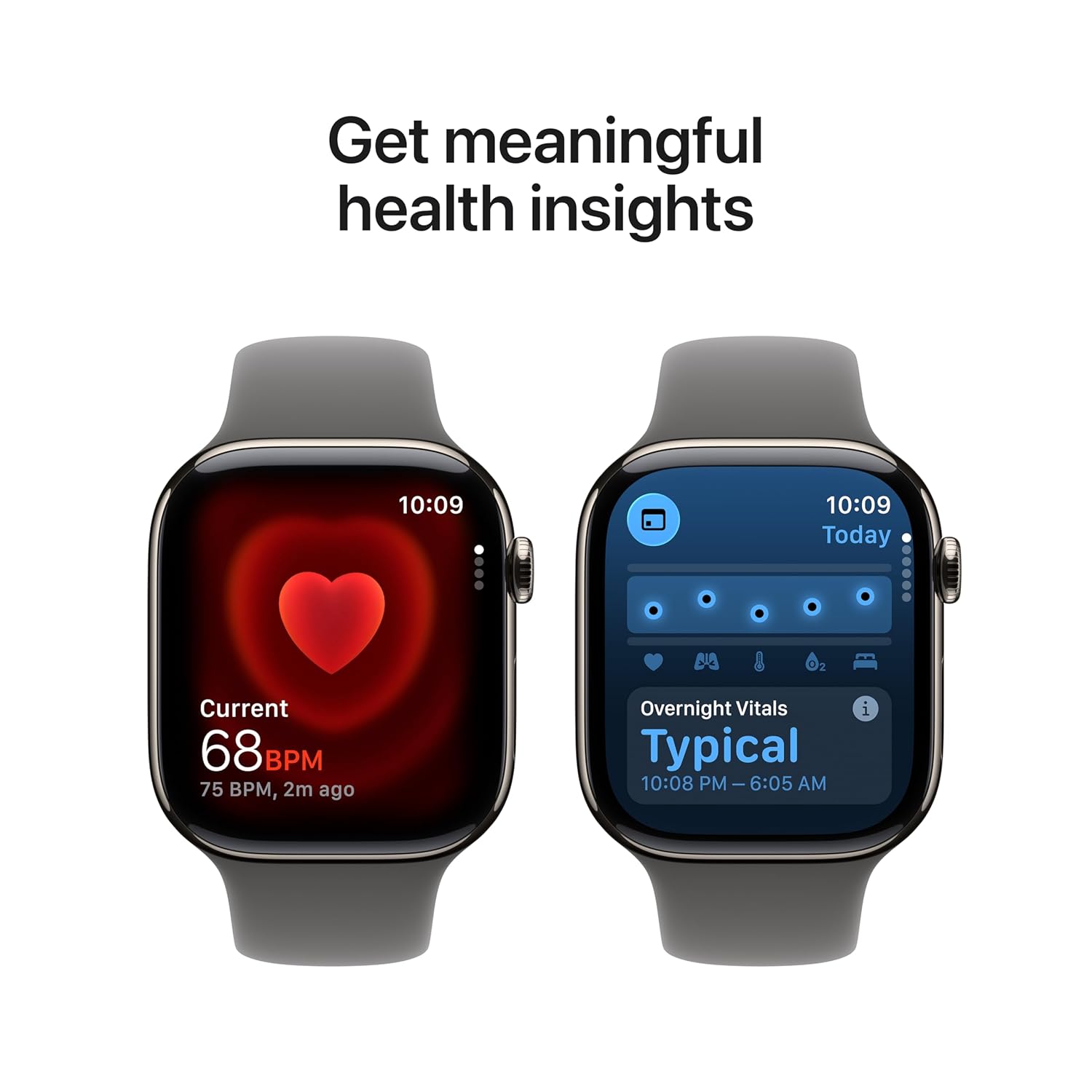
Image: Two Apple Watch displays. One shows a current heart rate reading of 68 BPM. The other shows the 'Overnight Vitals' screen with typical readings from 10:08 PM to 6:05 AM.
Cellular Connectivity
With GPS + Cellular models, you can make calls, send messages, and stream music without your iPhone nearby, provided you have an active cellular plan for your watch.

Image: A person wearing an Apple Watch, highlighting its 5G connectivity capabilities.
Battery Life and Charging
The Apple Watch Series 11 offers up to 24 hours of normal use on a single charge. Fast charging allows for up to 8 hours of normal use in just 15 minutes. Use the included magnetic charging cable for optimal charging performance.
Maintenance
Cleaning Your Apple Watch
- Watch Case: Wipe the watch case with a non-abrasive, lint-free cloth. If necessary, lightly dampen the cloth with fresh water.
- Bands: For silicone bands, wipe with a damp cloth. For other materials, refer to Apple's official cleaning guidelines for specific band types.
- Avoid using harsh chemicals, abrasive materials, or compressed air.
Water Resistance
The Apple Watch Series 11 is water resistant, but not waterproof. It can be used for shallow-water activities like swimming in a pool or ocean. It should not be used for scuba diving, waterskiing, or other activities involving high-velocity water or submersion below shallow depths. Water resistance may decrease over time.
Troubleshooting
Watch Not Powering On
Ensure the watch is sufficiently charged. Place it on the magnetic charging cable for at least 30 minutes. If it still doesn't power on, try a force restart by holding both the Side Button and Digital Crown for at least 10 seconds until the Apple logo appears.
Pairing Issues
Verify your iPhone's Bluetooth is on and both devices are close to each other. Restart both your iPhone and Apple Watch. If issues persist, unpair the watch from your iPhone (if previously paired) and attempt to pair again.
Inaccurate Health Readings
Ensure your Apple Watch is worn snugly on your wrist, but not too tight. Clean the back of the watch and your wrist to ensure good sensor contact. Environmental factors and skin conditions can sometimes affect sensor accuracy.
Battery Draining Quickly
Check for apps running in the background. Reduce notifications, disable "Always On Display" if not needed, and ensure your watchOS is up to date. Background app refresh can also impact battery life.
Specifications
| Model Name | Apple Watch Series 11 |
| Item Model Number | MF8M4HN/A |
| Case Material | Natural Titanium |
| Case Size | 42mm |
| Band Type | Sport Band (Stone Grey, S/M) |
| Connectivity | GPS, Cellular, Bluetooth |
| Operating System | WatchOS |
| Memory Storage Capacity | 64 GB |
| Special Features | Activity Tracker, Alarm Clock, Always On Display, Fall Detection, GPS, ECG, Blood Oxygen, Heart Rate Monitoring, Sleep Score |
| Battery Life | Up to 24 hours (normal use) |
| Item Weight | 34.6 g |
| Manufacturer | Apple |
| Country of Origin | China |
Warranty and Support
Your Apple Watch Series 11 is covered by Apple's standard limited warranty. For detailed warranty information, please refer to the documentation included with your product or visit the official Apple support website.
Additional protection plans, such as "1 Year Protect+ with AppleCare Service by Apple," may be available for purchase separately. These plans offer extended coverage and technical support.
For technical assistance, troubleshooting, or service requests, please contact Apple Support directly or visit an authorized Apple service provider.
- Apple Support Website: support.apple.com
- Apple Store Locator: apple.com/retail


