1. Product Overview
The Baseus EH10 NC Bluetooth Headphones are designed to provide a high-quality audio experience with advanced noise cancellation. Featuring -45dB Hybrid Active Noise Isolation, Hi-Res & LDAC audio support, and 5 AI microphones for clear communication, these over-ear headphones offer extended playtime and comfortable wear.
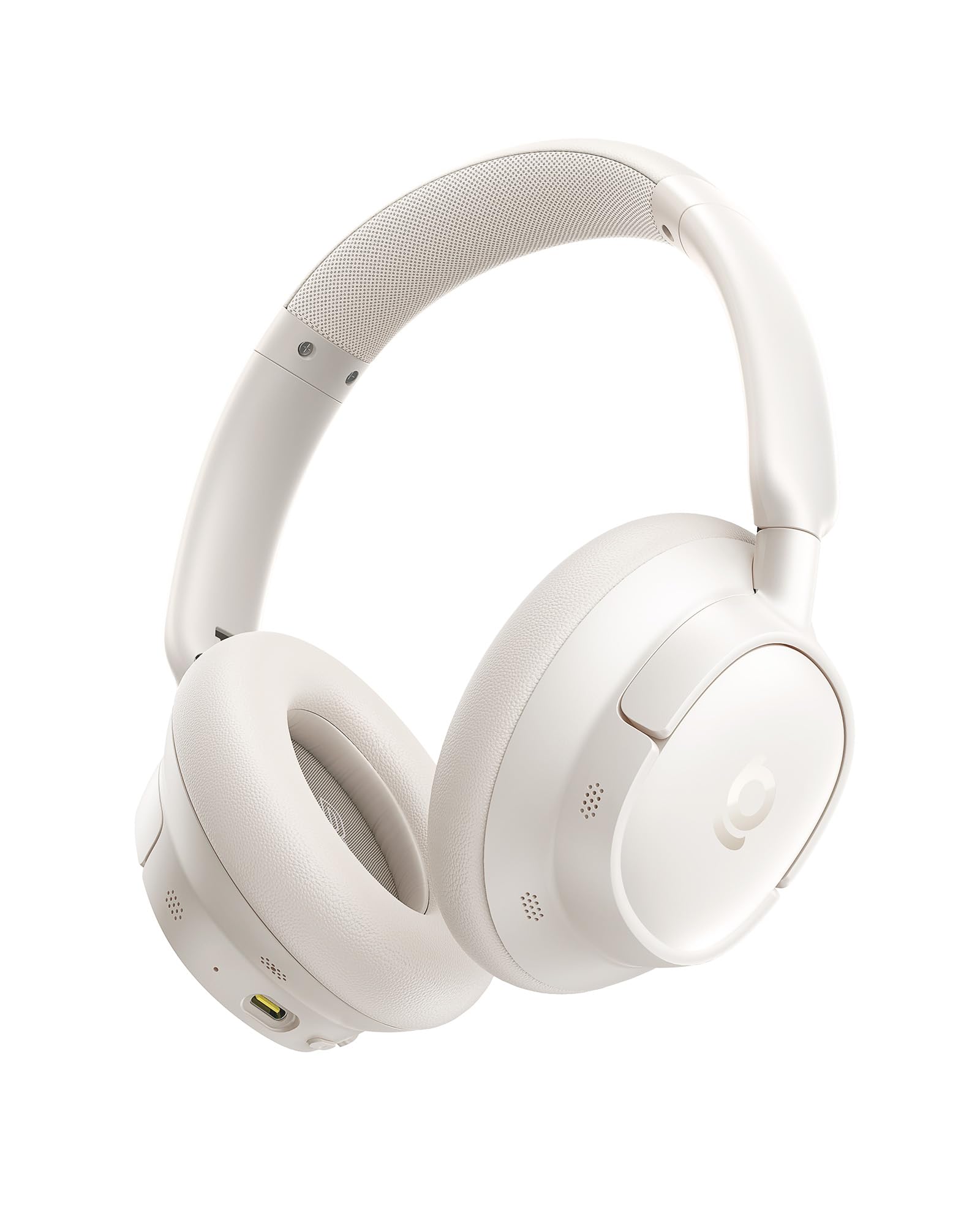
Image: Baseus EH10 NC Bluetooth Headphones in Starlight White. This image displays the full profile of the headphones, highlighting the comfortable over-ear design and the sleek finish.
2. Package Contents
Verify that all items are present in your package:
- 1 x Baseus EH10 NC Noise Cancelling Headphones
- 1 x USB Type-C Charging Cable
- 1 x 3.5mm Audio Cable
- User Manual (this document)
3. Controls and Indicators
Familiarize yourself with the headphone controls and indicators for optimal use.
- Power Button: Used for powering on/off, pairing, and managing calls.
- Volume Up/Next Track Button: Increases volume with a short press; skips to next track with a long press.
- Volume Down/Previous Track Button: Decreases volume with a short press; skips to previous track with a long press.
- ANC/Transparency Mode Button: Toggles between Active Noise Cancellation, Transparency Mode, and Normal Mode.
- 3.5mm Audio Jack: For wired audio connection.
- USB Type-C Port: For charging the headphones.
- LED Indicator: Displays power status, charging status, and Bluetooth connection status.
- Microphones: Integrated 5 AI microphones for voice pickup during calls and voice assistant use.
4. Setup
4.1. Charging the Headphones
- Connect the USB Type-C charging cable to the charging port on the headphones.
- Connect the other end of the cable to a USB power adapter (not included) or a computer's USB port.
- The LED indicator will show the charging status. A full charge typically takes approximately 1.5-2 hours.
- When fully charged, the LED indicator will change (e.g., turn off or change color).
- A 10-minute quick charge provides approximately 10 hours of playtime.
Note: Ensure the headphones are fully charged before first use for optimal battery life.
4.2. Bluetooth Pairing
- Power On: Press and hold the Power button for approximately 3 seconds until the LED indicator flashes blue, indicating the headphones are in pairing mode.
- Activate Bluetooth: On your device (smartphone, tablet, computer), enable Bluetooth.
- Select Device: In your device's Bluetooth settings, search for "Baseus EH10 NC" in the list of available devices and select it.
- Confirm Connection: Once connected, the LED indicator on the headphones will typically turn solid blue or flash slowly. A voice prompt may also confirm the connection.
- Reconnect: The headphones will automatically attempt to reconnect to the last paired device when powered on.
4.3. Wired Connection (3.5mm Audio Cable)
To use the headphones with devices that do not support Bluetooth or when the battery is depleted:
- Connect one end of the 3.5mm audio cable to the 3.5mm audio jack on the headphones.
- Connect the other end of the cable to the audio output jack of your device.
- The headphones will operate in passive mode, and some features like ANC may not be available or require power.
5. Operation
5.1. Power On/Off
- Power On: Press and hold the Power button for 3 seconds.
- Power Off: Press and hold the Power button for 5 seconds.
5.2. Music Playback
- Play/Pause: Short press the Power button.
- Next Track: Long press the Volume Up button.
- Previous Track: Long press the Volume Down button.
5.3. Call Management
- Answer/End Call: Short press the Power button.
- Reject Call: Long press the Power button.
- Switch Call (between headphones and phone): Double press the Power button during a call.
5.4. Active Noise Cancellation (ANC) and Transparency Mode
The Baseus EH10 NC headphones feature adaptable -45dB Hybrid Active Noise Isolation and a Transparency Mode.
- Toggle Modes: Short press the ANC/Transparency Mode button to cycle through:
- Active Noise Cancellation (ANC) On: Reduces ambient noise.
- Transparency Mode: Allows you to hear your surroundings while listening to audio.
- Normal Mode: ANC and Transparency Mode are off.
5.5. Volume Control
- Increase Volume: Short press the Volume Up button.
- Decrease Volume: Short press the Volume Down button.
5.6. Voice Assistant
Activate your device's voice assistant (e.g., Siri, Google Assistant) through the headphones.
- Activate Voice Assistant: Double press the ANC/Transparency Mode button.
6. Maintenance
6.1. Cleaning
- Wipe the headphones with a soft, dry, lint-free cloth.
- Do not use abrasive cleaners, solvents, or spray cleaners.
- Avoid getting moisture into any openings.
- Clean ear cushions gently with a slightly damp cloth if necessary, and allow them to air dry completely.
6.2. Storage
- Store the headphones in a cool, dry place, away from extreme temperatures and direct sunlight.
- If provided, use the carrying case to protect the headphones from dust and scratches.
6.3. Battery Care
- To preserve battery life, charge the headphones regularly, even if not used frequently.
- Avoid fully discharging the battery for extended periods.
- Do not expose the battery to high temperatures.
7. Troubleshooting
| Problem | Possible Solution |
|---|---|
| Headphones do not power on. | Ensure the headphones are charged. Connect to a power source using the USB Type-C cable. |
| Cannot pair via Bluetooth. |
|
| No sound or low volume. |
|
| ANC not working effectively. |
|
| Microphone not picking up voice. |
|
8. Specifications
| Feature | Detail |
|---|---|
| Model Name | Baseus EH10 NC |
| Connectivity Technology | Wireless (Bluetooth 6.0) |
| Bluetooth Version | 6.0 |
| Noise Control | Hybrid Active Noise Cancellation (-45dB) |
| Audio Driver Type | Dynamic Driver with SuperBass 2.0 |
| Microphones | 5 AI Microphones with ENC system |
| Audio Codecs | LDAC, Hi-Res & Hi-Res Wireless certified |
| Battery Life (ANC On) | Up to 55 Hours |
| Battery Life (ANC Off) | Up to 80 Hours |
| Quick Charge | 10 minutes charge for 10 hours playtime |
| Charging Port | USB Type-C |
| Wired Connectivity | 3.5 mm Audio Jack |
| Earpiece Shape | Over-Ear |
| Item Weight | 420 g |
| Battery Type | Lithium Ion (Rechargeable) |
| Compatible Devices | Desktops, laptops, tablets, mobile phones, smart speakers, TVs, car audio systems, music production equipment, game consoles, motorcycles |
9. Warranty and Support
Baseus products are designed and manufactured to the highest quality standards. For detailed warranty information, please refer to the warranty card included with your product or visit the official Baseus website.
If you encounter any issues or have questions regarding your Baseus EH10 NC headphones, please contact Baseus customer support through their official website or the retailer from whom you purchased the product. Please have your product model number and purchase details ready.
- Official Baseus Website: www.baseus.com (Note: This is a placeholder URL, please refer to actual product documentation for correct support links.)