
1. Introduction
Thank you for choosing the URBN Pro Cord 60W USB-C to USB-C Super Fast Charging Cable. This cable is engineered for efficient power delivery and high-speed data transfer, designed to meet the demands of modern USB-C devices. Its robust construction ensures durability and reliable performance for everyday use.
Key Features:
- 60W Power Delivery: Supports fast charging for laptops, tablets, and smartphones.
- 480Mbps Data Transfer: Enables quick syncing and file transfers.
- Nylon Braided Design: Enhances durability and prevents tangling.
- 1.2 Meter Length: Optimal length for various usage scenarios.
- Universal Compatibility: Works with a wide range of USB-C enabled devices, including Apple CarPlay and Android Auto.


2. Setup
The URBN Pro Cord is designed for simple plug-and-play functionality. No software installation is required.
- Unpack the Cable: Carefully remove the URBN Pro Cord from its packaging.
- Connect to Power Adapter (for Charging): Insert one end of the USB-C connector into a compatible USB-C power adapter. For optimal fast charging, ensure your power adapter supports Power Delivery (PD) and has a wattage output of 60W or higher.
- Connect to Device: Insert the other end of the USB-C connector into the USB-C port of your device (smartphone, tablet, laptop, etc.).

3. Operating Instructions
3.1 Charging Your Device
To charge your USB-C enabled device:
- Connect the URBN Pro Cord to a USB-C power adapter.
- Connect the other end of the cable to your device's USB-C port.
- Ensure both connections are secure. Your device should indicate that it is charging.
Note: For super fast charging, use a power adapter that supports 60W Power Delivery or higher. The cable supports up to 60W (20V/3A) charging.

3.2 Data Transfer
To transfer data between your USB-C enabled devices:
- Connect one end of the URBN Pro Cord to the USB-C port of your source device (e.g., computer).
- Connect the other end of the cable to the USB-C port of your target device (e.g., smartphone, external drive).
- Once connected, your devices should recognize each other, allowing you to initiate data transfer at speeds up to 480Mbps.

3.3 Universal Compatibility
The URBN Pro Cord is designed for broad compatibility with a variety of USB-C devices, including:
- MacBook and iPad Pro models
- Samsung Galaxy S Series, Google Pixel, OnePlus smartphones
- Other USB-C enabled laptops, tablets, and accessories

3.4 Apple CarPlay & Android Auto Support
Connect your smartphone to your vehicle's infotainment system via the URBN Pro Cord to utilize Apple CarPlay or Android Auto for navigation, music, and hands-free communication.

4. Maintenance
Proper care and maintenance will extend the lifespan of your URBN Pro Cord.
- Cleaning: Gently wipe the cable with a dry, soft cloth to remove dust or dirt. Avoid using harsh chemicals or abrasive materials.
- Storage: Store the cable in a cool, dry place when not in use. Avoid extreme temperatures.
- Handling: Do not bend the cable sharply or pull it forcefully from devices. Always grasp the connector head when plugging or unplugging.
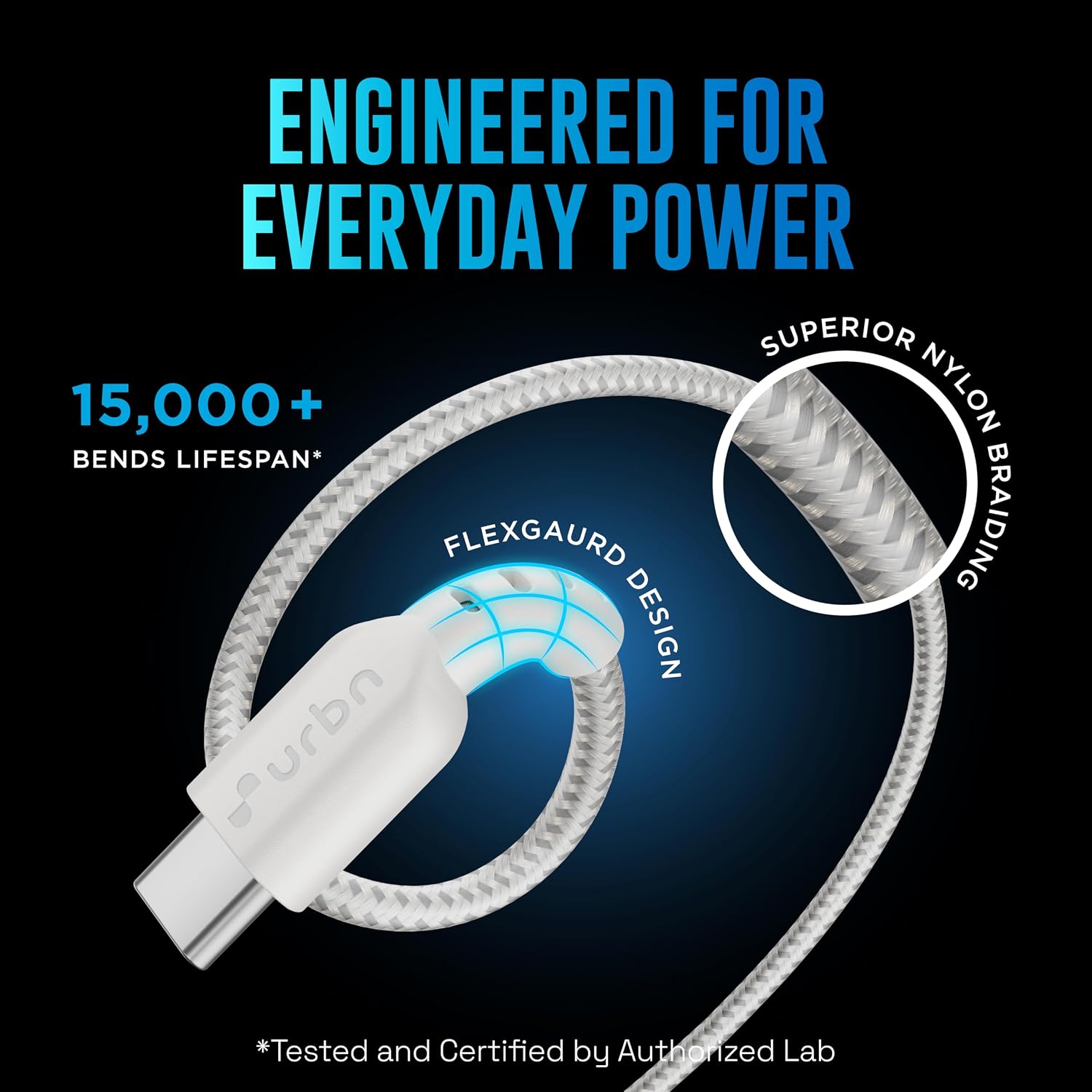
- Durability: The cable features a superior nylon braided exterior and Flexgaurd design at the connectors, providing resistance against tangling, bending, and fraying. It is tested for over 15,000 bends.
5. Troubleshooting
If you encounter issues with your URBN Pro Cord, please refer to the following common solutions:
- Device Not Charging or Charging Slowly:
- Ensure both ends of the cable are securely connected to the power adapter and your device.
- Verify that your power adapter is functioning correctly and provides sufficient wattage (60W or higher recommended for fast charging).
- Check if your device's charging port is clean and free of debris.
- Try using a different power adapter or a different USB-C port on your device, if available.
- Data Transfer Issues:
- Confirm that both devices are properly connected and recognized by each other.
- Ensure your devices' operating systems and drivers are up to date.
- Check your device settings to allow data transfer (e.g., 'File Transfer' mode on Android).
- Intermittent Connection:
- Ensure the connectors are fully inserted and not loose.
- Inspect the cable and connectors for any visible damage (e.g., bent pins, frayed cable). If damaged, discontinue use.
If these steps do not resolve the issue, please contact URBN customer support.
6. Specifications
| Brand | URBN |
| Model Name | UPC257 |
| Connector Type | USB Type C (Male-to-Male) |
| Cable Type | USB |
| Wattage | 60 Watts |
| Maximum Current | 3 Amps |
| Maximum Voltage | 20 Volts |
| Data Transfer Rate | 480 Megabits Per Second |
| Cable Length | 1.2 Meters |
| Material | Nylon Braided |
| Special Features | Fast Charging, High Speed Data Transfer, Tangle Free, Supports Apple CarPlay/Android Auto |
| Compatible Devices | MacBook, iPad Pro, Galaxy S Series, Pixel, OnePlus, and other USB-C enabled devices |
| Item Weight | 20 Grams |
| Country of Origin | India |
7. Warranty Information
The URBN Pro Cord 60W USB-C to USB-C cable comes with a 1-year limited warranty from the date of purchase. This warranty covers manufacturing defects under normal use. It does not cover damage caused by misuse, accidents, unauthorized modifications, or external causes.
To make a warranty claim, please retain your proof of purchase (receipt or order confirmation). For further details or to initiate a claim, please contact URBN customer support.
8. Support
For product inquiries, technical assistance, or warranty claims, please visit the official URBN website or contact their customer support team. You can typically find contact information on the URBN brand website or through your purchase platform.
We are committed to providing you with reliable products and excellent service.