1. Introduction
This manual provides detailed instructions for the safe and efficient operation of your VEVOR SK-1350L Vinyl Cutter Machine. Please read this manual thoroughly before using the machine to ensure proper setup, operation, and maintenance. Keep this manual for future reference.
2. Safety Information
Always follow basic safety precautions to reduce the risk of fire, electric shock, and personal injury.
- Ensure the machine is placed on a stable, level surface.
- Keep hands clear of moving parts and blades during operation.
- Do not operate the machine in wet or damp conditions.
- Unplug the machine from the power outlet before cleaning or maintenance.
- Use only approved accessories and replacement parts.
- Keep children and pets away from the machine during operation.
3. What's in the Box
Verify that all components are present upon unpacking:
- 1 x VEVOR Vinyl Cutter Machine (SK-1350L)
- 1 x User Manual
- 1 x SignMaster Software (Windows + macOS)
- 1 x Exploded Diagram
- 1 x Creasing Blade
- 2 x Blade Holder
- 1 x Cutting Blades (Set of 3)
- 1 x Fuse
- 1 x Cutting Mat (A3)
- 1 x USB Cable
- 1 x Serial Cable
- 1 x Power Cable
- 1 x USB Flash Drive
- 1 x Pen Holder
- 1 x Screw Pack
- 1 x Platform Assembly
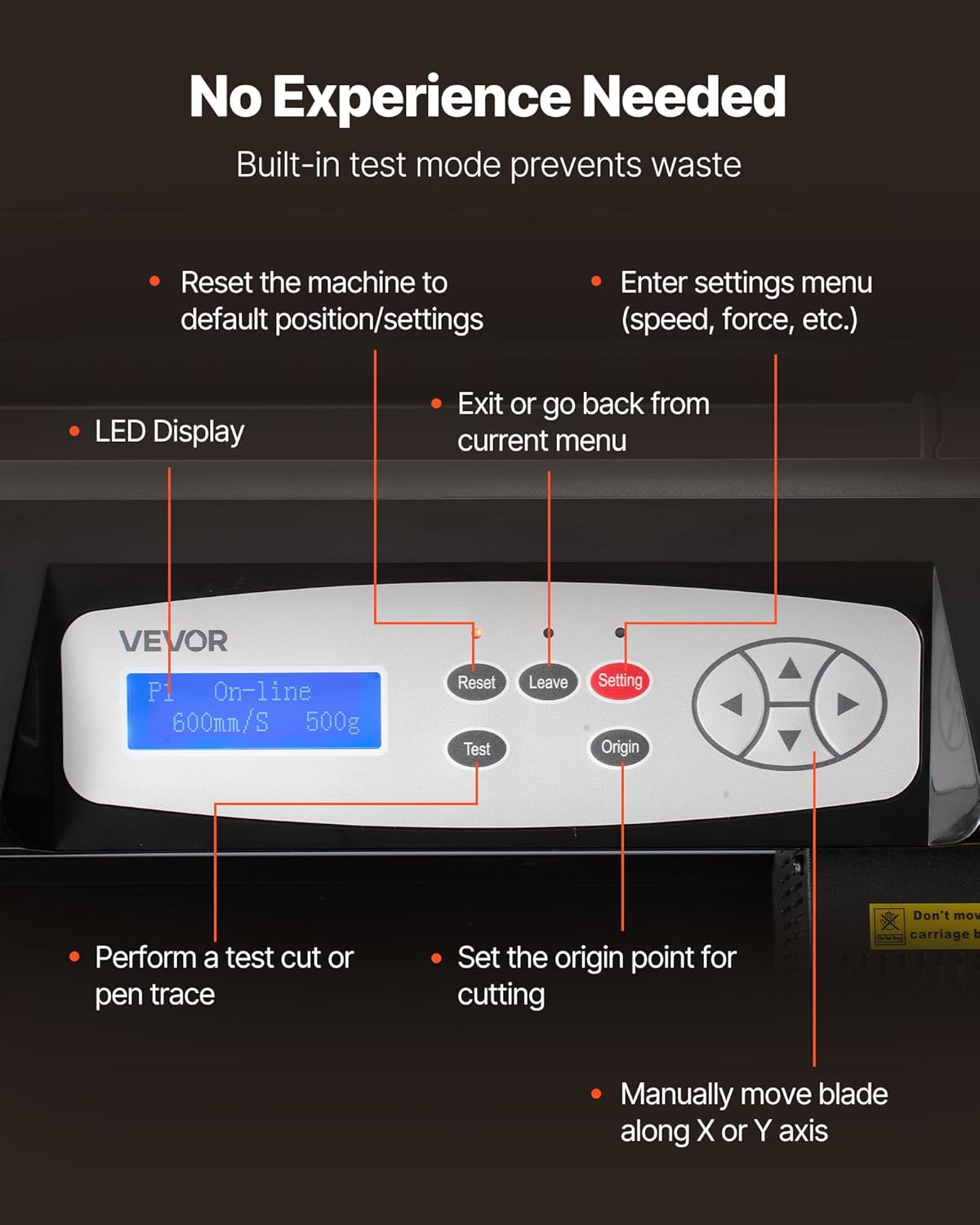
Image: The VEVOR Vinyl Cutter Machine SK-1350L with all its included accessories laid out.
4. Setup
4.1 Assembling the Stand
Follow the instructions in the included Exploded Diagram and use the Screw Pack to assemble the machine stand and platform assembly. Ensure all connections are secure.
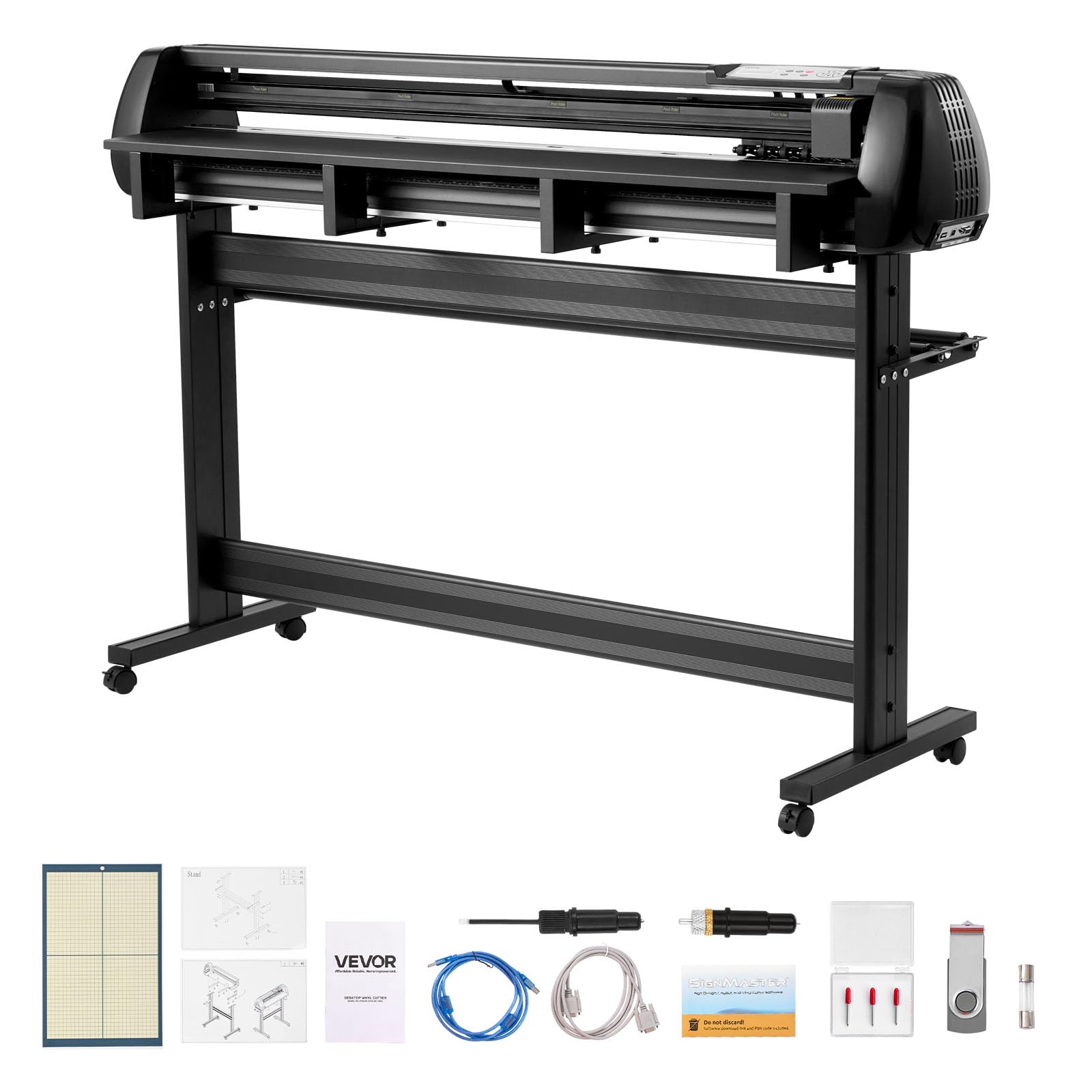
Image: The VEVOR Vinyl Cutter Machine SK-1350L fully assembled on its stand, ready for use.
4.2 Connecting to Power and Computer
- Connect the power cable to the machine and a suitable power outlet.
- Connect the machine to your computer using either the USB cable, U-disk, or serial port.
- Install the SignMaster software on your Windows (7-11) or macOS computer using the provided activation code. No CD driver is required.

Image: A detailed view of the machine's control panel and various connection ports (U-DISK, USB, COM).
4.3 Loading Material
- Place your vinyl or other cutting material onto the machine's feed area.
- Adjust the dual-spring pinch rollers to securely hold the material without slipping. Ensure the material is aligned straight.
- The machine accommodates sheets and rolls up to 1 mm thick.

Image: A user loading a roll of vinyl material into the VEVOR Vinyl Cutter Machine, adjusting the pinch rollers.
5. Operating Instructions
5.1 Control Panel Overview
The LED display and control buttons allow for direct machine interaction:
- LED Display: Shows current status, speed, and force settings.
- Reset: Resets the machine to default position/settings.
- Leave: Exits or goes back from the current menu.
- Setting: Enters the settings menu (speed, force, etc.).
- Test: Performs a test cut or pen trace.
- Origin: Sets the origin point for cutting.
- Arrow Buttons: Manually move the blade along X or Y axis.
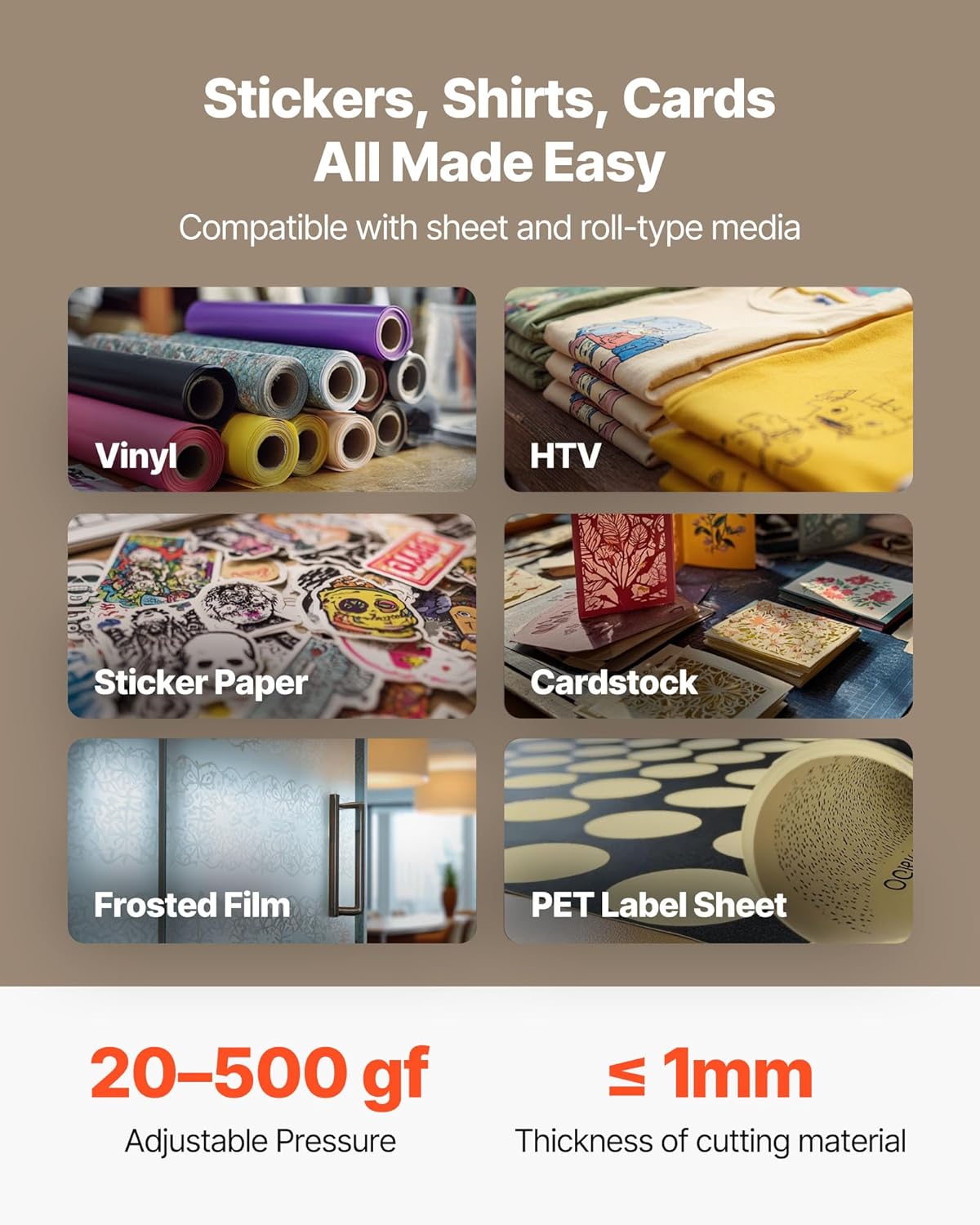
Image: Detailed view of the LED display and control buttons, indicating their respective functions for machine operation.
5.2 Using SignMaster Software
- Open the SignMaster software on your computer.
- Create or import your design.
- Before cutting, use the software's preview function to verify your design and cutting path. This helps prevent material waste and errors.
- Adjust cutting parameters (speed: 20-600mm/s, force: 20-500gf) within the software or directly on the machine's control panel to match your material's thickness and type.
- Send the design to the cutter.
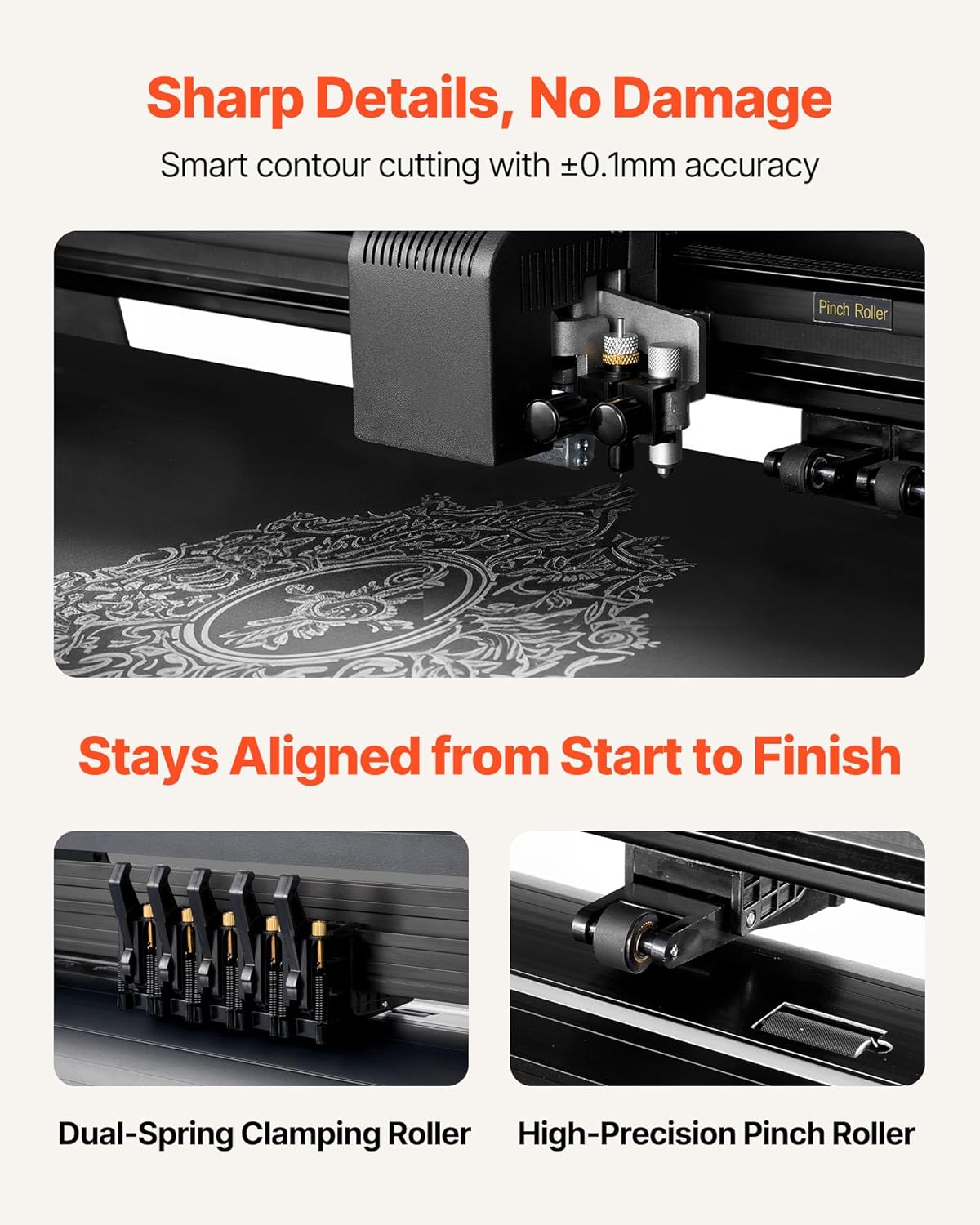
Image: The SignMaster software interface displayed on a laptop, illustrating the design preview feature prior to sending a job to the cutter.
5.3 Dual-Blade Operation
The SK-1350L features a dual-blade design, allowing for simultaneous drawing and cutting or scoring without needing to change tools. This improves efficiency for complex projects.

Image: A close-up view of the dual-blade cutting head, highlighting its ability to perform multiple functions simultaneously.
Video: An official VEVOR video demonstrating the features and operation of the vinyl cutter machine, including its dual-blade design and compatibility.
6. Maintenance
6.1 Cleaning
- Regularly clean the machine's surface with a soft, dry cloth.
- Remove any dust or material debris from the cutting area and rollers to ensure smooth operation.
- Ensure the machine is unplugged before cleaning.
6.2 Blade Replacement
Dull blades can affect cutting precision. Replace blades as needed using the provided replacement set and blade holders. Refer to the Exploded Diagram for detailed instructions on blade replacement.
7. Troubleshooting
| Problem | Possible Cause | Solution |
|---|---|---|
| Machine not powering on | Power cable not connected; power outlet issue; blown fuse. | Check power connections; try a different outlet; replace fuse if necessary. |
| Poor cutting quality or incomplete cuts | Dull blade; incorrect blade force/speed; material not loaded correctly. | Replace blade; adjust blade force and speed settings; re-load material ensuring proper alignment and secure pinch rollers. |
| Software not connecting to machine | Incorrect cable connection; software driver issue; port selection error. | Verify USB/Serial cable connection; ensure SignMaster software is correctly installed and licensed; check port settings in software. |
| Material misalignment during long cuts | Pinch rollers not securely holding material; material not straight. | Ensure pinch rollers are firmly engaged and material is loaded perfectly straight. |
8. Specifications
| Feature | Detail |
|---|---|
| Model Number | SK-1350L |
| Product Dimensions | 61.42 x 17.91 x 41.34 inches (1560 x 455 x 1050 mm) |
| Item Weight | 61.4 pounds (27.85 kg) |
| Max Feed Width | 53.15 inches (1350 mm) |
| Max Cutting Width | 48.42 inches (1230 mm) |
| Max Material Thickness | 0.04 inches (1 mm) |
| Adjustable Force | 20-500 gf |
| Adjustable Speed | 20-600 mm/s |
| System Compatibility | Windows 7-11, macOS |
| Connectivity | USB, U-disk, Serial Port |
| Material | ABS Plastic and Aluminum Alloy |

Image: Technical diagram illustrating the dimensions and key specifications of the VEVOR SK-1350L Vinyl Cutter Machine.
9. Warranty and Support
For warranty information, please refer to the documentation provided with your purchase or visit the official VEVOR website. For technical support, troubleshooting assistance, or to order replacement parts, please contact VEVOR customer service through their official channels.
VEVOR Official Website: www.vevor.com


