
1. Introduction
This manual provides essential instructions for the safe and effective use of your MGSTN Mini 120 4K Camera. Please read this manual thoroughly before operating the device and retain it for future reference. The MGSTN Mini 120 4K Camera is a compact, wearable action camera designed for capturing high-quality video and photos in various environments, including sports, outdoor activities, and daily recording.
2. What's in the Box
Verify that all items are present in your package:
- MGSTN Mini 120 4K Camera
- Magnet Pendant
- Safety Cord
- 360° Rotating Clip
- Waterproof Case (for 30M depth)
- Mounting Accessories (e.g., for helmets, handlebars)
- Charging Cable

3. Product Overview
The MGSTN Mini 120 4K Camera offers advanced features in a compact design:
- 4K HD Video Recording: Capture videos in stunning 4K resolution with vibrant colors and sharp details.
- Extended Battery Life: Up to 90 minutes of 4K recording or 150 minutes in 1080P on a single charge. Supports recording while charging.
- 30M Waterproof with Case: The included waterproof case allows the camera to operate safely up to 30 meters (98ft) underwater. Note: The camera itself is not waterproof without the case.
- Versatile Mounting Options: Includes a magnetic pendant, safety cord, and 360° rotating clip for flexible attachment to clothing, helmets, handlebars, and more.
- Ultra-Compact and Lightweight: Weighing only 1.25oz, its small size allows for discreet and hands-free filming.
- Wireless Connectivity: Built-in Wi-Fi and Bluetooth enable effortless footage transfer to smartphones, live previews, and instant video playback via a dedicated app.


4. Setup
4.1 Charging the Camera
Before first use, fully charge the camera. Connect the camera to a USB power source using the provided charging cable. The LED indicator will show charging status and turn off when fully charged. The camera supports recording while charging.
4.2 Inserting a Micro SD Card
The camera requires a Micro SD card (up to 128GB, Class 10 or V30 recommended) for storing recordings. Locate the Micro SD card slot on the side of the camera. Gently insert the card with the contacts facing down until it clicks into place. Ensure the card is formatted before use (refer to the app for formatting options).
4.3 Mounting the Camera
Utilize the various accessories for flexible mounting:
- Magnet Pendant: For easy, hands-free POV shots by wearing it around your neck.
- Easy Clip: Attach to pockets, belts, caps, or pet collars.
- Safety Cord: Use for added security when mounting.
- Other Mounts: Securely attach to helmets, dashboards, or handlebars using the provided specialized mounts.


5. Operating Instructions
5.1 Quick Start Guide
- Power On: Press and hold the power button to turn on the camera.
- Start/Stop Recording: Press the power button once to start recording. Press again to stop.
- Wi-Fi Mode: Double-click the power button after turning on to enter Wi-Fi mode (Blue-green LED flashes).
- Connect to App: Open your phone's settings to connect to the camera's Wi-Fi hotspot. Then, open the dedicated app to watch live footage, transfer files, and adjust settings.

5.2 Recording Modes
The camera supports various recording modes, including standard video, photo capture, and audio recording. Specific mode selection and advanced settings are typically managed through the connected smartphone app.

5.3 Loop Recording
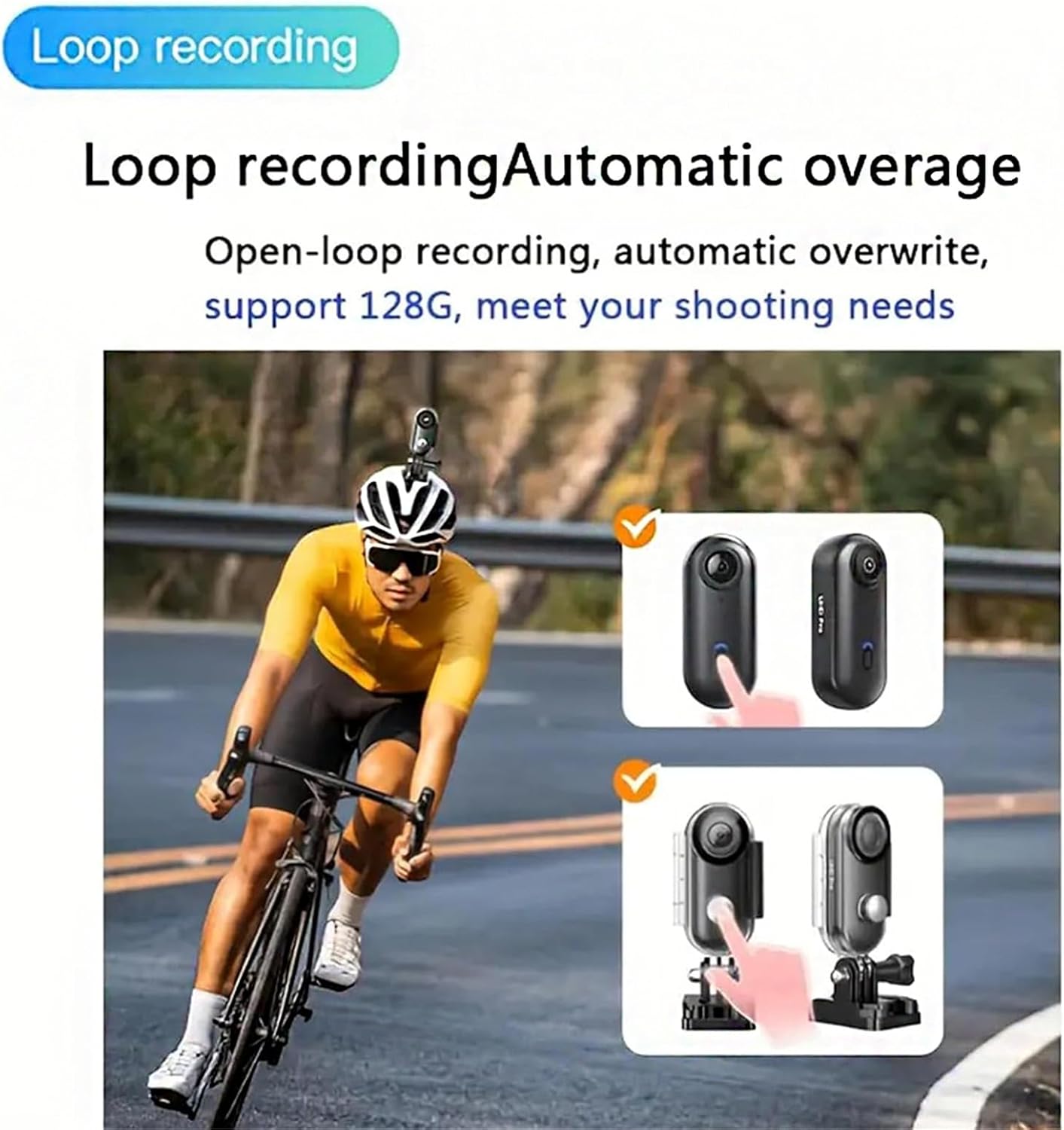
The camera features loop recording, which automatically overwrites the oldest footage when the storage card is full. This ensures continuous recording without manual intervention, ideal for security footage or long-duration activities.
5.4 Wi-Fi Connectivity and App Usage
Connect your camera to your smartphone via Wi-Fi for enhanced control and media management. The dedicated app allows for:
- Live preview of the camera's view.
- Remote control of recording functions.
- Instant video playback.
- Seamless file transfers and sharing.

6. Maintenance
6.1 Cleaning
To clean the camera body, use a soft, dry cloth. For the lens, use a specialized lens cleaning cloth and solution to avoid scratches. Do not use harsh chemicals or abrasive materials.
6.2 Storage
Store the camera in a cool, dry place away from direct sunlight and extreme temperatures. When storing for extended periods, ensure the battery is partially charged (around 50%) to prolong its lifespan. Remove the Micro SD card if not in use.
6.3 Waterproof Case Care
After using the waterproof case in saltwater, rinse it thoroughly with fresh water and allow it to air dry. Inspect the O-ring seal regularly for any debris or damage to ensure its waterproof integrity.
7. Troubleshooting
If you encounter issues with your MGSTN Mini 120 4K Camera, refer to the following common solutions:
| Problem | Possible Cause | Solution |
|---|---|---|
| Camera does not power on. | Low battery; faulty charging cable/adapter. | Charge the camera fully. Try a different charging cable or adapter. |
| Cannot record video/take photos. | No Micro SD card; SD card full or corrupted; incorrect mode. | Insert a Micro SD card. Format or replace the SD card. Ensure sufficient storage. Check recording mode via app. |
| Wi-Fi connection issues. | Wi-Fi not enabled on camera; incorrect password; interference. | Double-click the power button to enable Wi-Fi. Re-enter Wi-Fi password. Move closer to the camera. |
| Poor video quality. | Dirty lens; low light conditions; incorrect resolution settings. | Clean the camera lens. Ensure adequate lighting. Adjust resolution settings in the app to 4K. |
| Camera freezes or becomes unresponsive. | Software glitch; full memory card. | Perform a soft reset by holding the power button for 10-15 seconds. Ensure the Micro SD card has free space. |
8. Specifications
| Feature | Detail |
|---|---|
| Brand | MGSTN |
| Model Number | DFGJ |
| Video Capture Resolution | 4K (3840x2160 pixels) |
| Video Capture Format | MP4 |
| Image Aspect Ratio | 16:9 |
| Supported Image Format | JPEG |
| Flash Memory Type | SD (Supports up to 128GB) |
| Flash Memory Speed Class | C10, V30 recommended |
| Connectivity Technology | Bluetooth, Wi-Fi |
| Lens Type | Wide Angle (120°) |
| Focus Type | Auto Focus |
| Image Stabilization | Digital |
| Water Resistance Level | Waterproof (with included case, up to 30M) |
| Battery Average Life | 90 minutes (4K), 150 minutes (1080P) |
| Form Factor | Ultra Compact |
| Dimensions | 64.5mm x 28mm x 20mm (approx. 2.54in x 1.1in x 0.787in) |
| Weight | 37g / 1.25oz |
| Compatible Devices | Smartphone, Tablet, Personal Computer |

9. Warranty Information
The manufacturer provides NO explicit warranty description for this product. Please refer to your retailer's return policy or contact the seller directly for any warranty-related inquiries.
10. Support
For further assistance, technical support, or inquiries, please visit the official MGSTN brand store on Amazon or contact the seller directly through the platform where the product was purchased.
MGSTN Brand Store: https://www.amazon.com/stores/MGSTN/page/2AA925E0-E976-414C-B866-FE8C570C4B6E